
In the landscape of digital media, file formats are often designed to solve specific problems. While the PDF dominates the world of business documents and the EPUB rules the e-book market, a specific niche of enthusiasts and technologists relies on a format known as CBR. If you have ever waded into the world of digital graphic novels or scanned archives of vintage comics, you have undoubtedly encountered the .cbr extension. But what exactly is this format, and why does it remain the gold standard for visual storytelling in the digital age?
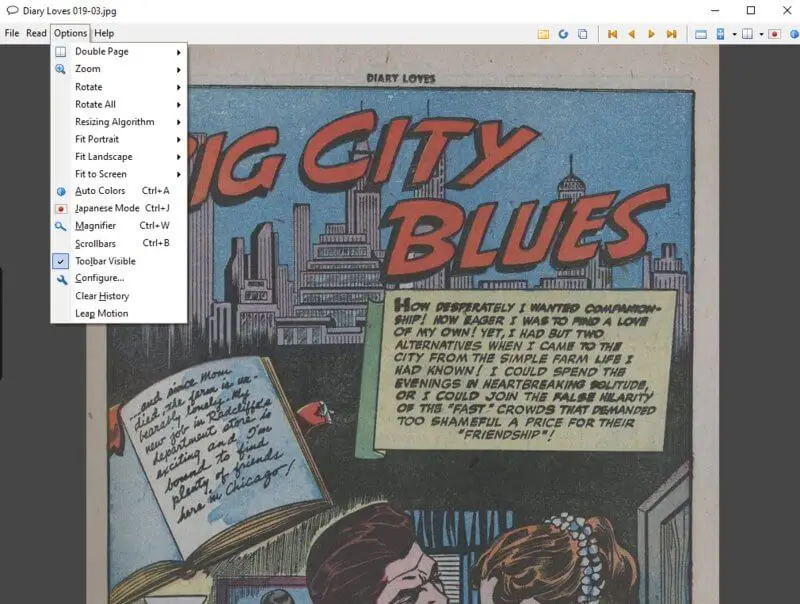
At its core, the CBR format is a testament to the power of containerization. It is not a unique coding language or a complex encryption style; rather, it is a specialized application of compression technology designed to streamline the viewing of sequential images. This guide explores the technical architecture of CBR files, the software ecosystem that supports them, and the practicalities of managing these archives in a modern tech environment.
Understanding the CBR Format: Architecture and Origins
To understand CBR, one must first understand the RAR archive. CBR stands for “Comic Book RAR.” Technically speaking, a .cbr file is a standard RAR archive that has been renamed to trigger a specific response from compatible software. The format was popularized by the “CDisplay” image viewer, a piece of software designed to optimize the experience of reading comics on a computer screen.
The Compression Logic: From RAR to CBR
The mechanics of a CBR file are elegantly simple. It is a collection of image files—typically JPEGs, PNGs, or GIFs—compressed into a single archive using the RAR algorithm. The RAR (Roshal Archive) format is known for high compression ratios and data integrity. By renaming the extension from .rar to .cbr, the operating system and comic-reading applications recognize that the contents should be treated as a sequential book rather than a folder of miscellaneous files.
When a CBR reader opens a file, it decompresses the images into a temporary cache and displays them one by one. The software relies on the alphabetical or numerical naming convention of the images within the archive to determine the page order. This is why digital comic archivists use leading zeros (e.g., Page001.jpg, Page002.jpg) to ensure that the “tech” behind the file correctly interprets the sequence of the story.
Why Use CBR Over Standard PDF?
A common question among tech-savvy users is why the industry didn’t simply adopt the PDF format. While PDFs are excellent for text-heavy documents, they often struggle with the high-resolution, full-page raster images found in comic books. PDFs can become “heavy,” leading to slow rendering times and “stuttering” during page turns on lower-end hardware.
CBR, conversely, is “lean.” Because it is essentially just a wrapper for images, it allows the reading software to handle the rendering directly. This results in smoother transitions, better zooming capabilities, and more efficient memory management. Furthermore, the RAR compression used in CBR files often results in a smaller file size compared to a PDF of the same visual quality, which is a significant factor for collectors managing libraries consisting of thousands of issues.
How to Open and Read CBR Files: Software and Tools
Since a CBR file is a specialized archive, it requires specific software to be viewed as intended. While you could technically change the extension to .rar and extract the images to view them in a standard photo viewer, this defeats the purpose of the sequential reading experience. The tech world has developed a robust ecosystem of “Comic Readers” that provide features like two-page spreads, panel-by-panel zooming, and library management.
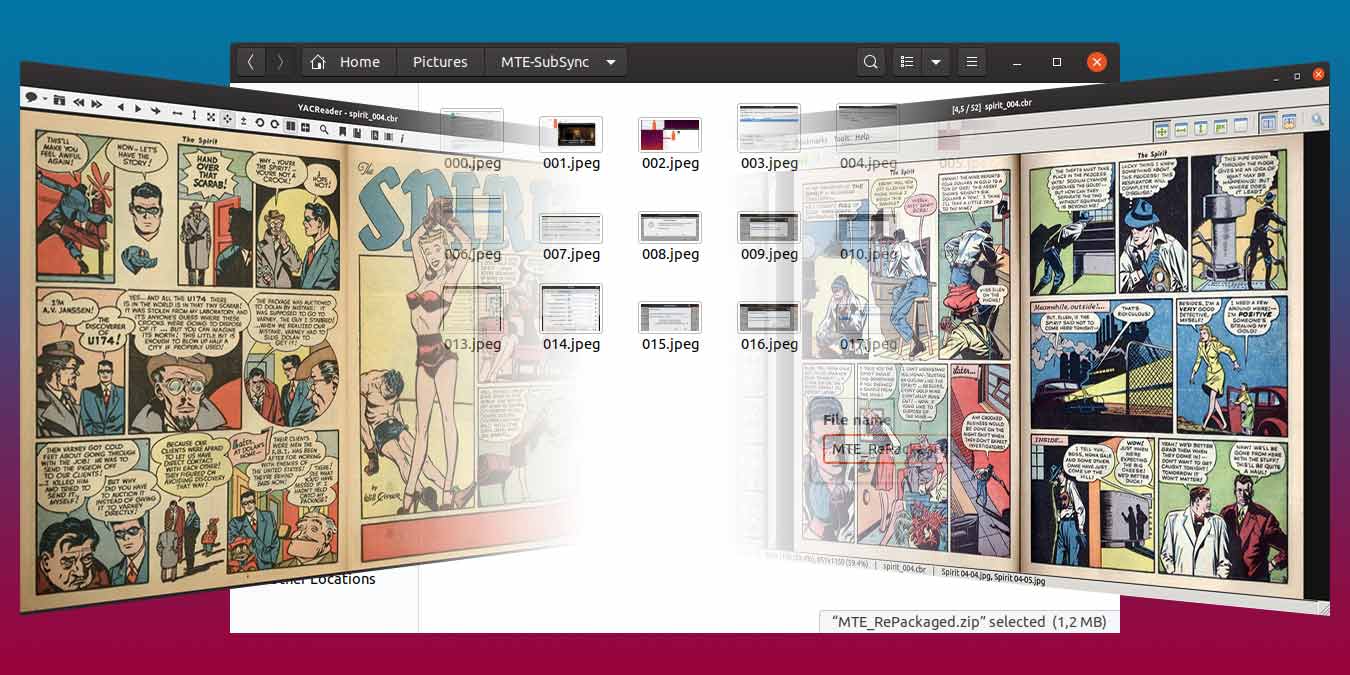
Top CBR Readers for Desktop (Windows, macOS, Linux)
For desktop users, the choice of software often depends on how much metadata management they require.
- CDisplayEx: The spiritual successor to the original CDisplay, this is widely considered the fastest and most efficient CBR reader for Windows. It uses advanced resizing algorithms to ensure that low-resolution scans look sharp on 4K monitors.
- YACReader (Yet Another Comic Reader): This is a cross-platform powerhouse. Its standout feature is the “YACReader Library,” which helps users organize their digital collections with cover art, issue numbers, and creator tags. It uses a sophisticated backend to track reading progress across different devices.
- MComix: For Linux enthusiasts, MComix offers a highly customizable, open-source alternative. It is lightweight and handles CBR and its cousin, CBZ (ZIP-based), with equal fluidness.
Best Mobile Apps for CBR (iOS and Android)
The rise of tablets has revolutionized the consumption of CBR files, as the vertical orientation of a tablet perfectly mimics the physical dimensions of a comic book.
- Panels (iOS): This app is known for its clean UI and seamless integration with cloud services like Google Drive and Dropbox. Tech-wise, it offers excellent “Guided View” features that use image recognition to navigate from one panel to the next.
- ComicScreen (Android): A favorite among Android users for its ability to handle SMB and FTP connections. This allows users to stream their CBR files from a home server or NAS (Network Attached Storage) directly to their mobile device without taking up local storage space.
Technical Management: Converting and Creating CBR Files
For power users, the CBR format is highly malleable. Because it is based on standard compression technology, you can manipulate these files using everyday utility tools. Whether you are a digital artist looking to distribute your work or a collector looking to optimize your storage, understanding the technical side of file creation is essential.
How to Convert CBR to PDF or CBZ
There are many reasons to convert a CBR file. Perhaps you have an e-reader that only supports PDF, or you prefer the open-source nature of the CBZ format (which uses ZIP compression instead of RAR).
- Manual Conversion: The most basic tech “hack” is to rename the file to .rar, extract the images, and then use a “Print to PDF” tool or re-archive them as a .zip file and rename it to .cbz.
- Dedicated Converters: Tools like Calibre (the famous e-book management software) can batch-convert CBR files into EPUB or PDF. Calibre’s engine performs “image processing” during the conversion, allowing users to adjust contrast or resize images to fit the specific dimensions of a Kindle or Kobo device.
Creating Your Own CBR Archives
If you are a creator or have a collection of high-resolution scans, creating a CBR file is straightforward.
- Organize: Ensure all images are in the correct order using a consistent naming format (e.g., 01.jpg, 02.jpg).
- Compress: Select all images, right-click, and use a tool like WinRAR to “Add to Archive.”
- Rename: Once the .rar file is created, click the filename and change the extension to .cbr.
The technology is transparent; the CBR “format” is simply an instruction to the computer on how to handle the data inside the archive.
The Future of Digital Archiving: CBR vs. Emerging Formats
As we move further into an era of high-definition displays and cloud-based consumption, the CBR format faces new challenges. While it remains popular, the tech community is constantly debating the merits of various archival standards, especially regarding metadata and security.
Security and Metadata in Comic Archives
One of the primary technical weaknesses of the CBR format is its lack of a built-in metadata standard. Unlike an MP3 file (which has ID3 tags for artist and album) or an EPUB (which has internal XML for author and publisher), a CBR file is just a pile of images.
To solve this, the tech community developed the “ComicRack” metadata standard, which embeds an XML file inside the RAR archive. This XML file contains data about the writer, penciler, and publication date. However, because RAR is a proprietary format owned by WinRAR, writing metadata back into a CBR file can sometimes be more cumbersome than doing so in the open-source CBZ (ZIP) format.
The Shift Toward Open Standards
While CBR is the “legacy” leader, there is a growing movement toward the CBZ (Comic Book ZIP) format. From a technical standpoint, ZIP compression is open-source and natively supported by every operating system without the need for third-party software like WinRAR.
Furthermore, as web-based comic readers (using HTML5 and JavaScript) become more prevalent, the ability to decompress files on the fly in a browser is crucial. ZIP-based formats are generally more “web-friendly” than RAR-based ones. However, the CBR format persists due to its historical dominance and the superior compression ratios that the RAR algorithm can achieve with high-quality image data.
In conclusion, the CBR format is a brilliant example of “functional technology.” It took an existing tool—RAR compression—and repurposed it to serve a specific creative community. Its longevity is a result of its simplicity: as long as we have images and as long as we have a way to bundle them, CBR will remain a vital part of the digital landscape. Whether you are a casual reader or a dedicated archivist, understanding the tech behind the pages ensures a better, more organized, and more enjoyable reading experience.
aViewFromTheCave is a participant in the Amazon Services LLC Associates Program, an affiliate advertising program designed to provide a means for sites to earn advertising fees by advertising and linking to Amazon.com. Amazon, the Amazon logo, AmazonSupply, and the AmazonSupply logo are trademarks of Amazon.com, Inc. or its affiliates. As an Amazon Associate we earn affiliate commissions from qualifying purchases.