
Bloxlink stands as a pivotal third-party application designed to seamlessly bridge the gap between Discord, a popular communication platform, and Roblox, a massive online gaming platform. At its core, Bloxlink is a Discord bot engineered to provide robust verification and identity management features, allowing Roblox players and community leaders to connect their Roblox accounts with their Discord profiles. This integration fosters a more organized, secure, and feature-rich community experience, addressing common challenges faced by groups, guilds, and development teams operating across both environments.
The necessity for such a tool arises from the distinct identities users maintain on each platform. On Roblox, users have game progress, group affiliations, and a unique username. On Discord, they have server memberships, roles, and a different username. Bloxlink resolves the fragmentation by establishing a verifiable link, ensuring that a Discord user’s identity can be authentically tied back to their Roblox counterpart. This fundamental capability unlocks a spectrum of advanced functionalities, transforming how communities manage membership, roles, and access controls.
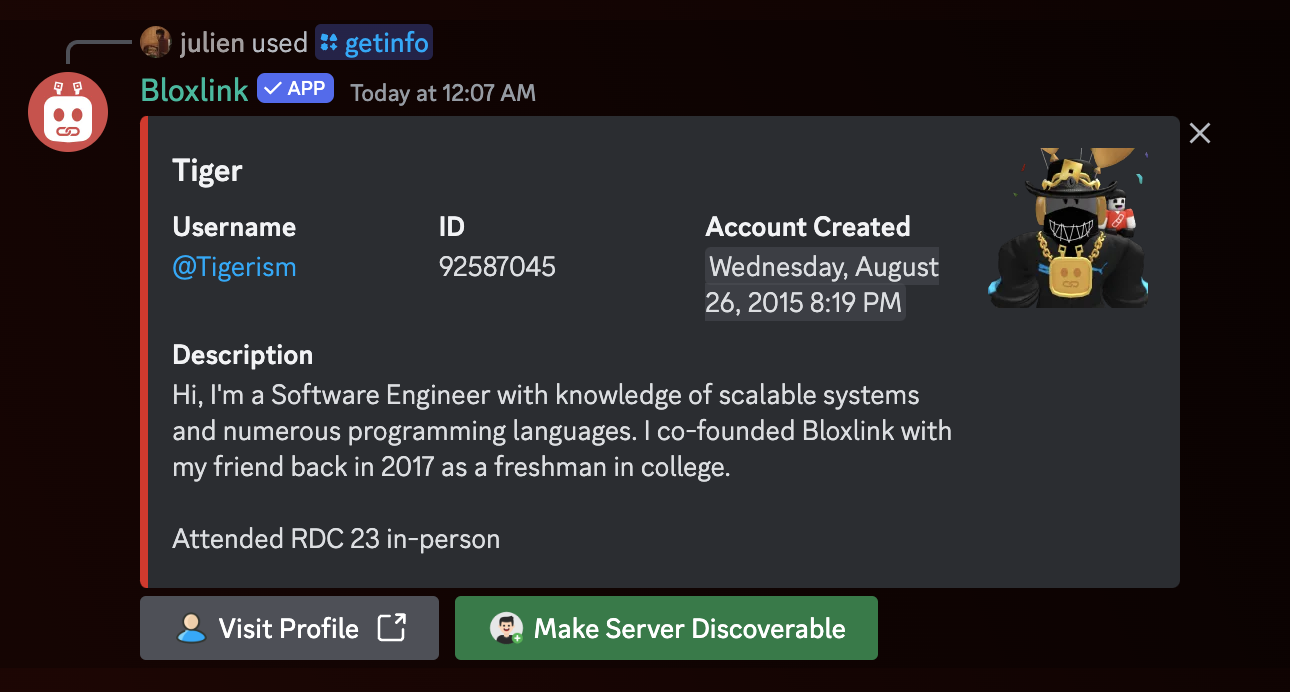
The Core Functionality: Bridging Platforms
Bloxlink’s primary utility lies in its ability to create a reliable and secure connection between a user’s Discord and Roblox accounts. This isn’t just about showing a Roblox username on Discord; it’s about establishing a verified identity that can be leveraged for various administrative and social purposes.
Connecting Discord and Roblox
The core mechanism involves a straightforward, user-initiated verification process. A user, typically on a Discord server where Bloxlink is present, issues a command (e.g., /verify). Bloxlink then guides them through a process that often involves linking their Discord account to their Roblox account via the Bloxlink website. This usually entails the user proving ownership of their Roblox account by performing a specific action within Roblox, such as setting a particular status or creating a game pass with a unique ID, which Bloxlink’s API can then detect. Once this action is verified, the link is established.
This verification is crucial because it eliminates the potential for impersonation. Without Bloxlink, a malicious actor could claim to be a high-ranking member of a Roblox group on Discord, potentially causing havoc or deceiving other members. With Bloxlink, roles and permissions on Discord can be automatically assigned based on verified Roblox data, ensuring that only legitimate members receive appropriate access.
Verification and Identity Management
Beyond simple linking, Bloxlink excels in continuous identity management. Once verified, Bloxlink regularly checks the linked Roblox account for changes relevant to the Discord server. This includes:
- Username Changes: If a user changes their Roblox username, Bloxlink can automatically update their Discord nickname to reflect this change, maintaining consistency.
- Group Membership: Bloxlink can monitor a user’s membership in specific Roblox groups. If a user joins or leaves a designated group, their Discord roles can be automatically updated or removed accordingly.
- Rank within Groups: For Roblox groups with complex ranking structures, Bloxlink can synchronize a user’s Roblox rank with a corresponding role on Discord. This allows for precise permission management, ensuring that administrators, moderators, and regular members have appropriate access levels in the Discord server.
- Badges and Assets: In some advanced configurations, Bloxlink can verify ownership of specific Roblox assets or badges, allowing servers to grant special roles or access based on these criteria.
This dynamic identity management significantly reduces the manual administrative burden on server moderators and ensures that Discord communities accurately reflect the hierarchy and membership status of their associated Roblox groups.
Key Features and Benefits for Users
Bloxlink’s utility extends far beyond basic verification, offering a suite of features that enhance community management, security, and engagement for both administrators and general users.
Enhanced Community Management
For Discord server administrators and Roblox group owners, Bloxlink is an invaluable tool for streamlining community operations. It automates many tasks that would otherwise require constant manual oversight, allowing leaders to focus on content creation, event planning, and fostering positive interactions. The ability to automatically assign roles based on Roblox group membership or rank ensures that new members are onboarded correctly and that permissions are always up-to-date.
Role Synchronization and Automation
One of Bloxlink’s most powerful features is its robust role synchronization. Administrators can configure rules that automatically grant or revoke Discord roles based on a user’s Roblox group membership, rank within a group, or even the possession of specific Roblox assets. For example:
- Users joining a specific Roblox group can instantly receive a “Member” role on Discord.
- Users achieving a “High Rank” status in Roblox can be granted a corresponding “HR” role on Discord with elevated permissions.
- If a user leaves a Roblox group, their associated Discord roles can be automatically removed, preventing unauthorized access to private channels.
This automation significantly reduces the potential for human error and ensures that Discord permissions accurately mirror Roblox-based hierarchies.
Security and Anti-Raid Measures
Bloxlink adds a critical layer of security to Discord servers. By requiring users to verify their Roblox identity, it helps to deter malicious actors and “raiders” who might otherwise create disposable Discord accounts to disrupt communities. Knowing that a real, verifiable Roblox identity is linked to a Discord account encourages more responsible behavior. Furthermore, features like requiring a minimum account age on Roblox for verification can prevent brand-new, potentially spam-oriented accounts from gaining access to a server. This makes Bloxlink a vital component in maintaining a safe and orderly online environment for Roblox communities.
Customization and Integration
The bot offers a high degree of customization, allowing server owners to tailor its behavior to their specific community needs. This includes:
- Custom Verification Messages: Personalizing the instructions and messages users receive during the verification process.
- Prefixes and Commands: While increasingly transitioning to slash commands, older configurations allowed custom prefixes, and many commands offer flexible parameters.
- Integration with other Bots: Bloxlink is often used in conjunction with other moderation bots or utility bots, creating a comprehensive management ecosystem. For instance, a moderation bot might ban a Discord user, and Bloxlink’s synchronization might prevent them from rejoining with an unverified account.
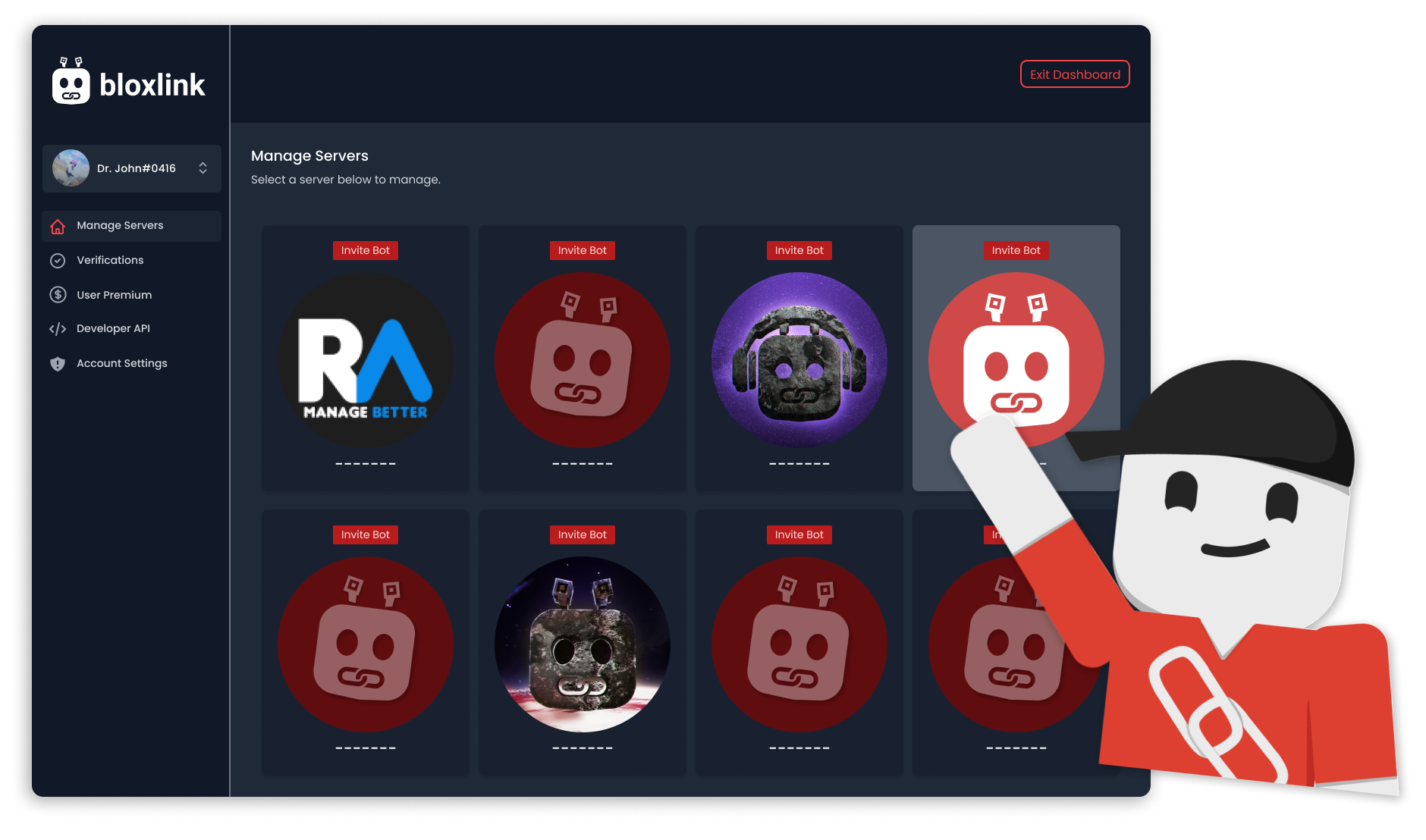
How Bloxlink Works: A Technical Overview
Understanding the underlying technology behind Bloxlink provides insight into its reliability and efficiency. The bot operates as an intermediary, leveraging APIs from both Discord and Roblox to facilitate data exchange and identity verification.
API Integration and Data Exchange
Bloxlink’s functionality relies heavily on the official Application Programming Interfaces (APIs) provided by Discord and Roblox.
- Roblox API: Bloxlink interacts with the Roblox API to fetch user profiles, check group memberships, retrieve group ranks, and verify specific in-game actions (like setting status messages or creating game passes). These API calls are made securely to ensure data integrity and user privacy.
- Discord API: On the Discord side, Bloxlink uses the Discord Bot API to manage server roles, update user nicknames, send messages, and listen for commands. This allows the bot to seamlessly integrate into Discord servers and perform its automated tasks.
When a user initiates verification, Bloxlink’s web service acts as a secure bridge. The user authenticates their Roblox account through a process that Bloxlink can then verify using the Roblox API. Once verified, Bloxlink stores the necessary mapping between the user’s Discord ID and their Roblox ID in its database. Subsequent commands or scheduled checks then use this stored information to query Roblox and update Discord accordingly.
User Permissions and Privacy
Bloxlink is designed with user privacy and data security in mind.
- Minimal Data Collection: The bot typically only stores the necessary identifiers (Discord User ID, Roblox User ID) and relevant configuration settings for each server. It does not store sensitive personal information like Roblox account passwords or Discord login credentials.
- Discord Permissions: When adding Bloxlink to a Discord server, administrators grant it specific permissions (e.g., “Manage Roles,” “Change Nicknames,” “Send Messages”). These permissions are essential for the bot to perform its duties, but server owners should always review them carefully to ensure they align with their trust level.
- Roblox Authorization: The verification process requires the user to grant Bloxlink temporary authorization to verify their identity on Roblox. This is usually a one-time process and does not grant Bloxlink ongoing access to sensitive Roblox account features beyond what’s needed for identity verification and public data retrieval.
Beyond Verification: Advanced Use Cases
While verification is its cornerstone, Bloxlink’s capabilities extend to more sophisticated applications that significantly enhance the functionality of Roblox-centric Discord communities.
Event Management and Access Control
Bloxlink can be instrumental in managing access to exclusive events or content. For instance, a game developer hosting a beta test for a new Roblox game could use Bloxlink to:
- Automatically grant a “Beta Tester” role to users on Discord who own a specific game pass or have reached a certain level in their existing game.
- Restrict access to event-specific channels only to verified members who meet certain Roblox criteria, ensuring that discussions and announcements reach the intended audience.
- Manage sign-ups for competitive events by verifying participant eligibility based on their Roblox stats or group affiliations.
Monetization and Group Management
For Roblox developers and content creators, Bloxlink can indirectly support monetization and robust group management strategies:
- Premium Access: Servers can offer “premium” Discord roles to users who have purchased a specific game pass or item on Roblox, providing exclusive content, early access, or special perks. This creates a tangible value proposition for in-game purchases that extends to the community platform.
- Tiered Membership: Roblox groups with tiered membership systems (e.g., Bronze, Silver, Gold supporters) can have these tiers reflected directly in Discord roles, granting different levels of access and recognition.
- Developer Teams: Game development teams can use Bloxlink to verify the identity of developers, testers, and project managers, ensuring that only authorized personnel have access to sensitive development channels and resources.
Setting Up Bloxlink: A Beginner’s Guide
Integrating Bloxlink into a Discord server is a relatively straightforward process, designed to be accessible even for those with limited technical expertise.
Adding the Bot to Discord
The first step is to invite the Bloxlink bot to your Discord server. This is typically done through the official Bloxlink website. The website will provide an “Invite” link, which, when clicked, will redirect to Discord’s authorization page. Here, you’ll select the desired server from a dropdown list and grant the necessary permissions. It’s crucial to ensure the bot has permissions like “Manage Roles” and “Change Nicknames” to function correctly. Once authorized, Bloxlink will appear in your server’s member list.
The Verification Process
Once Bloxlink is in your server, users can begin the verification process. The most common method involves a slash command:
/verifyCommand: A user types/verifyin any channel where Bloxlink has permission to send messages.- Web Link Generation: Bloxlink will respond with a unique link to its verification website.
- Roblox Authentication: The user clicks the link, which takes them to the Bloxlink website. Here, they will need to log in with their Roblox account or perform a specific action within Roblox (e.g., updating their profile status to a unique code provided by Bloxlink). This action confirms ownership of the Roblox account to Bloxlink.
- Confirmation: Once Bloxlink verifies the action, the user’s Discord account is linked to their Roblox account, and the bot will confirm success in the Discord server.
Initial Configuration and Commands
After verification is enabled, server administrators will want to configure Bloxlink’s advanced features:
- Role Bindings: Use commands like
/bindor/grouprole(specific commands may vary or evolve) to set up rules that automatically assign Discord roles based on Roblox group membership or rank. For example,/grouprole [Roblox Group ID] [Minimum Rank ID] [Discord Role]could be used to bind a specific Discord role to a Roblox group rank. - Nickame Sync: Configure Bloxlink to automatically update users’ Discord nicknames to match their Roblox usernames, enhancing clarity and consistency.
- Moderation Settings: Explore options for setting minimum Roblox account age for verification or other security parameters.
- Utility Commands: Bloxlink often includes other utility commands, such as
/whois [Roblox Username/Discord User]to quickly look up a user’s linked identity.
Bloxlink represents a fundamental tool for any serious Roblox community operating on Discord. By automating identity verification and role management, it fosters more secure, organized, and engaging environments, allowing leaders to focus on cultivating their communities rather than administrative overhead.
aViewFromTheCave is a participant in the Amazon Services LLC Associates Program, an affiliate advertising program designed to provide a means for sites to earn advertising fees by advertising and linking to Amazon.com. Amazon, the Amazon logo, AmazonSupply, and the AmazonSupply logo are trademarks of Amazon.com, Inc. or its affiliates. As an Amazon Associate we earn affiliate commissions from qualifying purchases.