
In an increasingly digitized world, understanding the units of measurement we encounter daily is more critical than ever. From storage capacities on our smartphones to internet data plans, we are constantly bombarded with acronyms and numerical values. It’s not uncommon for confusion to arise, especially when similar-sounding terms or seemingly disparate concepts are brought into comparison. One such query that highlights this potential for misunderstanding is “what is bigger: mg or gb?”
On the surface, this question might appear straightforward, yet it elegantly encapsulates a fundamental distinction between two entirely different realms of measurement: the physical and the digital. “MG” typically refers to milligrams, a unit of mass, while “GB” refers to gigabytes, a unit of digital information. Directly comparing them is akin to asking if a kilometer is “bigger” than a kilogram – they measure different properties. However, within the context of technology, the query often hints at a deeper, more pertinent question, perhaps a typographical error or a conflation with “MB” (megabytes). This article aims to demystify these units, clarify their distinct applications, and, most importantly, provide a comprehensive understanding of digital storage units that are indispensable in our modern technological landscape.

Understanding the Fundamentals: What Do MG and GB Actually Represent?
To answer “what is bigger: mg or gb?” we must first establish what each unit precisely measures. Their fundamental differences are the key to comprehending why a direct, quantitative comparison is illogical.
Milligrams (mg): A Unit of Mass
The milligram (mg) is a unit of mass in the metric system, representing one-thousandth (1/1000) of a gram. A gram, in turn, is defined in relation to the kilogram, the base unit of mass in the International System of Units (SI). Milligrams are used to measure very small quantities of physical matter, typically substances where precision is paramount.
For instance, you’ll encounter milligrams when measuring the active ingredients in medication, the weight of a tiny insect, the amount of a particular nutrient in a food item, or even the precise dosage of certain chemicals in scientific experiments. It’s a tangible unit, dealing with the physical property of weight. If you held a grain of salt, you’d be holding a substance weighing a few milligrams. It’s a concept deeply rooted in our physical world, measurable with a scale.
Gigabytes (GB): A Unit of Digital Information
The gigabyte (GB) stands in stark contrast. It is a unit of digital information storage, belonging to the realm of computing and data. Unlike milligrams, gigabytes do not measure physical weight or volume; they quantify the amount of digital data that can be stored or processed. This data could be anything from a photograph, a song, a document, an application, or an entire operating system.
The “giga” prefix denotes a factor of a billion (specifically, 10^9 or 1,000,000,000) when used in the decimal system, or 2^30 (1,073,741,824) when referring to binary prefixes in computing (gibibyte). For practical purposes, most consumer devices and marketing materials round it to approximately a billion bytes. We will delve deeper into the hierarchy of digital units shortly, but for now, understand that a gigabyte represents a substantial amount of digital data.
The Apples and Oranges Analogy
Attempting to compare milligrams and gigabytes directly is an exercise in futility, akin to asking whether a meter is “bigger” than a liter. A meter measures length, and a liter measures volume. They are fundamentally different dimensions of measurement. Similarly, milligrams quantify mass – how much “stuff” is in an object – while gigabytes quantify information – how much digital data can be contained. There is no conversion rate between mass and digital information in this context, just as there’s no conversion rate between length and volume. One doesn’t have a greater “size” than the other because they exist in different dimensional spaces. The question itself highlights a conceptual disconnect, which is precisely why clarifying these distinct applications is so important for digital literacy.
Decoding Digital Storage: The True Context of “Bigger”
Given the likely intent behind the question, it’s highly probable that the user was either thinking of “MB” (megabytes) instead of “MG,” or simply confused about the hierarchy of digital storage units. In the digital realm, comparing units of data to determine which is “bigger” is a common and meaningful exercise.
The Byte: The Basic Building Block of Digital Data
Before we can understand gigabytes, we must start with the smallest practical unit of digital information: the byte.
-
Bit (b): The most fundamental unit, a “bit” (binary digit) represents a single binary value, either a 0 or a 1. Computers process information using these bits.
-
Byte (B): A byte is a collection of 8 bits. This is the smallest addressable unit of data for most computer architectures and is typically what’s used to represent a single character of text (e.g., the letter ‘A’ might be stored as one byte). All larger units of digital storage are multiples of the byte.
The Kilo-, Mega-, Giga- Hierarchy (and Beyond)
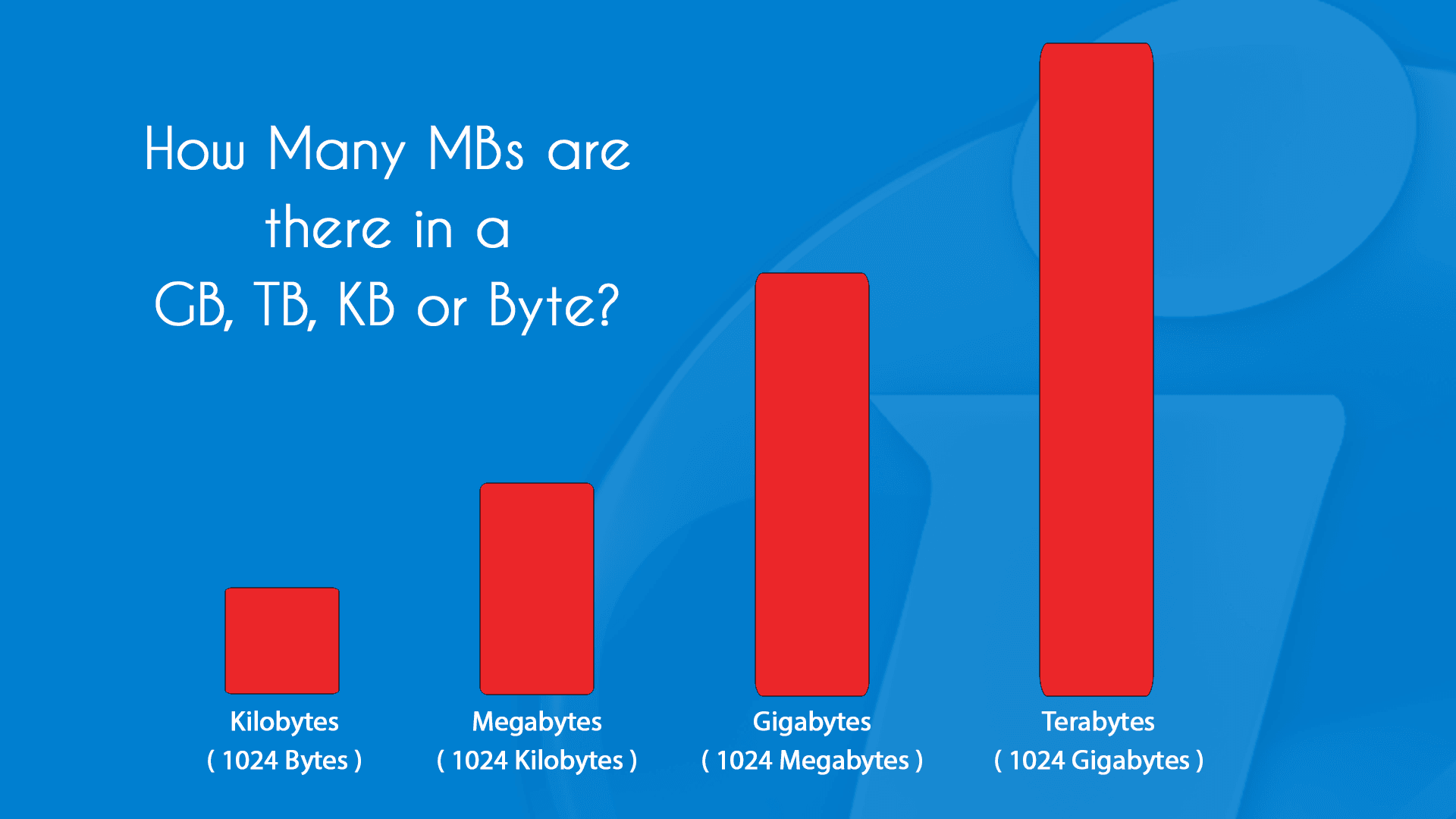
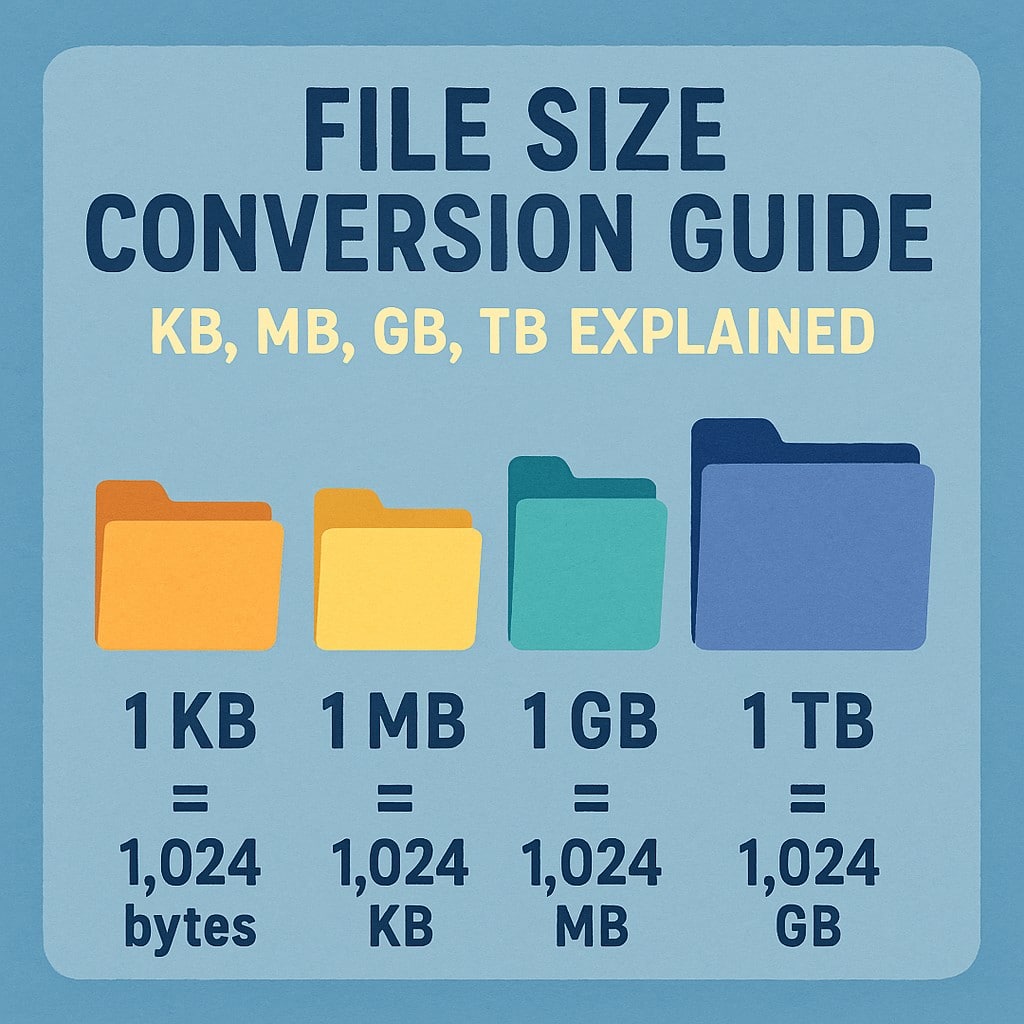
Digital storage units follow a hierarchical structure, much like meters, kilometers, and millimeters. Each successive unit is approximately 1,000 times larger than the previous one, though in computing, the multiplier is often precisely 1,024 (2^10) due to binary numbering systems. For simplicity, we’ll use the approximate decimal values as commonly presented in consumer contexts.
-
Kilobyte (KB):
-
Approximately 1,000 bytes. (More precisely, 1,024 bytes).
-
Examples: A very short email, a plain text document of a few paragraphs, a tiny icon image.
-
If you meant “Kilobyte (KB)” instead of “MG”, then GB is vastly bigger than KB.
-
-
Megabyte (MB):
-
Approximately 1,000 Kilobytes (KB), or about 1,000,000 bytes. (More precisely, 1,024 KB or 1,048,576 bytes).
-
Examples: A high-resolution photograph, a few minutes of MP3 audio, a small software application, a typical Microsoft Word document with images.
-
This is the unit most likely confused with “MG.” If the question was “What is bigger: MB or GB?”, then GB is indeed bigger than MB. A gigabyte is roughly 1,000 megabytes.
-
-
Gigabyte (GB):
-
Approximately 1,000 Megabytes (MB), or about 1,000,000,000 bytes. (More precisely, 1,024 MB or 1,073,741,824 bytes).
-
Examples: A standard-definition movie, several high-quality music albums, a moderately sized video game, the operating system on a typical smartphone.
-
This is a common unit for measuring device storage (e.g., 256GB iPhone), USB drives, and monthly internet data caps.
-
-
Terabyte (TB):
-
Approximately 1,000 Gigabytes (GB), or about 1,000,000,000,000 bytes.
-
Examples: A large external hard drive, an entire library of high-definition movies, a professional photographer’s entire collection of RAW images.
-
Many modern laptops and desktop computers now come with SSDs or HDDs measured in terabytes.
-
-
Petabyte (PB), Exabyte (EB), Zettabyte (ZB):
- These units are successively 1,000 times larger than the previous. While individuals rarely deal with these scales, they are crucial for large enterprises, cloud storage providers, and scientific research. Data centers, for instance, might store petabytes or even exabytes of information.
Common Misconceptions: KB vs. Kb, MB vs. Mb
Another area of frequent confusion is the capitalization of the ‘B’ in digital units.
-
Uppercase ‘B’ (Byte): When you see KB, MB, GB, TB, the ‘B’ stands for Byte. These units measure storage capacity.
-
Lowercase ‘b’ (bit): When you see Kbps, Mbps, Gbps (kilobits per second, megabits per second, gigabits per second), the ‘b’ stands for bit. These units measure data transfer speed or bandwidth. Since there are 8 bits in a byte, an 8 Mbps internet connection can theoretically download 1 MB per second (8 Megabits / 8 bits/Byte = 1 Megabyte). This distinction is vital for understanding network speeds versus file sizes.
Therefore, to directly answer the likely underlying question: Gigabytes (GB) are significantly bigger than Megabytes (MB), by a factor of approximately 1,000. And both of these are units of digital information, entirely distinct from milligrams (mg), which measure mass.
Practical Implications: Why Understanding Digital Units Matters
Beyond academic curiosity, a clear understanding of digital units has tangible, practical implications for navigating our tech-saturated lives.
Storage Capacity: Making Informed Purchase Decisions
When buying a new smartphone, laptop, tablet, or external hard drive, you’ll be faced with choices like 64GB, 128GB, 256GB, 512GB, 1TB (which is 1,000GB), or even more. Knowing what these numbers mean directly impacts your user experience and how much digital content you can store:
-
Smartphones: A 64GB phone might quickly fill up with apps, photos, and videos, leading to performance issues and the need to constantly delete content. A 256GB or 512GB phone offers much more breathing room for a modern user.
-
Laptops: For a basic user, 256GB or 512GB of SSD storage might suffice. But for gamers, video editors, or those with extensive media libraries, 1TB or even 2TB is often necessary.
-
External Drives: Terabyte-level external drives are essential for backups, large media collections, or expanding laptop storage.
Understanding these units allows you to match your storage needs to the device’s capacity, avoiding the frustration of running out of space or the overspending on unnecessary capacity.
Data Usage: Managing Your Internet and Mobile Plans
Most mobile phone and home internet plans come with data caps, often measured in gigabytes (e.g., “10GB of mobile data per month” or “500GB home internet cap”). Understanding what different activities consume in terms of GBs is crucial for avoiding overage charges or throttled speeds:
-
Streaming Video: High-definition video streaming can consume several GBs per hour.
-
Online Gaming: Downloading a new game can be tens or even hundreds of GBs, while playing online might use hundreds of MBs per hour.
-
Software Updates: Operating system updates for phones or computers can range from hundreds of MBs to several GBs.
-
Cloud Backups: Backing up your phone or computer to the cloud can involve many GBs, especially for the initial sync.
Knowing how much data common activities consume empowers you to choose the right data plan and manage your usage effectively throughout the month.
File Sizes and Transfers: Optimizing Workflow
Whether you’re sending an email attachment, uploading files to cloud storage, or downloading large software, understanding file sizes (in MBs or GBs) helps you manage expectations and optimize your workflow:
-
Email Attachments: Most email providers have limits (e.g., 25MB). You’ll know if you need to use a cloud service for larger files.
-
Cloud Storage: Deciding how much cloud storage you need (e.g., 100GB, 2TB) depends directly on the cumulative size of your files.
-
Download Times: A 50GB game will take significantly longer to download than a 500MB application, even with a fast internet connection. Knowing the size helps you estimate the wait.
This understanding allows for smoother digital interactions, reducing frustration and improving efficiency.
Navigating the Future of Data: Expanding Horizons
The digital universe is expanding at an unprecedented rate. Every interaction, every click, every sensor reading contributes to a vast ocean of data. Understanding units like gigabytes and terabytes is just the beginning as we delve into the future.
The Exponential Growth of Data
Analysts predict that the world’s data generation will continue its exponential growth, fueled by trends like the Internet of Things (IoT), artificial intelligence (AI), augmented reality (AR), and smart cities. We are rapidly moving into an era where petabytes and exabytes will become more common units of discussion, not just for hyperscale data centers but also for increasingly large personal datasets, especially as high-resolution content (e.g., 8K video) becomes mainstream. Staying conversant with these units allows us to grasp the true scale of this digital transformation.
Storage Technologies and Their Evolution
The continuous demand for more storage at lower costs and faster speeds drives innovation in storage technologies. We’ve seen the transition from floppy disks to CDs, DVDs, Blu-rays, hard disk drives (HDDs), and now solid-state drives (SSDs). Each evolution typically brings higher capacity and improved performance. Future technologies like DNA storage or quantum storage promise even more unimaginable densities, making today’s terabytes seem minuscule. Understanding the current capacities helps us appreciate the rapid pace of technological advancement and anticipate future developments.
Ethical Considerations and Data Management
With the sheer volume of data being generated and stored, ethical considerations around data privacy, security, and responsible management become paramount. Knowing the capacity of systems helps us understand the magnitude of data breaches, the importance of robust backup strategies, and the implications of our ever-growing digital footprint. It reinforces the need for effective data governance and digital literacy for all users.
Conclusion
The question “what is bigger: mg or gb?” serves as an excellent starting point for a deeper dive into the fundamental differences between units of mass and units of digital information. While milligrams quantify physical weight, gigabytes measure digital data – two entirely separate concepts that cannot be directly compared.
However, recognizing the underlying confusion, we’ve clarified that within the digital domain, gigabytes (GB) are indeed significantly larger than megabytes (MB), a key distinction for anyone interacting with technology today. From purchasing devices with adequate storage to managing data usage on mobile plans and optimizing file transfers, a firm grasp of bytes, kilobytes, megabytes, and gigabytes is not merely technical jargon but a vital skill for navigating our modern world. As data continues its exponential growth, a clear understanding of these digital building blocks will only become more essential, empowering us to make informed decisions and thrive in the ever-expanding digital universe.
aViewFromTheCave is a participant in the Amazon Services LLC Associates Program, an affiliate advertising program designed to provide a means for sites to earn advertising fees by advertising and linking to Amazon.com. Amazon, the Amazon logo, AmazonSupply, and the AmazonSupply logo are trademarks of Amazon.com, Inc. or its affiliates. As an Amazon Associate we earn affiliate commissions from qualifying purchases.