
Understanding the Rich Text Format
The Rich Text Format (RTF) stands as a foundational document format within the digital landscape, a testament to early efforts aimed at overcoming the limitations of plain text files. Developed by Microsoft in the late 1980s, its primary purpose was to facilitate the seamless exchange of formatted text documents between different word processors and operating systems. Before RTF, sharing documents with formatting often meant compatibility headaches, as proprietary formats locked users into specific software environments. RTF emerged as a solution, a “lingua franca” for text, allowing a document created in one application to be opened and displayed with its intended formatting in another, regardless of the underlying platform.

Origins and Purpose
At its inception, the computing world was a diverse ecosystem of competing software and hardware. Microsoft recognized the growing need for a common denominator in document exchange beyond simple ASCII text, which carried no formatting information. The goal was to create a format that could represent basic stylistic elements like bolding, italics, font choices, and paragraph alignment, without requiring users to convert files or lose their document’s visual integrity. RTF was initially intended as a data interchange format for Microsoft products but quickly gained traction as a common standard due to its open specification and relative simplicity. It served as a vital bridge between distinct word processing applications such as Microsoft Word, WordPerfect, and various programs on different operating systems like Windows, Macintosh, and Unix-like systems. This interoperability was revolutionary, paving the way for more connected and collaborative digital document workflows.
Core Characteristics
RTF’s design principles are rooted in its ability to encapsulate rich text features using a human-readable, text-based markup language. Unlike proprietary binary formats that require specific decoders, an RTF file, at its core, is a plain text file containing special commands.
- Text Encoding: RTF files primarily use ASCII or ANSI character sets, making them highly portable across various systems that support these fundamental encodings. This choice ensures a high degree of compatibility, even on systems with limited character set support.
- Markup Language: The format employs a series of backslash-prefixed keywords (
b,i,f,fs) and curly braces ({}) to define formatting and structure. These keywords are instructions for a rendering application, telling it how to display the text that follows. For example,{b This text is bold}instructs the renderer to display “This text is bold” in a bold typeface. This explicit, command-driven approach ensures that formatting is clearly defined and interpreted. - Human-Readable (to a degree): While not as clean as a raw text file, an RTF document can be opened in any basic text editor (like Notepad) and the underlying markup commands are visible. This transparency, though making the file appear somewhat messy, contrasts sharply with opaque binary formats where the content is unreadable without the correct software. It demonstrates the format’s text-based foundation and its resilience against future obsolescence, as the content is not hidden behind a complex, undocumented structure.
- Platform-Independent: The specification was designed to be interpreted consistently across different operating systems and applications. This independence means that an RTF document created on a Windows PC can be accurately viewed on a macOS machine using a different word processor, making it a reliable choice for universal document exchange where basic formatting fidelity is crucial.
How RTF Works and Its Features
The operational essence of RTF lies in its structured command language, which meticulously describes the appearance of text and other elements within a document. Understanding this internal logic reveals why RTF achieved such widespread adoption for its time.
Internal Structure and Syntax
An RTF document is essentially a sequence of control words, groups, and special characters. These components work in concert to define every aspect of the document’s presentation.
- Control Words: These are keywords that begin with a backslash (
) and are case-sensitive. They instruct the reader about various aspects of the document, such as font definitions (fonttbl), paragraph formatting (pard,ql,qr), character styles (b,i,ul), and document properties (rtf1,ansi). Some control words take arguments (e.g.,fs24sets font size to 12 points, asfsspecifies half-points), while others are flags (e.g.,bfor bold,ifor italic). - Groups: Enclosed in curly braces (
{}), groups define a scope for control words. Any formatting command within a group applies only to the text and content within that group. For example,{b bold text}applies bolding only to “bold text.” Groups can be nested, allowing for complex formatting combinations and document structures. The first group in any RTF document is always the document group, typically starting with{rtf1. - Special Characters: Beyond control words, RTF uses specific escape sequences for characters that might otherwise be interpreted as control characters or have special meaning, such as
{for a literal curly brace or\for a literal backslash. Non-ASCII characters are represented using hexadecimal codes ('hh) or Unicode escapes (uN).
A simple RTF document might start like this:
{rtf1ansideff0{fonttbl{f0 Arial;}}pardsa200sl276slmult1f0fs24 This is {b bold} text.}
This snippet indicates an RTF document using ANSI encoding, defines a font table with Arial as font 0, sets paragraph spacing, uses font 0 at size 12pt, and applies bolding to “bold.”
Supported Formatting and Elements
Despite its age, RTF supports a surprisingly broad range of formatting options, covering most common needs for general-purpose documents.
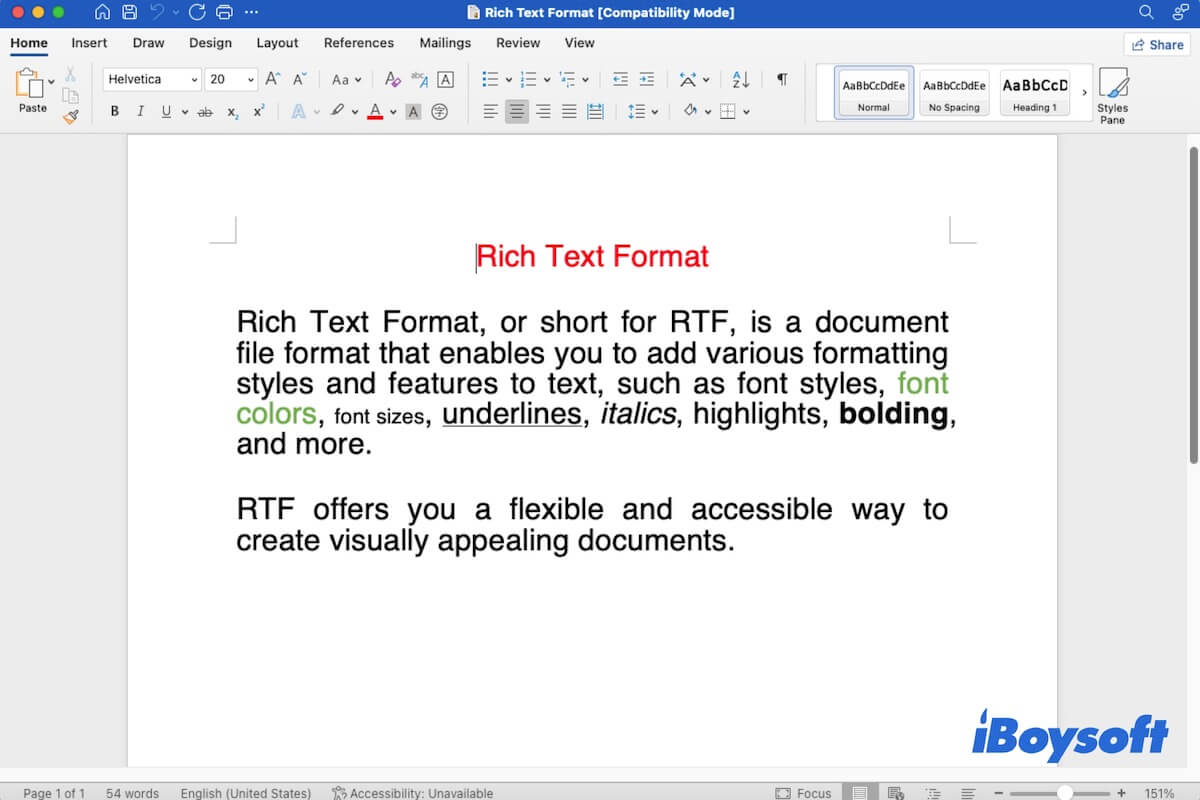
- Basic Text Formatting: Users can specify font types (e.g., Arial, Times New Roman), sizes, colors, and apply styles such as bold, italic, underline, strikethrough, and superscript/subscript.
- Paragraph Formatting: RTF allows for comprehensive control over paragraph appearance, including alignment (left, right, center, justify), indentation (left, right, first line), line spacing, and tab stops.
- Page Layout: Basic page layout elements are supported, such as margins, page breaks, and simple headers and footers, enabling the creation of multi-page documents with consistent structure.
- Lists: Both bulleted and numbered lists can be created, providing structured ways to present information.
- Tables: RTF supports the creation of basic tables with rows, columns, and cells, including options for cell borders and background shading, although advanced table features found in modern word processors are limited.
- Images: While RTF can embed images, this is one area where its age shows. Images are often converted into less efficient formats like Windows Metafile (WMF) or bitmaps, and their inclusion can significantly increase file size. The image data itself is embedded within the RTF stream using specific control words.
- Hyperlinks: RTF supports the embedding of hyperlinks, allowing documents to connect to external web addresses or internal document locations.
- Footnotes and Endnotes: While support exists for these academic document features, their rendering and advanced functionality can vary more significantly across different RTF readers.

Advantages and Disadvantages of RTF
Like any technology, RTF possesses a distinct set of strengths and weaknesses that dictate its suitability for various applications in the contemporary digital environment.
The Benefits of Using RTF
RTF’s enduring relevance stems from several key advantages, particularly in scenarios prioritizing broad compatibility and simplicity.
- Universal Compatibility: This is RTF’s paramount strength. Almost every word processor, text editor, and operating system has built-in support for reading and writing RTF files. This makes it an incredibly reliable format for sharing documents when you cannot guarantee the recipient will have specific software (e.g., Microsoft Word, LibreOffice) or even the same operating system. For basic formatted text, RTF is a near-universal common denominator.
- Small File Size (for simple documents): Because RTF is a text-based format, documents without complex embedded objects or high-resolution images tend to be relatively compact. This can be advantageous for email attachments or storage where bandwidth or space is a concern, especially compared to some feature-rich binary formats.
- Security: RTF files are inherently less susceptible to macro viruses and other executable code exploits compared to formats like older
.docfiles. Since RTF’s specification does not natively support complex scripting or macros, the risk of a malicious payload embedded within the document’s structure is significantly reduced, making it a safer choice for untrusted sources. - Simplicity and Reliability: For documents requiring only basic formatting (bold, italics, font changes, paragraph alignment), RTF is remarkably robust. It ensures that the core formatting intent is preserved across different viewing applications with high fidelity, reducing the likelihood of unexpected layout shifts or rendering errors.
- Archiving Potential: Given its open specification and text-based nature, RTF is considered a relatively stable and future-proof format for long-term document archiving. Even if specific RTF-rendering software becomes obsolete, the underlying commands are documented and readable, making data recovery and interpretation feasible in the distant future.
The Limitations and Drawbacks
Despite its strengths, RTF has significant limitations that prevent it from being a suitable format for all document creation needs. Modern document formats have largely superseded it for advanced tasks.
- Limited Advanced Features: RTF lacks support for many sophisticated features common in contemporary word processors. This includes advanced change tracking, complex styling sheets, embedded objects with rich functionality (like spreadsheets or interactive charts), sophisticated graphic handling, intricate page layouts, and customizable XML schemas. Its feature set is frozen, not evolving with modern document needs.
- Inconsistent Rendering (for complex documents): While designed for interoperability, perfect rendering consistency cannot always be guaranteed, especially as document complexity increases. Different RTF parsers in various applications might interpret certain obscure control words or nested groups slightly differently, leading to minor variations in appearance. Embedded images or complex tables are particularly prone to these inconsistencies.
- Inefficient Image Handling: When images are embedded in an RTF file, they are often converted into less efficient bitmap or Windows Metafile formats, and the raw image data is represented as a long string of hexadecimal characters within the text stream. This can drastically bloat file sizes for image-heavy documents and potentially lead to a loss of image quality or specific image features (like transparency).
- Complexity for Human Editing (Raw RTF): Although human-readable, directly editing a raw RTF file in a plain text editor is an arduous task. The abundance of control words and nested groups makes it cumbersome and error-prone, requiring specialized software for practical document creation and editing.
- Obsoleted by Modern Standards: For professional and complex document creation, RTF has been largely superseded by XML-based formats like Microsoft’s Office Open XML (DOCX) and the OpenDocument Text (ODT) format. These newer formats offer superior capabilities for handling rich content, structured data, extensibility, and better separation of content from presentation.
RTF in the Modern Computing Landscape
While no longer the dominant format for cutting-edge document creation, RTF retains a valuable niche within today’s diverse digital environment. Its strengths continue to make it relevant for specific use cases.
Common Use Cases Today
RTF’s core value proposition—universal compatibility for basic formatted text—ensures its continued utility in several areas.
- Cross-platform Sharing of Simple Documents: When the highest priority is to ensure that a recipient, regardless of their software or operating system, can open and read a document with basic formatting intact, RTF remains an excellent choice. This is common for resumes, simple reports, legal documents that need to be universally accessible, or internal memos where advanced features are superfluous.
- Email Attachments: As a common and relatively secure format, RTF is a safe bet for email attachments. It reduces the risk of compatibility issues for the recipient and avoids the potential security concerns associated with more complex executable-enabled document formats.
- Default Format for Some Basic Text Editors: Many simple text editors and word processors, such as Windows’ WordPad or various minimalist editors on Linux and macOS, often use RTF as their default save format. This allows them to offer more than plain text while maintaining broad compatibility.
- Interim Format for Data Exchange: Some applications or databases might use RTF as an intermediate format for exporting or importing styled text, especially when moving data between systems that don’t share a common proprietary document format.
- Help File Formats: Older software help systems or embedded documentation often leveraged RTF due to its reliability and relatively easy parsing, even if this trend has largely shifted towards HTML-based help.
Comparison with Other Document Formats
To understand RTF’s place, it’s useful to compare it with other prominent document formats:
- Plain Text (.txt): Offers zero formatting capabilities. RTF provides rich text features on top of plain text.
- Microsoft Word (.doc, .docx): Legacy
.docfiles were proprietary binary formats..docx(Office Open XML) is the current standard, an XML-based format offering extensive features, high fidelity, and complex functionality. RTF is far simpler and more universally compatible than both, but significantly less feature-rich than.docx. - OpenDocument Text (.odt): This is an open, XML-based standard for word processing documents, used by LibreOffice and Apache OpenOffice. It provides a feature set comparable to
.docx. RTF shares the “open” philosophy but is a much older and less capable format. - PDF (.pdf): Primarily designed for fixed-layout viewing and printing, ensuring documents appear identical across all devices. PDFs are generally not intended for editing. RTF, conversely, is inherently editable and focused on content interchange.
- HTML: The language of the web, focused on presenting information in web browsers. While HTML can contain highly styled text, its primary context is online. RTF is designed for desktop application interchange.
The Future of RTF
The Rich Text Format is unlikely to see significant new development or regain its status as a primary document creation format. Modern computing demands features that RTF, by design, cannot fulfill. However, it will continue to be relevant in its niche: a reliable, universally accessible format for sharing documents with basic formatting. Its historical role as a bridge between disparate systems and its continued utility for simple, no-fuss text exchange ensures that RTF will remain a known and supported format for years to come, a testament to its robust and forward-thinking initial design. Its value today lies precisely in its simplicity and widespread support, making it the “safe choice” when advanced features are secondary to guaranteed readability.
aViewFromTheCave is a participant in the Amazon Services LLC Associates Program, an affiliate advertising program designed to provide a means for sites to earn advertising fees by advertising and linking to Amazon.com. Amazon, the Amazon logo, AmazonSupply, and the AmazonSupply logo are trademarks of Amazon.com, Inc. or its affiliates. As an Amazon Associate we earn affiliate commissions from qualifying purchases.