
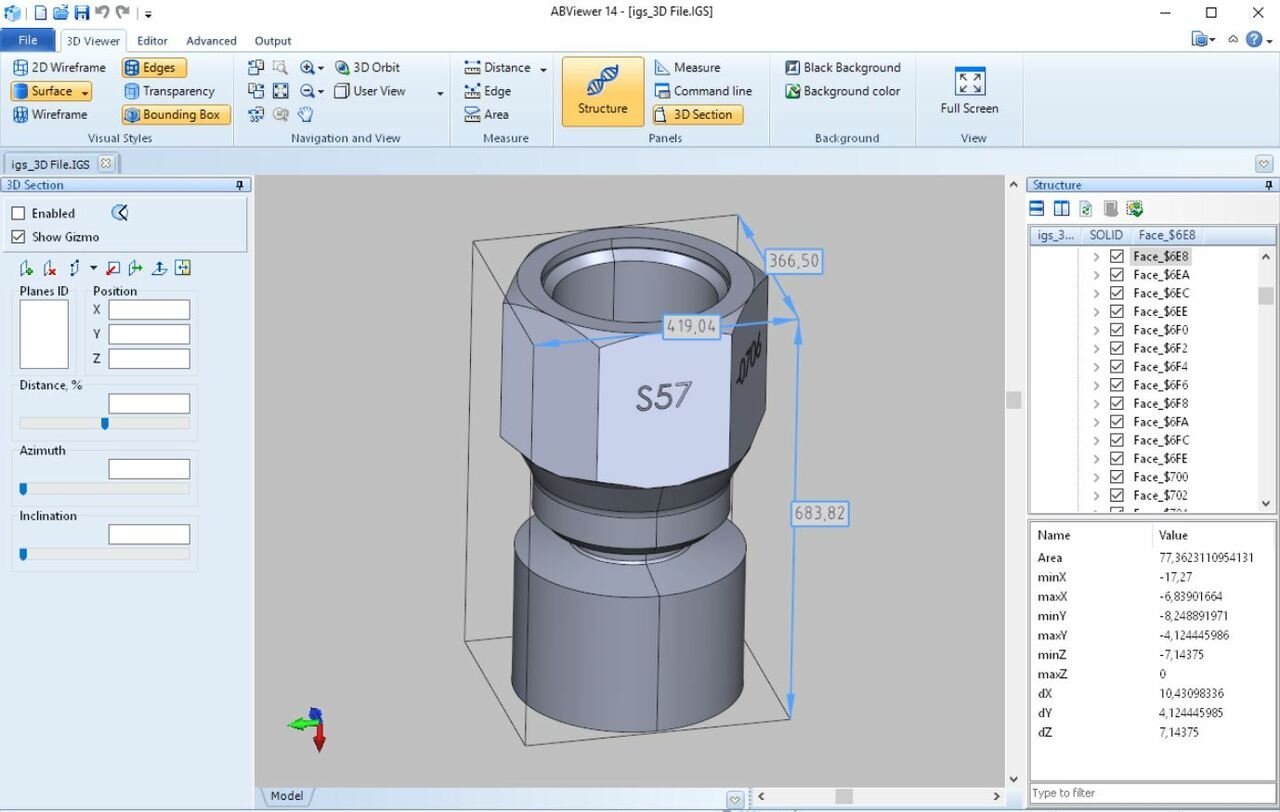
In the intricate world of computer-aided design (CAD) and manufacturing, the ability to exchange data seamlessly between different software platforms is the bedrock of engineering efficiency. Among the myriad file extensions that populate a design engineer’s workspace, the IGS file—more formally known as IGES—stands as a cornerstone of interoperability. Understanding what an IGS file is, how it functions, and why it remains a vital component of the modern digital toolkit is essential for anyone working within the realms of 3D modeling, product design, and manufacturing.
The Origins and Evolution of IGES
The IGS file extension stands for Initial Graphics Exchange Specification. To understand its importance, one must look back to the late 1970s. As CAD software began to proliferate, companies quickly realized that they were trapped in silos. If a design was created in one specific CAD software, it was effectively locked into that environment. Sharing designs with a different team using different software often resulted in complete data loss or the need for expensive, manual recreation of 3D geometry.
Establishing a Universal Standard
In 1979, the United States Air Force initiated a project to standardize the way digital information was exchanged, eventually leading to the formation of the IGES standard. The goal was simple: create a vendor-neutral file format that could translate complex geometric data—such as NURBS (Non-Uniform Rational B-Splines), wireframe models, and surface representations—from one CAD system to another.
The Technical Foundation
An IGS file is essentially a text-based ASCII file. When you open an IGS file in a simple text editor like Notepad, you will not see a 3D model; rather, you will see a massive, organized list of coordinate data, entity definitions, and geometric parameters. This plain-text structure is the secret to its longevity. Because it does not rely on proprietary binary code, it can be parsed by virtually any software capable of interpreting the geometric language defined by the IGES specification.
Understanding the Role of IGS in CAD Interoperability
The primary function of an IGS file is to act as a “translator” between different software ecosystems. Whether you are using industry giants like SolidWorks, Autodesk Fusion 360, Rhino, or CATIA, the IGS format serves as the common denominator for data exchange.
Bridging the Gap Between Platforms
In a modern product development lifecycle, it is common for a firm to use one suite of tools for conceptual sketching and another for mechanical simulation or manufacturing. If a designer creates a complex organic shape in a surfacing tool, they must export that model as an IGS file to import it into an engineering-focused program for stress testing. Without this intermediate file format, the transition from creative design to technical validation would be hindered by the inherent “closed-loop” nature of many proprietary file formats.
What Data Can IGS Files Hold?
While IGS is powerful, it is important to understand its limitations. It is primarily designed to handle B-rep (Boundary Representation) data, which includes surfaces and solids. It excels at transferring:
- Wireframe Geometry: Lines, arcs, and points that define the skeletal structure of a design.
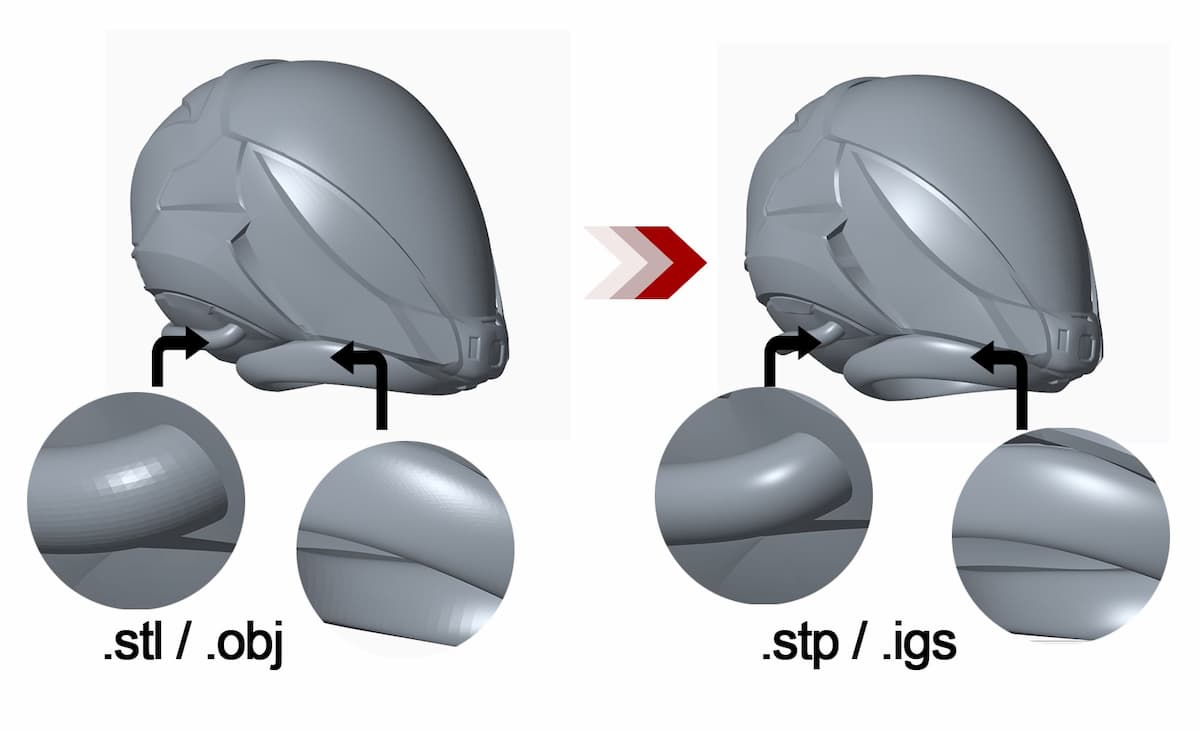
- NURBS Data: Mathematical representations of curves and surfaces, which allow for the precise definition of complex, smooth shapes often found in automotive and aerospace parts.
- Surface Geometry: The “skin” of the 3D model.
It is worth noting that while IGS is highly effective for geometric data, it often falls short when it comes to “feature history.” When you export a model to an IGS file, you generally lose the “parametric” nature of the original file. This means that if you open an IGS file in a new program, you can move or rotate the object, but you cannot typically go back and edit the “extrude” or “fillet” features that were used to create it in the original software.
Practical Applications and Workflow Integration
The utility of the IGS file extends well beyond simple data sharing. It is a critical component in the supply chain of manufacturing and rapid prototyping.
Manufacturing and CNC Machining
Once a design is finalized, it must be sent to the shop floor. Many CNC (Computer Numerical Control) machines do not natively understand the proprietary file formats of high-end design software. By converting a project to an IGS file, engineers provide machine operators and CAM (Computer-Aided Manufacturing) technicians with a stable, universal file that can be ingested by software to generate toolpaths for milling, turning, or laser cutting.
3D Printing and Prototyping
While the STL (Stereolithography) format has become the de facto standard for 3D printing due to its simplified mesh structure, the IGS format remains vital in the pre-printing phase. When high-precision prototyping is required—where the fidelity of curves and surface integrity is paramount—IGS files are used to maintain the mathematical perfection of the design before it is tessellated (converted into triangles) for printing.
Collaborative Environments
In globalized engineering, teams are rarely in the same room, let alone using the same software. An IGS file allows a team in Germany to design a chassis, a team in Japan to design the electronics, and a team in the United States to handle the final assembly integration. By standardizing on the IGS format, these teams ensure that the geometry remains consistent regardless of the underlying hardware or software stack.
Best Practices for Using IGS Files
While the IGS format is a robust standard, engineers and designers must be aware of how to use it effectively to avoid common pitfalls like “leaky” surfaces or corrupted data.
Managing Scale and Units
One of the most common issues during IGES conversion is unit mismatch. An IGS file contains geometric coordinates, but it does not always explicitly declare the “unit” (e.g., millimeters vs. inches) in a way that every receiving program interprets correctly. Always verify the scale upon import. If your imported part appears 25.4 times larger or smaller than intended, it is likely a unit-conversion oversight during the export/import handshake.
Handling Complexity
When dealing with exceptionally complex models containing thousands of individual parts, a single IGS file can become bloated and difficult for some CAD systems to process. In such cases, it is best practice to export large assemblies into logical sub-assemblies. Furthermore, ensure that your model is “water-tight” before exporting; IGS files can sometimes struggle with “non-manifold” geometry, where surfaces do not meet perfectly at the edges, leading to errors in downstream applications like simulation software.
The Future of Data Exchange
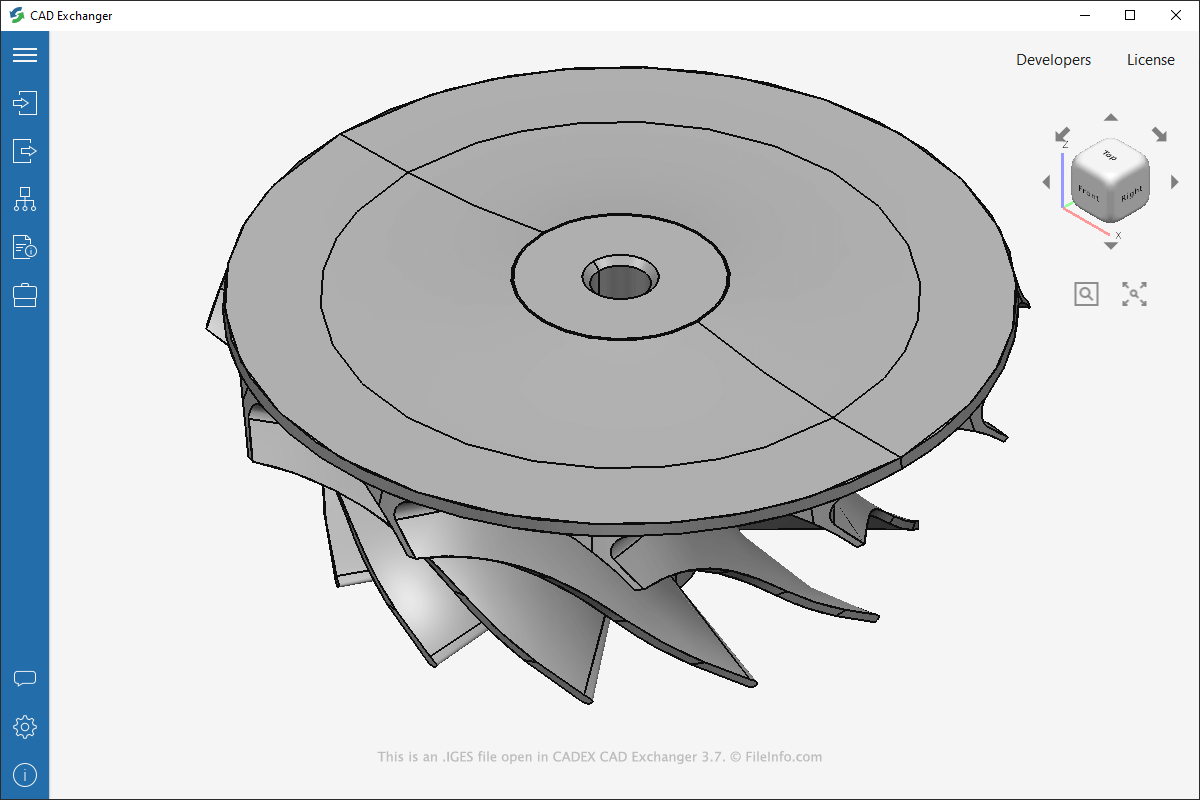
While newer formats like STEP (Standard for the Exchange of Product model data) have superseded IGES in many workflows—specifically because STEP handles assembly structures and metadata more effectively—the IGS format is far from obsolete. Its ubiquity means that almost every legacy machine and piece of software currently in existence can read it. It remains the “universal backup” for the engineering world.
In summary, the IGS file is the unsung hero of the digital engineering landscape. It bridges the divide between creativity and production, allowing designers to transcend the limitations of their specific software tools. By understanding its strengths, its reliance on mathematical precision, and its limitations regarding parametric history, professionals can better manage their data, optimize their workflows, and ensure that their designs move seamlessly from the digital screen to the physical world. Whether you are an industrial designer, a mechanical engineer, or a hobbyist venturing into CNC, the IGS file is an essential tool in your technical arsenal.
aViewFromTheCave is a participant in the Amazon Services LLC Associates Program, an affiliate advertising program designed to provide a means for sites to earn advertising fees by advertising and linking to Amazon.com. Amazon, the Amazon logo, AmazonSupply, and the AmazonSupply logo are trademarks of Amazon.com, Inc. or its affiliates. As an Amazon Associate we earn affiliate commissions from qualifying purchases.