
In the world of high-performance computing and custom PC building, airflow management is the silent hero of system longevity and performance. When enthusiasts discuss cooling solutions, they often encounter two seemingly synonymous terms: airflow and static pressure. While both are critical, they serve different functions. Understanding static pressure—the force exerted by a fan to move air through a resistance—is the key to optimizing thermal efficiency and preventing component throttling.
The Physics of Static Pressure in Cooling Systems
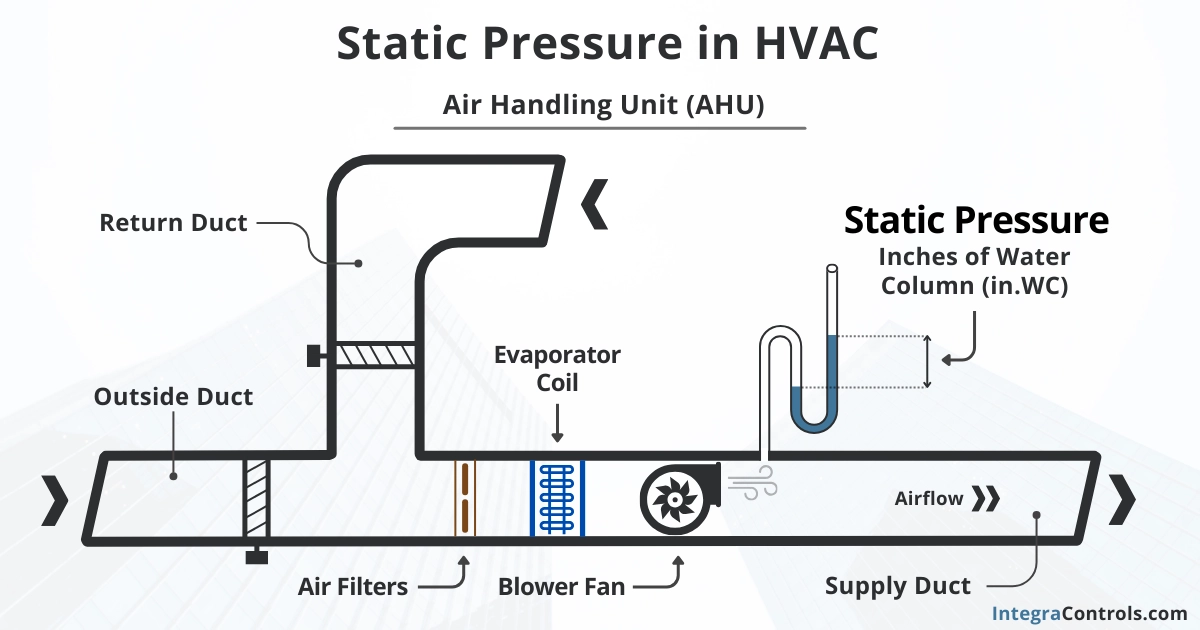
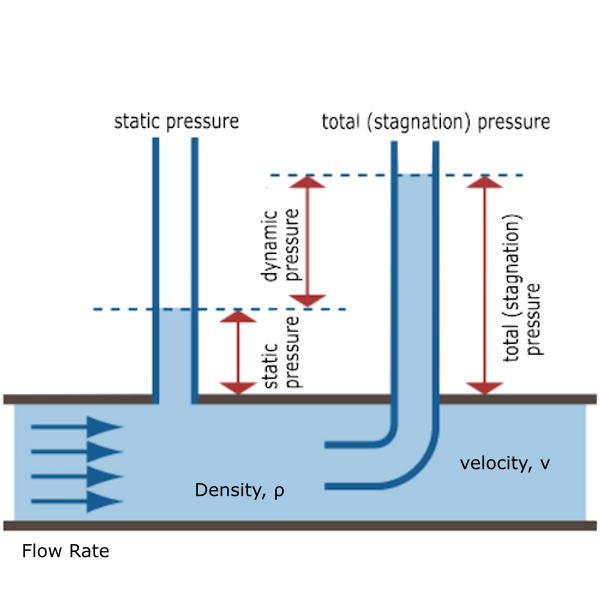
At its most fundamental level, static pressure is a measurement of a fan’s ability to force air through restrictive environments. If a fan were a human runner, “airflow” would be the speed at which they can run on an open track, while “static pressure” is their ability to push through a dense crowd or up a steep incline.
Defining Resistance in PC Cases
In a computer chassis, air does not move in a vacuum. It must travel through various obstacles that inhibit its flow. These obstacles include dense radiator fins, tightly packed heat sink arrays, dust filters, and narrow mesh front panels. A fan with high airflow but low static pressure will simply “bounce” off these surfaces, unable to push a significant volume of air through the obstruction.
The Measurement Standard
Static pressure is typically measured in millimeters of water (mmH2O). A higher mmH2O rating indicates a fan’s superior ability to maintain airflow in high-resistance scenarios. When you are selecting cooling hardware, you are effectively choosing between fans optimized for “CFM” (Cubic Feet per Minute), which denotes volume, and fans optimized for “mmH2O,” which denotes force.
When to Prioritize Static Pressure Over Airflow
Not all fan placements require the same engineering. Misunderstanding the relationship between static pressure and airflow often leads to poor thermal performance. Identifying exactly where your components require a high-pressure solution is the mark of an expert builder.
Liquid Cooling Radiators
Water cooling radiators are perhaps the most demanding environments for a fan. A radiator consists of hundreds of tiny, thin fins designed to maximize surface area for heat dissipation. Air must be forced through these thin channels to carry the heat away from the coolant. A low-pressure fan will suffer from “blowback,” where air hits the radiator and redirects outward rather than passing through. High static pressure fans are non-negotiable here; they ensure that cool air is actively pushed through the entire depth of the radiator matrix.
Dense Air Coolers
Modern air coolers, particularly large tower designs or dual-tower configurations, often feature tight fin stacks. To effectively cool the heat pipes, the fan must overcome the impedance created by these dense metal slats. If the fan pressure is insufficient, the air will stall in the middle of the cooler, creating a pocket of hot air that stays trapped against the heat pipes, leading to thermal spikes.
The Role of Dust Filters
Even if you aren’t using a radiator, the modern PC case is becoming increasingly restrictive. To minimize dust ingress, manufacturers use fine mesh filters. These filters are essentially physical barriers that increase the intake resistance. If your front intake fans have low static pressure, the case will experience a “pressure drop,” where the internal fans struggle to pull air through the filter, resulting in turbulence and reduced cooling efficiency for the GPU and motherboard.
Designing a Balanced Thermal Ecosystem
Achieving a stable, cool, and quiet system is about striking a balance. It is rarely beneficial to use exclusively high-pressure fans or exclusively high-airflow fans. Instead, a successful build incorporates both based on their specific utility within the chassis.
Intake vs. Exhaust Strategy
In an ideal cooling setup, your intake fans should generally have a higher static pressure profile to overcome front filters, while your exhaust fans can be optimized for higher airflow (CFM) to quickly move warm, stagnant air out of the case.
Positive air pressure—where more air is being pushed into the case than pulled out—is a favored strategy among builders. By using high static pressure fans at the intake, you ensure a steady stream of filtered air is being forced into the chassis. This force naturally pushes air out through the various cracks and exhaust ports of the case, effectively sealing the system against dust, which prefers to settle in areas where air is being sucked in through unfiltered vents.
Fan Blade Geometry and Engineering
The physical design of a fan tells you everything about its purpose. If you look at the blades of a high static pressure fan, you will notice specific design choices:
- Wider Blade Surface Area: The blades are broader, allowing them to “grab” more air and push it with more force.
- Steeper Blade Angle: The pitch of the blade is often steeper, which increases torque.
- Reduced Gap to Frame: High-pressure fans are designed to have an incredibly tight tolerance between the edge of the fan blade and the outer housing. This prevents air from leaking back around the blades, a phenomenon known as “tip vortex,” which is the enemy of pressure-focused cooling.
Common Pitfalls in Fan Selection
Many builders fall into the trap of looking solely at the RGB lighting or the noise specifications of a fan without considering the mounting application. This oversight can lead to frustrating performance limitations.
Ignoring the Impedance of the Mounting Point
Installing an airflow-optimized fan on a liquid cooling radiator is a common error. While the fan might be very quiet, the CPU temperatures will remain unnecessarily high because the fan is unable to penetrate the radiator. Conversely, using a high-pressure, high-torque fan as a simple rear case exhaust can sometimes create excessive noise without adding any thermal benefit, as there is no resistance for that fan to overcome.
The Trade-off: Noise vs. Performance
It is important to acknowledge that fans engineered for high static pressure are often louder than their airflow counterparts. Because they are designed to fight resistance and maintain velocity through tight spaces, the motors usually operate at higher torque and the blades cut through the air with more force. When building for a silent PC, enthusiasts often look for high-pressure fans with advanced Fluid Dynamic Bearings (FDB) or optimized blade shapes that minimize the sound of the air being forced through the radiator fins.

Troubleshooting Your Thermal Profile
If you find that your internal temperatures are consistently higher than expected, look at your intake points. Place your hand near the front of your PC case. Do you feel a strong stream of air, or is it weak and dissipated? If the airflow feels blocked, your front fans likely lack the static pressure to pull through the mesh and filters of your case. Upgrading to fans specifically labeled for “static pressure” or “radiator” applications is one of the most cost-effective ways to improve the thermal ceiling of your build.
By mastering the concept of static pressure, you transition from simply assembling components to engineering a high-performance environment. You ensure that your CPU stays under its thermal throttling limit, your GPU maintains its maximum boost clock, and your system remains free of dust and noise. Understanding the invisible force of pressure is not just a technical detail; it is the foundation of a reliable, high-performance computing experience.
aViewFromTheCave is a participant in the Amazon Services LLC Associates Program, an affiliate advertising program designed to provide a means for sites to earn advertising fees by advertising and linking to Amazon.com. Amazon, the Amazon logo, AmazonSupply, and the AmazonSupply logo are trademarks of Amazon.com, Inc. or its affiliates. As an Amazon Associate we earn affiliate commissions from qualifying purchases.