
In the modern digital landscape, security is no longer an optional feature; it is a fundamental requirement. Whether you are browsing a retail website or accessing a private database, the encryption of data in transit is facilitated by Secure Sockets Layer (SSL) and its successor, Transport Layer Security (TLS). At the heart of this encryption framework lies the digital certificate. While most users are familiar with certificates issued by well-known public entities, there is a specific type of credential used extensively in development and private infrastructures: the self-signed certificate.
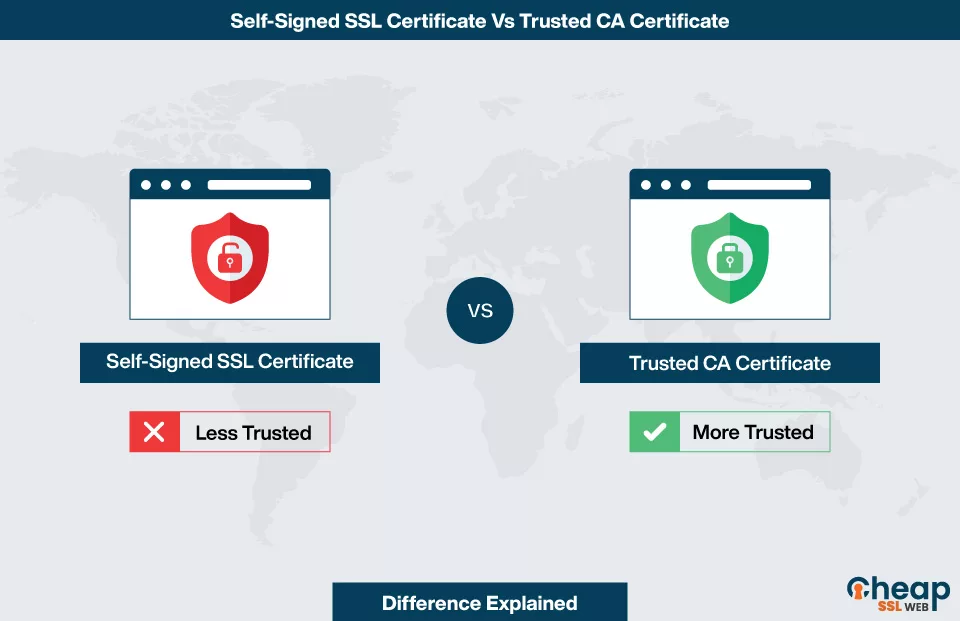
A self-signed certificate is an identity certificate that is signed by the same entity whose identity it certifies, rather than a trusted third-party Certificate Authority (CA). In the world of technology, this represents a trade-off between convenience, cost, and public trust. Understanding how these certificates work, where they belong, and the risks they entail is essential for any IT professional, developer, or cybersecurity enthusiast.
Understanding the Mechanics of Digital Trust
To understand self-signed certificates, one must first understand the concept of the “Chain of Trust.” In a standard web environment, when you visit a website, your browser checks the site’s certificate to ensure it is valid. This validity is usually backed by a Certificate Authority like DigiCert or Let’s Encrypt.
The Role of Public Key Infrastructure (PKI)
Public Key Infrastructure is the framework of roles, policies, and procedures needed to create, manage, distribute, use, store, and revoke digital certificates. PKI relies on asymmetric encryption, which involves a public key (used to encrypt data) and a private key (used to decrypt data). The digital certificate serves as a “passport” that links a public key to a specific identity. When a certificate is issued by a CA, the CA acts as a notary, vouching that the owner of the public key is who they claim to be.
How CA-Signed Certificates Work
When a browser connects to a server using a CA-signed certificate, it performs a series of checks known as a TLS handshake. The browser possesses a pre-installed list of “Root CA” certificates that it trusts implicitly. If the server’s certificate can be traced back through a chain to one of those trusted roots, the connection is deemed secure. This hierarchical system ensures that as long as the CA is secure, the identity of the server is verified.
How Self-Signed Certificates Differ
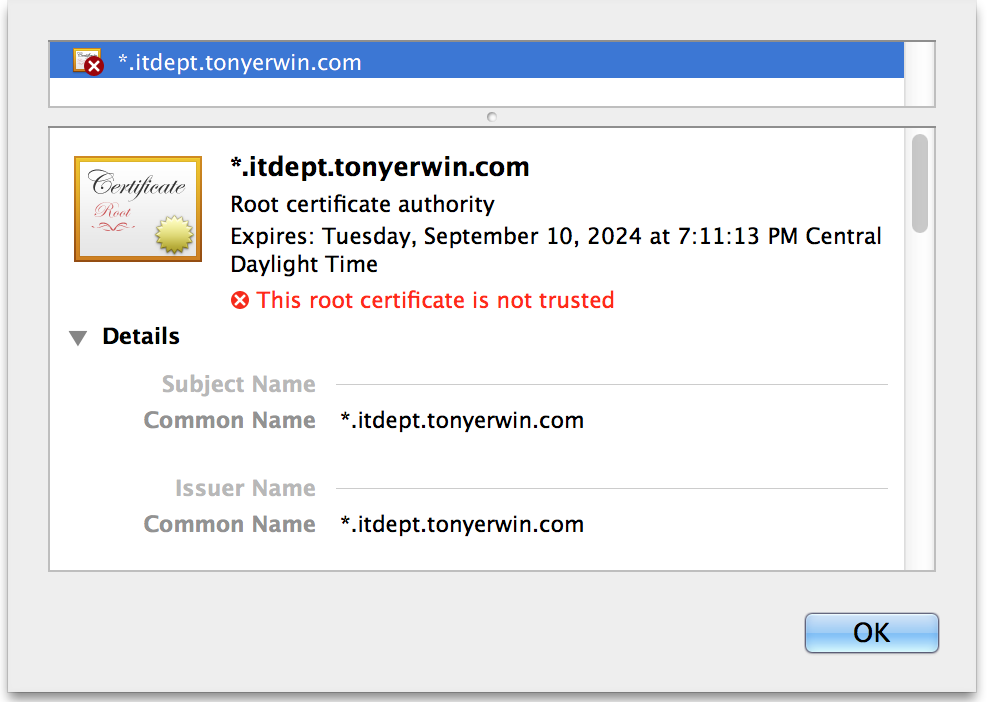
A self-signed certificate skips the third-party validation step. Instead of sending a Certificate Signing Request (CSR) to a CA, the administrator generates their own private/public key pair and signs the certificate using their own private key. From a technical standpoint, a self-signed certificate provides the same level of strong encryption as a CA-signed certificate. However, because the “signer” is not in the browser’s list of trusted root authorities, the browser cannot verify the identity of the server, leading to the infamous “Your connection is not private” warning.
The Pros and Cons of Going Self-Signed
Choosing to use a self-signed certificate is often a strategic decision based on the specific needs of a technical environment. While they offer significant flexibility, they lack the universal validation required for public-facing services.
Cost-Effectiveness and Speed of Deployment
The most immediate advantage of self-signed certificates is that they are free. While organizations like Let’s Encrypt offer free public certificates, many commercial CA certificates can cost hundreds or thousands of dollars annually, especially for Extended Validation (EV) or Wildcard certificates. Furthermore, generating a self-signed certificate is instantaneous. There is no need to wait for a third party to validate domain ownership or business credentials, making them ideal for rapid prototyping and internal testing.
The “Not Secure” Warning and Public Trust
The primary drawback of self-signed certificates is the lack of public trust. When a user encounters a self-signed certificate on the public internet, their browser will block the content and display a security alert. For a commercial website, this is catastrophic, as it suggests the site might be a phishing attempt or has been compromised. Even for internal tools, constant security warnings can lead to “alert fatigue,” where employees become accustomed to clicking through warnings, potentially making them vulnerable to genuine Man-in-the-Middle (MitM) attacks.
Security Risks: Man-in-the-Middle (MitM) Vulnerabilities
While the encryption provided by a self-signed certificate is robust, the authentication is non-existent to an external observer. In a MitM attack, a hacker can intercept the communication and present their own self-signed certificate to the user. Since the user is already accustomed to seeing certificate errors, they might ignore the warning and proceed, unwittingly handing their data to the attacker. Without a trusted third party to verify the identity, there is no way for a client to distinguish between a legitimate self-signed certificate and a malicious one.
Use Cases: When Should You Use a Self-Signed Certificate?
Despite the risks associated with public use, self-signed certificates remain a staple in the tech industry for specific, controlled scenarios.
Local Development and Testing Environments
During the development phase of a software project, developers often need to simulate a production environment that uses HTTPS. Setting up a CA-signed certificate for a local machine (e.g., localhost) is unnecessarily complex. Developers can generate a self-signed certificate to test how their application handles encrypted traffic, redirects, and cookie security. Since the developer controls the environment, they can manually add the self-signed certificate to their local “Trusted Root” store to eliminate browser warnings during the build process.
Internal Intranets and Private Networks
Many corporations host internal applications—such as HR portals, wikis, or project management tools—on private networks that are not accessible to the public. In these cases, the risk of a third-party MitM attack is lower, and the cost of buying dozens of public certificates is hard to justify. By using a private PKI or self-signed certificates, the IT department can secure internal traffic. To maintain security, the IT team usually pushes the self-signed root certificate to all company-owned devices via Group Policy (GPO) or MDM software, ensuring that internal browsers recognize the certificates as trusted.
IoT and Machine-to-Machine (M2M) Communication
In the world of the Internet of Things (IoT), devices often need to communicate with one another or with a central gateway securely. These devices are rarely accessed by human users via a browser, meaning the “browser warning” issue is irrelevant. Self-signed certificates provide a lightweight and scalable way to encrypt data between sensors, controllers, and servers in a closed ecosystem where the identities of all participants are pre-defined and managed by the network administrator.
Best Practices for Implementation and Management
If an organization decides to use self-signed certificates, it must follow strict technical protocols to ensure they do not become a security liability.
Generating Certificates Using OpenSSL
OpenSSL is the industry-standard toolkit for managing TLS/SSL. To generate a high-quality self-signed certificate, administrators should use modern cryptographic algorithms. This includes using RSA with at least 2048-bit keys or, ideally, Elliptic Curve Cryptography (ECC) for better performance and security. Commands should specify the “Subject Alternative Name” (SAN) to ensure compatibility with modern browsers like Chrome, which no longer rely solely on the “Common Name” (CN) field.
Distributing the Root Certificate to Trusted Stores
To avoid the “Not Secure” error in a corporate environment, the self-signed certificate must be manually installed into the “Trusted Root Certification Authorities” store on every client machine. This process essentially tells the operating system, “I know who issued this, and I trust them.” This should only be done for certificates generated by the organization’s own secure infrastructure. Failure to manage this distribution correctly can lead to broken internal workflows and frustrated users.
Monitoring Expiration and Revocation
One common mistake in technical environments is “setting and forgetting” self-signed certificates. Unlike public CAs, which send automated reminders when a certificate is about to expire, self-signed certificates can quietly expire, causing sudden downtime for internal services. Furthermore, if a private key associated with a self-signed certificate is compromised, there is no standardized “Revocation List” (CRL) for the public to check. Administrators must have a manual process for rotating keys and replacing certificates regularly to maintain a high security posture.
Conclusion
A self-signed certificate is a powerful tool in the arsenal of a systems administrator or software developer. It provides the essential benefit of data encryption without the bureaucratic or financial hurdles of a public Certificate Authority. However, it is a tool that must be used with precision.
In the tech world, the rule of thumb is clear: use CA-signed certificates for anything the public touches, and use self-signed certificates only in controlled, private environments where you can manage the trust relationship yourself. By understanding the underlying Public Key Infrastructure and the nuances of the “Chain of Trust,” technology professionals can ensure their data remains encrypted while minimizing the risks of identity spoofing and unauthorized access. As digital threats continue to evolve, the thoughtful management of every certificate—self-signed or otherwise—remains a cornerstone of a robust cybersecurity strategy.
aViewFromTheCave is a participant in the Amazon Services LLC Associates Program, an affiliate advertising program designed to provide a means for sites to earn advertising fees by advertising and linking to Amazon.com. Amazon, the Amazon logo, AmazonSupply, and the AmazonSupply logo are trademarks of Amazon.com, Inc. or its affiliates. As an Amazon Associate we earn affiliate commissions from qualifying purchases.