
The Scholastic Assessment Test (SAT) is a critical gateway for college admissions, and mastering its mathematical sections often hinges on more than just raw intellectual prowess; it also requires the strategic use of appropriate technology. Specifically, a SAT approved calculator isn’t just a convenience; it’s a stipulated tool that can significantly impact a test-taker’s performance. Understanding precisely what constitutes an “approved” calculator, why these guidelines exist, and how to leverage your chosen device is fundamental for anyone preparing to tackle the SAT. This guide delves into the technological nuances of SAT calculator policies, offering insights into allowed devices, prohibited features, and best practices for their deployment during the exam.

Understanding the SAT Calculator Policy: Why Approval Matters
The College Board, the organization behind the SAT, has meticulously crafted its calculator policy to ensure fairness, prevent cheating, and standardize the testing experience for all students. This isn’t an arbitrary restriction but a well-thought-out framework designed to assess students’ mathematical reasoning and problem-solving skills accurately, rather than their ability to circumvent challenges with unapproved technological aids.
The Rationale Behind Strict Guidelines
At its core, the SAT aims to evaluate fundamental academic skills developed over years of schooling. While technology plays an undeniable role in modern education and problem-solving, uncontrolled calculator usage could distort the assessment. The policy ensures that all test-takers operate on a level playing field, where the calculator serves as an aid for computation and visualization, not as a shortcut for understanding core concepts. Prohibiting devices with internet access, cameras, or QWERTY keyboards, for instance, prevents students from accessing external information, communicating with others, or typing out extensive notes, all of which would compromise the integrity of the exam. The approved calculators are powerful tools, but their capabilities are intentionally capped to align with the exam’s objectives. They allow for complex arithmetic, graphing functions, and statistical calculations, reflecting the types of mathematical tasks students will encounter, without offering an unfair advantage through communication or information retrieval features.
Implications of Non-Compliance
The stakes for violating the calculator policy are high. Test-takers found using an unapproved calculator, or attempting to use an approved calculator in a prohibited manner (e.g., sharing it, using its memory for notes), risk immediate dismissal from the testing center. This not only results in the forfeiture of the exam fee but also invalidation of their scores and potential reporting to colleges, which can have long-lasting negative consequences on their academic future. Furthermore, simply bringing an unapproved device into the testing room, even if not explicitly used, can lead to complications. Test proctors are trained to identify prohibited technology, and any device that raises suspicion can lead to delays or disqualification. Therefore, rigorous adherence to the policy is paramount. It’s not just about what you use, but also how you use it and what you bring into the testing environment. Checking the College Board’s official website for the most current list of approved calculators is a non-negotiable step in SAT preparation.
Types of Calculators Permitted: A Tech Overview
The College Board permits several categories of calculators, each offering different levels of functionality. Understanding these distinctions is crucial for selecting the right tool that aligns with your comfort level and the demands of the SAT Math sections.
Four-Function Calculators: Simple & Effective
These are the most basic types of calculators, capable of performing addition, subtraction, multiplication, and division. While technically allowed, their utility on the SAT is severely limited. Many problems on the SAT Math section, especially those on the “calculator-permitted” sections, involve exponents, roots, or graphical analysis that a four-function calculator simply cannot handle efficiently, or at all. Opting for a four-function calculator would place a significant disadvantage on a test-taker, forcing them to perform complex calculations manually, which is time-consuming and prone to error under exam pressure. They are generally not recommended for the SAT unless a student has absolutely no other option and is extremely confident in their manual computation skills.
Scientific Calculators: Stepping Up Functionality
Scientific calculators offer a substantial upgrade from four-function models and are a viable option for the SAT. They include functions for trigonometry (sine, cosine, tangent), logarithms, exponents, roots, and often basic statistical calculations. Many scientific calculators can also handle fractions and scientific notation, which are frequently encountered in SAT problems. For students who are comfortable with algebra and geometry but don’t heavily rely on graphical representation for problem-solving, a good scientific calculator can be an efficient and cost-effective choice. They are typically smaller, lighter, and have a longer battery life than graphing calculators. Popular examples include the Casio fx-115ES Plus and the TI-36X Pro. These devices strike a good balance, providing essential advanced functions without the complexity or higher cost of graphing models.
Graphing Calculators: The Powerhouse Choice
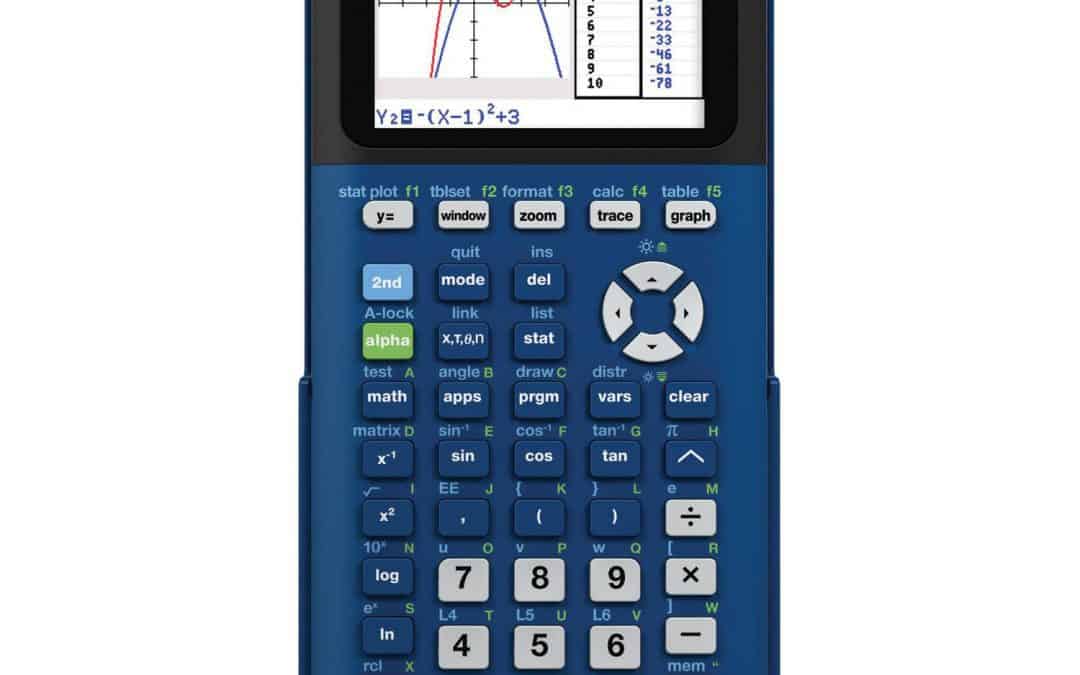
Graphing calculators are the most advanced type of calculator permitted and are arguably the preferred choice for many SAT test-takers. These devices can perform all the functions of a scientific calculator, plus they can plot graphs, solve systems of equations, perform matrix operations, and handle complex statistical analysis. The ability to visualize functions and data through graphing can be immensely helpful for certain SAT problems, allowing students to check their algebraic solutions graphically or understand the behavior of functions more intuitively. Popular and widely approved models include the Texas Instruments TI-84 Plus family (including CE), the TI-Nspire (non-CAS versions or with CAS disabled in test mode), and the Casio fx-9750GII/fx-CG50. While powerful, graphing calculators require familiarity. Students unfamiliar with their advanced features might find them cumbersome and time-consuming during the exam, potentially negating their benefits. The learning curve for maximizing a graphing calculator’s potential should not be underestimated.
Key Features and Prohibitions: What to Look For (and Avoid)
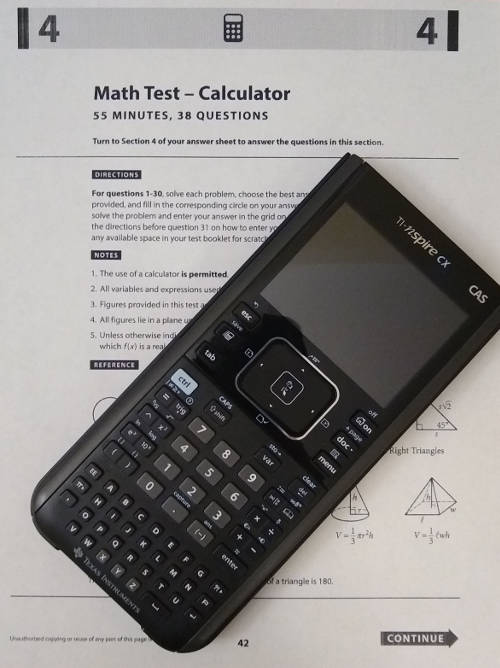
Beyond the broad categories, understanding specific technical features that are allowed or prohibited is critical. This knowledge helps in not only selecting a calculator but also in preparing it for the exam.
Essential Allowed Features for SAT Success
When choosing an approved calculator, consider features that directly support common SAT math problems. These include:
- Fraction capabilities: The ability to input and display fractions simplifies problems involving rational numbers.
- Exponent and root functions: Essential for algebra and pre-calculus concepts.
- Logarithm functions: Useful for advanced algebra problems.
- Trigonometric functions: Sine, cosine, tangent, and their inverses are necessary for geometry and trigonometry questions.
- Statistical functions: Mean, median, standard deviation, and regression analysis can be beneficial for data analysis problems.
- Equation solvers: Some calculators can solve linear and polynomial equations, saving valuable time.
- Graphing capabilities (for graphing calculators): Plotting functions, finding intercepts, and analyzing behavior of graphs are powerful tools.
- Battery indicator: Ensures you don’t run out of power mid-exam. It’s always wise to replace batteries or fully charge rechargeable models before test day.
Disallowed Technologies: The Non-Negotiables
The College Board explicitly prohibits calculators with certain features to maintain exam integrity. These include:
- Calculators with QWERTY keypads: These resemble computer keyboards and could allow for extensive text storage or communication. Examples include some early Casio ClassPad models.
- Calculators that can connect to the internet or have wireless communication capabilities: This includes Wi-Fi, Bluetooth, or cellular data, which could facilitate unauthorized communication or information access.
- Calculators with cameras or audio/video recording capabilities: These are clear security risks.
- Calculators that operate on electrical outlets: Only battery-powered calculators are permitted.
- Calculators that make noise: Any audible sounds must be turned off.
- Calculators that use a stylus or require special paper: Such as pen-based devices, which could allow for note-taking or drawing beyond computational tasks.
- Calculators with computer algebra system (CAS) functionality (e.g., TI-Nspire CAS): While powerful, CAS models can perform symbolic manipulation (like factoring polynomials or simplifying expressions algebraically), which goes beyond the computational aid intended for the SAT. Standard TI-Nspire models are allowed if CAS is disabled or they are non-CAS versions.
- Handheld mini-computers, laptops, tablets, or phones: These are strictly forbidden.
Understanding this list is crucial to avoid inadvertently bringing a prohibited device and facing disqualification.
Popular Approved Models: A Quick Tech Guide
For students seeking specific recommendations, here are some commonly used and approved graphing calculators:
- Texas Instruments (TI): The TI-84 Plus CE is perhaps the most ubiquitous and widely supported graphing calculator. It’s user-friendly, has a color screen, and is ideal for the SAT. The TI-83 Plus and TI-84 Plus Silver Edition are older but still excellent and fully approved. The TI-Nspire CX (non-CAS) is also a fantastic option, offering advanced features and a modern interface.
- Casio: The Casio fx-9750GII and the more advanced Casio fx-CG50 (also known as Prizm) are strong contenders. The fx-CG50 boasts a high-resolution color screen and intuitive menu system, comparable to the TI-Nspire CX.
- Hewlett-Packard (HP): The HP Prime is a powerful and fast calculator with an impressive color touchscreen, although its interface can be less familiar to students accustomed to TI or Casio models. The HP 39GII is also approved.
- Sharp: The Sharp EL-W516TBSL and EL-520WB are approved scientific calculators, while their graphing models are less commonly seen for the SAT.
It’s important to note that while these are popular, the College Board’s official website provides the definitive and most up-to-date list. Always cross-reference your chosen model with their current policy.
Choosing and Mastering Your SAT Calculator: Strategic Tech Deployment
Selecting and effectively using your SAT calculator is a strategic decision that requires more than just picking a model; it involves thoughtful preparation and integration into your study routine.
Selecting the Right Calculator for Your Needs
The “best” calculator isn’t necessarily the most expensive or feature-rich one; it’s the one you are most comfortable and proficient with.
- Assess Your Comfort Level: If you’ve primarily used a scientific calculator throughout high school, you might be better off sticking with a powerful scientific model like the TI-36X Pro rather than trying to learn a graphing calculator weeks before the SAT.
- Consider Your Math Proficiency: If you frequently use graphs to solve equations or analyze functions, a graphing calculator is invaluable. If your strengths lie in algebraic manipulation and direct computation, a scientific calculator might suffice.
- Cost and Accessibility: Graphing calculators can be expensive. If budget is a concern, a scientific calculator is a very capable and much cheaper alternative. Many schools also loan out graphing calculators, which can be a good option.
- Practice is Paramount: Regardless of the model, ensure you spend significant time practicing with it. Familiarity with button placement, menu navigation, and specific functions will save precious time during the exam. Avoid using a brand-new, unfamiliar calculator on test day.
Practice Makes Perfect: Integrating Your Tech
Simply owning an approved calculator isn’t enough; you must integrate it seamlessly into your SAT preparation.
- Work Through Practice Problems: Use your chosen calculator for every math practice problem, even if you could do it manually. This builds muscle memory and helps you identify when and how to best use its features.
- Explore Its Functions: Don’t just stick to basic operations. Learn how to use its fraction mode, equation solver, statistical functions, and graphing capabilities. For graphing calculators, practice plotting lines, parabolas, and other functions, finding intersection points, and analyzing tables of values.
- Timing is Key: Practice using your calculator under timed conditions. This helps you determine when it’s faster to use the calculator versus when it’s quicker to solve a problem mentally or algebraically. Sometimes, a calculator can slow you down if you’re not efficient with it.
- Understand Its Limitations: Be aware of what your calculator cannot do. For example, a graphing calculator can solve for numerical roots, but it might not simplify expressions symbolically (unless it’s a CAS model, which is disallowed).
Pre-Exam Tech Checklist
To ensure your calculator is ready for action on test day, follow this essential checklist:
- Verify Approval: Double-check the College Board’s official website for the latest list of approved calculators.
- Install Fresh Batteries/Charge Fully: For battery-operated calculators, replace old batteries with new ones. For rechargeable models, ensure it’s fully charged the night before. Bring spare batteries if your model uses them and you tend to forget charging.
- Clear Memory: Reset or clear the calculator’s memory before entering the testing center. This prevents any accidental storage of formulas or notes that could be misconstrued as cheating. Familiarize yourself with how to do this for your specific model.
- Disable Sounds: Ensure all audible key presses or error sounds are turned off.
- Familiarize with Basic Operations: Even if you’re a pro, a quick run-through of basic calculations, graphing, and common functions can serve as a reassuring warm-up.
- No Sharing: Calculators cannot be shared between test-takers. Make sure you have your own fully functional device.
By meticulously following these guidelines and integrating your approved calculator into your preparation, you transform it from a mere gadget into a powerful and compliant tool that significantly enhances your chances of SAT success. The right technology, wielded skillfully and responsibly, is an indispensable asset in navigating the mathematical challenges of the exam.
aViewFromTheCave is a participant in the Amazon Services LLC Associates Program, an affiliate advertising program designed to provide a means for sites to earn advertising fees by advertising and linking to Amazon.com. Amazon, the Amazon logo, AmazonSupply, and the AmazonSupply logo are trademarks of Amazon.com, Inc. or its affiliates. As an Amazon Associate we earn affiliate commissions from qualifying purchases.