
The digital landscape has undergone a tectonic shift over the last decade. For years, the divide between the mobile web and native applications was a vast chasm. Native apps offered speed, offline access, and deep integration with device hardware, while the mobile web offered accessibility, discoverability, and ease of maintenance. However, this dichotomy forced developers and businesses to choose between reach and richness. Progressive Web Applications (PWAs) emerged as the definitive solution to this dilemma, blending the best features of both worlds to create a seamless, high-performance user experience.
At its core, a Progressive Web Application is a type of application software delivered through the web, built using common web technologies including HTML, CSS, and JavaScript. It is intended to work on any platform that uses a standards-compliant browser, including both desktop and mobile devices. But a PWA is more than just a website with a shortcut on the home screen; it is a philosophy of web development that prioritizes performance, reliability, and engagement.
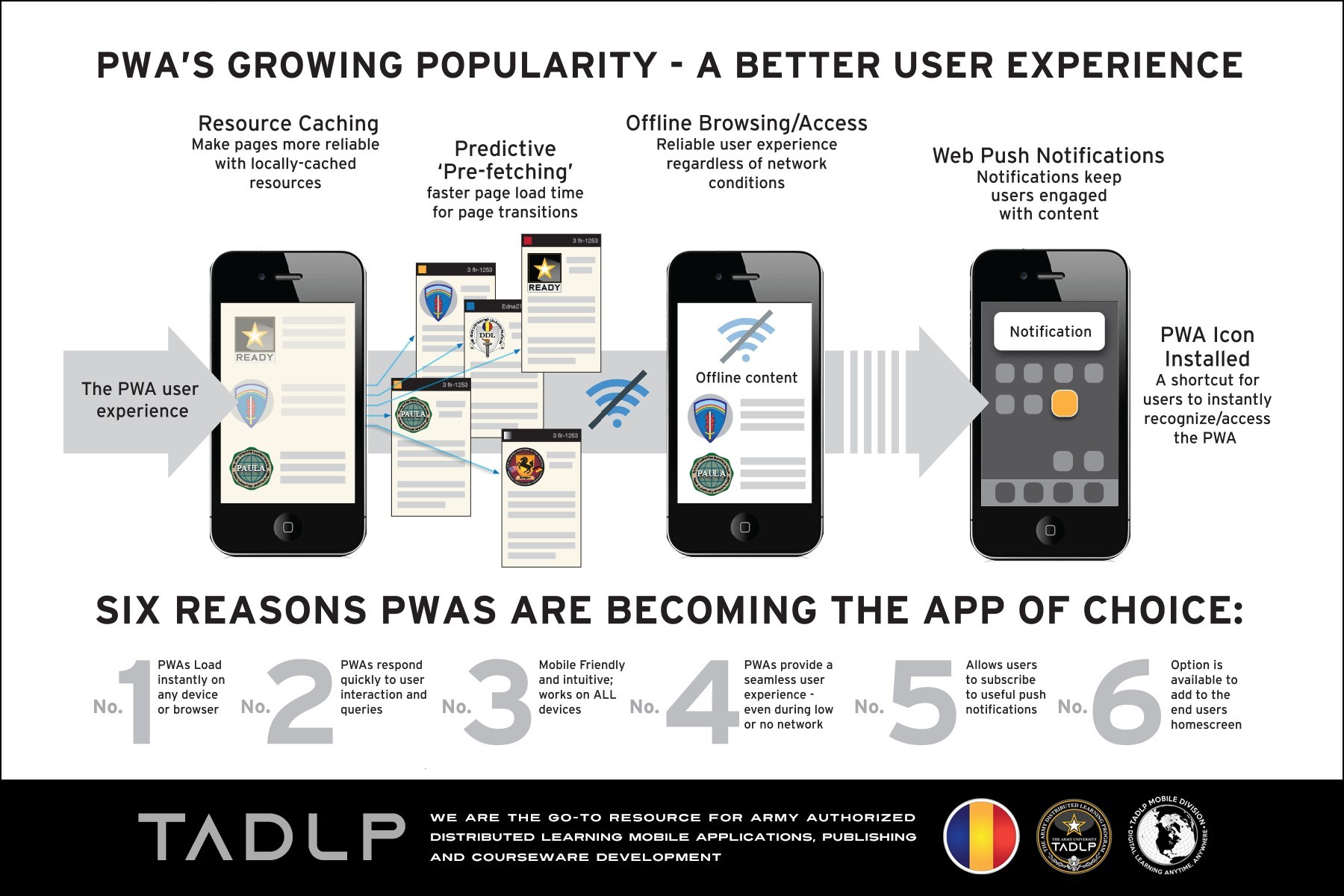
The Evolution of Web Architecture: From Static Pages to PWAs
To understand what a PWA is, we must first look at the trajectory of web development. In the early days of the internet, websites were primarily collections of static HTML documents. The introduction of JavaScript and AJAX paved the way for the Web 2.0 era, where dynamic content became the norm. However, as mobile usage exploded, the limitations of traditional web architecture became apparent. Mobile users often deal with flaky network connections, high latency, and limited data.
Native apps were the initial answer to these challenges. By downloading the entire UI and logic onto the device, native apps could function offline and respond instantly to user input. Yet, native apps come with significant friction: users must find them in an app store, wait for a download, and grant extensive permissions. Furthermore, developers are forced to maintain separate codebases for iOS, Android, and the web.
PWAs were introduced to bridge this gap. By utilizing modern web APIs, a PWA allows a website to “progressively” evolve into an app-like experience. The term “Progressive” refers to the fact that these applications work for every user, regardless of browser choice, because they are built with progressive enhancement as a core tenet. If a browser supports the latest features, the user gets the full app experience. If it doesn’t, the site still functions as a standard, high-quality website.
The Problem of the “App Gap”
The “App Gap” refers to the friction points inherent in native app distribution. Statistics show that for every step added to a user’s journey—navigating to the App Store, entering a password, waiting for the download—a significant percentage of users drop off. PWAs eliminate this friction. There is no store to visit and no 50MB file to download. A user visits a URL, finds value, and can then “install” the app to their home screen instantly.
The Core Pillars of Progressive Web Apps
A website does not become a PWA simply by being responsive. To be classified as a true Progressive Web Application, a project must satisfy several technical criteria and utilize specific technologies that enable app-like behavior.
1. Service Workers: The Engine of the PWA
The most critical component of a PWA is the Service Worker. A service worker is a script that the browser runs in the background, separate from the web page, opening the door to features that don’t need a web page or user interaction.
The primary function of a service worker is to act as a programmable proxy between the browser and the network. It can intercept network requests and decide how to handle them. For example, it can serve a cached version of a page when the user is offline, or it can fetch the latest content when a connection is available. This capability enables the “Offline First” approach, ensuring that the application remains functional even in the absence of an internet connection.
2. The Web App Manifest
The Web App Manifest is a simple JSON file that tells the browser about your web application and how it should behave when “installed” on the user’s mobile device or desktop. It includes metadata such as:
-
The App Name: What the user sees under the icon.
-
Icons: Various sizes of the logo for the home screen and splash screen.
-
Start URL: Which page the app should open to.
-
Display Mode: Whether the app should hide the browser’s address bar (standalone mode) to look like a native app.
-
Theme Color: The color of the browser’s toolbars.
3. HTTPS and Security
Security is a non-negotiable requirement for PWAs. Because service workers have the power to intercept network requests and modify responses, they represent a significant security risk if not handled over a secure connection. Consequently, PWAs must be served over HTTPS. This ensures that the data exchanged between the user and the server remains encrypted and that the application has not been tampered with by a third party.
4. Responsive Design and Interactivity
A PWA must be fluid and responsive, adapting its layout to any screen size—whether it’s a 30-inch monitor or a 5-inch smartphone screen. Furthermore, the UI should feel “app-like.” This means avoiding the “flash of white” during page transitions, providing instant tactile feedback on button presses, and maintaining smooth animations at 60 frames per second.
Bridging the Gap: PWAs vs. Native Apps vs. Traditional Web
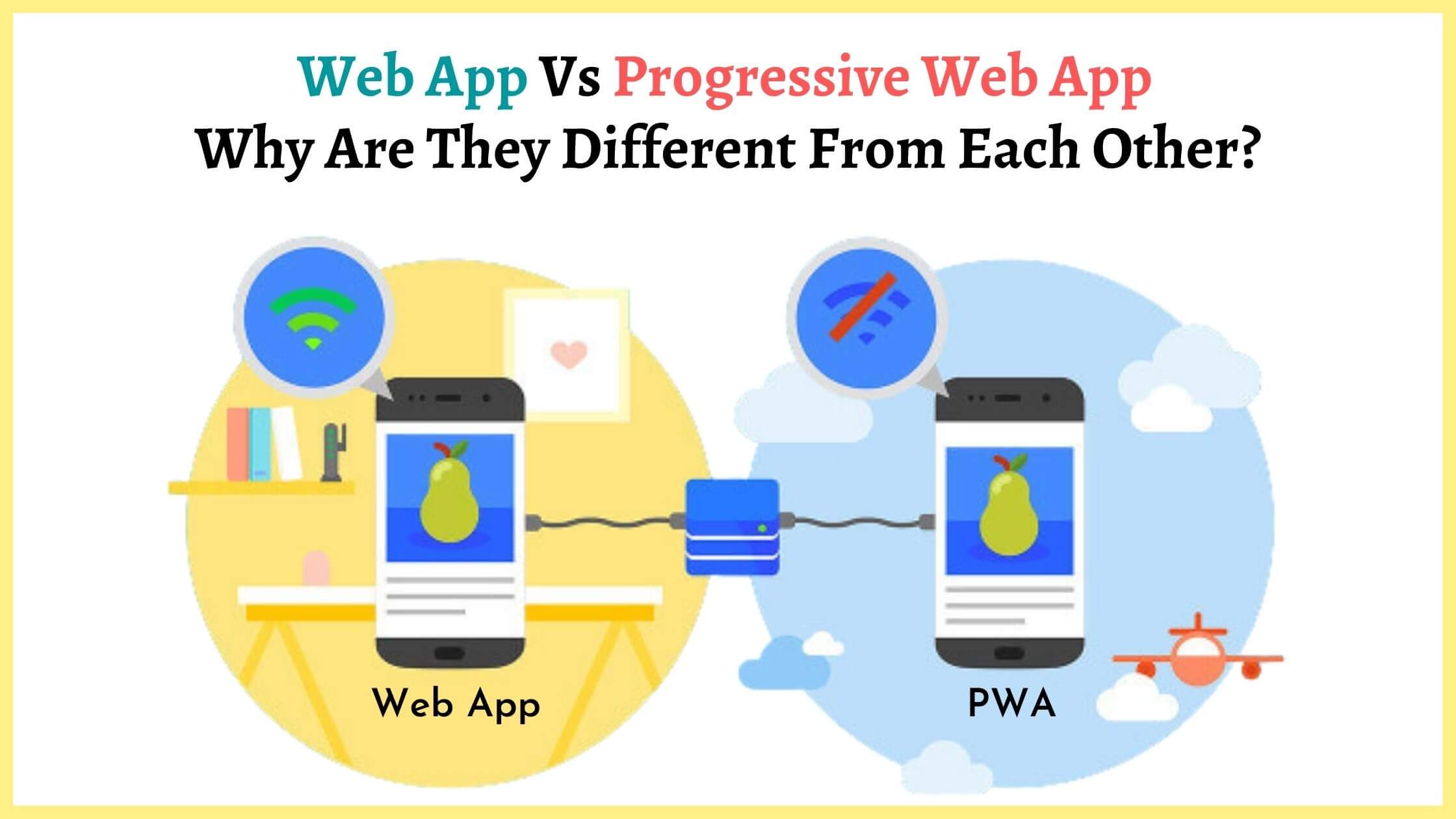
When choosing a software strategy, developers often weigh the pros and cons of PWAs against native applications and traditional web apps. Each has its place, but PWAs are increasingly becoming the default choice for modern software delivery.
Accessibility and Discoverability
Traditional web apps excel at discoverability because they are indexed by search engines. You can find a web app through a simple Google search. PWAs inherit this advantage. Native apps, conversely, are locked behind app stores. A PWA can be shared via a simple URL, making it significantly easier to market and distribute.
Development and Maintenance Costs
Building a native app typically requires two separate teams: one for iOS (Swift/Objective-C) and one for Android (Kotlin/Java), plus a third team for the website. This triples the development cost and complicates the synchronization of features across platforms. PWAs require only a single codebase built on standard web technologies. When you update your PWA, the update is instantly available to all users across all devices the next time they load the app, bypassing the app store approval process.
Device Integration and Capabilities
Historically, native apps had a massive advantage in accessing device hardware, such as the camera, GPS, Bluetooth, and sensors. However, the “Project Fugu” initiative led by Google and other browser vendors has drastically expanded the capabilities of the web. Today, PWAs can access the file system, interact with Bluetooth devices, use NFC, and handle push notifications on most platforms. While native apps still have a slight edge in deep system integration (like low-level background processing), the gap is narrowing every year.
Performance and Storage
Native apps are often large, consuming hundreds of megabytes of storage space. PWAs are incredibly lightweight. Because they leverage the browser’s existing engine, the “app” itself consists only of the code and assets specific to the interface. For example, the Twitter Lite PWA is less than 3% of the size of the Twitter Android app, yet it provides a nearly identical experience.
Technical Implementation: Building and Auditing a PWA
The transition from a standard website to a PWA is an iterative process. It does not require a complete rewrite of your existing codebase; rather, it involves adding layers of functionality.
Step 1: Registering the Service Worker
The first step is to check if the browser supports service workers and then register the script. This usually happens in the main JavaScript file of the application. Once registered, the service worker enters a lifecycle of installation and activation. During the installation phase, developers typically “pre-cache” the essential assets—HTML, CSS, and key images—required for the app’s shell to load offline.
Step 2: Implementing Caching Strategies
Developers must choose a caching strategy that suits their content.
-
Cache First: Ideal for static assets like fonts and logos. The app checks the cache first and only goes to the network if the asset is missing.
-
Network First: Best for frequently updated data like news feeds. The app tries the network first but falls back to a cached version if the user is offline.
-
Stale-While-Revalidate: The app serves the cached version immediately (for speed) but simultaneously fetches an update from the network to use next time.
Step 3: Handling Push Notifications
Push notifications are a powerful tool for user re-engagement. PWAs use the Push API and the Notifications API to send alerts even when the browser is closed. This is handled via the service worker, which listens for push events from a server and displays a system notification to the user.
Step 4: Using Lighthouse for Auditing
Google provides an open-source tool called Lighthouse, integrated into the Chrome DevTools, which allows developers to audit their applications. Lighthouse provides a dedicated PWA report that checks for HTTPS, service worker registration, responsive design, and whether the app meets the “installability” criteria. Achieving a high score in Lighthouse is the gold standard for PWA development.
The Future of the Open Web: Why PWAs are the Ultimate Software Strategy
The rise of PWAs represents a shift toward a more open, accessible, and efficient internet. As browser engines like Chromium, WebKit, and Gecko continue to evolve, the distinction between “the web” and “software” is disappearing.
We are seeing a trend where major enterprise platforms are moving toward PWAs. Microsoft has integrated PWA support deeply into Windows, allowing web apps to appear in the Start menu and taskbar just like native software. Even Apple, which was traditionally slower to adopt PWA features to protect its App Store ecosystem, has added support for push notifications and improved service worker capabilities in recent iOS updates.
For businesses, the logic is undeniable. A PWA offers the reach of the web with the engagement of an app. It lowers the barrier to entry for users and reduces the overhead for developers. For users, it means a faster, more reliable experience that doesn’t clutter their device storage or compromise their privacy through intrusive app permissions.
In conclusion, a Progressive Web Application is not just a trend; it is the maturation of the web. By combining the universal reach of the URL with the high-performance capabilities of native code, PWAs have become the most versatile tool in a modern developer’s arsenal. Whether you are building a simple blog or a complex enterprise tool, the “Progressive” approach ensures that your software is ready for the future of the digital world.
aViewFromTheCave is a participant in the Amazon Services LLC Associates Program, an affiliate advertising program designed to provide a means for sites to earn advertising fees by advertising and linking to Amazon.com. Amazon, the Amazon logo, AmazonSupply, and the AmazonSupply logo are trademarks of Amazon.com, Inc. or its affiliates. As an Amazon Associate we earn affiliate commissions from qualifying purchases.