
A Pin is the fundamental unit of content and interaction within Pinterest, serving as a visual bookmark or digital snippet of information. Far more than just an image, a Pin is a sophisticated data package designed to drive visual discovery and inspire action. It represents an idea, a product, an article, a recipe, or any piece of content a user finds interesting enough to save, organize, and potentially share within the Pinterest ecosystem. Understanding the technical composition and functional role of a Pin is essential to grasping how Pinterest operates as a unique visual search and discovery engine, distinct from traditional social media platforms.
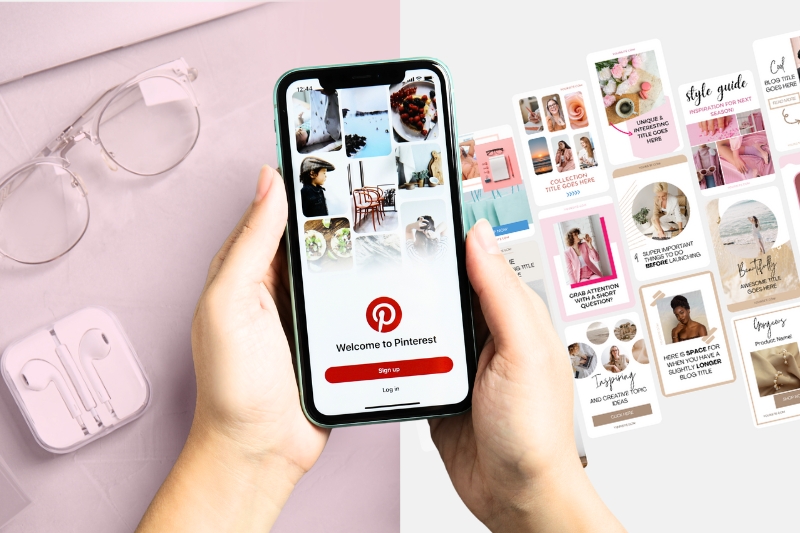
The Core Technical Component of Pinterest’s Visual Discovery Engine
At its essence, Pinterest functions not as a network for social interaction in the traditional sense, but as a robust visual search and discovery engine. Within this engine, the Pin acts as the atomic unit, analogous to a file in a digital library or a bookmark in a web browser. Users create and save Pins to their personal or collaborative boards, effectively curating collections of ideas and resources that can range from home décor inspiration to intricate coding tutorials or product wishlists.
Each Pin is engineered to be highly discoverable, designed to be indexed by Pinterest’s proprietary algorithms and presented to users with relevant interests. This process relies on a complex interplay of visual recognition, keyword analysis, and user behavior patterns. When a user “Pins” content, they are essentially creating a digital record that encapsulates a visual representation, descriptive metadata, and often, an external link back to the original source. This structure allows Pinterest to efficiently process, categorize, and recommend content across its vast user base, facilitating personalized feeds and search results. The integrity and comprehensive nature of a Pin’s technical data are paramount for its effective functioning within this expansive visual database.
Anatomy of a Pin: Essential Technical Components
A Pinterest Pin is a meticulously structured digital object, comprised of several key components that collectively enable its functionality and discoverability within the platform. Each element plays a crucial role in how the Pin is processed by Pinterest’s algorithms and how users interact with it.
The Visual Asset: Image or Video
The most prominent component of any Pin is its visual asset, which can be either a static image or a video.
- Image Pins typically support standard file formats such as JPEG, PNG, and occasionally GIF (though animated GIFs are often converted to video loops). Pinterest’s platform is optimized for vertical aspect ratios, with a 2:3 ratio (e.g., 1000×1500 pixels) being recommended for optimal display across various devices, ensuring images appear prominent in user feeds. High resolution is critical not only for visual appeal but also for Pinterest’s sophisticated image recognition algorithms, which analyze visual elements, colors, and textures to understand content context and recommend related Pins.
- Video Pins accommodate MP4 or MOV file formats and have specific length and file size recommendations. They are designed to auto-play in feeds, capturing immediate attention. Pinterest’s video processing infrastructure handles encoding and optimization to ensure smooth playback across diverse network conditions, making video a dynamic and engaging content format.
The Pin Title
The Pin title serves as a concise, keyword-rich descriptor of the content. Technically, it is a text string with a character limit (typically around 100 characters, with the first 40-60 being most visible). This title is a primary input for Pinterest’s search engine, heavily influencing the Pin’s relevance to user queries. Effective titles leverage natural language processing and keyword density to improve algorithmic indexing, ensuring the Pin surfaces for appropriate searches.
The Pin Description
Offering more elaborate context than the title, the Pin description allows for a detailed explanation of the content. This text field typically supports up to 500 characters, though only the first 50-75 characters are immediately visible without expanding. From a technical standpoint, the description is a vital repository for long-tail keywords and contextual information. Pinterest’s algorithms parse these descriptions to build a more comprehensive understanding of the Pin’s subject matter, enhancing its discoverability for nuanced searches and related recommendations. Over-stuffing with keywords is generally penalized; instead, natural language and descriptive accuracy are prioritized.
The Destination Link (URL)
A critical technical feature of most Pins is the destination link, or URL. This embedded hyperlink directs users from Pinterest to the original source of the content, such as a blog post, product page, or external website. The integrity and validity of this URL are paramount. Pinterest employs various mechanisms to verify link authenticity and prevent malicious redirects. For enhanced user experience, deep linking capabilities allow Pins to direct users directly into specific sections of a mobile application, bypassing the need to open a web browser. This functionality relies on specific app linking schemas configured on the destination app.
Board Association
Pins are organized by users onto “boards,” which function as thematic collections. When a user saves a Pin, it is associated with one or more boards. This technical association is crucial for content categorization and personalized recommendations. Pinterest’s algorithms analyze the themes and keywords of boards to understand user interests and to suggest relevant Pins. Boards can be public, private, or collaborative, each having different implications for Pin visibility and sharing permissions.
Rich Pin Data
Rich Pins represent an advanced technical feature that automatically pulls additional metadata from a source website and displays it directly on the Pin. This capability relies on structured data markup (e.g., Schema.org, Open Graph protocol) implemented on the source webpage.
- Product Rich Pins display real-time pricing, availability, and where to buy the product.
- Recipe Rich Pins show ingredients, cooking times, and serving sizes.
- Article Rich Pins highlight the headline, author, and story description.
This automated data integration enhances the utility and information density of Pins, directly leveraging web development standards to provide a richer user experience without manual data entry on Pinterest.
Diversity in Pin Formats: Adapting to Digital Content Types
Pinterest has evolved its Pin formats to accommodate the diverse array of digital content available on the web and to enhance user engagement. Each format is designed with specific technical specifications and functionalities to optimize different types of content for discovery and interaction.

Standard Pins
The original and most common Pin format, Standard Pins primarily feature a single static image, accompanied by a title, description, and an optional outbound link. These Pins are foundational to Pinterest’s visual catalog, designed for bookmarking articles, inspirational images, or product visuals. Their technical simplicity allows for broad applicability, while the emphasis on high-quality visuals remains paramount for algorithmic preference and user engagement.
Video Pins
Video Pins introduce dynamic content to the Pinterest feed. Technically, these Pins support various video file types (MP4, MOV) within specified length and size constraints. They are configured for auto-play without sound in the feed, with users having the option to tap to enable audio and full-screen viewing. Video Pins are particularly effective for tutorials, demonstrations, and short-form narratives, leveraging motion to capture attention and convey more complex information than a static image. Pinterest’s backend infrastructure manages the transcoding and streaming of these videos to ensure optimal performance across different devices and network conditions.
Idea Pins (formerly Story Pins)
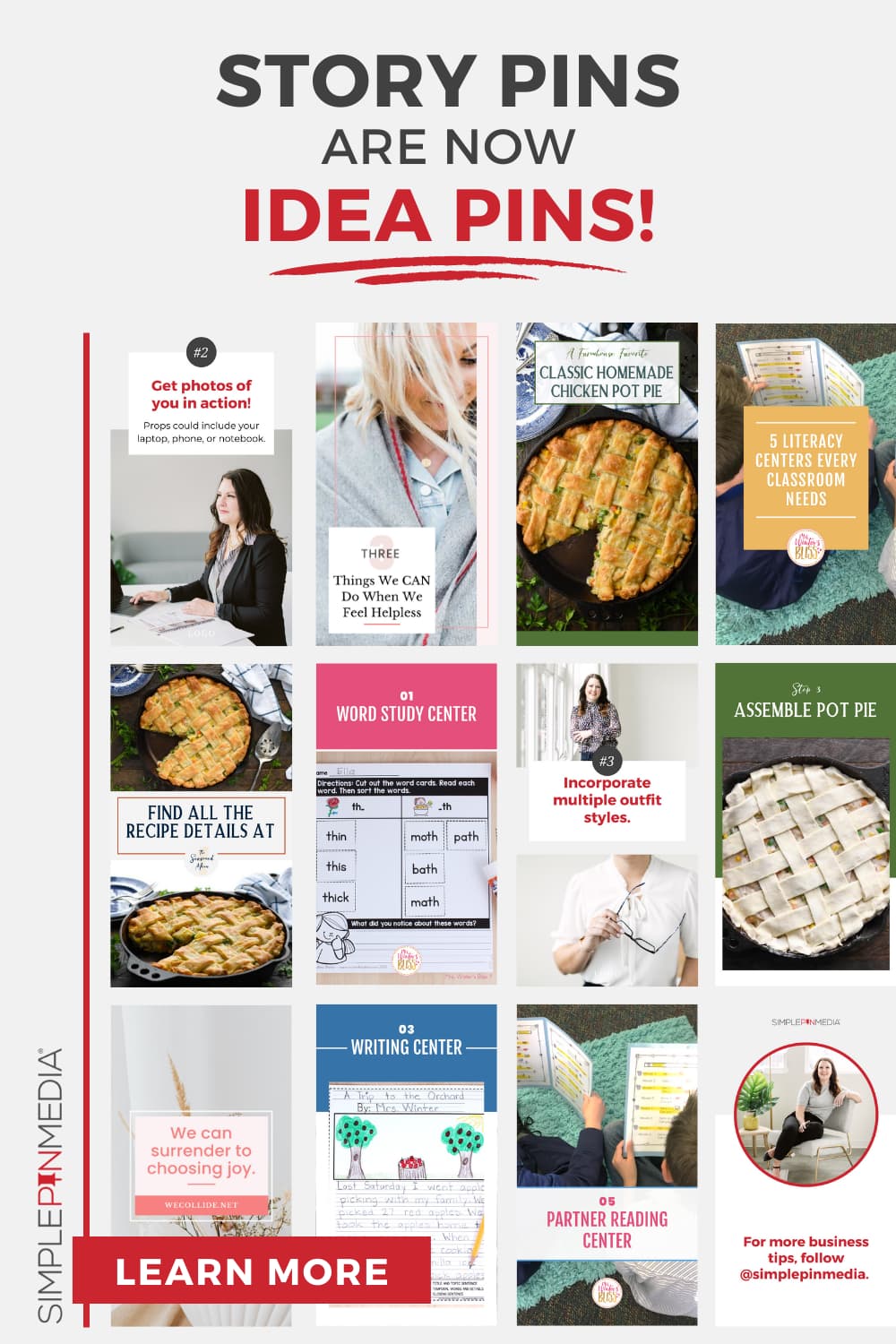
Idea Pins represent a multi-page content format designed for direct creation and consumption within Pinterest. Unlike Standard Pins, Idea Pins often do not require an outbound link, encouraging creators to build engaging, narrative content directly on the platform. These Pins can combine multiple video clips, images, text overlays, and audio, functioning much like a visual slideshow or short-form story. Technically, Idea Pins offer advanced editing tools within the Pinterest interface for adding effects, music, and interactive stickers. Their focus is on immersive, step-by-step content or tutorials, with discoverability often prioritized within Pinterest’s “Watch” tab and home feed. This format emphasizes native content creation and in-platform engagement over external traffic generation.
Product Pins (Shopping Pins)
Product Pins are a specialized form of Rich Pin, deeply integrated with e-commerce functionality. These Pins are populated with real-time product data—including current price, availability, and a direct link to the purchase page—sourced automatically from merchant websites. This automation is achieved through merchant product feeds (typically XML or CSV files) ingested by Pinterest’s shopping infrastructure, or via schema markup on individual product pages. Product Pins are crucial for Pinterest’s foray into direct shopping experiences, providing users with actionable purchase information directly within their feeds.
Collection Pins
Collection Pins are an innovative format that combines multiple product images into a single, shoppable Pin. Visually, they often feature a hero image accompanied by several smaller, related product images below. Each individual product within the collection is technically linked to its respective product page. This format is designed to inspire multi-item purchases and visually represent a curated collection of products (e.g., an entire outfit or a room decor theme). The technical challenge lies in rendering multiple linked items seamlessly within one cohesive visual unit, providing a richer discovery experience for users interested in complementary products.
Pin Lifecycle and Algorithmic Discovery
The journey of a Pin, from its creation to its potential widespread discovery, is governed by a sophisticated technical lifecycle and Pinterest’s advanced recommendation algorithms. Understanding this process is key to appreciating the platform’s engineering.
Creation and Uploading
The Pin lifecycle begins with creation. Users can create Pins either by uploading content directly from their device (web interface or mobile app) or by saving (Pinning) content found on external websites using browser extensions or Pinterest’s “Save” button integrations. When content is uploaded, Pinterest’s backend systems process the visual asset, performing image or video analysis (e.g., object recognition, color palette detection, aspect ratio assessment). Simultaneously, textual metadata (title, description, destination URL) is parsed and indexed. This initial processing is critical for categorizing the Pin and preparing it for discovery.
Saving and Re-Pinning
Once a Pin is created, users can save it to their boards. This action is recorded by Pinterest’s systems, creating a data point that signifies user interest. When a Pin is “re-Pinned” (saved by other users), it propagates through the platform. Each re-Pin generates new engagement data and extends the Pin’s reach to new audiences within the re-Pinner’s followers and board contexts. Pinterest’s algorithms track these propagation paths, using them to understand a Pin’s popularity and relevance, influencing its future visibility.
Pinterest’s Recommendation Engine
The core of a Pin’s discovery lies in Pinterest’s recommendation engine, a complex system powered by machine learning and artificial intelligence. This engine analyzes a vast array of data points to determine which Pins to show to which users. Key factors include:
- Keywords and Metadata: The textual content of a Pin (title, description, associated board names) is analyzed for keywords relevant to user queries and interests.
- Visual Similarity: Advanced computer vision algorithms identify visual attributes within images and videos, matching them with visually similar Pins or user preferences.
- User Interaction Data: Historical data on what a user has Pinned, searched for, clicked, and engaged with is fed into the algorithm to personalize their feed.
- Freshness and Engagement: Newer Pins or Pins that are receiving high engagement (saves, clicks) are often given a boost in visibility.
- Source Quality: Pinterest may consider the quality and authority of the external website linked by a Pin.
These algorithms constantly evolve, utilizing deep learning models to predict user preferences and deliver a highly personalized and relevant content stream, transforming the static data of a Pin into a dynamic discovery experience.
Analytics and Performance Tracking
For creators and businesses, Pinterest provides built-in analytics tools to track the technical performance of their Pins. These tools offer metrics such as:
- Impressions: The number of times a Pin appeared on screen.
- Engagements: The total number of interactions (saves, close-ups, clicks).
- Pin Clicks: The number of clicks on the Pin itself, leading to a close-up view.
- Outbound Clicks: The number of clicks on the destination URL, directing users off-platform.
- Saves: The number of times a Pin was saved to a board.
These metrics are crucial for creators to understand how their Pins are performing within Pinterest’s technical infrastructure and user engagement patterns. By analyzing this data, creators can optimize their Pin designs, keyword usage, and content strategy to improve future discoverability and achieve their specific objectives within the platform.
aViewFromTheCave is a participant in the Amazon Services LLC Associates Program, an affiliate advertising program designed to provide a means for sites to earn advertising fees by advertising and linking to Amazon.com. Amazon, the Amazon logo, AmazonSupply, and the AmazonSupply logo are trademarks of Amazon.com, Inc. or its affiliates. As an Amazon Associate we earn affiliate commissions from qualifying purchases.