
In the rapidly evolving landscape of digital connectivity, few ports have had as significant an impact on the transition from bulky analog connections to sleek, high-definition digital interfaces as the Mini DisplayPort (mDP). Introduced during a pivotal era of hardware miniaturization, the Mini DisplayPort became the bridge between the high-performance demands of professional workstations and the aesthetic requirements of portable laptops.
While the tech world is increasingly moving toward unified standards like USB-C, the Mini DisplayPort remains a vital piece of technology found in millions of devices globally. To understand what a Mini DisplayPort is, one must look beyond the physical socket and examine the protocols, performance capabilities, and the legacy it left on modern computing.
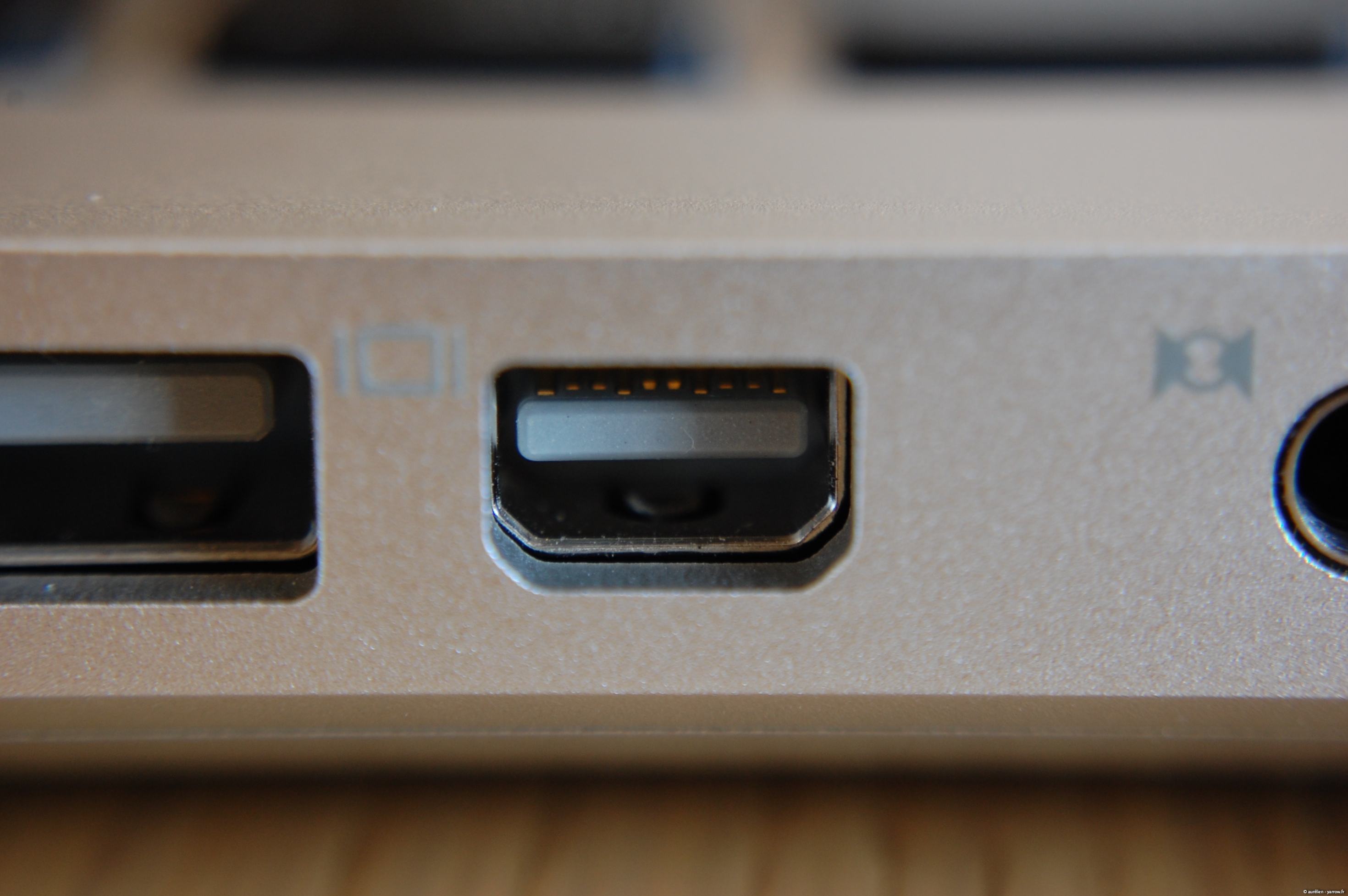
The Origins and Evolution of the Mini DisplayPort
The story of the Mini DisplayPort is inextricably linked to the drive for thinner, lighter, and more powerful consumer electronics. Before its inception, laptops were often burdened by the size of the VGA port or the complexity of DVI connectors.
The Apple Influence and VESA Standardization
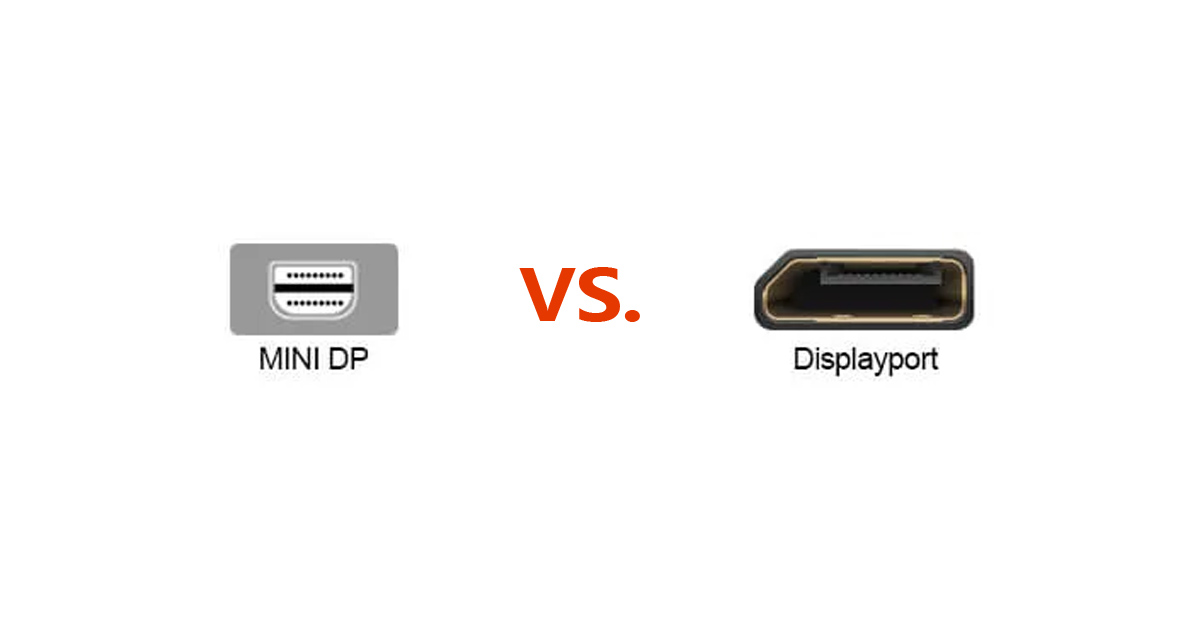
The Mini DisplayPort was first announced by Apple Inc. in late 2008. It was designed as a compact alternative to the standard DisplayPort (DP) interface, which had been developed by the Video Electronics Standards Association (VESA). Apple’s goal was to provide a port that could support high-resolution displays without occupying the significant vertical space required by previous standards.
Initially, the mDP was a proprietary Apple technology. However, recognizing its utility, VESA officially adopted it into the DisplayPort 1.2 specification in 2009. This move allowed other manufacturers, such as Microsoft, Dell, and Lenovo, to integrate the port into their own devices—most notably the Microsoft Surface Pro line and high-end ThinkPad laptops.
Moving From Version 1.1 to 1.2 and Beyond
Over time, the Mini DisplayPort evolved alongside the standard DisplayPort protocol. While the physical connector remained the same, the underlying technology improved significantly. Version 1.1 supported basic high-definition video, but it was version 1.2 that truly revolutionized the port. This update doubled the effective bandwidth to 17.28 Gbps, enabling features that are still impressive today, such as 4K resolution and high-speed data transmission for peripherals.
Technical Capabilities: Resolution, Bandwidth, and Beyond
The Mini DisplayPort is more than just a “shrunken” video port; it is a high-bandwidth pipeline designed to handle massive amounts of visual and auditory data. Unlike HDMI, which was originally conceived for consumer television sets, DisplayPort technology (and by extension, mDP) was built with computer performance in mind.
Resolution and Refresh Rates
One of the primary reasons professionals preferred Mini DisplayPort over contemporary HDMI versions was its support for high resolutions and refresh rates. A Mini DisplayPort 1.2 connection can comfortably drive a 4K monitor (3840 x 2160) at 60Hz. In the world of design, video editing, and gaming, the difference between 30Hz and 60Hz is night and day, providing the fluidity necessary for precision work.
Furthermore, mDP supports “Deep Color” and high dynamic range (HDR) in later iterations, ensuring that the color accuracy required by photographers and digital artists is maintained from the computer to the screen.
Multi-Stream Transport (MST) and Daisy Chaining
One of the most powerful features of the Mini DisplayPort 1.2 protocol is Multi-Stream Transport (MST). This allows a single mDP output to drive multiple independent monitors. Through a process called “daisy-chaining,” a user can connect a laptop to one monitor, and then connect that monitor to another, effectively creating a multi-screen workspace with minimal cabling. This capability is a hallmark of professional productivity setups and remains a key advantage of the DisplayPort architecture.
Audio and Data Transmission
While primarily known for video, the Mini DisplayPort is also capable of carrying high-definition digital audio. It supports multi-channel uncompressed formats, making it a viable option for home theater integrations or professional audio-visual setups. Additionally, because it is a packet-based protocol—similar to how Ethernet functions—it can carry auxiliary data, allowing for bidirectional communication between the display and the source.
The Thunderbolt Confusion: Understanding the Physical Connector
One of the most common points of confusion in the tech world involves the relationship between Mini DisplayPort and Thunderbolt. To the naked eye, a Mini DisplayPort and a Thunderbolt 1 or Thunderbolt 2 port look identical. They use the exact same physical housing, but they serve different (though overlapping) purposes.
Mini DisplayPort vs. Thunderbolt 1 & 2
The physical shape of the Mini DisplayPort was so efficient that Intel and Apple chose to use it as the foundation for the Thunderbolt interface.
- Mini DisplayPort: Only carries DisplayPort signals (Video and Audio).
- Thunderbolt 1 & 2: Carries both DisplayPort signals AND PCI Express (PCIe) data signals.
Because Thunderbolt ports are “backward compatible,” you can plug a Mini DisplayPort cable into a Thunderbolt 2 port, and it will work perfectly for video. However, you cannot plug a Thunderbolt peripheral (like a high-speed external hard drive) into a dedicated Mini DisplayPort, as the mDP lacks the data-carrying circuitry required for PCIe transmission.
Why Pin Compatibility Matters
The 20-pin design of the mDP was engineered to be robust yet small. This pin configuration allows for the “Dual-Mode” (DP++) capability. This means the port can sense when a passive HDMI or DVI adapter is connected and adjust the signal accordingly. This versatility made the mDP a favorite for IT departments, as a single laptop could be adapted to almost any projector or monitor found in a conference room.
Practical Applications and Connectivity Solutions
Even as newer devices favor USB-C, the Mini DisplayPort remains deeply embedded in the professional ecosystem. Understanding how to utilize this port is essential for anyone maintaining a legacy setup or optimizing a modern workstation.
Adapters and Converters
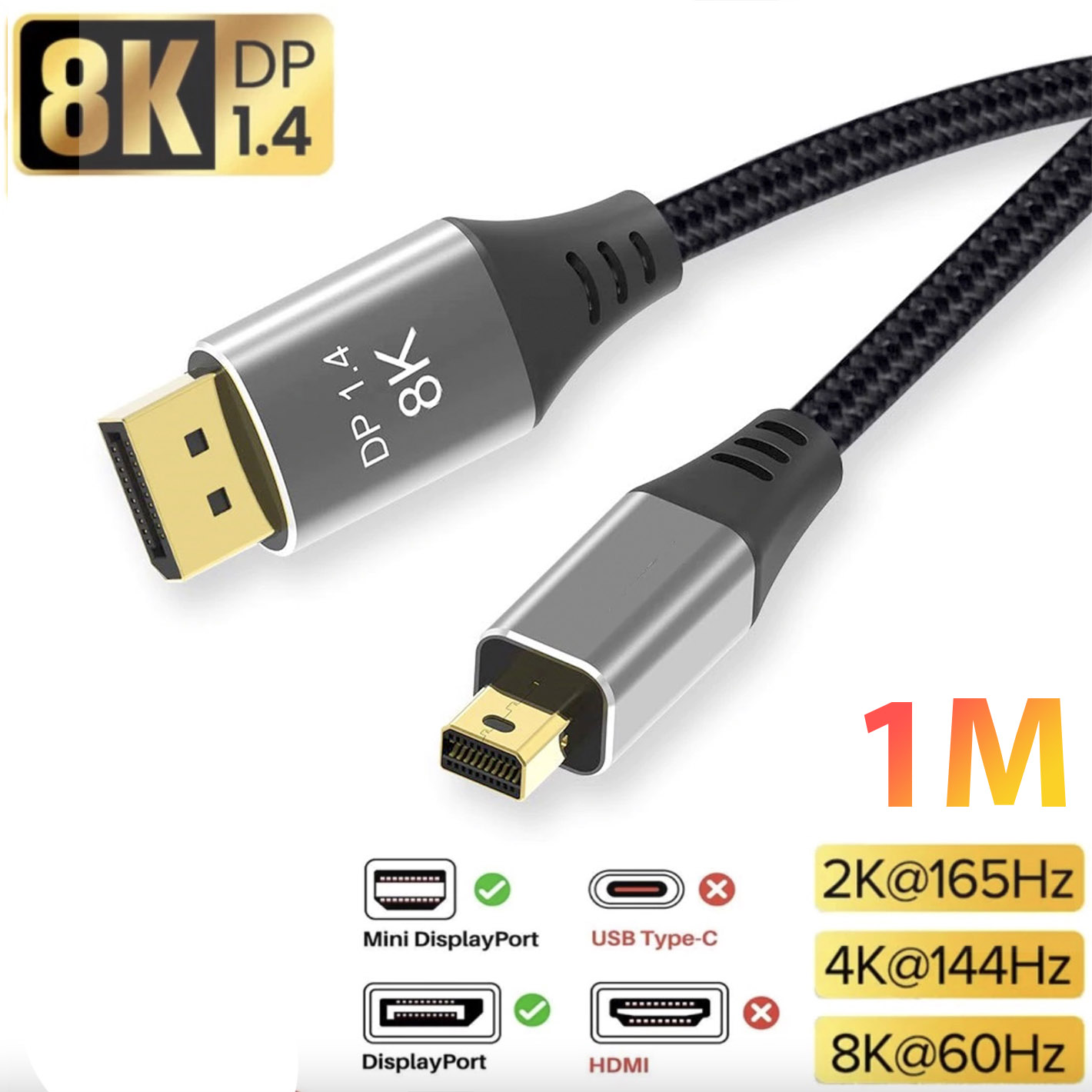
The Mini DisplayPort is famous for its adaptability. Because it is a digital signal, it can be converted to almost any other standard with the right adapter.
- mDP to HDMI: Essential for connecting laptops to TVs or modern monitors.
- mDP to VGA: A “lifesaver” for presenters who encounter older projectors in educational or corporate environments.
- mDP to DVI: Used primarily for older high-end desktop monitors.
When choosing adapters, it is important to distinguish between “Active” and “Passive” converters. Passive adapters rely on the source device’s ability to output a different signal (DP++), whereas Active adapters contain a small chip to convert the signal themselves, which is often necessary when using three or more monitors simultaneously.
Legacy Support in Modern Workspaces
Many high-end monitors, particularly those from brands like BenQ, Eizo, and Dell, still feature Mini DisplayPort inputs. This is because mDP offers a secure, locking-optional, high-bandwidth connection that doesn’t share bandwidth with other data (as USB-C often does). For users with 2013–2015 MacBook Pros, older Microsoft Surface devices, or workstation-grade GPUs, the Mini DisplayPort is the primary gateway to high-resolution productivity.
Mini DisplayPort vs. HDMI and USB-C: Which One Wins?
As we look toward the future of technology, the Mini DisplayPort sits in a unique position between the aging HDMI standard and the ascending USB-C standard.
Comparing Display Capabilities
Compared to HDMI 1.4 (its contemporary rival), Mini DisplayPort was significantly more capable, offering higher refresh rates at 4K. While HDMI eventually caught up with version 2.0 and 2.1, DisplayPort has generally maintained a lead in the PC space due to its support for Adaptive-Sync (G-Sync and FreeSync), which is crucial for gamers to prevent screen tearing.
The Shift Toward Universal Standards
The industry is currently in the midst of a massive shift toward USB-C (which uses the DisplayPort Alt Mode protocol). In many ways, USB-C is the spiritual successor to the Mini DisplayPort. It takes the idea of a small, high-performance connector and adds the ability to deliver power and high-speed USB data.
However, the Mini DisplayPort is not obsolete. It represents a period of hardware design where reliability and specialized performance were prioritized. In many enterprise environments, mDP is preferred because it avoids the “handshaking” issues sometimes found with USB-C hubs and docking stations. It is a dedicated video lane that does one job—delivering high-quality visuals—and it does it exceptionally well.
Conclusion: The Lasting Legacy of the Mini DisplayPort
The Mini DisplayPort was a landmark achievement in digital interface design. It successfully shrank the capabilities of a full-sized workstation into a footprint small enough for a tablet. By offering high resolution, daisy-chaining capabilities, and incredible adaptability, it set the standard for what a professional port should be.
Whether you are a creative professional using a classic Mac Pro, a student with a reliable Surface Pro, or an IT manager maintaining a fleet of monitors, the Mini DisplayPort remains a symbol of an era where connectivity became compact without sacrificing power. While the tech world may eventually move toward a single “one-port-to-rule-them-all” future, the Mini DisplayPort will be remembered as the interface that proved small size doesn’t have to mean small performance.
aViewFromTheCave is a participant in the Amazon Services LLC Associates Program, an affiliate advertising program designed to provide a means for sites to earn advertising fees by advertising and linking to Amazon.com. Amazon, the Amazon logo, AmazonSupply, and the AmazonSupply logo are trademarks of Amazon.com, Inc. or its affiliates. As an Amazon Associate we earn affiliate commissions from qualifying purchases.