
In the rapidly evolving landscape of software engineering, the tools a developer chooses can be just as critical as the language they write in. At the heart of this digital craftsmanship lies the Integrated Development Environment, commonly known as an IDE. For the uninitiated, an IDE might look like a complex array of buttons, windows, and scrolling text, but for a seasoned programmer, it is the cockpit of their creative process.
An IDE is a software application that provides a comprehensive suite of tools to computer programmers for software development. Rather than juggling multiple disconnected utilities for writing, testing, and packaging code, an IDE consolidates these functions into a single user interface. This integration is designed to maximize programmer productivity by providing tight-knit components with similar user interfaces.
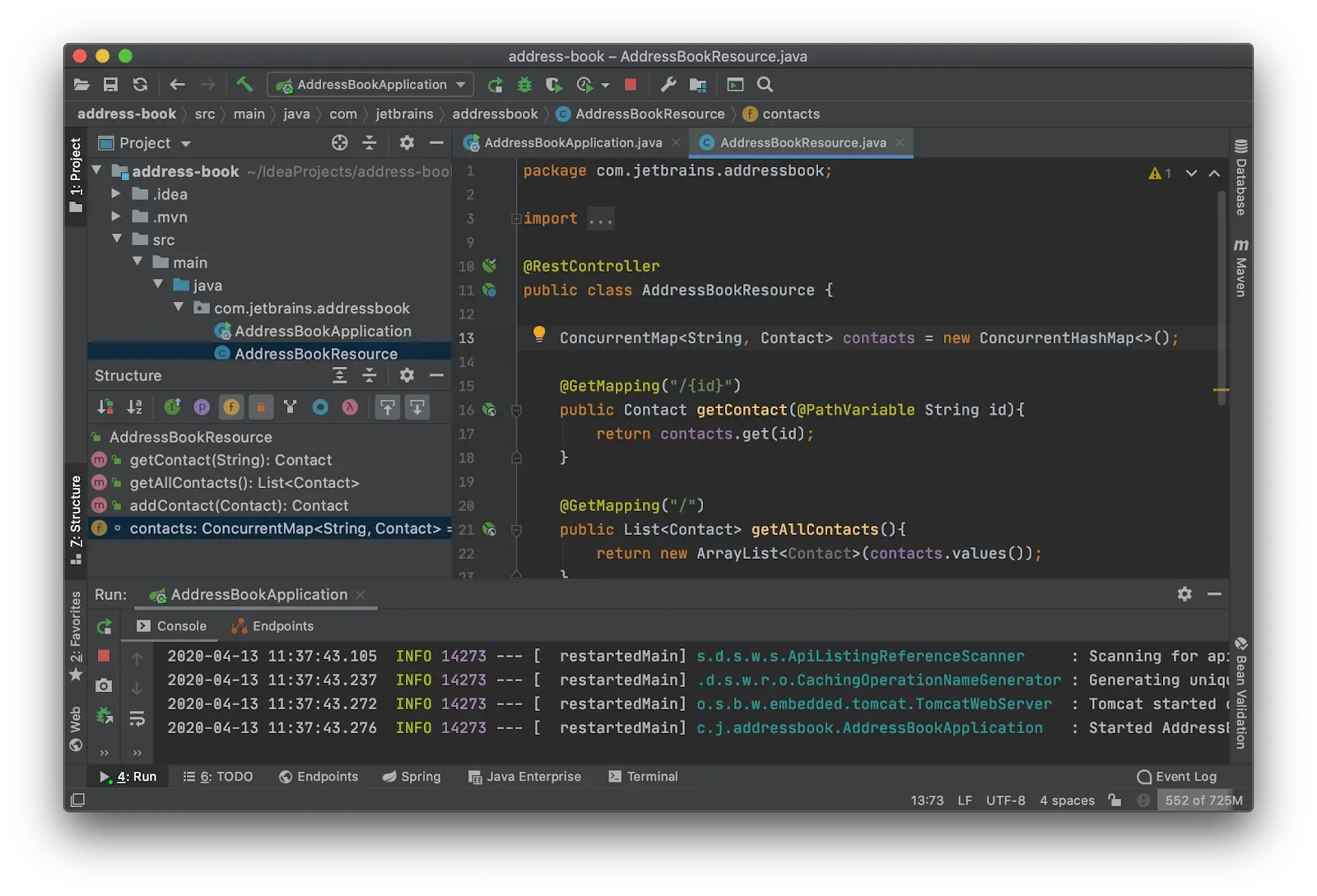
Core Components of an Integrated Development Environment
To understand what makes an IDE different from a simple text editor, one must look at its internal architecture. Most modern IDEs are built upon a foundation of three essential pillars that streamline the lifecycle of software creation.
The Source Code Editor
The source code editor is the primary workspace where developers spend the majority of their time. Unlike basic text processors, these editors are “language-aware.” They feature syntax highlighting, which uses different colors and fonts to distinguish between keywords, variables, and strings, making the code much easier to read and navigate. Furthermore, modern editors provide “IntelliSense” or code completion, which predicts what the developer is trying to type, suggesting functions or variables from the existing codebase and libraries.
Build Automation Tools
Transforming human-readable code into a machine-executable program is a complex process involving compiling, linking, and packaging. In the past, developers had to run these commands manually via a terminal. An IDE automates these tasks with “build automation tools.” With a single click of a “Build” or “Run” button, the IDE handles the heavy lifting of gathering dependencies, compiling the source code into binary files, and preparing the final output for deployment.
The Debugger
No programmer writes perfect code on the first try. The debugger is perhaps the most valuable component of an IDE, allowing developers to examine their code in real-time. It provides the ability to set “breakpoints,” which pause the execution of a program at a specific line. While paused, the developer can inspect the value of variables, step through the code line-by-line, and identify exactly where a logic error or “bug” is occurring. This deep visibility is nearly impossible to achieve with a standard text editor.
Why Use an IDE? Productivity and Efficiency in Coding
The primary motivation for using an IDE is efficiency. In a professional tech environment, time is the most expensive resource. By centralizing the development workflow, an IDE eliminates the “context switching” that occurs when moving between different applications.
Intelligent Code Completion and Refactoring
Beyond simple typing, IDEs possess a deep understanding of the project’s structure. This enables “refactoring”—the process of restructuring existing computer code without changing its external behavior. For example, if a developer needs to rename a variable used in 50 different files, a high-quality IDE can perform this “Global Rename” instantly, ensuring that every reference is updated correctly without breaking the build. This level of automation prevents human error and saves hours of manual searching and replacing.
Real-Time Error Detection and Diagnostics
Modern IDEs act as a constant pair of “eyes” over the developer’s shoulder. Through a process called static analysis, the IDE can identify syntax errors or potential logic flaws as the code is being typed—much like a spell-checker in a word processor. These “squiggly lines” alert the developer to a problem before they even attempt to run the program. By shifting error detection to the earliest possible stage of development, IDEs significantly reduce the cost and frustration of fixing bugs.
Seamless Version Control Integration
Software is rarely built in isolation. Teams use Version Control Systems (VCS), such as Git, to manage changes to the codebase. Most IDEs have built-in dashboards for Git, allowing developers to see which lines of code have changed, compare different versions of a file, and push their updates to a central repository like GitHub or GitLab. Having these features integrated directly into the sidebar of the editor means developers never have to leave their environment to collaborate with their team.
Different Types of IDEs: Finding the Right Fit
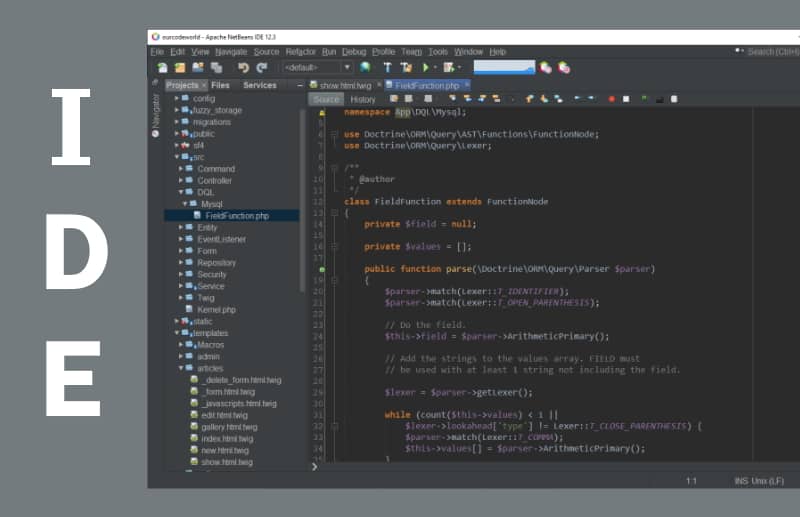
Not all IDEs are created equal. The choice of an IDE often depends on the specific programming language, the target platform (mobile, web, or desktop), and the developer’s hardware constraints.
Language-Specific IDEs
Some IDEs are purpose-built for a single language or ecosystem. For instance, PyCharm is a flagship IDE developed by JetBrains specifically for Python developers. It includes tools tailored for data science and web development with frameworks like Django. Similarly, IntelliJ IDEA is widely regarded as the gold standard for Java development. Because these tools focus on a specific language, they can offer much deeper insights and more specialized shortcuts than a general-purpose tool.
Platform-Specific IDEs
When developing for a specific operating system or hardware, platform-specific IDEs are often mandatory. Xcode is Apple’s proprietary IDE, required for anyone building apps for iPhone, Mac, or iPad. On the other side of the fence, Android Studio (based on IntelliJ) is the official environment for Android development. These IDEs include “emulators”—virtual smartphones that run on your computer screen—allowing you to test your app’s performance and layout without needing dozens of physical devices.
Cloud-Based vs. Desktop IDEs
The traditional IDE is a heavy application installed locally on a high-performance laptop. However, the industry is shifting toward “Cloud IDEs” or “Web-based IDEs.” Platforms like GitHub Codespaces or AWS Cloud9 allow developers to write and run code entirely within a web browser. This is particularly beneficial for remote teams, as it ensures that every developer is working in an identical environment, regardless of whether they are using a powerful workstation or a lightweight Chromebook.
IDE vs. Text Editor: Understanding the Difference
In tech circles, there is a long-standing debate regarding IDEs versus sophisticated text editors like Visual Studio Code (VS Code), Sublime Text, or Vim. While the line has blurred in recent years, the distinction remains important.
The Lightweight Alternative: VS Code and Sublime
A text editor is designed to be fast and lightweight. It opens instantly and stays out of the way. VS Code, while technically a text editor, has become the world’s most popular tool because of its massive library of extensions. By installing plugins, a developer can turn a simple text editor into something that functions very much like an IDE. However, the core difference is that an IDE comes “batteries included,” with all tools pre-configured and optimized to work together out of the box.
When to Choose an IDE Over a Text Editor
The choice typically boils down to project scale. For a quick script or a small website, a text editor like VS Code is often preferable because it consumes fewer system resources. However, for massive enterprise applications with millions of lines of code and complex dependencies, a full-featured IDE like Visual Studio (not to be confused with VS Code) is superior. The IDE’s ability to index the entire project and provide deep navigation tools makes it indispensable for navigating the “spaghetti code” that often defines large-scale corporate software.
The Future of IDEs: AI and Collaborative Coding
As we look toward the next decade of technology, the IDE is undergoing a radical transformation, fueled primarily by Artificial Intelligence and the “remote-first” work culture.
AI-Powered Coding Assistants
We are entering the era of the “AI-augmented developer.” Tools like GitHub Copilot and Cursor (an AI-first IDE) are changing the way code is written. These IDEs use Large Language Models (LLMs) to write entire blocks of code based on a simple comment. Instead of writing boilerplate code from scratch, developers now act more like editors, reviewing and refining the code generated by the AI within the IDE interface. This shift is dramatically increasing the speed at which new software can be brought to market.
Remote Development and Collaborative Environments
The “Live Share” feature, pioneered by Microsoft, has turned the IDE into a collaborative space similar to a Google Doc. Multiple developers, located in different countries, can now type in the same file simultaneously, share a debugger session, and help each other troubleshoot in real-time. As software development becomes increasingly global, the IDE is evolving from a solitary workbench into a digital headquarters for team collaboration.
Conclusion
An IDE is far more than just a place to type code; it is an essential ecosystem that empowers developers to manage the immense complexity of modern software. By integrating editing, building, debugging, and version control into a single interface, IDEs allow programmers to focus on what truly matters: solving problems and building innovative products. Whether you are a student writing your first “Hello World” or a senior engineer architecting a global cloud platform, the IDE remains the most powerful tool in your digital arsenal. As AI and cloud computing continue to advance, these environments will only become more intelligent, making the dream of seamless, high-speed software creation a reality.
aViewFromTheCave is a participant in the Amazon Services LLC Associates Program, an affiliate advertising program designed to provide a means for sites to earn advertising fees by advertising and linking to Amazon.com. Amazon, the Amazon logo, AmazonSupply, and the AmazonSupply logo are trademarks of Amazon.com, Inc. or its affiliates. As an Amazon Associate we earn affiliate commissions from qualifying purchases.