
RAM, or Random Access Memory, is a crucial component of any laptop, directly impacting its performance and multitasking capabilities. Think of it as your laptop’s short-term memory – the more RAM you have, the more tasks your laptop can handle simultaneously without slowing down. In today’s increasingly demanding digital landscape, understanding the right amount of RAM for your needs isn’t just a technical detail; it’s a fundamental aspect of ensuring a smooth and efficient computing experience. This guide will delve into the specifics of RAM, explore different usage scenarios, and help you determine what constitutes a “good” amount for your next laptop purchase.

Understanding the Role of RAM in Laptop Performance
RAM is a volatile form of memory, meaning it loses its data when the power is turned off. However, its speed and capacity are what make it indispensable for everyday computing. When you open an application, load a webpage, or edit a document, the data required for these operations is temporarily stored in RAM. This allows the processor to access this information much faster than it could from the much slower, non-volatile storage (like an SSD or HDD). The more applications and processes you have running, the more RAM is consumed. If your RAM becomes full, your laptop will start using a portion of your storage drive as virtual memory, which is significantly slower and can lead to noticeable performance degradation – often referred to as “lag” or “stuttering.”
How RAM Influences Speed and Responsiveness
The speed at which RAM can read and write data, often measured in MHz (megahertz), also plays a role in overall performance, but capacity is generally the more significant factor for multitasking. A laptop with insufficient RAM will struggle to keep up with multiple open applications. Imagine a chef trying to prepare a complex meal with only a small cutting board. They can only work on a few ingredients at a time, and they constantly have to put things away and bring them back out, slowing down the entire process. A laptop with ample RAM is like a chef with a large, well-organized workspace; they can have all their ingredients and tools readily available, leading to a much faster and more efficient workflow.
The Impact of RAM on Multitasking and Application Performance
Multitasking is where RAM truly shines. Whether you’re browsing multiple browser tabs, running a word processor alongside a spreadsheet, or streaming video while chatting with friends, all these activities consume RAM. If you’re a student researching for a paper, a professional managing multiple work applications, or a gamer switching between games and communication software, having enough RAM ensures these transitions are seamless and applications remain responsive. Insufficient RAM can lead to applications freezing, crashing, or taking an excessive amount of time to load, significantly hindering productivity and enjoyment.
Determining Your RAM Needs: A User-Centric Approach
The “good amount” of RAM is not a one-size-fits-all answer. It’s heavily dependent on how you intend to use your laptop. What might be sufficient for basic web browsing could be woefully inadequate for demanding video editing or gaming. By assessing your typical usage patterns, you can make a more informed decision.
Basic Usage: Web Browsing, Email, and Document Creation
For users whose primary activities involve web browsing with a moderate number of tabs open, checking emails, and creating documents using applications like Microsoft Word or Google Docs, 8GB of RAM is generally considered the minimum baseline for a smooth experience. While 4GB might have been acceptable in the past, modern operating systems and web browsers have become more memory-intensive. With 8GB, you’ll be able to comfortably switch between these tasks without significant slowdowns. You can likely have a dozen or so browser tabs open, alongside your email client and a document editor, and still enjoy a responsive system.
Moderate Usage: Streaming, Light Photo Editing, and Casual Gaming
If your laptop usage extends to streaming high-definition video content, engaging in light photo editing (e.g., using basic tools in Adobe Photoshop or similar software), or playing casual games that aren’t graphically intensive, 16GB of RAM becomes the sweet spot. This additional capacity provides a buffer for more demanding applications and allows for more extensive multitasking. For instance, you could stream a 4K video, have several browser tabs open for research, and even have a photo editing application running in the background without experiencing performance issues. Casual gamers will also notice a significant improvement in load times and overall gameplay smoothness compared to systems with less RAM.
Power User & Professional Needs: Video Editing, Gaming, and Virtual Machines
For professionals working with demanding software such as video editors (Adobe Premiere Pro, Final Cut Pro), CAD programs, virtual machines, or for serious gamers running the latest AAA titles, 32GB of RAM or even more is highly recommended. These applications require substantial memory to load large project files, render complex scenes, and run multiple demanding processes simultaneously. Video editors, for example, need to load uncompressed footage into RAM for smooth playback and editing. Gamers benefit from higher RAM for faster loading times, better texture streaming, and the ability to run games alongside other background applications like voice chat or streaming software without performance impacts. For those working with virtual machines, each virtual instance requires its own allocation of RAM, making higher capacities essential for running multiple operating systems concurrently.
Exploring Different RAM Capacities and Their Implications

Understanding the specific quantities of RAM available and what they mean in practical terms is crucial for making the right choice. The common configurations range from 4GB to 64GB and beyond, each catering to different levels of performance.
4GB RAM: The Bare Minimum (and Often Not Enough)
Currently, 4GB of RAM is considered the absolute minimum and is only suitable for the most basic computing tasks. This includes very light web browsing with only a few tabs, using simple text editors, and very occasional multitasking. For most users today, a laptop with 4GB of RAM will feel sluggish and frustrating. Operating systems like Windows 10 and 11, along with modern web browsers, consume a significant portion of this memory just by themselves. Running more than a couple of applications simultaneously will quickly lead to performance bottlenecks, requiring the system to constantly swap data with the slower storage drive. It’s generally advisable to avoid laptops with only 4GB of RAM unless your budget is extremely limited and your usage is exceptionally basic.
8GB RAM: The Standard for Everyday Computing
As discussed, 8GB of RAM has become the de facto standard for everyday laptop use. It provides a good balance of performance and affordability for most users. With 8GB, you can comfortably browse the web with a reasonable number of tabs, manage your email, use productivity suites, and even engage in some light media consumption. This capacity is suitable for students, office professionals, and general home users. It allows for a fluid experience when switching between common applications and provides enough headroom to avoid the most severe performance dips. While not ideal for high-end gaming or professional creative work, 8GB serves as a solid foundation for a responsive computing experience.
16GB RAM: The Sweet Spot for Power Users and Gamers
For those who push their laptops a bit harder, 16GB of RAM represents a significant upgrade and is often considered the “sweet spot” for a truly versatile laptop. This capacity excels in multitasking, light to moderate content creation, and gaming. It allows you to run more applications simultaneously without experiencing lag, load games and applications faster, and enjoy smoother performance in more demanding software. If you find yourself frequently juggling multiple windows, editing photos casually, or enjoying modern PC games, 16GB will offer a noticeably superior experience over 8GB. It provides a great balance between cost and performance for many users who want a laptop that can handle a variety of tasks efficiently.
32GB RAM and Beyond: For the Most Demanding Workloads
Laptops equipped with 32GB of RAM or more are designed for the most intensive tasks. This includes professional video editing, complex 3D rendering, running multiple virtual machines, advanced data analysis, and high-end gaming. If your work or hobby involves very large files, complex simulations, or a heavy reliance on memory-intensive software, opting for 32GB or even 64GB (or more, if available) will ensure your laptop can keep up. While this level of RAM comes at a higher cost, it’s a worthwhile investment for professionals and enthusiasts who cannot afford performance bottlenecks that can disrupt workflows or gaming immersion. For the average user, 32GB is likely overkill, but for those who truly need it, it’s a game-changer.
Future-Proofing Your Laptop with Sufficient RAM
When purchasing a new laptop, it’s wise to consider not just your current needs but also how those needs might evolve over the lifespan of the device. Technology advances rapidly, and software applications become more feature-rich and demanding over time. Investing in slightly more RAM than you think you might need today can significantly extend the useful life of your laptop and prevent premature upgrades.
The Ever-Increasing Demands of Software and Operating Systems
Operating systems and applications are constantly being updated, often with new features that require more processing power and memory. A web browser that was perfectly content with 2GB of RAM a few years ago might now happily consume 4GB or more with numerous tabs and extensions. Similarly, games and creative software are continually pushing the boundaries of hardware capabilities. What is considered a high-end requirement today might become a standard requirement in just a few years. By choosing a laptop with ample RAM, you are better positioned to handle these future software demands without experiencing a noticeable drop in performance.
Maximizing the Lifespan of Your Investment
A laptop is a significant investment, and its longevity is a key consideration. If you purchase a laptop with the bare minimum RAM for your current needs, you might find yourself needing to upgrade or replace it much sooner than anticipated as software demands increase. For example, a laptop purchased today with 8GB of RAM might feel adequate, but in three to five years, it might struggle with new software releases. Conversely, a laptop purchased with 16GB of RAM today will likely remain a capable performer for a longer period, offering a better return on your investment and reducing the frequency of costly upgrades. Consider RAM as a critical component for future-proofing your technology.
Upgradability: A Factor to Consider
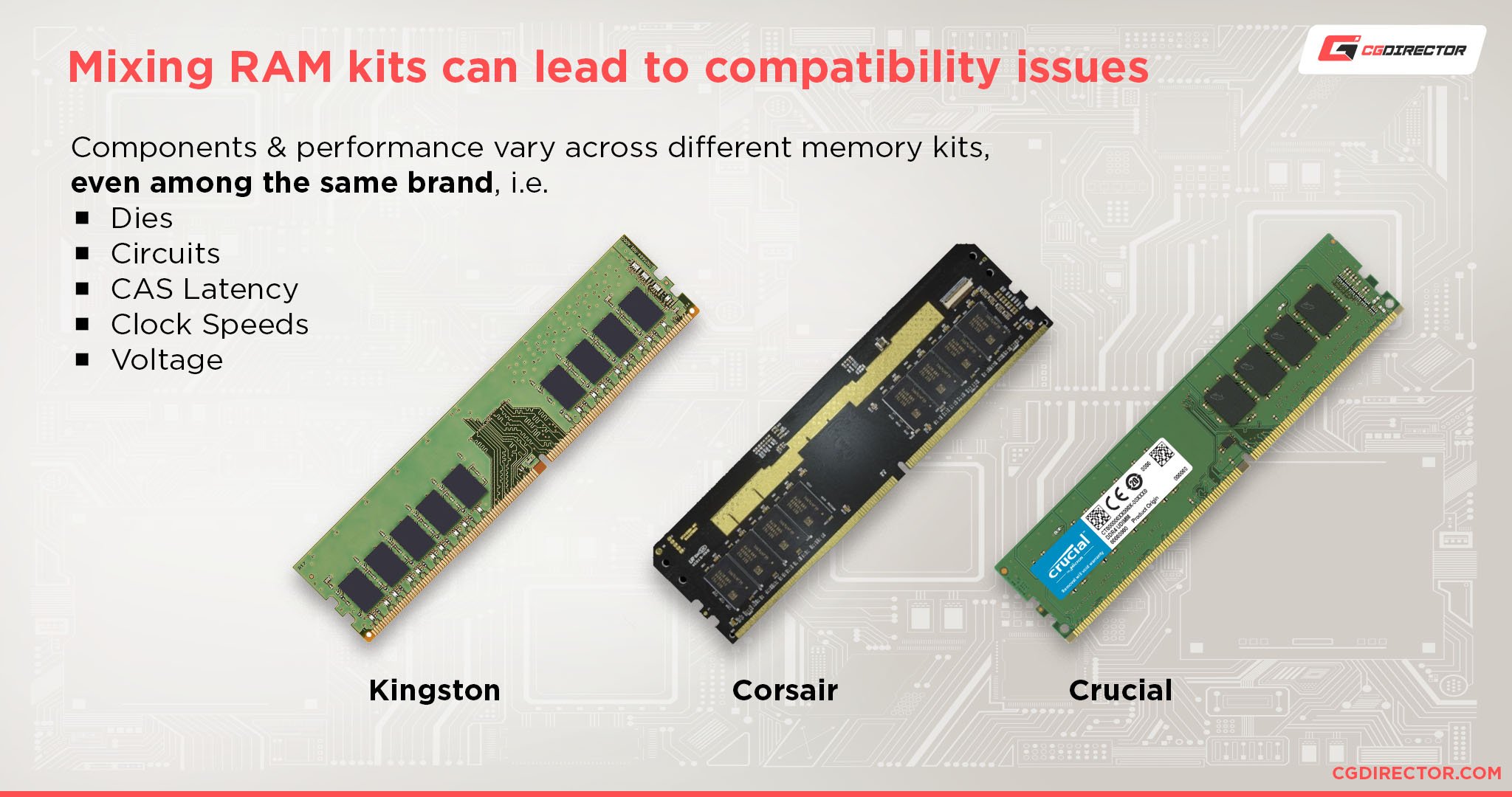
While not all laptops are easily upgradable, some models offer the flexibility to add more RAM later. If you’re on a tighter budget but anticipate needing more RAM in the future, investigate whether the laptop you’re considering allows for RAM upgrades. This can be a cost-effective way to extend your laptop’s life and capabilities without buying a completely new machine. Always check the laptop’s specifications and reviews to determine its upgradability and the type of RAM it uses. In summary, choosing the right amount of RAM for your laptop is a strategic decision that balances current performance needs with future technological advancements. By understanding your usage patterns and considering the evolving demands of software, you can ensure your laptop remains a powerful and responsive tool for years to come.
aViewFromTheCave is a participant in the Amazon Services LLC Associates Program, an affiliate advertising program designed to provide a means for sites to earn advertising fees by advertising and linking to Amazon.com. Amazon, the Amazon logo, AmazonSupply, and the AmazonSupply logo are trademarks of Amazon.com, Inc. or its affiliates. As an Amazon Associate we earn affiliate commissions from qualifying purchases.