
In the contemporary digital landscape, where the stability of an internet connection is as vital as any utility, the traditional router has often fallen short. Large homes, architectural obstructions, and the sheer volume of connected devices have historically created “dead zones”—areas where Wi-Fi signals wither and die. This is the specific problem that an Eero device is designed to solve.
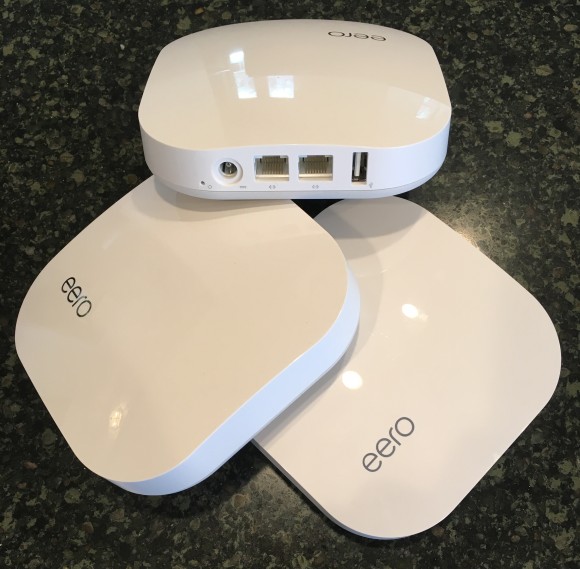
At its core, an Eero device is a high-performance wireless access point that utilizes mesh networking technology to provide seamless, high-speed internet coverage across an entire environment. Unlike a standard router that transmits from a single point, Eero systems are designed to work in groups, creating a “web” of connectivity that blankets a home or office. Developed by a company now owned by Amazon, Eero has redefined the consumer expectations for home networking by prioritizing simplicity, aesthetic design, and intelligent software over the complex, often cumbersome configurations of traditional networking hardware.
The Fundamentals of Mesh Networking: Why Eero Exists
To understand what an Eero device is, one must first understand the limitations of conventional networking. For decades, home internet relied on a single router connected to a modem. As users moved further away from that router, the signal strength dropped. Range extenders and boosters were introduced as a stopgap, but they often created secondary networks with different names (SSIDs) and halved the available bandwidth because they had to communicate back to the main router using the same channel they provided to the user.
The Shift to a Mesh Topology
Eero pioneered the consumer mesh revolution. In a mesh topology, every device—or “node”—communicates with every other node. Instead of a single hub-and-spoke model, Eero creates a decentralized network. When you place multiple Eero devices around your home, they don’t just repeat the signal; they intelligently route data along the most efficient path. If one node is congested or blocked by physical interference, the system automatically reroutes traffic through another node to ensure a stable connection.
Eliminating Dead Zones and Hand-off Issues
One of the most significant advantages of an Eero device is the “single SSID” experience. In a traditional setup with extenders, a smartphone might cling to a weak signal from the living room router even as the user moves into the bedroom where an extender is located. Eero devices handle “handoffs” invisibly. Because the nodes are in constant communication, the system detects when a device’s signal is weakening and seamlessly transitions it to the nearest node without the user ever experiencing a drop in connection or a lag in a video call.
The Hardware Breakdown: Exploring the Eero Product Lineup
Eero is not a single product but an ecosystem of hardware designed to meet different bandwidth requirements and architectural challenges. While all Eero devices share the same core DNA—small, white, unobtrusive pucks—the internal specifications vary significantly between models.
Eero 6 and 6+: The Entry Point
The Eero 6 and 6+ models are designed for the average household. Supporting Wi-Fi 6 (802.11ax), these devices are capable of handling gigabit speeds (on the 6+ model) and dozens of simultaneous device connections. They are dual-band systems, meaning they operate on the 2.4GHz and 5GHz frequencies. These are ideal for users who want a reliable upgrade from their ISP-provided router without needing professional-grade overhead.
Eero Pro 6 and Pro 6E: High-Performance Tiers
For power users and homes with extremely high-bandwidth demands, the Pro series offers tri-band technology. The “Pro” models add a second 5GHz band, which acts as a dedicated lane for communication between the Eero nodes themselves (known as backhaul).
The Eero Pro 6E represents the current pinnacle of the lineup, introducing support for the 6GHz band. This is a newly opened spectrum that is significantly less congested than the 2.4GHz and 5GHz bands. By utilizing Wi-Fi 6E, the Pro 6E can provide multi-gigabit speeds and lower latency, making it the preferred choice for 8K streaming, high-end gaming, and environments with hundreds of smart home devices.
Eero PoE and Outdoor Solutions
Eero has also expanded into professional installations. The Eero PoE 6 (Power over Ethernet) allows the device to be mounted on ceilings or walls, receiving both data and power through a single Ethernet cable. Furthermore, the brand has introduced weather-resistant options to extend the mesh network into backyards and detached garages, ensuring that connectivity does not stop at the physical walls of the home.
The Software Intelligence: How TrueMesh Redefines Connectivity

What truly defines an Eero device is not just the plastic shell or the antennas inside, but the sophisticated software running in the background. Eero’s proprietary technology, known as TrueMesh, is the “brain” of the operation.
Dynamic Routing and Self-Healing
TrueMesh is a series of algorithms that constantly evaluate the state of the network. Every few seconds, each Eero node checks its connection to the others. It measures signal strength, interference, and the amount of traffic on specific channels. If a microwave oven or a neighbor’s Wi-Fi causes interference on a particular frequency, TrueMesh will dynamically switch the nodes to a clearer channel. If a node is accidentally unplugged, the rest of the network “self-heals,” reconfiguring the data paths to keep the remaining area covered.
The Mobile-First User Experience
Traditionally, configuring a router required navigating to a complex web-based IP address and deciphering technical jargon. Eero replaced this with a streamlined mobile app. The app guides the user through placement—telling them if a node is too far away or too close—and provides granular control over the network. Users can see exactly which devices are connected, how much bandwidth they are consuming, and can even pause the internet for specific devices (useful for parental controls).
Automatic Updates and Cloud Management
Security is a major pillar of the Eero software philosophy. Traditional routers often go years without a firmware update, leaving them vulnerable to exploits. Eero devices are cloud-managed and update automatically. When a new security patch or performance enhancement is released, the devices download and install it during periods of low usage (usually in the middle of the night), ensuring the network is always running the latest and most secure software.
Integration and Security: The Eero Ecosystem
As an Amazon-owned company, Eero devices are deeply integrated into the modern smart home ecosystem. However, they remain platform-agnostic enough to work with various standards.
The Smart Home Hub (Zigbee and Matter)
Many Eero models include a built-in Zigbee smart home hub. This allows the Eero device to communicate directly with smart lights, locks, and sensors without needing a separate bridge. Furthermore, Eero has been an early adopter of “Matter,” the industry-wide standard for smart home interoperability. This positions the Eero device not just as a source of internet, but as the central nervous system of a connected home.
Eero Plus and Network-Level Security
While basic security is included, Eero offers a premium subscription service called Eero Plus. This adds layers of protection that operate at the network level. Instead of installing antivirus software on every individual phone and laptop, Eero Plus filters traffic as it enters the home. It can block malicious websites, prevent ad-tracking, and offer “SafeSearch” features for families. This subscription also often includes licenses for third-party security tools like password managers and VPNs, creating a comprehensive digital security suite tied directly to the hardware.
Eero Built-In
In a unique move toward hardware synergy, Amazon has introduced “Eero Built-in” for certain Echo devices. This allows an Amazon Echo (4th Gen) or Echo Dot to act as a mesh extender for an existing Eero network. While these Echo devices don’t have the same range or throughput as a dedicated Eero node, they provide a cost-effective way to fill small coverage gaps in rooms that only require modest connectivity.
Deployment and Optimization: Getting the Most from Your Mesh System
Owning an Eero device is only half the battle; proper deployment is key to achieving the promised performance. Because mesh networking relies on inter-node communication, placement is the most critical factor.
Strategic Placement for Overlap
A common mistake is placing an Eero node in the “dead zone” itself. If a node is placed in a room where the signal is already weak, it will have a poor connection to the gateway and will only be able to rebroadcast that poor signal. Instead, Eero devices should be placed halfway between the main gateway and the area where coverage is needed. This ensures the node has a strong “backhaul” connection to the rest of the network, which it can then distribute to the surrounding area.
Wired Backhaul vs. Wireless Mesh
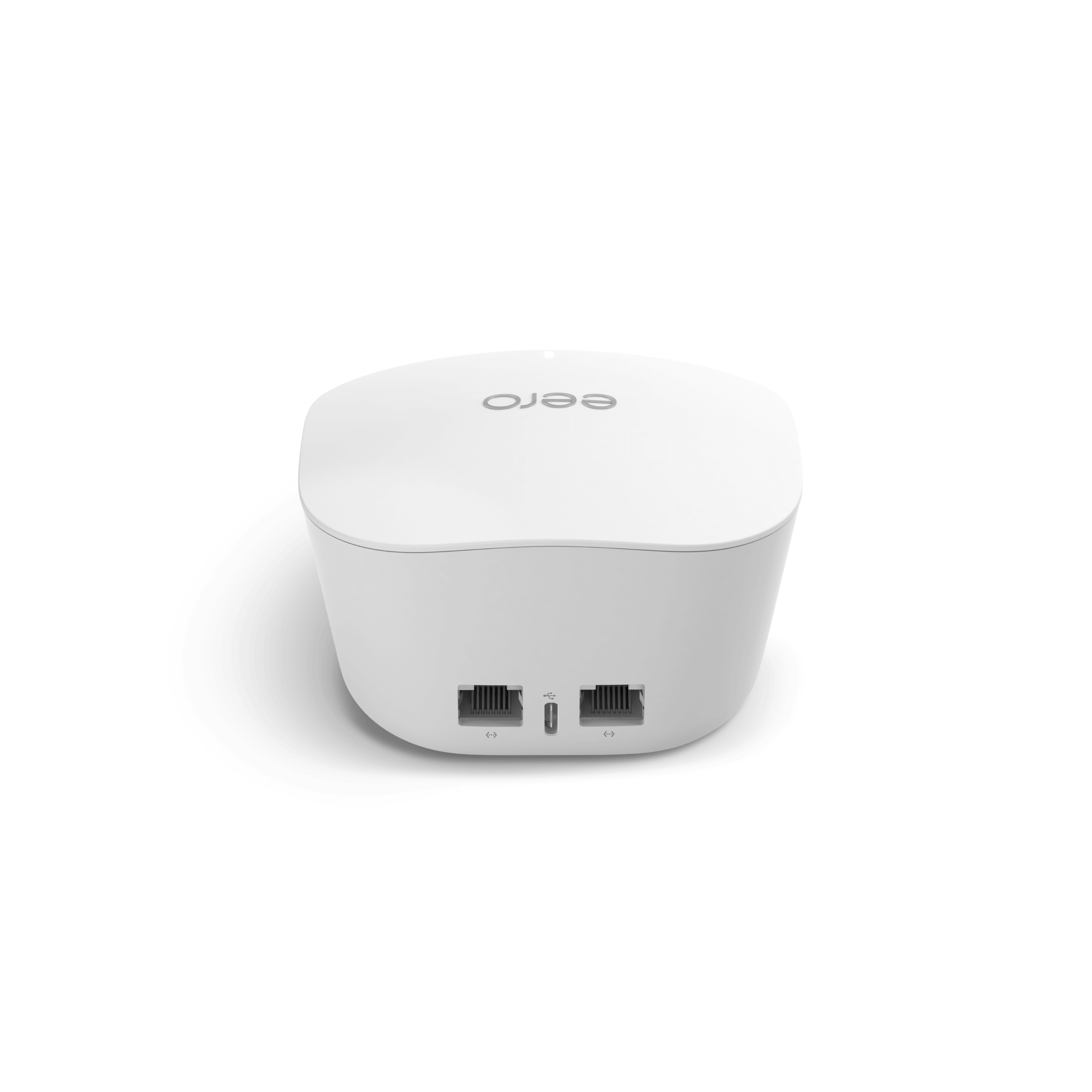
While the “magic” of Eero is its wireless mesh capability, the devices also support “Ethernet Backhaul.” If a home is wired with Ethernet jacks, Eero nodes can be plugged into the wall. This allows them to communicate with each other over a physical wire, freeing up all wireless bands for user devices. This configuration results in the lowest possible latency and the highest possible speeds, essentially turning the Eeros into a fleet of high-powered access points managed by a single intelligent controller.
The Impact of Physical Obstacles
Tech-savvy users must also consider the materials of their home. While Wi-Fi 6 and 6E are powerful, they are still subject to the laws of physics. Brick, stone, and plaster with metal lath are significant impediments to the high-frequency signals used by Eero Pro devices. In such environments, more nodes or wired connections are often necessary to maintain the “mesh” integrity.
In conclusion, an Eero device is much more than a simple router. It is an intelligent, scalable, and highly secure networking node that transforms how internet is distributed within a space. By combining advanced “TrueMesh” software with consumer-friendly hardware and a robust security ecosystem, Eero has effectively moved home networking from a technical chore to a seamless background utility. Whether for a small apartment or a sprawling estate, the Eero system represents the modern standard for reliable, high-speed digital connectivity.
aViewFromTheCave is a participant in the Amazon Services LLC Associates Program, an affiliate advertising program designed to provide a means for sites to earn advertising fees by advertising and linking to Amazon.com. Amazon, the Amazon logo, AmazonSupply, and the AmazonSupply logo are trademarks of Amazon.com, Inc. or its affiliates. As an Amazon Associate we earn affiliate commissions from qualifying purchases.