
In the rapidly evolving landscape of information technology, the way computers communicate and share resources has moved far beyond simple cables and local connections. For businesses, the transition from a disorganized collection of devices to a structured, manageable environment is facilitated by a specific architectural model: the domain network. While home users are accustomed to “Workgroups” where every computer is an island, the enterprise demands a centralized authority.
A domain network is a form of computer network in which all user accounts, computers, printers, and other security principals are registered with a central database located on one or more clusters of central computers known as domain controllers. This article explores the technical intricacies of domain networks, their core components, and why they remain the backbone of corporate digital security and infrastructure management.
1. Defining the Domain Network: Centralization vs. Decentralization
To understand what a domain network is, one must first distinguish it from its predecessor: the Peer-to-Peer (P2P) network or “Workgroup.” In a Workgroup, every computer is responsible for its own security and user database. If an employee needs to log into three different computers, an administrator must manually create three separate user accounts.
The Client-Server Model
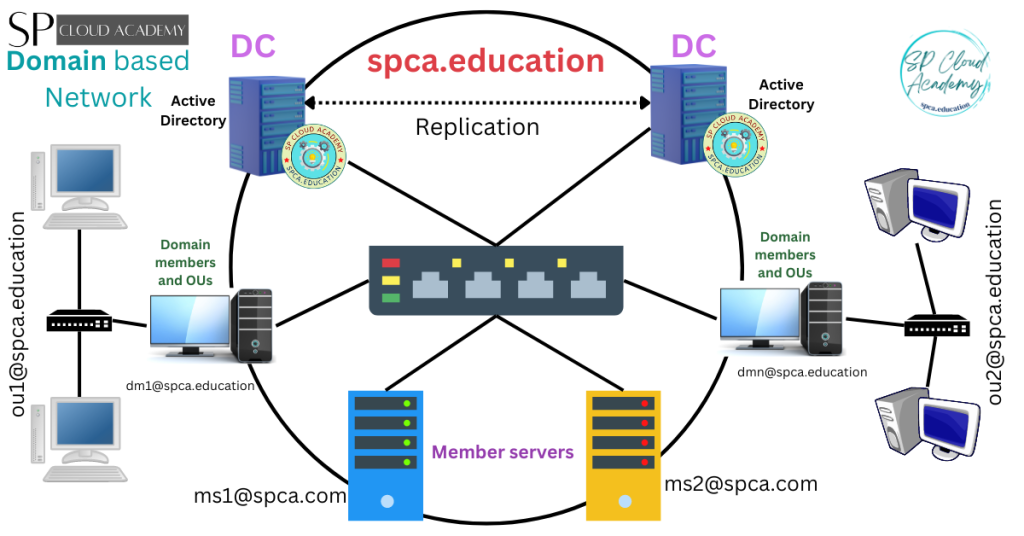
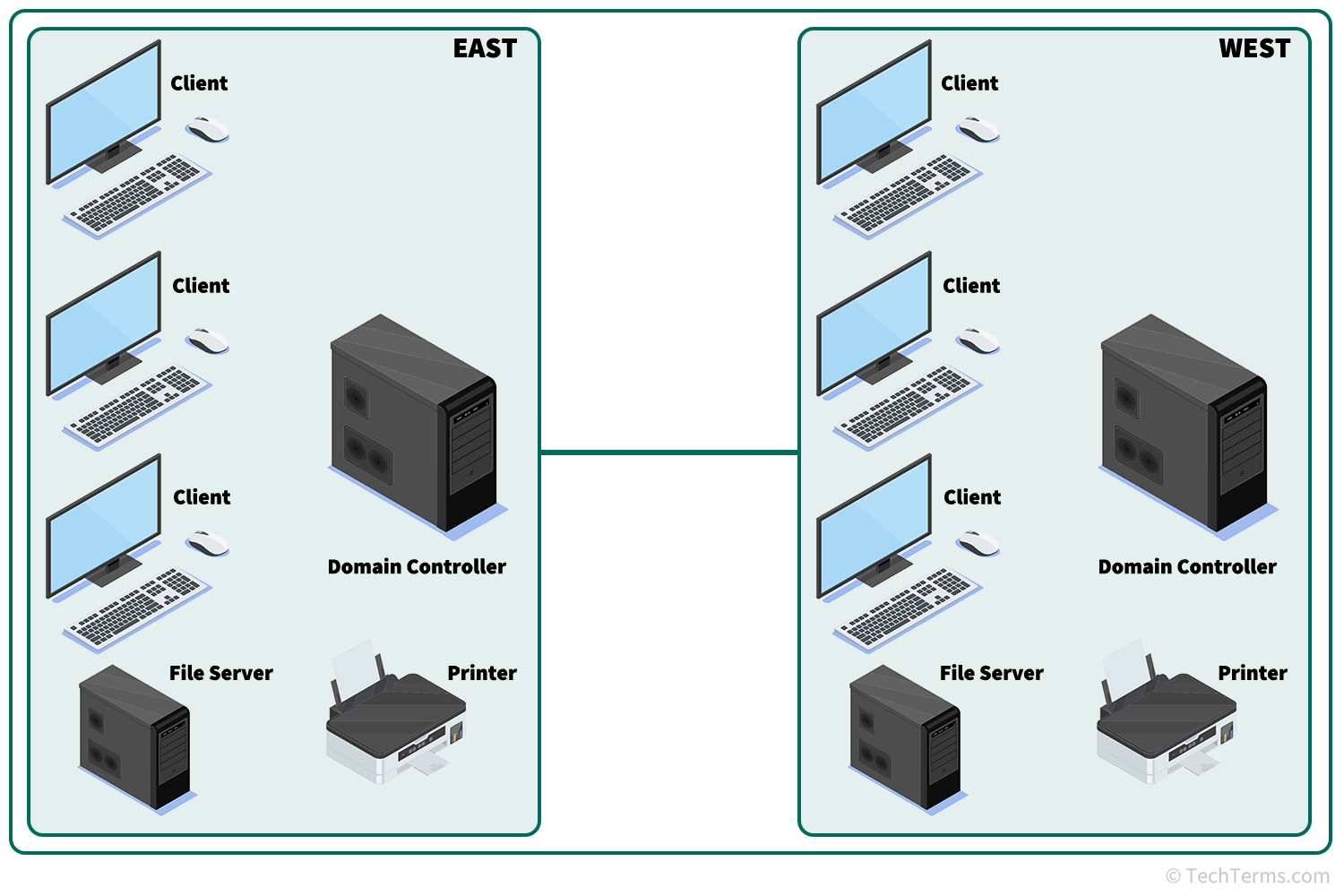
The domain network operates on a client-server architecture. In this model, the “Server” (the Domain Controller) acts as the central brain, while the “Clients” (workstations and laptops) look to the server for instructions and permission. When a user logs in, the client computer doesn’t check its local hard drive for the password; instead, it sends a request to the Domain Controller (DC) to verify the credentials.
Centralized Management and Identity
The defining characteristic of a domain is centralized identity management. By housing all user data in a single directory, IT departments can manage thousands of users as easily as they manage ten. This centralization allows for “Single Sign-On” (SSO) capabilities, where a user authenticates once and gains access to various authorized resources—files, emails, and applications—without needing to re-enter credentials for every service.
2. Core Components of a Domain Network
A domain network is not a single piece of software but a sophisticated ecosystem of protocols and services working in tandem. Understanding these components is essential for anyone looking to master enterprise IT environments.
Active Directory: The Heart of the System
In the world of Windows-based networking, Active Directory (AD) is the primary directory service. It is a hierarchical database that stores information about every object on the network. An “object” can be a person, a group of people, a physical computer, a printer, or even a shared folder. Active Directory organizes these objects into “Organizational Units” (OUs), allowing administrators to mirror the company’s actual structure—such as separating “Marketing” from “Engineering”—within the digital environment.
Domain Controllers and Authentication Protocols
The Domain Controller (DC) is the server that runs Active Directory Domain Services (AD DS). Its primary role is to respond to security authentication requests. Modern domain networks utilize the Kerberos protocol for authentication. Kerberos is a ticket-based system that allows nodes to prove their identity to one another over a non-secure network in a secure manner. This replaces the older, more vulnerable NTLM (NT LAN Manager) protocol, providing a much higher level of security against credential theft.
DNS: The Navigator
The Domain Name System (DNS) is the unsung hero of the domain network. While we think of domains in terms of names (e.g., corp.internal), computers communicate via IP addresses. In a domain environment, DNS is used to locate the Domain Controllers. If DNS fails, the domain effectively disappears; clients cannot find the server to log in, and services cannot find each other. Therefore, in a tech-heavy environment, DNS is often integrated directly into the Active Directory database for seamless updates and reliability.
3. The Strategic Benefits: Why Organizations Choose Domains
Transitioning to a domain network is a significant technical undertaking, but the benefits for scalability, security, and administrative efficiency are unparalleled.
Simplified Administration through Group Policy
Perhaps the most powerful tool within a domain network is Group Policy. Group Policy Objects (GPOs) allow IT administrators to define specific configurations for users and computers across the entire organization. For example, an admin can create a GPO that:
- Forces all computers to install a specific security patch at 2:00 AM.
- Disables USB ports on sensitive workstations to prevent data theft.
- Automatically maps the “Finance” network drive for members of the accounting team.
Without a domain, these changes would have to be made manually on every individual machine.
Enhanced Security and Access Control
In a domain network, security is granular. Using the concept of Security Groups, administrators can grant permissions based on roles. If a new employee joins the HR department, the admin simply adds their account to the “HR_Staff” group. Immediately, the employee has access to the folders, printers, and software required for their job. Conversely, when an employee leaves the company, a single “Disable Account” click at the Domain Controller level revokes their access to every system in the organization simultaneously.
Scalability and Resource Sharing
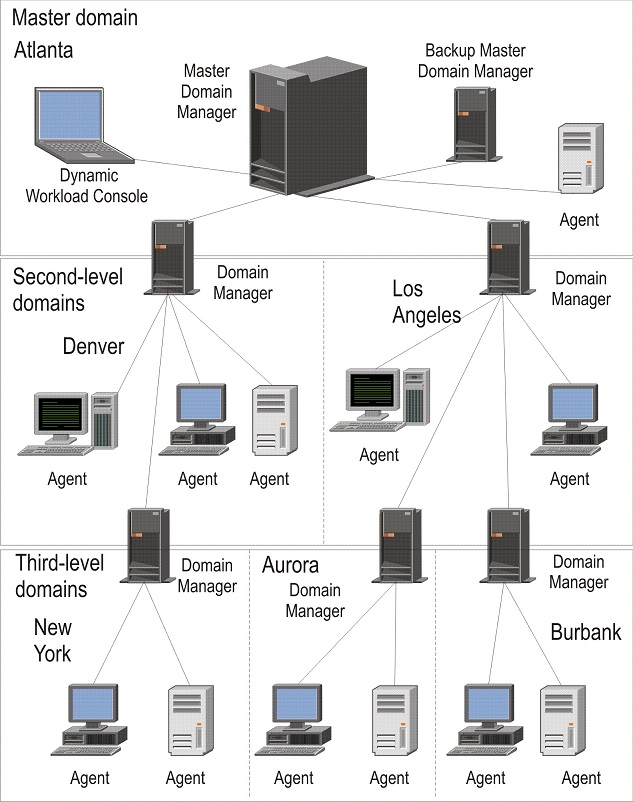
Domain networks are built to grow. Whether a company has 50 employees or 50,000, the logic of the domain remains the same. Domains can be organized into “Trees” and “Forests,” allowing different branches of a global corporation to have their own local management while still trusting the central headquarters. This flexibility ensures that the tech infrastructure supports business growth rather than hindering it.
4. Security Implications and Best Practices
While domain networks provide centralized control, they also represent a “single point of failure” from a security perspective. If a domain administrator’s account is compromised, the entire network is at risk. Therefore, securing the domain is a top priority for IT security professionals.
Mitigating Lateral Movement
One of the greatest threats in a domain environment is “lateral movement,” where an attacker gains access to one low-level workstation and uses it as a stepping stone to reach the Domain Controller. To prevent this, modern tech standards suggest using “Tiered Administrative Models.” In this setup, Domain Admins are prohibited from logging into standard workstations, ensuring their high-level credentials are never cached on vulnerable machines.
Implementing the Principle of Least Privilege (PoLP)
A robust domain network follows the Principle of Least Privilege. This means that users (and even administrators) are given only the minimum level of access necessary to perform their jobs. By limiting “Admin” rights on local workstations, organizations can prevent the majority of malware infections, as most malicious software requires administrative permissions to execute and spread across the network.
Auditing and Monitoring
Domain networks generate vast amounts of log data. By monitoring “Event Logs” on the Domain Controller, IT teams can spot suspicious patterns, such as a user attempting to log in 100 times in one minute (a brute-force attack) or a user accessing files outside of their normal working hours. Integrating the domain with a SIEM (Security Information and Event Management) tool allows for real-time alerts and automated responses to threats.
5. The Future of Domain Networks: Hybrid and Cloud Integration
The traditional on-premises domain network is currently undergoing a massive transformation. As more organizations move to the cloud, the concept of the “Domain” is expanding beyond the physical walls of the office.
Moving to Entra ID (Formerly Azure Active Directory)
Microsoft’s Entra ID represents the evolution of the domain network for the cloud era. Unlike traditional AD, which relies on local servers and physical connections, Entra ID is an Identity-as-a-Service (IDaaS) platform. It allows users to log into their work accounts from anywhere in the world using web-based protocols like SAML, OAuth 2.0, and OpenID Connect. This is essential for the modern remote workforce.
The Rise of Zero Trust Architecture
The “Domain” used to be a fortress—once you were inside the network, you were trusted. However, modern security trends are moving toward “Zero Trust.” In a Zero Trust domain model, the network assumes every request is a potential threat, even if it comes from inside the office. This requires continuous verification of identity, device health, and context (like location and time) before granting access to resources.
Hybrid Environments: The Best of Both Worlds
For many large enterprises, the transition to the cloud is a gradual process. Hybrid domain networks connect on-premises Active Directory with cloud-based Entra ID. This allows companies to keep their legacy on-site servers while benefiting from cloud features like Multi-Factor Authentication (MFA) and Advanced Threat Protection. This synergy ensures that the foundational principles of the domain network—centralized control and secure identity—continue to thrive in the digital age.
In conclusion, a domain network is far more than a way to connect computers; it is a comprehensive management framework. By centralizing identity, automating configuration through Group Policy, and providing a scalable security model, the domain network remains the gold standard for enterprise technology. As we move further into a world of cloud computing and remote work, the tools may evolve, but the core necessity of a structured, domain-based identity will remain a cornerstone of digital infrastructure.
aViewFromTheCave is a participant in the Amazon Services LLC Associates Program, an affiliate advertising program designed to provide a means for sites to earn advertising fees by advertising and linking to Amazon.com. Amazon, the Amazon logo, AmazonSupply, and the AmazonSupply logo are trademarks of Amazon.com, Inc. or its affiliates. As an Amazon Associate we earn affiliate commissions from qualifying purchases.