
In the contemporary landscape of the 21st century, the transition from physical to digital is nearly complete. We no longer rely exclusively on filing cabinets, physical photo albums, or shelves of vinyl records. Instead, our lives—both professional and personal—are distilled into “digital files.” But what is a digital file, exactly? To the average user, it is an icon on a screen that opens a document or plays a video. To a technologist, it is a sophisticated collection of data organized in a specific way to be interpreted by computer hardware.

Understanding the nature of digital files is fundamental to navigating the modern tech world. Whether you are managing a corporate database, securing your personal memories, or developing software, the digital file is the atom of the information age. This guide explores the technical architecture, categorization, and future of digital files.
Understanding the Fundamentals: What Exactly is a Digital File?
At its most basic level, a digital file is a resource for storing information on a computer storage device. Unlike a physical file, which has mass and occupies three-dimensional space, a digital file is a logical entity. It exists as a sequence of discrete numerical values that a computer’s processor can manipulate.
Binary Code: The DNA of Digital Information
Every digital file, regardless of whether it is a high-definition movie or a simple text note, is composed of binary code. Computers operate using billions of tiny electronic switches that can be in one of two states: “on” or “off.” These states are represented as 1s and 0s, known as bits.
A single bit cannot convey much information, but when grouped into sets of eight—known as a byte—they can represent 256 different values. These values are the building blocks of everything we see on a screen. For example, in a plain text file, a specific sequence of bits represents the letter “A” according to an encoding standard like ASCII or Unicode. In an image file, sequences of bits define the color and brightness of individual pixels. The complexity of a digital file is simply a result of the sheer volume and organization of these bits.
File Formats and Extensions: The Language of Compatibility
For a computer to make sense of a string of binary code, it needs a “map” or a set of instructions. This is where file formats come into play. A file format is a standard way that information is encoded for storage in a computer file.
The most common way users identify these formats is through the file extension—the suffix at the end of a filename (e.g., .docx, .jpg, .mp3). These extensions tell the operating system which software application should be used to open the file. For instance, a .psd extension signals to the computer that the file contains layers and graphical data intended for Adobe Photoshop. Without these formats, a digital file would be nothing more than an indecipherable “data dump.”
The Anatomy of a Digital File: Metadata and Structure
Beyond the raw data that makes up the content of a file (the “payload”), every digital file possesses a specific structure that includes organizational information. This structure allows the operating system to retrieve, move, and display the file correctly.
The Importance of Metadata
Metadata is often described as “data about data.” It is a hidden layer of information embedded within a digital file that provides context. While the payload of a photo file is the visual image itself, the metadata includes the date the photo was taken, the camera settings (ISO, aperture), the GPS coordinates of the location, and the file size.
In a professional tech environment, metadata is crucial for data management and security. Digital Asset Management (DAM) systems rely on metadata to categorize and search through millions of files. Furthermore, in the realm of digital security, metadata can be used for forensic analysis to determine the origin and history of a file.
How Operating Systems Manage Files
Operating systems like Windows (using NTFS), macOS (using APFS), and Linux (using ext4) utilize “File Systems” to organize digital files on physical hardware like SSDs or hard drives. The file system acts as a master index or a librarian.
When you “save” a file, the file system determines which sectors of the storage drive will hold the data. Interestingly, a single digital file is rarely stored in one continuous block on a drive; it is often fragmented into multiple pieces. The file system keeps a record of where every piece is located so that when you click “open,” it can reconstruct the file in milliseconds. This is why “defragmentation” was a common maintenance task for older hard drives—it physically rearranged the pieces of files to make them easier to read.
Categorizing Digital Files: From Documents to Executables
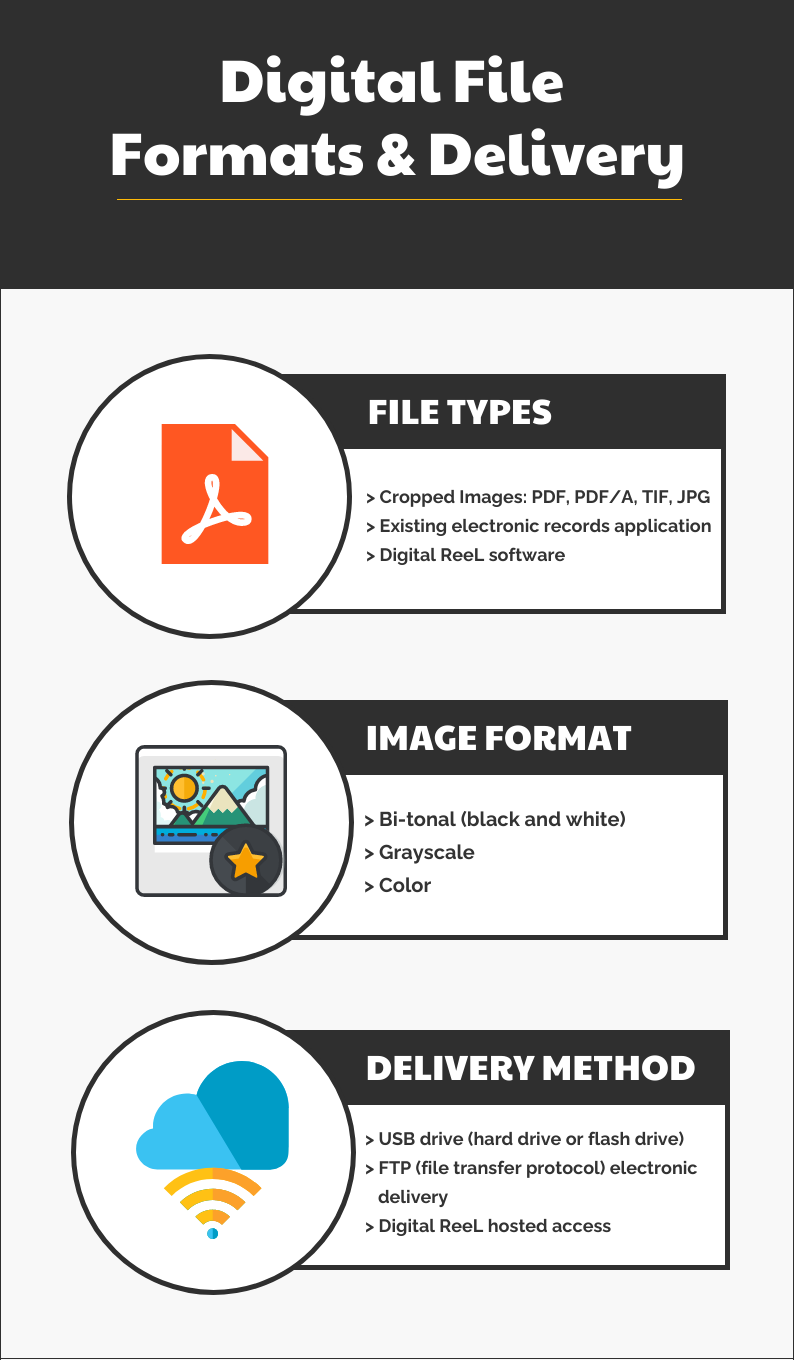
Not all digital files are created equal. They are generally categorized by the type of data they hold and how that data is intended to be used by the system.
Media Files: Images, Audio, and Video
Media files are perhaps the most diverse category of digital files. They are typically large because they require vast amounts of data to replicate sensory experiences.
- Images: These are categorized into Raster (pixel-based like .jpg and .png) and Vector (mathematical-based like .svg).
- Audio: These files use codecs to compress sound data. Formats like .mp3 are “lossy,” meaning they sacrifice some audio quality for smaller file sizes, while .flac or .wav are “lossless.”
- Video: Video files are actually “containers” (like .mp4 or .mkv) that hold both a video stream and an audio stream, synchronized by a codec.
Text and Productivity Files
These files are the backbone of the corporate world. Text files can be as simple as “Plain Text” (.txt), which contains no formatting, or as complex as “Rich Text” or proprietary formats like .docx and .pdf. PDF (Portable Document Format) is particularly noteworthy in the tech world because it is designed to look the same regardless of the hardware or software used to view it, making it the industry standard for official documentation.
System and Application Files
These are the files that make the computer work. Unlike document files which are “data,” these are often “executable” files (.exe on Windows or .app on macOS). They contain the actual programmed instructions that tell the computer’s CPU what to perform. Without these files, your operating system and software would not exist; they are the tools that allow us to interact with all other digital files.
Storage and Accessibility in the Modern Era
The way we store digital files has undergone a massive paradigm shift over the last decade. We have moved from local, physical storage to distributed, virtual environments.
Physical Storage vs. Cloud Solutions
Historically, a digital file lived on a floppy disk, a CD-ROM, or a hard drive. This meant that the file was “tethered” to the hardware. If the hardware was destroyed, the file was lost.
Today, the “Cloud” has redefined file accessibility. Cloud storage (like Google Drive, AWS, or Dropbox) means that your digital files are stored on remote servers owned by tech giants. When you upload a file to the cloud, you are essentially moving that sequence of bits to a server farm in a different geographical location. This allows for high-level redundancy—if one server fails, another has a copy of your file—ensuring that your data remains accessible from any device with an internet connection.
The Role of Compression
As digital files become higher in resolution (such as 8K video or high-fidelity audio), they consume more storage space. Tech developers use “compression” to manage this. Compression algorithms look for patterns in the binary code to reduce the file size. For example, if a digital photo has a large area of blue sky, the compression algorithm can store a single instruction saying “repeat this blue pixel 500 times” rather than storing the data for each individual pixel. This efficiency is what allows us to stream high-quality movies over relatively modest internet connections.
Securing Your Digital Legacy: Privacy and Integrity
As our lives become increasingly digitized, the security of our files becomes a paramount concern. Digital files are susceptible to theft, corruption, and “bit rot.”
Encryption and Digital Rights Management (DRM)
To protect sensitive information, digital files can be encrypted. Encryption scrambles the file’s binary data so that it cannot be read without a specific digital “key.” This is the technology that keeps your banking information and private messages secure.
On the commercial side, Digital Rights Management (DRM) is used to control how digital files (like eBooks or movies) are used and distributed. This ensures that only authorized users can access the content, protecting the intellectual property of creators in an era where digital files can be copied infinitely with zero loss in quality.

Backup Strategies and File Longevity
One of the unique challenges of the digital age is “digital obsolescence.” Physical paper can last for centuries, but a digital file depends on the existence of hardware and software that can read it. If you have a file from 1990 stored on a 5.25-inch floppy disk, you may find it impossible to open today because the hardware no longer exists and the software format is unsupported.
The tech industry recommends the “3-2-1 backup strategy” for essential digital files: keep three copies of your data, on two different types of media, with one copy stored off-site (in the cloud). This ensures that despite hardware failure or software evolution, your digital files—the building blocks of your modern life—remain intact for the future.
In conclusion, a digital file is far more than a simple icon on a desktop. It is a complex, structured arrangement of binary data that allows us to capture, store, and communicate human knowledge and creativity at the speed of light. As technology continues to evolve into the realms of AI and quantum computing, the nature of the digital file will undoubtedly change, but its role as the fundamental unit of information remains unshakeable.
aViewFromTheCave is a participant in the Amazon Services LLC Associates Program, an affiliate advertising program designed to provide a means for sites to earn advertising fees by advertising and linking to Amazon.com. Amazon, the Amazon logo, AmazonSupply, and the AmazonSupply logo are trademarks of Amazon.com, Inc. or its affiliates. As an Amazon Associate we earn affiliate commissions from qualifying purchases.