
In the vast landscape of digital information, data comes in myriad forms, from meticulously structured tables to free-form text documents. Among these, a particularly significant and often misunderstood entity is the “data blob.” Far from being an amorphous mass, a data blob, or more formally a Binary Large Object (BLOB), represents a distinct category of data crucial for modern applications, particularly those dealing with rich multimedia and complex file types. Understanding what a data blob is, how it’s managed, and its implications is fundamental for anyone navigating contemporary technology.
Defining the Elusive Blob
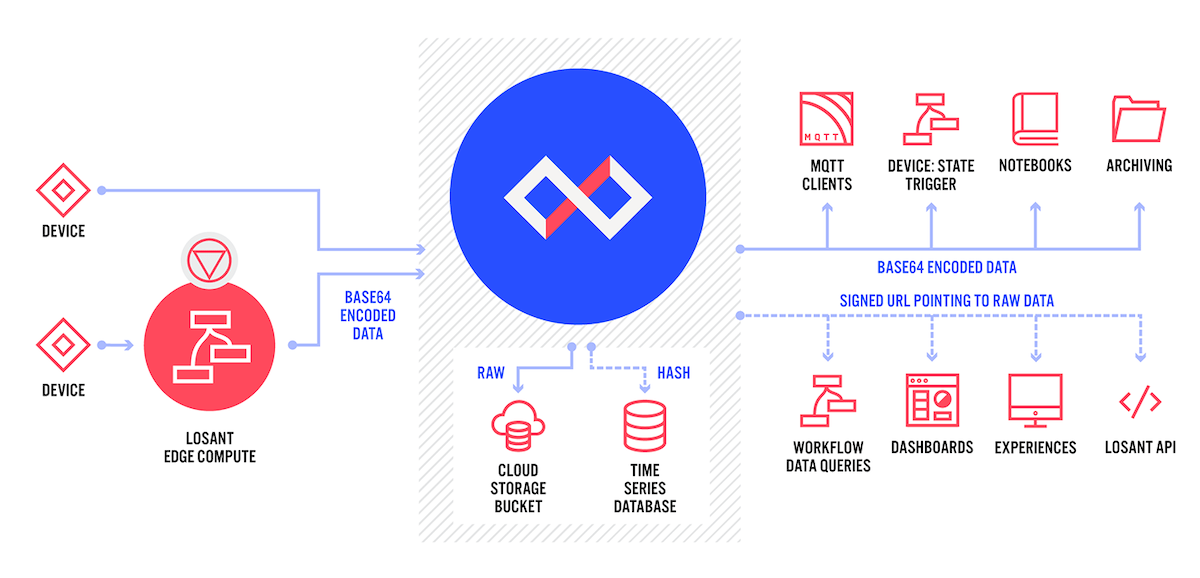
At its core, a data blob refers to a collection of binary data stored as a single entity in a database or file system. Unlike traditional structured data fields, which contain specific data types like integers, strings, or dates, a blob holds raw binary content that the database or system does not interpret or understand in terms of its internal structure. It’s treated as an opaque sequence of bytes, to be handled by the application that created or needs to consume it.
Beyond Simple Data Types
Many database systems excel at managing structured data, where information fits neatly into predefined columns and rows. For instance, a customer database might have columns for first_name (text), age (integer), and registration_date (date). However, real-world applications often need to store more complex content that doesn’t conform to these simple data types. Imagine storing a user’s profile picture, an attached PDF document, an audio recording, or a video file. These are not easily represented as text or numbers. This is where data blobs become indispensable.
Binary Large Objects (BLOBs) Explained
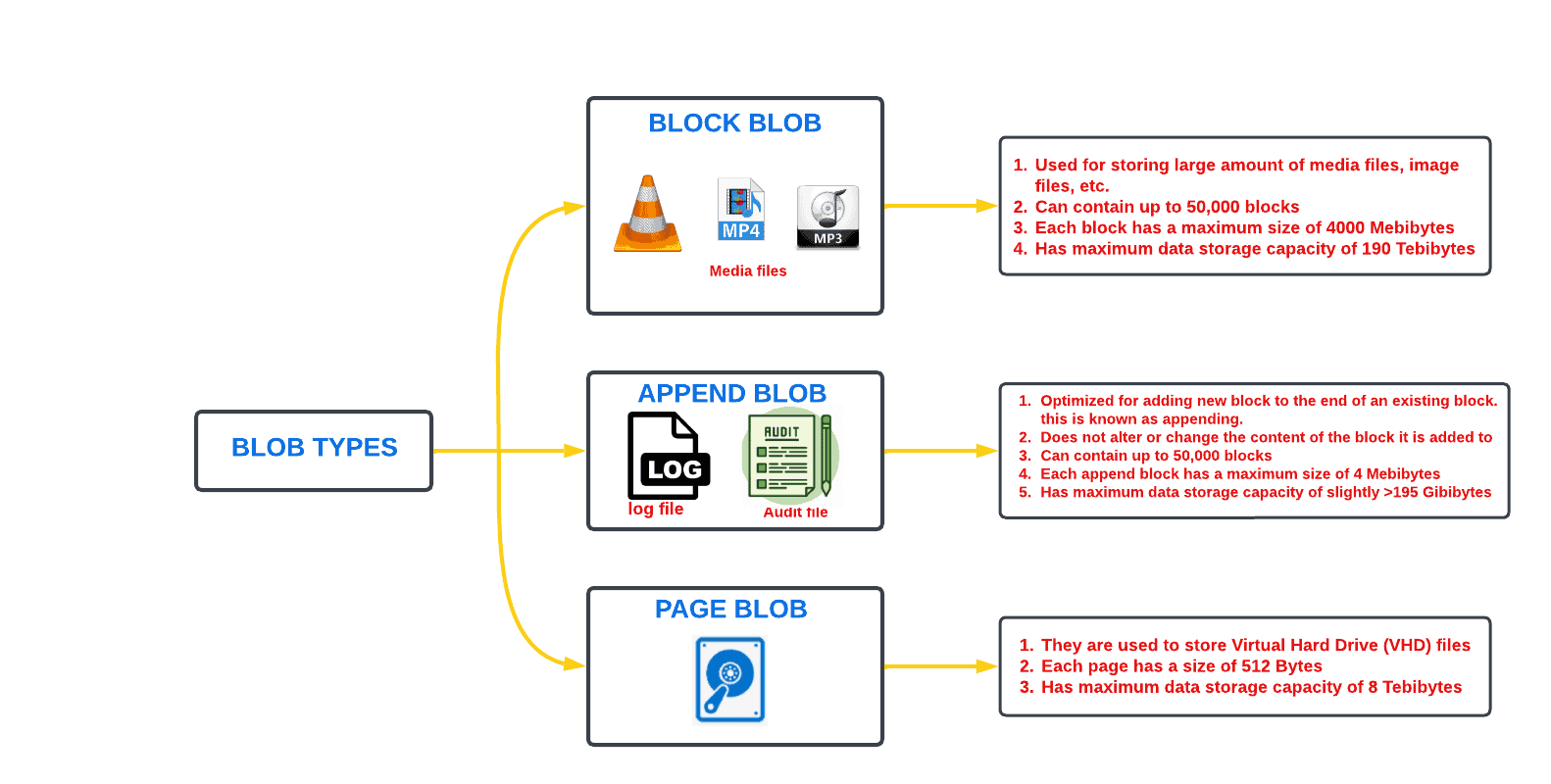
The term BLOB originated in the early 1970s and was popularized by database systems to describe a data type capable of holding variable-sized binary data. Common examples of BLOBs include:
- Images: JPEG, PNG, GIF, TIFF files.
- Audio files: MP3, WAV, OGG.
- Video files: MP4, AVI, MOV.
- Documents: PDF, Word documents, Excel spreadsheets.
- Executable files: Software binaries.
- Backup files or archives: TAR, ZIP files.
The key characteristic is that the database or storage system simply stores the bytes; it doesn’t parse the internal structure of a JPEG file or understand the frames of an MP4 video. The application layer is responsible for interpreting and rendering this binary data.
The ‘Blob’ in Modern Contexts
While BLOBs have been around for decades, the term “blob” has seen a resurgence and broader application, particularly with the advent of cloud computing and NoSQL databases. Cloud storage services often refer to their fundamental storage units as “blobs,” emphasizing their capacity to store vast amounts of unstructured, binary data. For instance, Microsoft Azure’s primary object storage offering is called “Azure Blob Storage,” specifically designed for storing massive quantities of text and binary data. This modern usage reinforces the idea of an opaque, flexible container for any kind of digital content.
Where Data Blobs Reside and Thrive
Data blobs, by their nature, require robust storage mechanisms capable of handling large files and high volumes of data. They are found across various storage paradigms, each offering specific advantages.
Database Management Systems (DBMS)
Traditional relational databases (RDBMS) have long supported BLOB data types, though their implementation and suitability vary.
- MySQL: Provides
BLOB,TINYBLOB,MEDIUMBLOB, andLONGBLOBdata types, differing primarily in the maximum size they can store. - PostgreSQL: Uses the
BYTEAdata type for binary strings, or large objects managed via specific APIs for extremely large files. - SQL Server: Offers
VARBINARY(MAX)for variable-length binary data up to 2GB, or FILESTREAM for integrating SQL Server with the NTFS file system for very large binary data storage.
While storing blobs directly within a database can simplify transactional integrity and backup procedures, it can also lead to performance bottlenecks and database bloat, making the database itself unwieldy.
Cloud Storage Solutions
Cloud object storage has become the de facto standard for storing large volumes of blob data due to its scalability, durability, and cost-effectiveness. These services are optimized for storing and retrieving arbitrary objects (blobs) and are designed to scale virtually infinitely.
- AWS S3 (Amazon Simple Storage Service): A widely used object storage service that can store any type of object, providing high durability and availability. It’s often used for websites, mobile apps, backup, archive, and big data analytics.
- Azure Blob Storage: Microsoft’s object storage solution for the cloud, optimized for storing massive amounts of unstructured data. It’s ideal for serving images or documents directly to a web browser, storing files for distributed access, or for data archiving.
- Google Cloud Storage: Google’s unified object storage for developers and enterprises, offering various storage classes optimized for different access patterns and cost requirements.
These platforms treat each item (whether it’s an image, a video, or a document) as an object, identified by a unique key. They handle the underlying storage, replication, and scaling, abstracting away the complexities from the user.
File Systems and Object Storage
Underneath the cloud services, data blobs are ultimately stored on file systems or specialized object storage hardware. Standard file systems (like NTFS, ext4, HFS+) are designed for hierarchical file and directory structures. Object storage systems, on the other hand, are purpose-built to manage vast quantities of unstructured data, identifying items by unique IDs rather than file paths, making them incredibly efficient for blob storage at scale.
The Technical Challenges and Opportunities of Blobs
While blobs offer immense flexibility, their management comes with unique technical considerations and opportunities.
Storage and Retrieval Efficiency
Handling blobs efficiently is critical. Large blobs can consume significant bandwidth during retrieval and place a heavy load on storage systems. Strategies like chunking (breaking large files into smaller pieces), lazy loading, and intelligent caching are employed to optimize performance. Indexing metadata associated with blobs (e.g., image dimensions, video duration, document keywords) is crucial for efficient searching and retrieval without needing to process the entire binary content.
Management and Security
Managing blobs involves challenges in backup, recovery, versioning, and access control. Due to their size, backing up and restoring databases containing large blobs can be time-consuming. Cloud object storage often provides built-in versioning and robust access control policies (IAM policies, ACLs) to secure data. Encryption at rest and in transit is paramount to protect sensitive binary data.
Processing and Analysis
The unstructured nature of blobs presents both a challenge and an opportunity for processing and analysis. Traditional relational queries don’t work directly on binary data. However, advancements in artificial intelligence and machine learning (AI/ML) have opened new avenues.
- Content Extraction: AI can be used to extract text from PDF documents, recognize objects in images, or transcribe audio.
- Metadata Generation: Machine learning algorithms can automatically generate descriptive metadata for blobs, making them searchable and discoverable.
- Streaming Analytics: For video or audio blobs, real-time processing of data streams allows for immediate analysis and decision-making.
Data Integrity and Consistency
Ensuring that a blob remains intact and uncorrupted across its lifecycle is vital. Storage systems employ checksums and replication to detect and mitigate data corruption. In distributed systems, maintaining consistency for blob data across multiple nodes requires sophisticated synchronization mechanisms.
Practical Applications and Real-World Impact
Data blobs are the unsung heroes behind many of the digital experiences we take for granted.
Multimedia Content Delivery
Streaming services like Netflix, Spotify, and YouTube rely heavily on efficient blob storage and delivery. Their vast libraries of video and audio content are stored as blobs, optimized for streaming to millions of users globally via Content Delivery Networks (CDNs). Social media platforms also use blobs for user-uploaded photos and videos.
Archival and Backup Solutions
Companies and individuals use blob storage for long-term archiving of critical documents, historical records, and system backups. The cost-effectiveness and durability of cloud blob storage make it an ideal choice for data that needs to be retained for extended periods but isn’t frequently accessed.
Scientific and Medical Imaging
In scientific research and healthcare, massive datasets from MRI scans, CT scans, microscopy, and astronomical observations are stored as blobs. These multi-gigabyte or even terabyte files require specialized systems for storage, processing, and collaborative analysis.
Software Development and Version Control
Binary assets such as compiled executables, image resources for user interfaces, and large data files used in development are often managed as blobs within version control systems or dedicated asset management platforms, ensuring that all components of a software project are properly tracked.
Best Practices for Managing Data Blobs
Effective management of data blobs requires careful planning and the adoption of best practices.
When to Store Blobs Externally vs. Internally
A critical decision is whether to store blobs directly within a database or externally in a dedicated file system or cloud object storage, with only a reference (like a URL or file path) stored in the database.
- Internal Storage (in DB): Simpler for transactional consistency, backup/restore of the entire database. Can lead to performance issues and database bloat for very large blobs or high volumes.
- External Storage (Cloud/File System): Generally recommended for large blobs. Offers better scalability, performance, and often lower cost. Requires managing references and ensuring data consistency between the database and external storage.
Leveraging Metadata
Always associate comprehensive metadata with your blobs. Metadata, stored as structured data in a database, allows for efficient searching, categorization, and management without needing to read the entire blob. This includes creation dates, authors, file types, keywords, and any application-specific attributes.
Optimization Techniques
- Compression: Compress blobs before storage to save space and reduce transfer times.
- Chunking: Break very large files into smaller chunks, allowing for parallel uploads/downloads and easier handling.
- Content Delivery Networks (CDNs): For web-facing blobs, use CDNs to cache content geographically closer to users, improving delivery speed and reducing load on origin servers.
- Tiered Storage: Utilize different storage tiers (e.g., hot, cool, archive) offered by cloud providers to match access frequency with cost, moving less frequently accessed blobs to cheaper storage.

Scalability and Cost Considerations
Design your blob storage solution with scalability in mind. Cloud object storage services inherently scale, but it’s crucial to select the right storage class for your access patterns to manage costs effectively. Monitor storage usage and access patterns to optimize your expenditure and anticipate future growth.
In conclusion, data blobs are fundamental components of the modern digital landscape, enabling the storage and retrieval of diverse and often large-scale binary content. While they present unique challenges in terms of storage, management, and processing, the right strategies and technologies can unlock their immense potential, fueling everything from streaming entertainment to scientific discovery.
aViewFromTheCave is a participant in the Amazon Services LLC Associates Program, an affiliate advertising program designed to provide a means for sites to earn advertising fees by advertising and linking to Amazon.com. Amazon, the Amazon logo, AmazonSupply, and the AmazonSupply logo are trademarks of Amazon.com, Inc. or its affiliates. As an Amazon Associate we earn affiliate commissions from qualifying purchases.