
In the rapidly evolving landscape of social media, our digital footprints grow longer by the day. Whether it is an Instagram snapshot from a holiday three years ago, a LinkedIn post about a project that has since been sunsetted, or a Facebook memory that no longer aligns with your professional image, digital clutter is a common byproduct of long-term account usage. Platforms have introduced the “Archive” feature as a sophisticated alternative to the permanent delete button. Understanding the mechanics behind this function is essential for anyone looking to curate their digital presence without sacrificing the data that defines their online history.

The Technical Mechanics of Archiving
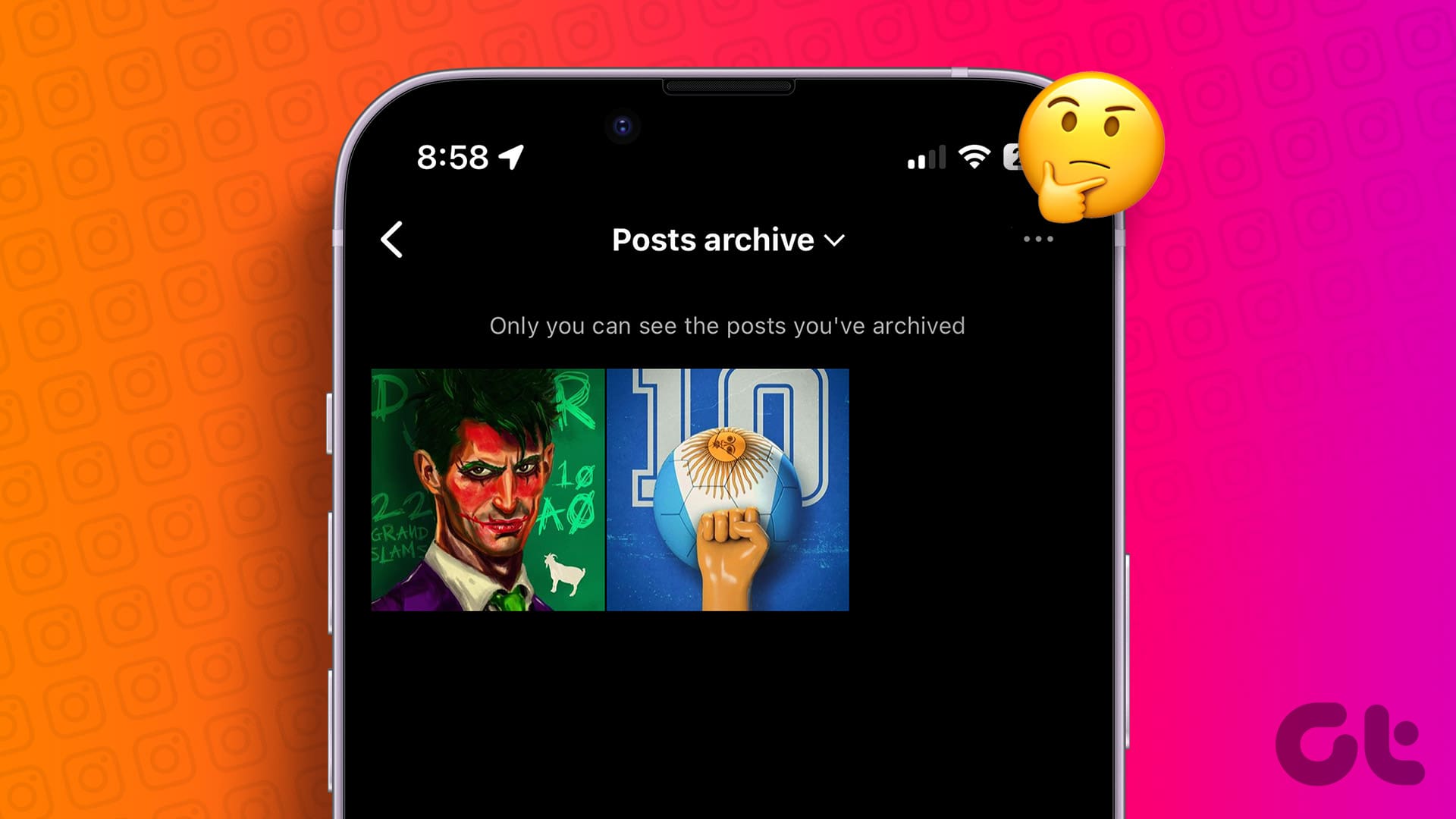
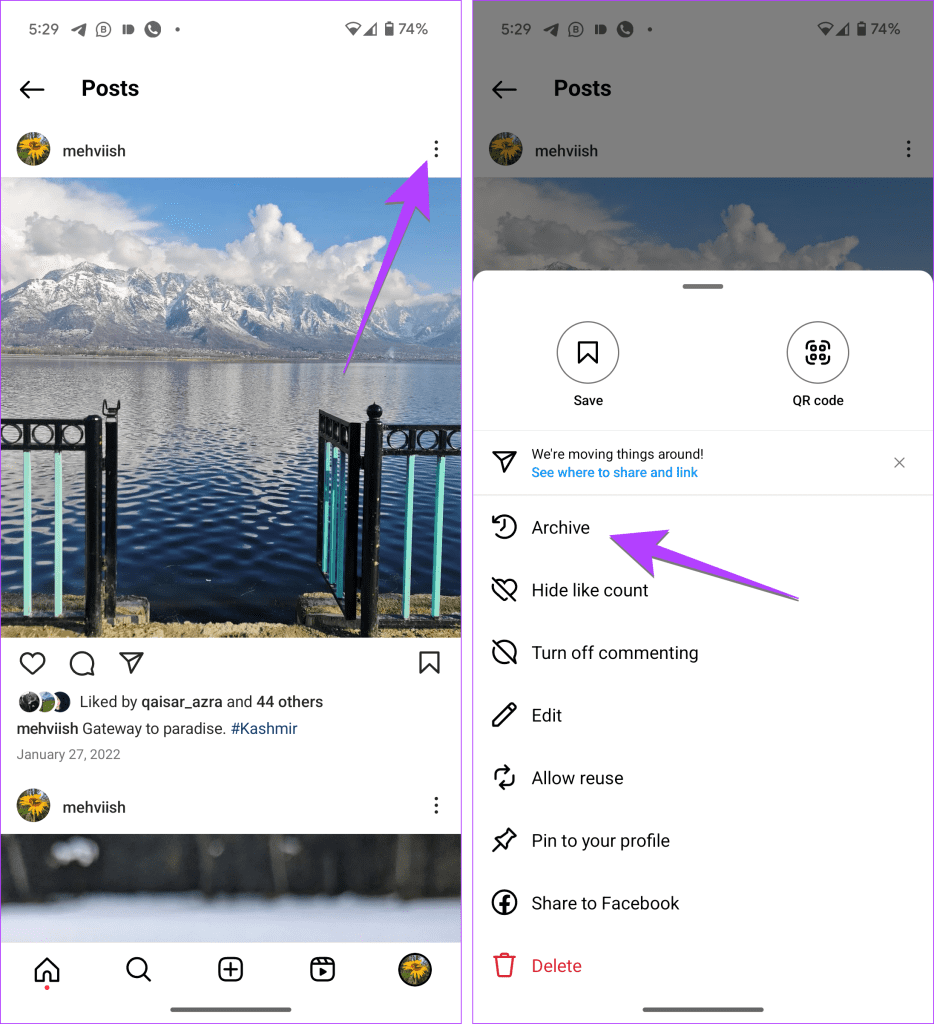
When you choose to archive a post, you are essentially triggering a change in the database visibility permissions for that specific content ID. Unlike deleting, which typically flags a record for removal from the server—often with a 30-day “grace period” before permanent erasure—archiving moves the data into a restricted, private storage layer.
Database Visibility and Permissions
From a backend perspective, an archived post remains hosted on the platform’s servers. The primary change occurs in the relational database mapping. When a post is public, it is indexed by the platform’s content delivery network (CDN) and made accessible to your followers and the platform’s search algorithms based on your profile privacy settings.
When you select “Archive,” the platform updates the is_visible flag from true to false specifically for the public-facing API endpoints. The post is re-indexed into a private user-specific directory. This directory is only accessible via an authenticated request from your unique user token. Because the data remains on the server, the platform’s algorithms still retain the metadata associated with the post, which leads to the most common misconception about archiving: the idea that it resets your account’s engagement history.
Metadata Retention and Algorithmic Impact
It is important to note that archiving does not “wipe” the engagement metrics associated with the content. If you were to unarchive a post at a later date, the original like counts, comment threads, and timestamp data typically reappear exactly as they were. The platform stores this data because archiving is intended as a temporary or organizational tool, not a method for data destruction. However, while the post is in the archive, it contributes nothing to your account’s current engagement analytics. The impressions, reach, and engagement values are essentially “paused” in the platform’s analytical dashboard.
The Strategic Purpose of the Archive Feature
The archive function serves as a middle ground between the permanence of a public post and the finality of deletion. For power users, influencers, and brands, this feature is a critical tool for digital hygiene and visual continuity.
Curation and Brand Alignment
Digital aesthetics are paramount in the current social media era. Many users utilize the archive feature to maintain a cohesive “grid” or profile theme. As brand identities shift, old content that no longer aligns with your current aesthetic or messaging can be removed from the public eye instantly.
For instance, a professional transitioning from a freelance designer to a corporate consultant might archive early, informal posts to create a more curated portfolio. Because these posts are archived rather than deleted, the user retains the ability to “re-introduce” them if they decide to create a “throwback” campaign or a retrospective look at their career journey. This creates a flexible narrative architecture where your profile can evolve in real-time without losing the underlying assets.
Safety and Content Management
Beyond aesthetics, the archive feature serves a vital role in digital security and crisis management. If a post suddenly attracts negative attention or becomes a magnet for automated bot spam, archiving allows the user to remove the content from the public spotlight immediately.
Unlike deleting, which might be perceived as an admission of fault or a cover-up, archiving is a more neutral action that can be performed to pause a conversation. It allows a user or a brand to step away, evaluate the situation, and determine whether the post requires a permanent deletion or if it can be restored once the situation has stabilized. This level of control provides a buffer, enabling more measured responses to public interactions.
Managing the Lifecycle of Digital Content
Properly leveraging the archive feature requires a strategic approach to your content lifecycle. It is not merely about hiding clutter; it is about managing the narrative of your digital identity.
Automating the Clean-Up
Many users treat their profiles as static billboards, but the most effective digital strategy treats a profile like a living document. Establishing an audit schedule—perhaps quarterly—allows you to assess which posts no longer serve your goals.
If you notice a specific type of content consistently underperforming, archiving those posts can help you focus your audience’s attention on your highest-performing work. From a software perspective, this is akin to moving cold storage data out of your active directory. By limiting the public-facing content to your “best of” or most relevant work, you increase the likelihood that profile visitors will engage with the content that actually matters to your current objectives.
The Risks of Over-Reliance
While archiving is a powerful tool, it is not a backup solution. It is vital to remember that you do not own the servers holding your archived posts. If a platform experiences a data loss event, or if your account is compromised or suspended, your archived content is just as vulnerable as your public content.
For critical content—such as professional achievements, sentimental memories, or intellectual property—archiving should never be a substitute for an off-platform backup. Always ensure that you have exported your data using the platform’s native “Download Your Information” tools. Relying on an archive as your primary storage method is a form of digital dependency that places the control of your history entirely in the hands of the platform provider.
Future-Proofing Your Digital Presence
As social media platforms continue to integrate more advanced AI-driven discovery algorithms, the way your archive is structured may become more important than ever.
Navigating Platform Changes
Platforms frequently update their APIs and user interfaces. A feature that exists today might be modified or restricted in the future. For example, some platforms have experimented with “private” versus “public” toggles that function differently than the traditional archive button. By regularly reviewing your archived content, you ensure that you are not left with a massive backlog of content that might be difficult to export or manage if the platform’s interface undergoes a major overhaul.
Final Considerations for the Digital Minimalist
Ultimately, the decision to archive should be dictated by your overarching digital strategy. Ask yourself: “Does this post add value to my current objective?” If the answer is no, it is a candidate for the archive.
Archiving is the modern equivalent of moving items from your active workspace into a filing cabinet. It keeps your immediate environment clean and focused, yet preserves the depth of your history should you ever need to reference it again. By mastering this function, you gain the ability to shift your online presence dynamically, ensuring that your digital footprint remains an accurate, professional, and engaging reflection of who you are today, rather than a cluttered warehouse of who you used to be. Whether you are managing a personal brand or a business identity, the judicious use of the archive feature is a hallmark of a mature, tech-savvy user who understands the nuances of content control in an increasingly public digital world.
aViewFromTheCave is a participant in the Amazon Services LLC Associates Program, an affiliate advertising program designed to provide a means for sites to earn advertising fees by advertising and linking to Amazon.com. Amazon, the Amazon logo, AmazonSupply, and the AmazonSupply logo are trademarks of Amazon.com, Inc. or its affiliates. As an Amazon Associate we earn affiliate commissions from qualifying purchases.