
In the modern era of instant communication, WhatsApp has transitioned from a simple messaging tool into a central hub for personal, professional, and social interaction. With over two billion active users globally, the platform manages a staggering amount of data and interpersonal connectivity. However, this level of accessibility necessitates robust privacy controls. One of the most fundamental yet misunderstood features of the platform is the “Block” function. Understanding what happens when you block someone on WhatsApp is not merely a matter of social etiquette; it is a critical component of digital security and personal boundary management in an increasingly connected world.
The Technical Mechanics of Blocking: Immediate Architectural Changes
When a user initiates a block on WhatsApp, a series of technical protocols are triggered within the application’s server-client architecture. Unlike a simple “mute” or “delete,” blocking creates a bidirectional barrier that alters how information is transmitted between two accounts.
Message Delivery and Status Indicators
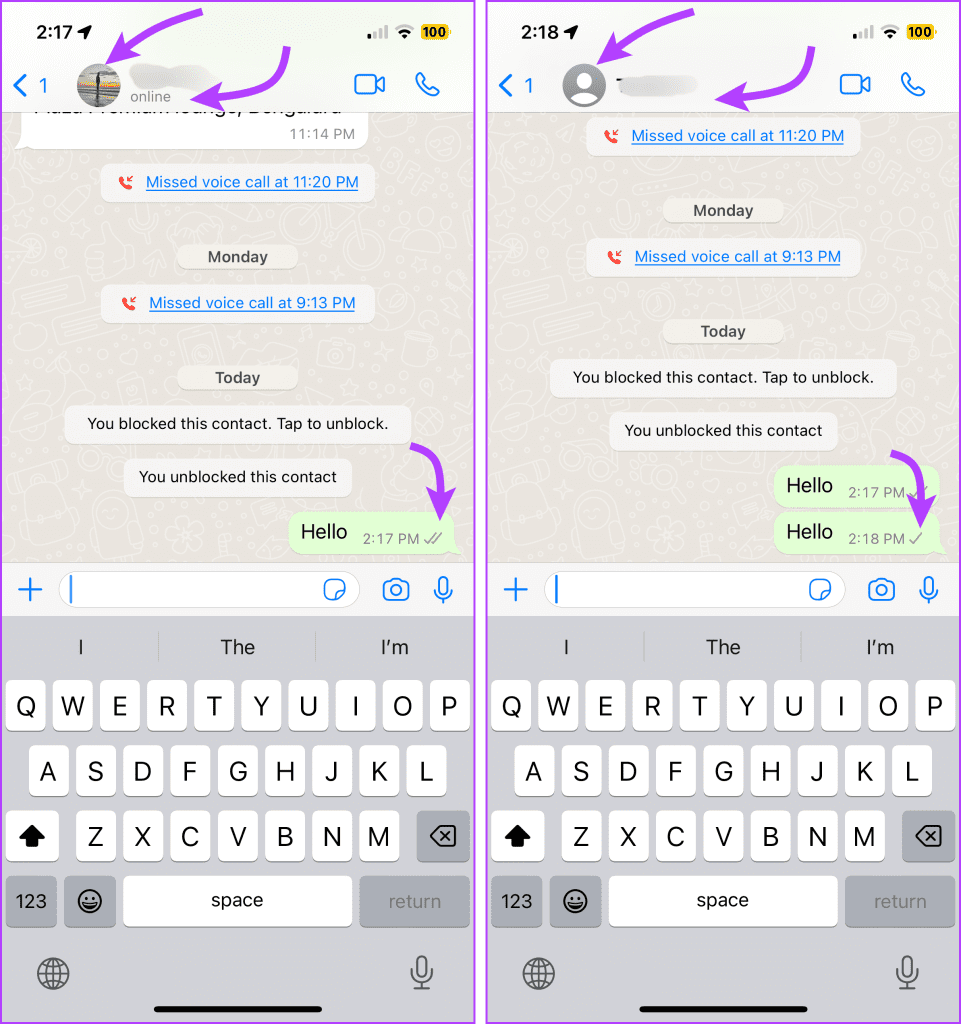
The most immediate change involves the flow of data packets. When a blocked contact attempts to send a message, the WhatsApp server receives the message but identifies the “blocked” flag associated with the recipient’s account. Consequently, the message is never delivered to your device.
From the sender’s perspective, they will only ever see a single gray checkmark (indicating the message was sent to the server). The second checkmark, which signifies delivery to the recipient’s device, will never appear. This technical “dead end” is designed to maintain the privacy of the blocker, ensuring that the blocked party cannot confirm whether the recipient is simply offline or has actively restricted their access. It is important to note that even if you unblock the individual later, any messages sent during the period they were blocked will never be retrieved or delivered.
Profile Visibility and Metadata Restrictions
Privacy on WhatsApp is deeply tied to metadata—the information about your account that isn’t the message content itself. Once a block is implemented, the platform restricts the blocked user’s access to your real-time updates. This includes your “Last Seen” status, “Online” indicator, and any updates to your profile picture.
For the blocked contact, your profile picture will either remain static (showing the last image they were able to see) or revert to a default placeholder icon. This layer of abstraction prevents the blocked individual from tracking your patterns of usage or noting changes in your digital persona. By severing these data points, WhatsApp provides a layer of “digital invisibility” that is essential for preventing stalking or unwanted surveillance.
Privacy and Security Implications for the User
Beyond the technical hurdles, the block feature serves as a primary tool for maintaining digital hygiene and mental well-being. In an “always-on” culture, the ability to selectively disconnect is a vital security feature.
Ending Harassment and Unwanted Interactions
Digital harassment is a pervasive issue in the software ecosystem. Whether it is a persistent solicitor, an estranged acquaintance, or a malicious actor, the block function serves as a definitive firewall. From a security standpoint, blocking is the first line of defense against social engineering and phishing attempts. By blocking a suspicious number, you prevent the attacker from sending malicious links or engaging in psychological manipulation.
Furthermore, WhatsApp’s architecture ensures that blocking is a silent action. The platform does not notify the user that they have been blocked. This design choice is a safety feature; it minimizes the risk of immediate escalation or retaliation that might occur if a “You have been blocked” notification were sent. This allows users to exit toxic interactions quietly and securely.
Data Protection and Shared Media
While blocking prevents new interactions, it is important to understand what happens to existing data. Blocking a contact does not automatically remove them from your contact list, nor does it delete the existing chat thread from your device. All previous messages, shared photos, and documents remain stored in your local database until you manually delete them.
However, once the block is active, the “Status” feature (WhatsApp’s version of Stories) becomes inaccessible to the blocked party. They can no longer see your 24-hour updates, which often contain more personal information about your location or daily activities than a standard chat. This restriction is a key component of granular privacy, ensuring that your broadcasted data is only visible to those you trust.
Group Chat Dynamics and Limitations
One of the most complex aspects of the WhatsApp blocking feature is its behavior within group environments. Because group chats involve a centralized server relaying messages to multiple recipients simultaneously, the individual block “firewall” functions differently than it does in one-on-one threads.
The Shared Group Exception
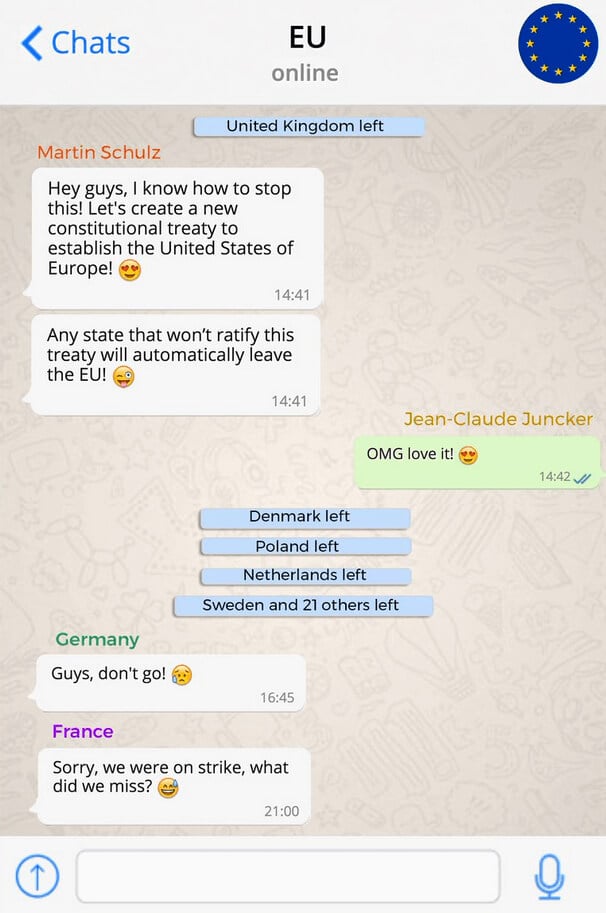
Perhaps the most critical “loophole” in the blocking feature is the shared group chat. If you and a blocked contact are both members of the same group, you will still be able to see each other’s messages within that specific context. WhatsApp’s current infrastructure does not support “ghosting” or “shadowing” individual members within a collective chat room.
This can lead to security concerns if a user expects a block to be a total communication blackout. In a group setting, your messages are visible to the blocked person and vice versa. This requires users to exercise caution; if complete avoidance is necessary, the user must either leave the shared group or ask the group administrator to intervene.
Administrative Controls in Group Environments
If you are the administrator of a group, you have the power to remove a blocked contact from the collective. However, you cannot block someone from a group that you do not moderate. Conversely, a blocked contact who is an admin can still remove you from a group.
This hierarchical structure highlights a limitation in the software: the block feature is an individual-to-individual protocol, not a platform-wide social exclusion tool. Users must understand these boundaries to effectively manage their digital footprint in professional or community groups.
WhatsApp’s Blocking Feature vs. Reporting: Understanding the Nuance
For many users, the distinction between “Blocking” and “Reporting” is unclear. However, from a technical and policy perspective, they serve very different functions in the realm of digital security.
When to Block and When to Report
Blocking is a personal preference; it is the digital equivalent of closing your front door to a specific person. Reporting, however, involves the platform’s moderation team. When you report a contact, WhatsApp receives the last five messages sent to you by that person or group. This is used to evaluate if the account has violated the platform’s Terms of Service (e.g., spam, illegal activity, or hate speech).
In cases of automated spam or “scambots,” simply blocking is often insufficient, as these actors frequently switch numbers. Reporting provides the platform with the data necessary to ban the account entirely, contributing to the collective security of the WhatsApp ecosystem. Professional users and brands should be particularly diligent about reporting, as it helps maintain the integrity of the communication channels they rely on for business.
The Role of End-to-End Encryption in User Safety
It is worth noting that despite the block or report status, WhatsApp’s end-to-end encryption (E2EE) remains active. This means that when you report a contact, the messages are decrypted for the moderation team only after you provide them via the report function. This balance between privacy (E2EE) and safety (reporting) is a cornerstone of WhatsApp’s software philosophy. The blocking feature works in tandem with these protocols to ensure that the user remains the ultimate arbiter of who can access their private digital space.
Managing Your Digital Boundaries in an Always-On World
The ability to block is not just a technical feature; it is an essential component of modern digital etiquette and personal security management.
Unblocking and Restoring Connection
If you decide to unblock a contact, the process is instantaneous. However, as previously mentioned, the “dark period” remains. Any messages sent by the contact while they were blocked are gone forever; they do not suddenly flood into your inbox upon unblocking.
Furthermore, you will not automatically start seeing their profile updates or “Last Seen” unless they have also kept you in their contacts and their privacy settings allow for it. Unblocking restores the pathway for communication but does not reset the social or data state to what it was before the block occurred.

The Future of Instant Messaging Privacy
As AI and automation become more integrated into apps like WhatsApp, the mechanics of blocking are likely to evolve. We may see “smart blocking” features that can identify harassing patterns before a user even sees a message, or enhanced group privacy settings that allow for total invisibility even in shared spaces.
In the current landscape, understanding the “Block” function is a prerequisite for any tech-savvy user. It is the most powerful tool available for asserting control over your digital life. By understanding the technical limitations, the impact on metadata, and the nuances of group dynamics, users can navigate the complexities of digital communication with confidence and security. Whether you are protecting your personal peace or securing your professional identity, the block feature remains a vital instrument in the modern technologist’s toolkit.
aViewFromTheCave is a participant in the Amazon Services LLC Associates Program, an affiliate advertising program designed to provide a means for sites to earn advertising fees by advertising and linking to Amazon.com. Amazon, the Amazon logo, AmazonSupply, and the AmazonSupply logo are trademarks of Amazon.com, Inc. or its affiliates. As an Amazon Associate we earn affiliate commissions from qualifying purchases.