
Vector files are a fundamental concept in digital design and an essential tool for professionals across various creative industries. Unlike raster images, which are composed of a fixed number of pixels, vector graphics are built upon mathematical equations that define points, lines, curves, and shapes. This mathematical foundation is what gives vector files their unparalleled scalability and flexibility, making them indispensable for everything from logos and illustrations to complex infographics and animations. Understanding the various formats in which these powerful files are stored is crucial for anyone working with digital assets, ensuring compatibility, efficient workflows, and the highest quality output.
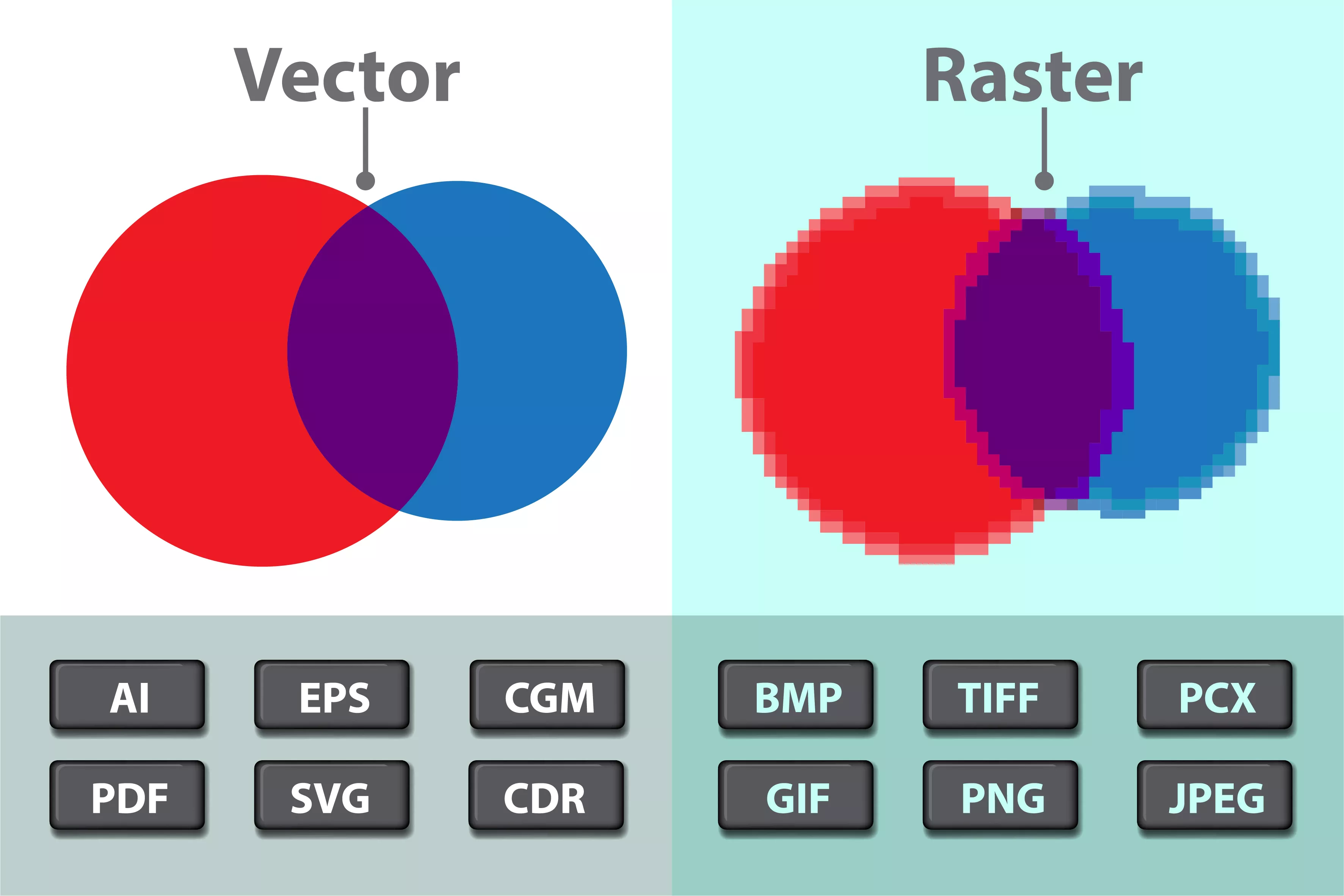
The primary advantage of vector files lies in their resolution independence. When you scale a raster image, it loses quality and becomes pixelated because the computer has to interpolate the existing pixels. Vector files, however, can be scaled infinitely – up or down – without any degradation in sharpness or detail. This is because the underlying mathematical descriptions are simply recalculated at the new size. This characteristic makes them the preferred choice for logos, which need to appear crisp on everything from a business card to a billboard, or for illustrations that might be used in various applications at different dimensions.
The choice of vector file format often depends on the intended use, the software used for creation, and the need for specific features like interactivity, animation, or broad compatibility. While some formats are proprietary and tied to specific software, others have become industry standards due to their open nature and extensive support.
The Cornerstone of Scalability: Understanding Vector Fundamentals
Before diving into specific formats, it’s vital to grasp the core principle behind vector graphics. At their heart, vector files describe images using mathematical objects rather than pixels. This means that instead of storing information about the color of each individual pixel, they store instructions on how to draw lines, curves, and shapes.
Mathematical Descriptions, Not Pixels
Imagine drawing a circle. A raster image would store the color of every single pixel that makes up that circle. If you enlarge the image, the computer has to guess the color of new pixels, leading to a blocky, pixelated appearance. A vector file, on the other hand, stores the mathematical formula for a circle: its center point, its radius, and its stroke color and thickness. When you scale it, the computer simply recalculates this formula for the new size, ensuring a perfectly smooth and sharp circle, no matter how large or small it becomes.
This fundamental difference has profound implications for design workflows. Designers can create an asset at a small size and then scale it up for large-format printing without worrying about losing quality. This eliminates the need to maintain multiple versions of the same asset for different applications, saving time and storage space.
Key Components of Vector Graphics
Vector files are composed of several key elements:
- Points: These are the fundamental building blocks, representing locations in a two-dimensional space.
- Paths: Paths are lines or curves connecting points. They can be straight (lines) or curved (Bézier curves are particularly common and powerful).
- Shapes: Shapes are closed paths that can be filled with color or gradients.
- Colors and Fills: Vector files define colors using various color models (RGB, CMYK, Pantone) and can apply solid fills, gradients, or patterns to shapes.
- Strokes: Strokes define the outline of paths and shapes, including their color, thickness, and style (e.g., dashed, dotted).
The combination and manipulation of these elements allow for the creation of intricate and precise graphics.
The Leading Vector File Formats: A Comprehensive Overview
The landscape of vector file formats is diverse, with each format offering distinct advantages and use cases. Understanding these formats is crucial for ensuring seamless collaboration, efficient file management, and optimal performance across different software and platforms.
SVG (Scalable Vector Graphics): The Web’s Native Language
SVG is arguably the most important vector file format in modern digital design, primarily due to its native integration with the web. Developed by the World Wide Web Consortium (W3C), SVG is an XML-based vector image format for two-dimensional graphics with support for interactivity and animation.
- Web Dominance: Its XML structure makes SVG files text-based, meaning they can be searched, indexed, and scripted. This allows for dynamic, interactive graphics that can respond to user input. Browsers natively support SVG, making it the go-to format for web icons, logos, charts, and complex illustrations displayed online.
- Accessibility and SEO: Because SVG is text, search engines can read and index the content within the image, improving Search Engine Optimization (SEO) for websites. It also allows for better accessibility for users with screen readers.
- Interactivity and Animation: SVG supports JavaScript, enabling the creation of animated graphics, interactive elements, and data visualizations directly within the browser. This is a significant advantage over static image formats.
- Editability: SVG files can be easily edited in most vector graphics software and even in text editors if you understand the XML structure.
- Use Cases: Logos for websites, interactive infographics, animated icons, illustrations that need to scale perfectly across different screen sizes, and data visualizations.
AI (Adobe Illustrator Artwork): The Professional Standard
Adobe Illustrator is the industry-leading software for vector graphics creation, and its native file format, AI, is widely used in professional design circles.
- Proprietary but Powerful: AI files are proprietary to Adobe Illustrator. While they are not as universally compatible as SVG, they contain the full richness of Illustrator’s features, including layers, effects, editable text, and complex vector paths.
- Industry Adoption: Due to Illustrator’s ubiquity in graphic design, marketing, and branding, AI files are commonplace. Most designers will work with AI files at some point in their careers.
- Advanced Features: AI files preserve all the editing capabilities of Illustrator, making them ideal for ongoing design projects where revisions and modifications are expected. They can handle extremely complex illustrations with numerous layers and intricate vector paths.
- Compatibility Challenges: While other Adobe products like Photoshop and InDesign can open AI files, they may rasterize certain elements or lose some editing capabilities. Non-Adobe software might have limited or no support for AI files.
- Use Cases: Creating logos, illustrations, intricate artwork, packaging design, and any project that requires the full power of Adobe Illustrator’s vector editing tools.
EPS (Encapsulated PostScript): The Print Industry Staple
EPS has been a long-standing workhorse in the print industry and remains a relevant format for certain applications, particularly in professional printing and pre-press workflows.
- Versatile for Print: EPS is a versatile format that can contain both vector and raster graphics. It was originally designed for the PostScript page description language, making it highly compatible with professional printing equipment and workflows.
- Cross-Platform Compatibility: EPS offers good cross-platform compatibility, meaning it can be opened and used by a wide range of design and layout software.
- Legacy but Reliable: While newer formats like AI and PDF have gained traction, EPS is still frequently requested by printers and is a reliable choice for high-resolution print output, especially when dealing with older software or specialized printing processes.
- Limited Interactivity: EPS files are primarily static and do not support interactivity or animation.
- Use Cases: Logos for print collateral, artwork for brochures and flyers, and files intended for professional offset printing or screen printing.
PDF (Portable Document Format): The Universal Exporter
Adobe’s PDF format, while not exclusively a vector format, is exceptionally capable of preserving and displaying vector graphics. It has become a de facto standard for document exchange and is widely used for sharing finished vector artwork.
- Preservation of Quality: PDFs can embed vector data, meaning that when exported correctly, vector elements within a PDF remain scalable and sharp. This makes them an excellent choice for sending final designs to clients or printers.
- Universal Compatibility: PDFs are designed to be viewed consistently across different operating systems and devices, ensuring that the design looks the same for everyone.
- Rich Features: PDFs can contain a variety of elements, including text, vector graphics, raster images, forms, and even interactive elements. This makes them incredibly versatile.
- Editability Considerations: While many vector elements within a PDF can be edited in vector software, the level of editability depends on how the PDF was created. Sometimes, complex PDFs might be flattened or rasterized during export, reducing their editability.
- Use Cases: Sharing final artwork with clients, submitting designs to printers, creating multi-page documents that combine text and graphics, and digital portfolios.
Other Notable Formats
While SVG, AI, EPS, and PDF are the most prevalent, other vector formats exist, each with its niche:
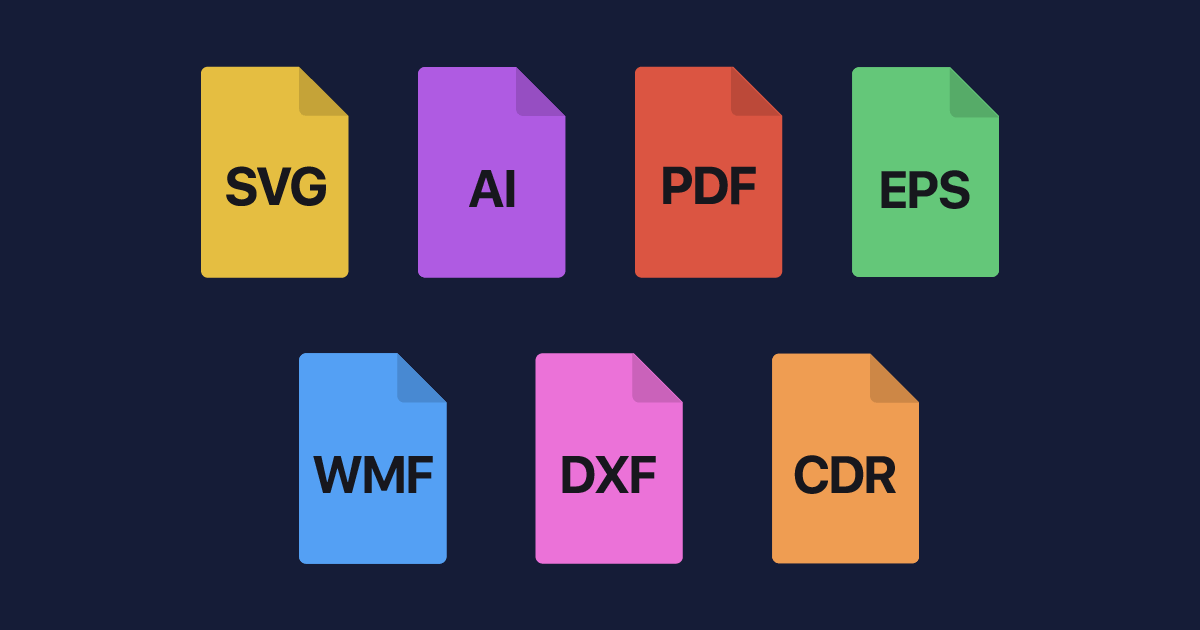
- CDR (CorelDRAW): The native format for CorelDRAW, a popular vector graphics software, particularly in certain regions and industries.
- DXF (Drawing Exchange Format): Developed by Autodesk, DXF is primarily used for CAD (Computer-Aided Design) data exchange, but it can also store vector graphics information.
- WMF (Windows Metafile) and EMF (Enhanced Metafile): Older Microsoft formats for vector graphics, often used in Windows applications. They have limited capabilities compared to modern formats.
Choosing the Right Vector Format for Your Needs
The decision of which vector file format to use hinges on several critical factors: the intended application, the software you are using, and the desired outcome. Making an informed choice ensures that your designs are not only visually appealing but also technically sound and compatible with the necessary platforms and workflows.
For Web and Digital Applications: SVG Reigns Supreme
When your primary target is the internet, SVG is the clear frontrunner. Its inherent scalability, small file sizes for simple graphics, and ability to be manipulated with code make it ideal for modern web design.
- Why SVG? Logos that need to scale across responsive designs, interactive charts, animated icons, and illustrations displayed on websites all benefit immensely from SVG. Its text-based nature also contributes to better SEO and accessibility.
- When Not to Use SVG: For extremely complex, photorealistic illustrations with millions of colors or intricate gradients, SVG might become unwieldy in terms of file size and performance compared to optimized raster formats.
For Professional Print and Branding: AI, EPS, and PDF
The print world often demands precise control and high fidelity. Here, formats like AI, EPS, and PDF offer robust solutions.
- AI for Creative Control: If you are creating branding elements like logos or detailed illustrations in Adobe Illustrator and require maximum editability for future revisions, saving as AI is the standard. This format preserves all layers, effects, and editable paths.
- EPS for Broad Compatibility and Print: For sending logos or artwork to external printers or using them in desktop publishing software, EPS remains a reliable choice. It’s a good fallback when native AI compatibility is uncertain.
- PDF for Final Delivery: When a design is complete and needs to be shared as a final product, either for digital viewing or for print, PDF is often the best option. Ensure you export with “preserve vector data” or similar settings to maintain scalability. When sending to printers, specific PDF/X standards are often recommended to ensure print-ready files.
For CAD and Technical Drawings: DXF
If your work involves technical drawings, blueprints, or designs intended for manufacturing, the DXF format is likely your most suitable choice. It’s designed for interoperability between different CAD software.
Workflow Integration and Best Practices
Understanding vector formats is only half the battle; integrating them effectively into your workflow and adhering to best practices will significantly enhance your productivity and the quality of your output.
Saving and Exporting: Knowing Your Options
- Save As vs. Export: Always distinguish between “Save As” and “Export.” “Save As” typically preserves the native editable format (e.g., saving as AI). “Export” creates a version for wider use, potentially with fewer editing capabilities but better compatibility (e.g., exporting as SVG or PDF).
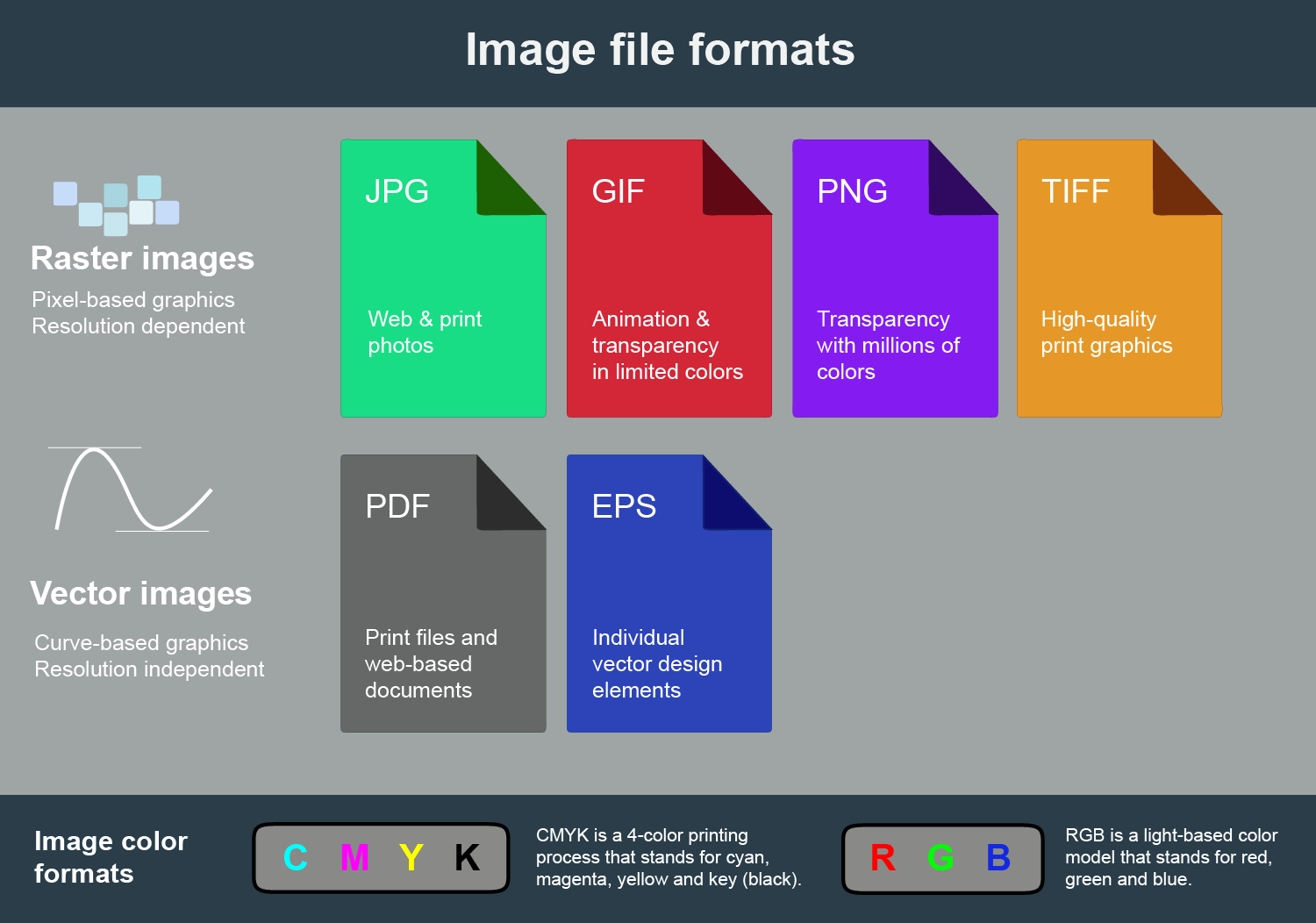
- Color Modes: Be mindful of color modes. Use RGB for digital/web and CMYK for print. If you are designing for print and using specific brand colors, consider using Pantone spot colors and ensuring your chosen format supports them.
- Bleed and Trim Marks: For print projects, always include bleed and trim marks in your exported files to ensure designs extend beyond the cut line and printers know where to trim.
File Naming and Organization
Clear and consistent file naming conventions are essential for managing your vector assets. Include information like the project name, version number, and format. For instance, CompanyName_Logo_Primary_v2.ai or CompanyName_Logo_Web_v2.svg. Proper organization prevents confusion and saves time when searching for specific files.
Version Control and Archiving
Maintaining a history of your vector files through version control is crucial, especially for branding assets or long-term projects. This allows you to revert to previous iterations if needed. For completed projects, archiving them in a structured manner ensures they can be retrieved if required in the future.
In conclusion, vector files are a cornerstone of modern digital design, offering unmatched scalability and precision. From the web-centric SVG to the professional-grade AI and the print-ready EPS and PDF, each format serves a specific purpose. By understanding the fundamental differences and choosing the right format for your project, you can ensure your designs are not only visually stunning but also technically robust and universally compatible. Mastering these formats empowers designers, marketers, and developers to create and deliver high-quality visual assets across a multitude of platforms and applications.
aViewFromTheCave is a participant in the Amazon Services LLC Associates Program, an affiliate advertising program designed to provide a means for sites to earn advertising fees by advertising and linking to Amazon.com. Amazon, the Amazon logo, AmazonSupply, and the AmazonSupply logo are trademarks of Amazon.com, Inc. or its affiliates. As an Amazon Associate we earn affiliate commissions from qualifying purchases.