
In the rapidly evolving landscape of social media, user interface (UI) elements serve as a non-verbal language that dictates how we interact with technology. Instagram, a platform owned by Meta, is a prime example of sophisticated UI design where every color, icon, and badge carries specific technical significance. One of the most common queries from users navigating the app’s ecosystem is the meaning of the “green” indicators—specifically regarding followers and activity status. Whether it is the green circle surrounding a Story or the small green dot next to a profile picture in Direct Messages, these visual cues are integral to the app’s software architecture and user experience (UX) strategy.

This article provides a comprehensive technical analysis of what the “green following” and associated indicators mean on Instagram, exploring the underlying algorithms, privacy protocols, and UI design choices that define these features.
The Technical Infrastructure of Instagram’s “Close Friends” Feature
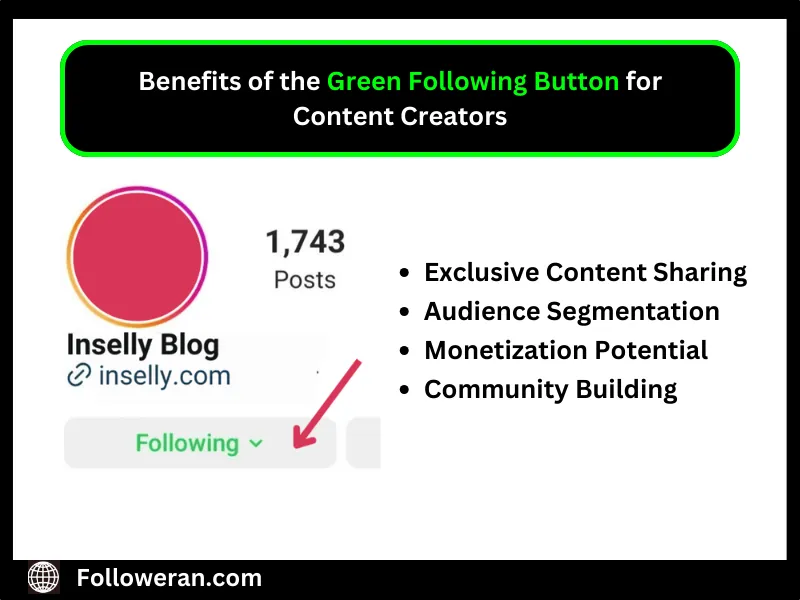
The most prominent instance of “green” in the context of followers is the “Close Friends” feature. Launched to provide a layer of “semi-privacy” within a public-facing platform, this feature relies on a segmented database of a user’s following list.
How the Algorithm Prioritizes Green-Circle Content
When you see a green circle around a user’s Story in your feed, it indicates that they have added you to their “Close Friends” list. From a technical standpoint, this triggers a priority shift in the Instagram delivery algorithm. Content tagged under the Close Friends metadata is often pushed to the front of the Story tray. The software recognizes these interactions as high-value connections. Because the user has manually curated this list, the algorithm assumes the content is more relevant to the recipient, thereby increasing the “Relevance Score” in the app’s feed-ranking system.
The Backend Logic of List Management
The “Close Friends” list is a server-side configuration. When a user adds or removes a follower from this list, the change is updated in Instagram’s database in real-time. Crucially, the app does not send notifications when someone is added or removed from a list, which is a deliberate choice in digital security and social engineering to prevent friction. The “green” badge (a star inside a green circle) acts as a visual flag for a specific permission level within the app’s API. Essentially, you are granted access to a private data stream that is hidden from the general public and the rest of the user’s followers.
Interpreting the Green Active Status: Real-Time Data and Connectivity
Aside from the Close Friends Story ring, the “green dot” is another ubiquitous tech feature on Instagram. This is the “Activity Status,” a real-time presence indicator that signals a user’s current or recent interaction with the application.
The Telemetry Behind “Active Now”
The green dot visible in the Direct Message (DM) inbox or on a user’s profile is powered by persistent telemetry data. When the app is open in the foreground of a mobile device, it maintains a heartbeat connection with Instagram’s servers. This metadata includes the timestamp of the last interaction. If the app is active, the server pushes a status update to all mutual followers (or those the user has messaged) indicating they are “Active Now.” This requires a constant synchronization of data, utilizing WebSockets or similar technology to ensure that the status remains accurate within a few seconds of lag.
Privacy Protocols for Presence Indicators
From a digital security and privacy perspective, the green active status is a sensitive piece of data. Recognizing this, Instagram’s developers integrated a “mutual visibility” protocol. If a user chooses to hide their own activity status in the settings, they lose the ability to see the activity status of others. This is a classic example of a “reciprocal data sharing” model. Technically, this is handled through a simple toggle in the user’s privacy configuration file, which instructs the server to mask the presence metadata for that specific User ID.
User Experience Design: The Psychology of the Green Visual Cue
The choice of the color green for these specific features is not arbitrary. It is a result of meticulous UX/UI research aimed at enhancing user engagement and defining digital boundaries.
Chromatic UI Choices in Social Media Apps
In the world of software design, color theory plays a vital role in how users navigate interfaces. Green is universally associated with “Go,” “Safety,” and “Growth.” By using a green ring for Close Friends instead of the standard brand-gradient (the orange/purple mix), Instagram creates a visual “safe space.” It signals to the user that the content they are about to view is more intimate and restricted. This psychological differentiation encourages users to share more candidly, knowing that the “green” environment is limited to a trusted circle.
Enhancing Engagement through Exclusive Visibility
The green indicators serve as a “nudge” in the app’s UX. When a user sees a green Story ring, it creates a sense of exclusivity and urgency. This is a design tactic known as “variable rewards.” Because the content is perceived as more private or exclusive, the click-through rate (CTR) for green-ringed stories is significantly higher than for standard stories. This data-driven approach to UI design ensures that users stay on the app longer, interacting with their most “relevant” nodes in the social graph.
Managing Digital Boundaries: Security and Customization Tutorials
For power users and those concerned with digital security, understanding how to configure these “green” features is essential for maintaining a healthy online presence.
Step-by-Step Configuration of Close Friends Lists
To manage your “green” following and ensure you are only sharing private data with intended recipients, you must access the list management interface.
- Access Settings: Navigate to your profile and tap the three-line menu (hamburger icon).
- Select Close Friends: Here, you can manually search for and add followers.
- Data Persistence: Once you hit “Done,” the list is encrypted and stored on the cloud. You can change this list as often as needed, and the visual “green ring” will update for your followers the next time you post a restricted Story.
This feature is a powerful tool for segmenting your digital audience without having to create a secondary account (often referred to as a “Finsta”).
Toggling Activity Status for Enhanced Anonymity
If the “green dot” feels like an intrusion into your digital privacy, Instagram allows for a complete blackout of presence data.
- Navigate to Privacy: Go to Settings and Privacy, then “Messages and Story Replies.”
- Activity Status: Tap on “Show Activity Status.”
- Disable: Toggle the switch to “Off.”
By disabling this, you are essentially telling the Instagram API to stop broadcasting your real-time “Online” state. This prevents the green dot from appearing next to your name in your followers’ inboxes, providing a layer of anonymity while you browse the app.
The Future of Visual Indicators in Social Software
As Instagram continues to integrate AI and more advanced machine learning models, we can expect these “green” indicators to become even more personalized. There is potential for “Smart Lists” that use AI to suggest who should be in your Close Friends circle based on interaction frequency and sentiment analysis of your DMs. Furthermore, as digital security becomes a primary concern for the average user, the ability to fine-tune who sees your “green” status will likely expand into more granular controls.
In conclusion, the “green following” on Instagram is more than just a color choice; it is a sophisticated intersection of UI design, backend data management, and privacy security. By understanding the tech behind the Close Friends list and the Activity Status indicator, users can better navigate the platform, ensuring their digital interactions remain both engaging and secure. Whether you are using the green ring to share a private moment or checking the green dot to see if a friend is available for a chat, you are participating in a highly engineered digital ecosystem designed for seamless, real-time connectivity.
aViewFromTheCave is a participant in the Amazon Services LLC Associates Program, an affiliate advertising program designed to provide a means for sites to earn advertising fees by advertising and linking to Amazon.com. Amazon, the Amazon logo, AmazonSupply, and the AmazonSupply logo are trademarks of Amazon.com, Inc. or its affiliates. As an Amazon Associate we earn affiliate commissions from qualifying purchases.