
In the rapidly evolving digital landscape, where information overload is a constant challenge, the ability to efficiently consume content is paramount. While social media feeds and personalized algorithms dominate much of our online experience, a venerable, yet often understated, technology continues to play a critical role in how savvy users and publishers manage and distribute web content: the RSS feed. For those encountering the term for the first time, or for others seeking a deeper understanding, the question “What does RSS feed stand for?” is an excellent starting point for exploring a technology that, despite its age, remains a powerful tool for information syndication.

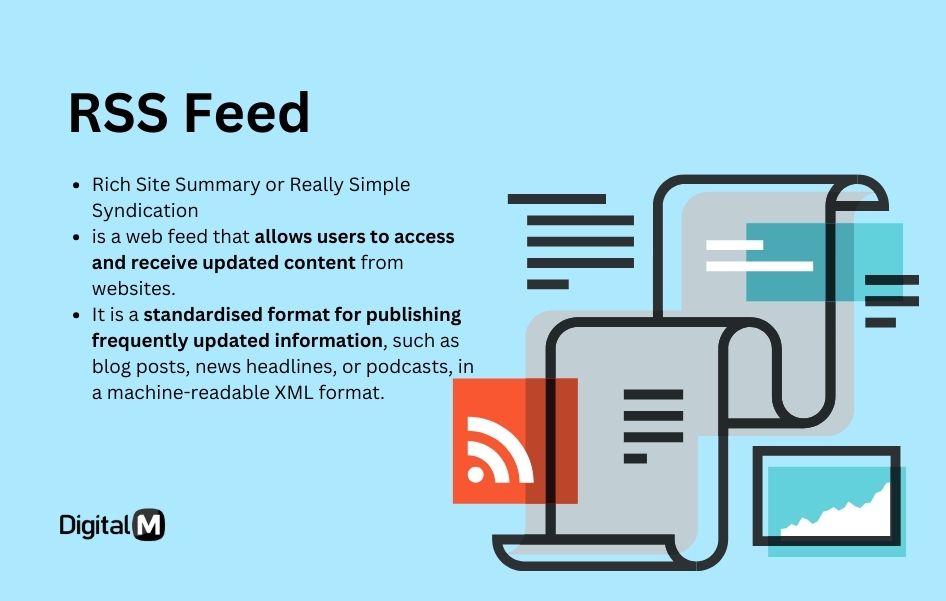
At its core, RSS stands for Really Simple Syndication. This acronym perfectly encapsulates its primary purpose: to provide a simple, standardized way for websites to syndicate (distribute) their content, and for users to subscribe to and receive updates from those sites without having to visit each one individually. While other interpretations like “Rich Site Summary” and “RDF Site Summary” have also been associated with the acronym, “Really Simple Syndication” is the most widely recognized and descriptive.
Demystifying the Acronym: Really Simple Syndication
The journey of RSS began at a time when the internet was still finding its footing, and the need for efficient content delivery mechanisms was becoming increasingly apparent. Understanding its different interpretations and origins helps illuminate its robust design and adaptability.
The Birth of a Standard: Early Web Publishing
The late 1990s witnessed an explosion in personal websites, blogs, and online news publications. As the volume of web content grew, so did the friction in keeping up with updates from favorite sites. Users had to manually bookmark pages and revisit them repeatedly to check for new posts. This cumbersome process spurred the development of technologies aimed at automating content discovery and delivery.
RSS emerged from this necessity. It was designed as an XML-based file format that allowed publishers to create a structured summary of their latest content – headlines, summaries, and links back to the full articles. This summary, the “feed,” could then be automatically pulled by other applications, known as “feed readers” or “aggregators.” The emphasis was on simplicity and standardization, ensuring that content from various sources could be parsed and displayed consistently across different platforms. This was a revolutionary concept, offering a decentralized approach to content consumption long before the advent of centralized social media platforms.
Evolving Terminology: Rich Site Summary and RDF Site Summary
While “Really Simple Syndication” is the most prevalent interpretation today, the acronym has had a somewhat fluid history, reflecting different developmental phases and technical underpinnings.
-
RDF Site Summary (RSS 0.9 and 1.0): The earliest version of RSS (RSS 0.9) was developed by Netscape in 1999 for use on its My Netscape portal. It was based on the Resource Description Framework (RDF), an XML application designed for processing metadata. This initial version emphasized its role in providing a “Site Summary” using RDF principles, hence “RDF Site Summary.” This version was more technically complex and aimed at broader semantic web applications.
-
Rich Site Summary (RSS 0.91, 2.0): Dave Winer of UserLand Software soon created a simpler version (RSS 0.91) that stripped away the RDF complexities, making it easier for everyday web publishers to implement. This simpler format became incredibly popular, and its name was often referred to as “Rich Site Summary,” highlighting its ability to provide a comprehensive summary of a site’s content. Winer continued to evolve this simpler branch, leading to RSS 2.0, which solidified “Really Simple Syndication” as its official name, embracing the user-friendly approach that had made it so successful.
Despite these variations, the core purpose remained consistent: to provide a standardized, machine-readable format for distributing updated web content. The evolution of the terminology reflects a tension between technical purity and practical usability, with the latter ultimately winning out in widespread adoption.
The Core Functionality: How RSS Works
Understanding the acronym is merely the first step. To truly grasp the power of RSS, one must delve into its operational mechanics, which are remarkably elegant in their simplicity and efficiency.
Content Delivery Explained: From Publisher to Subscriber
The beauty of RSS lies in its “push-pull” mechanism, albeit a slightly inverted one.
-
Publisher Creates Content: A website owner or publisher posts new content – a blog article, a news update, a podcast episode, a video.
-
RSS Feed Updates: When new content is published, the website automatically generates or updates an XML file, the “RSS feed,” located at a specific URL (e.g.,
www.example.com/rss.xml). This XML file contains metadata about the new content: title, author, publication date, a brief summary, and a direct link to the full article. -
Subscriber Uses a Feed Reader: A user, interested in receiving updates from this site, uses a dedicated application called an RSS reader (or feed aggregator). The user “subscribes” to the site’s RSS feed by adding its unique URL to their reader.
-
Reader Polls Feeds: The RSS reader periodically “polls” or checks the subscribed RSS feed URLs for updates. Instead of downloading the entire webpage, it only downloads the small XML file.
-
New Content Displayed: If the RSS reader detects new entries in the XML file, it displays these new headlines and summaries to the user within its interface. The user can then click on a headline to read the full article on the original website, or in some cases, read a full-text version directly within the reader if the feed provides it.
This process eliminates the need for users to manually visit dozens or hundreds of websites, centralizing content discovery and consumption into a single, efficient interface.
The Role of RSS Readers and Aggregators
RSS readers, also known as feed aggregators, are the client-side applications that make RSS feeds consumable. They come in various forms:
-
Web-based Readers: Services like Feedly, Inoreader, and The Old Reader allow users to manage subscriptions and read feeds from any web browser, often syncing across devices.
-
Desktop Applications: Dedicated software for Windows, macOS, or Linux (e.g., NetNewsWire for Mac, QuiteRSS for Windows) provides a robust, often offline-capable, reading experience.
-
Mobile Apps: Many popular news apps and podcast clients have built-in RSS capabilities, allowing users to subscribe to feeds on the go.
-
Browser Extensions: Some browser extensions can act as simple RSS readers, displaying updates directly in the browser toolbar.
These readers are the user’s personal content dashboard, presenting a chronological or categorized stream of updates from all their subscribed sources. They provide functionalities like marking items as read, starring important articles, and organizing feeds into folders, significantly enhancing the user’s content management capabilities.
XML’s Backbone: The Technical Foundation
At a technical level, RSS feeds are simply XML (Extensible Markup Language) files. XML is a markup language similar to HTML, but designed to describe data rather than display it. This makes it ideal for structured content delivery.
An RSS XML file contains elements like <channel> (representing the overall feed) and multiple <item> elements (each representing a piece of content). Within each <item>, there are standard tags such as <title>, <link>, <description>, <pubDate>, and sometimes <author> or <category>.
This standardized XML structure is crucial. It ensures that any RSS reader, regardless of its underlying programming, can parse the data correctly and extract the necessary information to present to the user. This interoperability is a hallmark of open web standards and is precisely what gives RSS its enduring utility and resilience.
Why RSS Remains Relevant in the Modern Digital Landscape
Despite being an older technology, RSS has not only persisted but continues to offer unique advantages that are often overlooked in an era dominated by algorithmic feeds and walled gardens. Its relevance is particularly pronounced for those seeking control and efficiency in their information intake.
Personalizing Information Consumption
In an age of endless content, personalization is key, but not all personalization is equal. While social media algorithms attempt to guess what you want to see, RSS offers a form of explicit personalization. You choose exactly which sources you want to follow, bypassing the filters, echo chambers, and commercial biases inherent in many platform-driven feeds.
This allows for a highly curated information diet. Users can subscribe to niche blogs, academic journals, specific news sections, or individual content creators, ensuring they receive updates directly from the source without intermediary interference. It’s about empowering the user to be the editor of their own news and content stream.
Efficiency and Time-Saving for Power Users
For anyone who monitors multiple websites for updates—be it for research, competitive analysis, industry news, or personal interest—RSS is an unparalleled time-saver. Instead of opening dozens of browser tabs, an RSS reader consolidates all new content into one unified interface.
This efficiency extends to:
-
Batch Processing: Quickly scan headlines and summaries from hundreds of sources.
-
Offline Reading: Many desktop and mobile RSS readers can download content for offline consumption.
-
Reduced Distractions: An RSS reader is a dedicated tool for information consumption, free from the endless scroll and notification overload of social media.
For journalists, researchers, marketers, and anyone whose work depends on staying abreast of specific developments across many sources, RSS is an indispensable tool for maximizing productivity and minimizing wasted effort.
Beyond Blogs: News, Podcasts, and More
While initially popularized by blogs, RSS’s utility extends far beyond written articles. It is the fundamental technology behind:
-
Podcasts: Every podcast you subscribe to, whether through Apple Podcasts, Spotify, Google Podcasts, or any other app, relies on an RSS feed. This feed contains information about each episode (title, description, audio file URL) and allows podcast apps to discover and download new episodes.
-
News Aggregators: Many major news outlets and custom news aggregators use RSS feeds to syndicate their content, allowing other platforms or users to pull in their latest headlines.
-
YouTube Channels (and other video platforms): While many viewers interact directly with the YouTube platform, specific tools still allow users to create RSS feeds for YouTube channels, allowing subscribers to track new video uploads through their preferred feed reader.
-
Software Updates: Some open-source projects or software companies offer RSS feeds for release notes or security updates.
This broad applicability underscores RSS’s strength as a universal content syndication mechanism, adaptable to various media types and content delivery models.
Practical Applications: Leveraging RSS Feeds Today
Integrating RSS into your digital routine is straightforward and offers immediate benefits for content discovery and management.
Setting Up an RSS Reader: Tools and Options
The first step is to choose an RSS reader that fits your needs.
-
Feedly: A popular web-based reader with a clean interface, good discovery features, and integrations. Offers a free tier and paid upgrades.
-
Inoreader: Another robust web-based option, known for its powerful search, filtering, and integration capabilities. Also has free and paid tiers.
-
The Old Reader: A simpler, more nostalgic option designed to mimic Google Reader’s classic interface.
-
NetNewsWire (macOS/iOS): An excellent free, open-source native app for Apple devices.
-
NewsBlur: Self-hostable option or paid service with a focus on intelligent filtering.
-
Podcast Apps: If your primary interest is podcasts, your existing podcast app (e.g., Pocket Casts, Overcast, Apple Podcasts) is essentially an RSS reader for audio.
Most readers offer similar core functionalities, so the best choice often comes down to personal preference for interface, features, and platform availability.
Discovering and Subscribing to Feeds
Once you have a reader, finding feeds is usually easy:
-
Look for the RSS Icon: Many websites still display the classic orange RSS icon (often a square with a white radio wave symbol) or a text link like “RSS Feed” or “Subscribe.” Clicking this usually takes you to the feed URL.
-
Check Website Footers/Headers: Publishers often link to their RSS feeds in common navigation areas.
-
Use Browser Extensions: Some browser extensions can automatically detect RSS feeds on a page and offer to subscribe.
-
RSS Directories/Search: Tools like Feedly’s discovery engine or even a simple Google search (e.g., “site:example.com RSS feed”) can help locate feeds.
-
Manual Guessing: For many blogs, appending
/feedor/rssto the main URL (e.g.,www.example.com/feed) will often lead to the RSS feed.
Once you have the feed URL, you simply paste it into your chosen RSS reader, and it will begin populating with content.
Use Cases for Businesses and Individuals
-
Staying Current with Industry News: Subscribe to leading industry blogs, news sites, and competitor updates.
-
Monitoring Research: Track new publications from academic journals or specific researchers.
-
Following Niche Topics: Curate feeds from highly specialized websites that might not appear in mainstream news.
-
Job Searching: Some job boards offer RSS feeds for specific search queries.
-
Website Change Detection: Tools exist that can generate RSS feeds for websites that don’t natively offer them, monitoring for any content changes (though this can be resource-intensive for both sides).
-
Content Curation: Journalists, content creators, and marketers can use RSS to gather source material for their own work.
-
Personalized News Dashboard: Create your own custom news aggregation service, pulling exactly the information you want from the sources you trust.
The Future of Syndication: RSS in an AI-Driven World
In an era increasingly shaped by artificial intelligence and personalized algorithms, one might question the longevity of a technology like RSS. However, its foundational principles of open standards and user control suggest an enduring, perhaps even renewed, relevance.
Interoperability and Open Standards
The open nature of RSS is its greatest strength. It is not owned by any single corporation or platform, making it a truly interoperable standard for content exchange. This decentralization fosters innovation and prevents vendor lock-in, ensuring that content remains accessible regardless of which reader or platform a user chooses.
In a world where digital ecosystems are often closed and proprietary, RSS stands as a testament to the power of open web principles. It facilitates a more democratic distribution of information, empowering both publishers and consumers.
Challenges and Persistence
Despite its advantages, RSS faces challenges. Many websites no longer prominently display their RSS icons, and mainstream users are more accustomed to social media feeds. The decline of popular standalone readers like Google Reader in 2013 also led to a dip in mainstream awareness.
However, the technology itself remains robust and foundational. The podcasting boom, for instance, is entirely built on RSS, demonstrating its enduring power to deliver media in a standardized way. For technical users, content professionals, and anyone who values control over their information flow, RSS continues to be an indispensable tool.

The Enduring Value of Decentralized Content
As concerns about algorithmic bias, censorship, and the spread of misinformation on centralized platforms grow, the value of decentralized content distribution mechanisms becomes increasingly apparent. RSS offers a direct line between publisher and subscriber, unmediated by opaque algorithms or corporate interests.
In an AI-driven world where content personalization is often synonymous with algorithmic curation, RSS provides an alternative: self-curation. It empowers individuals to build their own informed worldview by selecting their sources, free from the often-unseen hands of platform gatekeepers. For this reason, Really Simple Syndication, far from being an obsolete relic, represents a vital component of a more open, user-controlled, and robust digital future.
aViewFromTheCave is a participant in the Amazon Services LLC Associates Program, an affiliate advertising program designed to provide a means for sites to earn advertising fees by advertising and linking to Amazon.com. Amazon, the Amazon logo, AmazonSupply, and the AmazonSupply logo are trademarks of Amazon.com, Inc. or its affiliates. As an Amazon Associate we earn affiliate commissions from qualifying purchases.