
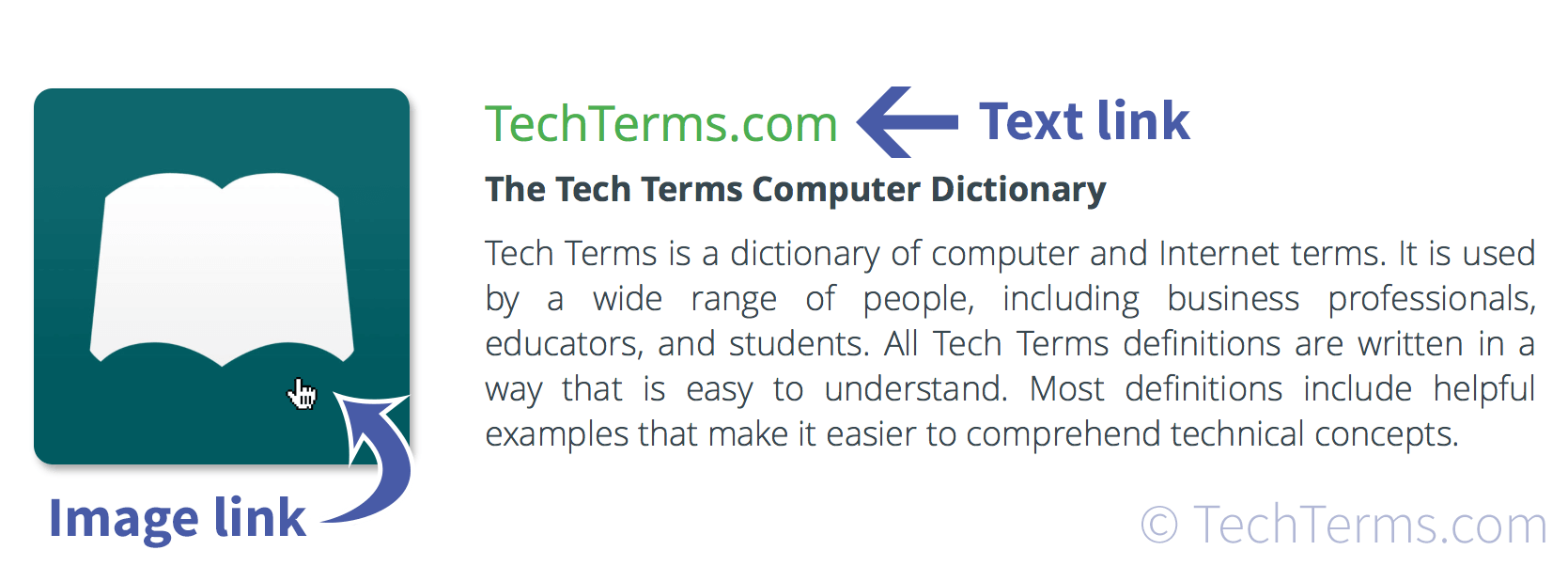
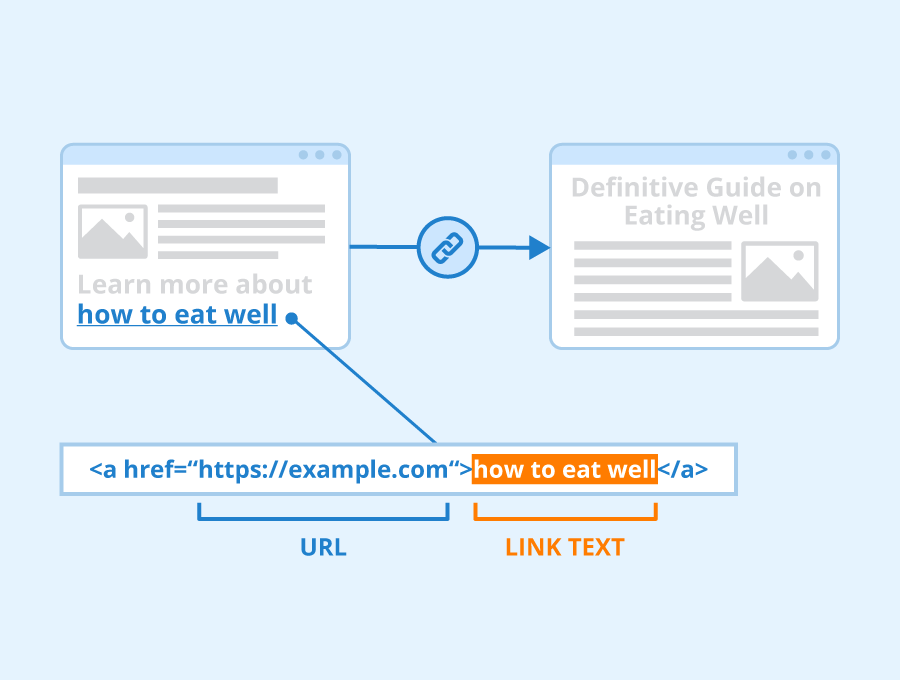
In the contemporary landscape of digital communication, the word “link” serves as the fundamental bridge between static text and the vast, interconnected world of the internet. When someone refers to a “link” in a text message, they are technically referring to a hyperlink—a digital reference to data that a user can follow by clicking or tapping. While the concept may seem rudimentary to the average smartphone user, the underlying technology, security implications, and evolving protocols that govern how links behave in messaging apps are a cornerstone of modern software engineering and digital literacy.

Understanding what a link means in texting requires looking beyond the blue underlined text. It involves analyzing how mobile operating systems interpret Uniform Resource Locators (URLs), how Rich Communication Services (RCS) are changing the way we interact with media, and the sophisticated security measures designed to protect users from the darker side of digital connectivity.
The Evolution of Hyperlinks in Mobile Communication
The journey of the “link” in texting has mirrored the evolution of cellular technology itself. In the early days of mobile telephony, Short Message Service (SMS) was a strictly text-based protocol. A link was merely a string of characters that a user would often have to manually copy and paste into a separate mobile browser. Today, the integration is seamless, but the tech stack behind it is significantly more complex.
From SMS to RCS: How Texting Became Interactive
The transition from traditional SMS to Rich Communication Services (RCS) and encrypted messaging platforms like WhatsApp, Signal, and iMessage has fundamentally changed what a link “does.” In the legacy SMS environment, a link was simply a URL restricted by the 160-character limit of the Global System for Mobile Communications (GSM) standard.
Modern protocols, however, treat links as dynamic objects. When you receive a link in a modern messaging app, the software performs a “handshake” with the destination server. This allows the app to fetch metadata, providing the user with a visual preview, a title, and an icon. This shift from “plain text” to “rich media” is governed by the Open Graph protocol, which allows web pages to become rich objects in a social or messaging graph.
How URLs Function Within Message Protocols
Technically, a link in a text message is a Uniform Resource Identifier (URL). When a smartphone identifies a string starting with “http://” or “https://,” the operating system’s internal logic—such as the Data Detectors in iOS—automatically converts that string into a clickable interface element.
This process involves the application layer of the OSI model. The messaging app identifies the pattern, and upon user interaction, triggers a system call to the default web browser. In more advanced scenarios, the app may use an “in-app browser” based on WebKit or Chromium, allowing the user to view the linked content without ever leaving the messaging environment.
The Functional Anatomy of a Text Link
To understand the full scope of a link in texting, one must examine its functional components. A link is rarely just a direct path to a website; it is often a sophisticated tool for data tracking, app integration, and user experience optimization.
Deep Linking: Bridging Apps and Messages
One of the most powerful iterations of the link in texting is the “Deep Link.” Unlike a standard URL that points to a general website, a deep link points to a specific location within a mobile application. For example, if a friend sends you a link to a specific product on an e-commerce platform, clicking that link doesn’t just open your browser; it triggers the specific app on your phone and navigates directly to that product page.
This is made possible through technology like Universal Links (iOS) and App Links (Android). These systems use a specialized configuration file hosted on the website that “proves” the relationship between the web domain and the mobile app. This creates a frictionless ecosystem where the boundaries between a text message and a dedicated software application are virtually non-existent.
Shortened URLs and Tracking Parameters
In the tech world, “link” often implies a shortened URL. Services like Bitly, TinyURL, or proprietary enterprise shorteners serve two primary technical purposes: character conservation and data analytics. Because SMS still has technical limitations on message length, shortening a 200-character URL into 20 characters is essential.
Beneath the surface of these shortened links often lie UTM (Urgency Tracking Module) parameters. These are strings of code attached to the end of a URL that allow the sender to track which specific message led to a click. When you tap a link in a promotional text, you are triggering a series of redirects that log your device type, location, and the specific campaign that reached you, providing a wealth of data to the software systems managing the communication.
Security and the Risks of Malicious Links
As links have become the primary method of sharing information via text, they have also become the primary vector for cyberattacks. The “link” in a text is no longer just a tool for convenience; it is a potential security vulnerability that requires robust technical defenses.
Understanding Smishing and Social Engineering
“Smishing”—a portmanteau of SMS and Phishing—is a technique where attackers send deceptive links to trick users into revealing sensitive information or downloading malware. Because texting is perceived as a more “personal” medium than email, click-through rates are significantly higher, making it a lucrative target for bad actors.
Technically, these links often lead to “spoofed” websites that mimic legitimate login portals. More advanced attacks might use “zero-click” exploits, where the mere act of the phone’s operating system attempting to render a link preview can trigger a vulnerability in the message-parsing software. This highlights the constant arms race between hackers and the security engineers at companies like Apple and Google.
Modern Security Layers: How Smartphones Filter Links
To combat these threats, mobile operating systems have integrated advanced AI and machine learning filters. When a link arrives via text, it is often cross-referenced against a global database of known malicious domains (such as Google Safe Browsing).
Furthermore, “sandboxing” is a critical technical defense. When you click a link in a text, the browser or the in-app viewer runs in a restricted environment. This sandbox prevents the code on the linked website from accessing the phone’s core operating system, file structure, or sensitive hardware like the camera and microphone without explicit permission. Modern texting apps also use “On-Device Intelligence” to scan for suspicious patterns in the message text accompanying a link, warning users if the message looks like a typical phishing attempt.
Optimization and Best Practices for Link Sharing
For those operating within the tech space—developers, digital marketers, and power users—sharing a link is an intentional act of software optimization. How a link appears is often just as important as where it leads.
Preview Metadata and Open Graph Tags
When a link is pasted into a text message, the messaging app acts as a web crawler. It visits the URL and looks for specific HTML tags, primarily Open Graph (OG) tags. If a developer has optimized their site, the “link” in the text will transform into a rich snippet containing a high-resolution image, a compelling headline, and a site description.
Failing to optimize these tags results in a “dead link” appearance—a raw URL that lacks visual appeal and reduces user trust. Tech-savvy communicators understand that a link is a package of data, and ensuring that the metadata is correctly formatted (using tools like the Facebook Sharing Debugger or LinkedIn Post Inspector) is a crucial step in digital communication.
Troubleshooting Link Failures in Texting
There are several technical reasons why a link might “break” in a text message. One common issue is improper URL encoding. Characters like spaces or certain symbols must be converted into a format that the HTTP protocol can understand (e.g., a space becoming “%20”).
Another issue involves the “Preview Cache.” If a website’s metadata is updated, messaging apps may still show the old preview because they have cached the previous version of the link. Additionally, some carrier-level filters may block certain short-link domains if they have been flagged for spam, preventing the link from ever reaching the recipient’s handset. Understanding these technical hurdles is essential for anyone relying on texting for professional or technical coordination.
The Future of Hyper-Connectivity in Messaging
As we move toward a more integrated digital future, the “link” in texting is set to evolve even further. We are moving away from the link as a destination and toward the link as a portable application.
Artificial Intelligence and Predictive Linking
The next frontier of texting involves AI-driven links. Operating systems are becoming proactive; if you are texting a friend about a movie, the OS might suggest a link to the trailer or a ticket-booking site before you even search for it. This “Predictive Linking” uses Natural Language Processing (NLP) to understand the context of a conversation and provide relevant digital bridges in real-time.
The Role of Web3 and Decentralized Identifiers
In the realm of Web3, the nature of the link is also shifting. We are seeing the rise of decentralized identifiers and IPFS (InterPlanetary File System) links. Unlike traditional URLs that point to a specific server location, these links point to content based on its cryptographic hash. This ensures that the “link” in your text remains valid even if a specific server goes offline, representing a shift toward a more permanent and resilient form of digital connectivity.
In conclusion, a link in texting is much more than a convenience; it is a sophisticated intersection of software protocols, security measures, and data exchange. From the transition to RCS to the complexities of deep linking and the necessity of robust cybersecurity, the link remains the most vital tool in our digital arsenal, constantly evolving to meet the demands of an increasingly connected world.
aViewFromTheCave is a participant in the Amazon Services LLC Associates Program, an affiliate advertising program designed to provide a means for sites to earn advertising fees by advertising and linking to Amazon.com. Amazon, the Amazon logo, AmazonSupply, and the AmazonSupply logo are trademarks of Amazon.com, Inc. or its affiliates. As an Amazon Associate we earn affiliate commissions from qualifying purchases.