
In the modern digital landscape, the concept of “vanishing” from social media is more complex than simply logging out. For users of Meta’s flagship platform, Facebook, the decision to step away often leads to a specific technical state: deactivation. Unlike permanent deletion, deactivation is a reversible “hibernation” of a user’s digital presence. However, for the friends, family, and colleagues left behind on the platform, the sudden disappearance of a profile can raise several questions. Understanding what a deactivated Facebook looks like requires an exploration of the platform’s front-end user interface (UI), its back-end database management, and the nuances of digital identity.
1. The Visual Transformation: From Active Profile to Digital Ghost
When a user triggers the deactivation sequence, the platform immediately initiates a series of protocols designed to hide the user’s presence from the public eye. To the outside world, the account appears to have vanished, but the traces left behind in the social graph create a “ghostly” effect in existing interactions.
The Search Results Disappearance
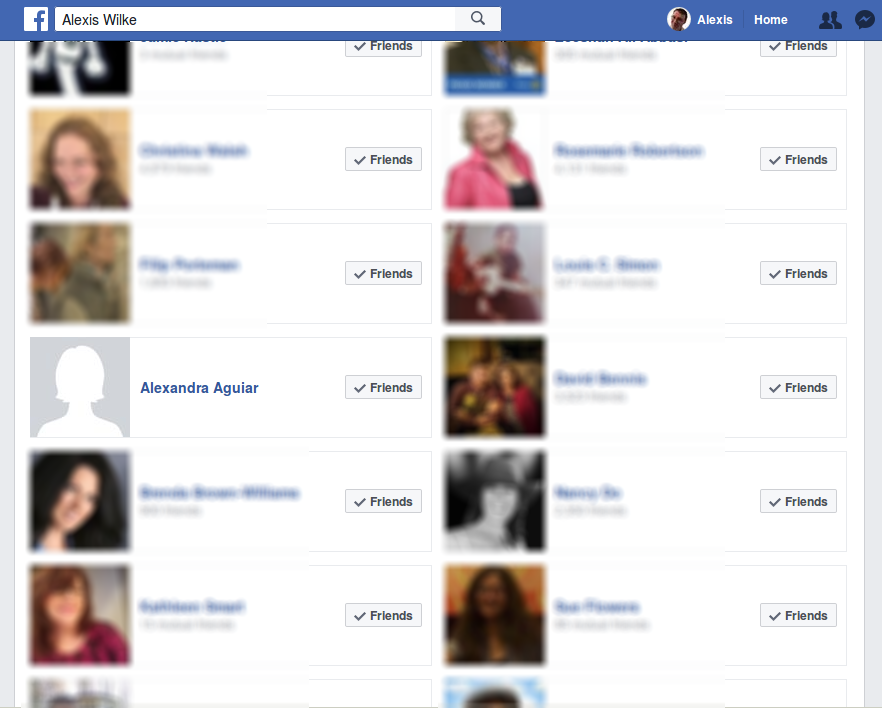
The most immediate sign of a deactivated account is its removal from the Facebook search index. Under normal circumstances, typing a name into the search bar utilizes Facebook’s Graph Search to find the corresponding profile. Once deactivated, the account is flagged as “inactive” in the database, instructing the search algorithm to exclude it from results. To a casual observer, it appears as though the user has either blocked them or deleted the account entirely.
The Transformation of Tags and Timelines
For those who have previously interacted with the deactivated user, the visual changes are more nuanced. On photos where the user was tagged, the interactive blue hyperlink typically associated with their name disappears. The name remains visible—since the metadata of the photo still recognizes the tag—but it reverts to plain black text. Clicking it yields no result. Similarly, posts made by the user on other people’s Timelines may vanish, or the profile picture associated with those posts may revert to the default grey silhouette.
The “Facebook User” Placeholder
In certain legacy sections of the platform, such as old group discussions or shared memories, the deactivated user’s name may be replaced by the generic label “Facebook User.” This is the platform’s way of maintaining the structural integrity of a conversation thread without revealing the identity of an account that is currently offline.
2. The Back-End Reality: Deactivation vs. Permanent Deletion
To understand why a deactivated Facebook looks the way it does, one must distinguish it from the permanent deletion of an account. From a technical and architectural standpoint, these two states are handled very differently by Meta’s servers.
Data Persistence in Deactivation
Deactivation is essentially a “soft hide” command. When you deactivate, Facebook does not purge your data from its servers. Your photos, videos, friend lists, and posts are moved to a dormant state in the data warehouse. This is why the account “looks” empty to the public: the visibility permissions have been set to zero for everyone, including the user. However, the data remains intact, waiting for a “reactivation” trigger, which occurs the moment the user logs back in with their credentials.
The Logical Deletion Architecture
In contrast, permanent deletion initiates a “hard delete” protocol. This process typically involves a 30-day grace period followed by a massive data-cleansing operation that can take up to 90 days to complete across all backup systems. When an account is deleted, the unique User ID (UID) is eventually retired or scrubbed of its associations. While a deactivated account looks like a paused video, a deleted account looks like a blank tape.
Privacy and Security Implications
From a digital security perspective, a deactivated account remains a potential target. Because the data still exists on Meta’s servers, it is still subject to the platform’s data policies and could theoretically be accessed if the account credentials (email and password) are compromised. For users seeking a true “dark” state for security reasons, deactivation is often viewed as a temporary UI fix rather than a robust privacy solution.
3. The Messenger Exception: Interoperability and Decoupled Services
One of the most confusing aspects of what a deactivated Facebook “looks like” involves the Messenger app. In recent years, Meta has decoupled Messenger from the core Facebook platform, allowing for different states of activity across the two services.

Active Messenger on a Deactivated Profile
A user can choose to deactivate their Facebook profile while keeping their Messenger account active. In this scenario, the Facebook profile will look deactivated—it won’t appear in search, and the Timeline will be gone—but the user’s name and photo will still appear in Messenger contact lists. This creates a technical paradox where a user is “gone” from the social network but “present” on the communication platform.
What Happens in Chat Threads?
If a user deactivates both Facebook and Messenger, the experience for their contacts changes. In existing chat threads, the person’s profile picture may disappear, replaced by the default placeholder. In some versions of the app, a message may appear stating, “This person is unavailable on Messenger.” However, the message history remains. Unlike a block, where you can no longer see the other person’s status, deactivation preserves the conversation history for the person who stayed on the platform, even if the other party is technically invisible.
Group Chats and Shared Media
In group chats, the deactivated user’s name usually remains in the list of participants, but they are labeled as inactive. They will not receive any new messages or notifications. The shared media (photos and files) sent by the deactivated user usually remains accessible to the other group members, as these assets are tied to the group’s shared database rather than the individual’s active profile state.
4. The Impact on Third-Party Integrations and App Ecosystems
Facebook serves as a “Social Login” hub for thousands of third-party apps and websites. When an account is deactivated, the ripples are felt far beyond the boundaries of facebook.com.
The Break in the OAuth Chain
Most external sites use the OAuth 2.0 protocol to allow users to “Log in with Facebook.” When a profile is deactivated, this authentication token can become invalid or suspended. If a user tries to log into an external service (like Spotify, Pinterest, or a gaming app) using their deactivated Facebook credentials, the system may prompt an error. In many cases, attempting to log into a third-party app via Facebook will actually trigger the automatic reactivation of the Facebook account, bringing the profile back to life without the user explicitly visiting the Facebook site.
App Visibility and Data Sharing
Even when deactivated, some background processes may persist. If a user has granted long-term data permissions to an app, that app might still hold cached data from the profile. However, the “live” feed of data from Facebook to the app is severed. To the third-party developer, the user appears as an expired token, and they can no longer pull updated friend lists or likes until the account is reactivated.
The Oculus and Meta Quest Connection
With the rebranding to Meta, the interconnectedness of hardware (like Quest VR headsets) and software has increased. Deactivating a Facebook account that is linked to a Meta account can have varying effects depending on when the accounts were merged. For older users, deactivating Facebook might restrict access to certain social features within the VR environment, making their “Avatar” look offline or restricted to their contacts in the metaverse.
5. Reactivation: The Return of the Digital Identity
The hallmark of a deactivated Facebook account is its inherent “readiness” to return. The platform is designed to make the transition from deactivated to active as seamless as possible, reflecting Meta’s goal of user retention.
The Instant Restoration
What does it look like when a deactivated account returns? It is instantaneous. The moment the user enters their email and password, the database “flip” occurs. The search indexer adds the UID back into the results, the hyperlinks on tags turn blue again, and the Timeline is populated with all previous posts and media. There is no “loading” period or recovery phase; the platform simply toggles the visibility settings from “Off” to “On.”
Notifying the Network
Interestingly, Facebook does not send a formal notification to friends when a user reactivates their account. However, the user’s sudden reappearance in the “Active Now” sidebar of Messenger or the appearance of their posts in the News Feed serves as a functional notification. To the network, it looks as though the user was simply on a long hiatus, with all historical context restored exactly where it was left.

Managing the Technical “Cool Down”
While reactivation is instant for the user, some deep-index features (like Google Search results for the profile) may take several days to update. Even though the account is active on Facebook, it may still “look” deactivated on external search engines until those engines recrawl the site and find the now-public profile page.
In conclusion, a deactivated Facebook is a state of digital suspension. It is an architectural solution to the human need for privacy and “time out” without the permanent loss of data. Visually, it manifests as a series of broken links and missing images, but technically, it is a fully intact identity waiting for a single login to bring it back to the forefront of the social graph. For the tech-savvy user, understanding these nuances is essential for managing one’s digital footprint and understanding the true nature of “online presence.”
aViewFromTheCave is a participant in the Amazon Services LLC Associates Program, an affiliate advertising program designed to provide a means for sites to earn advertising fees by advertising and linking to Amazon.com. Amazon, the Amazon logo, AmazonSupply, and the AmazonSupply logo are trademarks of Amazon.com, Inc. or its affiliates. As an Amazon Associate we earn affiliate commissions from qualifying purchases.