
In the sprawling architecture of the World Wide Web, communication between your browser and a web server is a continuous dialogue of requests and responses. Most of the time, this conversation happens behind the scenes, seamless and invisible. However, every internet user has, at some point, encountered a digital dead end: the “404 Not Found” error. While it may seem like a simple nuisance, the 404 error is a critical component of the Internet Protocol suite, carrying significant implications for software development, technical SEO, and user experience design.

Understanding what a 404 error truly represents requires looking past the broken link and into the mechanics of how data is retrieved across the globe.
1. The Technical Architecture of the 404 Error
At its core, a 404 error is an HTTP (Hypertext Transfer Protocol) standard response code. When you click a link or type a URL into your address bar, your “client” (the browser) sends a request to the host server using HTTP. The server then responds with a three-digit status code.
Understanding HTTP Status Codes
HTTP status codes are categorized into five distinct groups, each indicating a different type of outcome. The “400” series is reserved for “Client Error” responses. This means the request contains bad syntax or cannot be fulfilled by the server, and the fault is generally attributed to the client-side of the interaction.
The 404 code specifically indicates that while the server itself is reachable and functioning, it could not find the specific resource (the webpage, image, or file) requested. It is distinct from a “DNS Not Found” error, where the browser cannot even find the server’s “address,” or a “500 Internal Server Error,” which suggests the server encountered an unexpected condition that prevented it from fulfilling the request.
The Client-Server Request Cycle
When a 404 occurs, a specific sequence of events has unfolded. First, the browser resolves the Domain Name System (DNS) to find the server’s IP address. Once connected, the browser sends a “GET” request for a specific path (e.g., /blog/article-name). The server searches its directory or database for that path. If the server’s routing logic determines that no such file or database entry exists, it generates an HTTP header containing the “404” status code and sends it back to the browser.
The Myth of “Room 404”
A popular piece of internet lore suggests that the 404 error was named after Room 404 at CERN, where the World Wide Web was invented, which allegedly housed the central database. However, this is a myth. The numbering system was designed logically by the Internet Engineering Task Force (IETF). The first ‘4’ designates a client error, the middle ‘0’ refers to a syntax error or a general communication mishap, and the final ‘4’ is the specific identifier for “Not Found.”
2. Common Causes and Technical Triggers
While the “Not Found” message is straightforward, the technical reasons behind its appearance vary. Identifying the root cause is essential for web administrators and developers seeking to maintain a healthy digital ecosystem.
URL Typos and Malformed Requests
The most common cause of a 404 error is human error. If a user manually enters a URL and misses a character, adds an extra slash, or mistypes an extension (e.g., .htm instead of .html), the server will fail to match the string to a valid resource. Similarly, if a developer hardcodes a link into a site’s navigation with a typo, every user who clicks it will trigger a 404 response.
Content Migrations and Deleted Pages
As websites evolve, content is often pruned or moved. If a page is deleted without a proper redirection strategy, any existing links to that page—whether from external sites, social media, or bookmarks—become “broken.” This is particularly common during large-scale CMS (Content Management System) migrations, where the URL structure might change from website.com/post?id=123 to website.com/blog/title. Without a mapping layer, the old URLs will return 404 errors.
Server Misconfigurations and Permission Issues
Sometimes, the file exists on the server, but the server is configured to return a 404 anyway. This can happen due to incorrect settings in the .htaccess file (on Apache servers) or the nginx.conf file (on Nginx servers). If the server-side permissions are set too restrictively, the server might deny access to the file and report it as “Not Found” to prevent leaking information about the file’s existence to unauthorized users, though this is more commonly handled by a 403 Forbidden error.
3. The Impact on SEO and User Experience (UX)
In the realm of digital technology, 404 errors are more than just a minor glitch; they are a signal to both users and search engines that a website may be poorly maintained.
How Search Engines Interpret 404s
Search engine crawlers, such as Googlebot, use HTTP status codes to understand the health of a website. A few 404 errors are natural and expected on any large site. However, a high volume of 404s can signal a “low quality” site to algorithms. If a crawler repeatedly hits 404s, it wastes its “crawl budget”—the limited number of pages a bot will index in a single session—on non-existent content rather than discovering new, valuable pages.
The Concept of “Soft 404s”
A “Soft 404” is a particularly problematic technical scenario where a server returns a page telling the user “Not Found,” but sends a “200 OK” status code in the HTTP header. From a tech perspective, this is a failure. Search engines will think the “Not Found” page is a valid piece of content and may index it, leading to “thin content” penalties and a confusing search experience for users.
The Psychology of a Lost User
From a UX perspective, a 404 error represents a “friction point.” It breaks the user’s flow and causes frustration. Statistics show that a significant percentage of users who encounter a standard, unhelpful 404 error page will immediately leave the site rather than trying to navigate back to the homepage. In an era of high competition for digital attention, a 404 is often the last page a user sees before switching to a competitor.
4. Troubleshooting and Technical Solutions
Resolving 404 errors is a fundamental part of web maintenance. Developers and IT professionals use a variety of tools and protocols to “heal” these broken links.
Implementing 301 and 302 Redirects
The most effective way to handle a 404 error caused by moved content is a redirect. A 301 Redirect (Moved Permanently) tells the browser and search engines that the resource has a new home. This transfers the “link equity” (SEO value) from the old URL to the new one. A 302 Redirect (Found/Moved Temporarily) is used when a page is briefly unavailable, instructing the browser not to update its bookmarks permanently.
Technical Monitoring Tools
To catch 404s before they impact users, tech teams use specialized software. Google Search Console provides a “Crawl Stats” report that highlights every URL that returned a 404 error to Google’s bots. For real-time monitoring, developers use tools like “Screaming Frog SEO Spider” to crawl their own sites and identify broken internal links. Server log analysis is another advanced method, allowing admins to see exactly which URLs are requesting non-existent files in real-time.
Automation and Scripting
For massive e-commerce platforms with millions of URLs, manual checking is impossible. Tech teams often implement automated scripts that monitor for 404 spikes. If a specific category of products suddenly returns 404s, an automated alert can notify the DevOps team that a database sync or an API endpoint has failed.
5. The Art of the Custom 404 Page
While the goal is to eliminate 404s, some are inevitable. Therefore, the technical implementation of a “Custom 404 Page” is a standard best practice in modern web development.
Essential Elements of a Helpful 404 Page
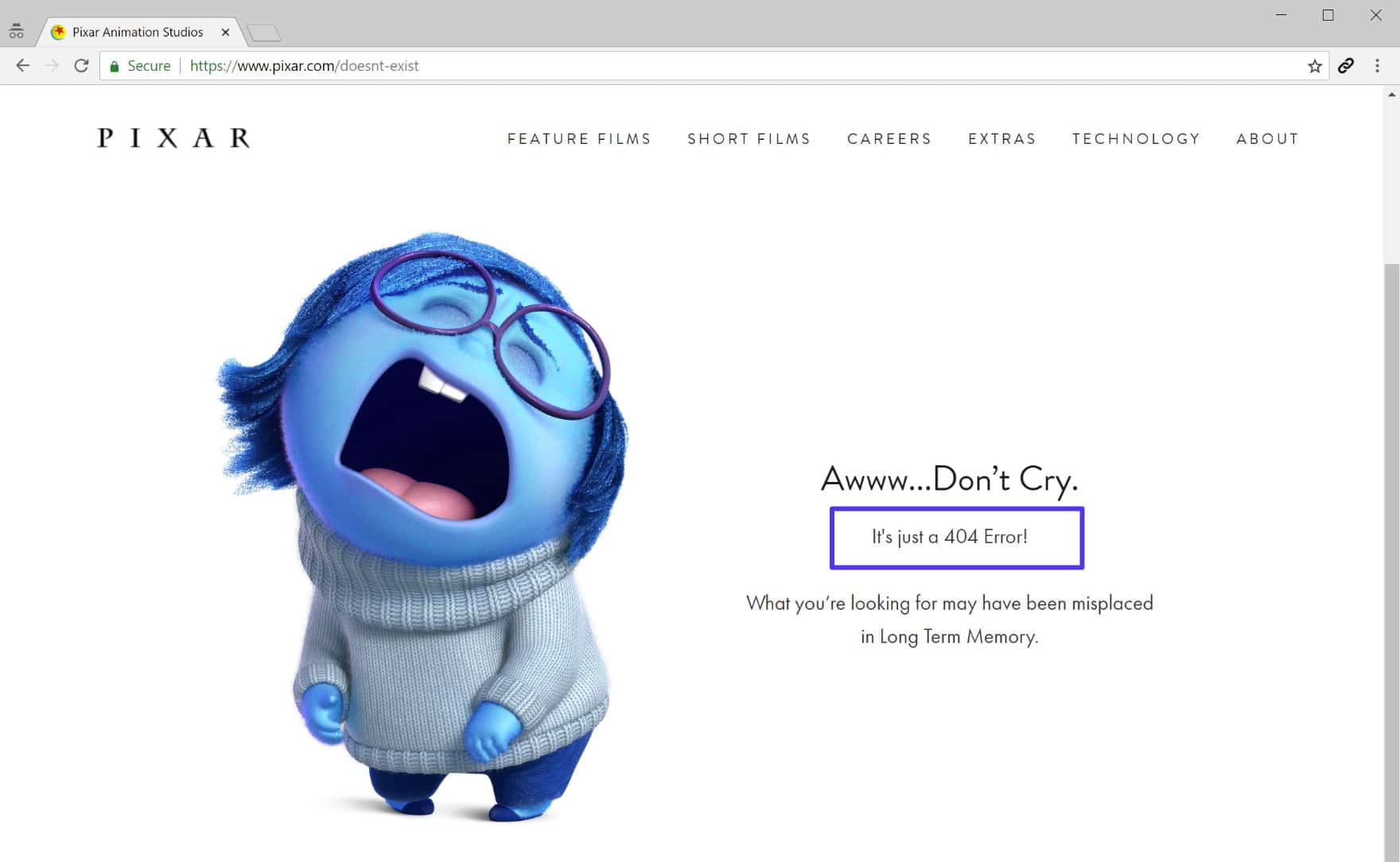
A default server 404 page is usually a bleak, white screen with black text. A custom 404 page, however, maintains the site’s CSS and branding, providing a much softer landing. Technically, this page should include:
- A Search Bar: To help users find what they were originally looking for.
- Links to Popular Content: To keep the user engaged on the site.
- A Clear Explanation: Using non-technical language to explain that the page is missing, while still returning the correct 404 status code in the background.

Turning a Technical Failure into a Retention Tool
Leading tech companies use the 404 page as an opportunity for brand reinforcement and creative engineering. For example, some sites include mini-games or interactive elements on their 404 pages. This transforms a moment of potential abandonment into a moment of brand delight. However, from a technical standpoint, the priority remains the same: provide the user with a clear path back to functional content while ensuring the server logs the error for future correction.
In conclusion, while the “404 Not Found” error is a signal of a missing resource, it serves as a vital diagnostic tool for the health of the internet. By understanding its technical roots, monitoring its occurrence, and strategically managing its impact through redirects and UX design, web professionals ensure that the digital landscape remains navigable, efficient, and interconnected.
aViewFromTheCave is a participant in the Amazon Services LLC Associates Program, an affiliate advertising program designed to provide a means for sites to earn advertising fees by advertising and linking to Amazon.com. Amazon, the Amazon logo, AmazonSupply, and the AmazonSupply logo are trademarks of Amazon.com, Inc. or its affiliates. As an Amazon Associate we earn affiliate commissions from qualifying purchases.