
In an increasingly fragmented digital media landscape, YouTube TV stands out as a robust live TV streaming service, offering a compelling alternative to traditional cable. Its appeal lies not just in its channel lineup or unlimited cloud DVR, but critically, in its widespread accessibility. For tech-savvy consumers and casual streamers alike, understanding the breadth of devices YouTube TV supports is paramount to unlocking a seamless and enjoyable viewing experience. This article delves deep into the technological ecosystem of YouTube TV, guiding you through the myriad ways you can bring your favorite shows, sports, and news to any screen, anytime, anywhere.
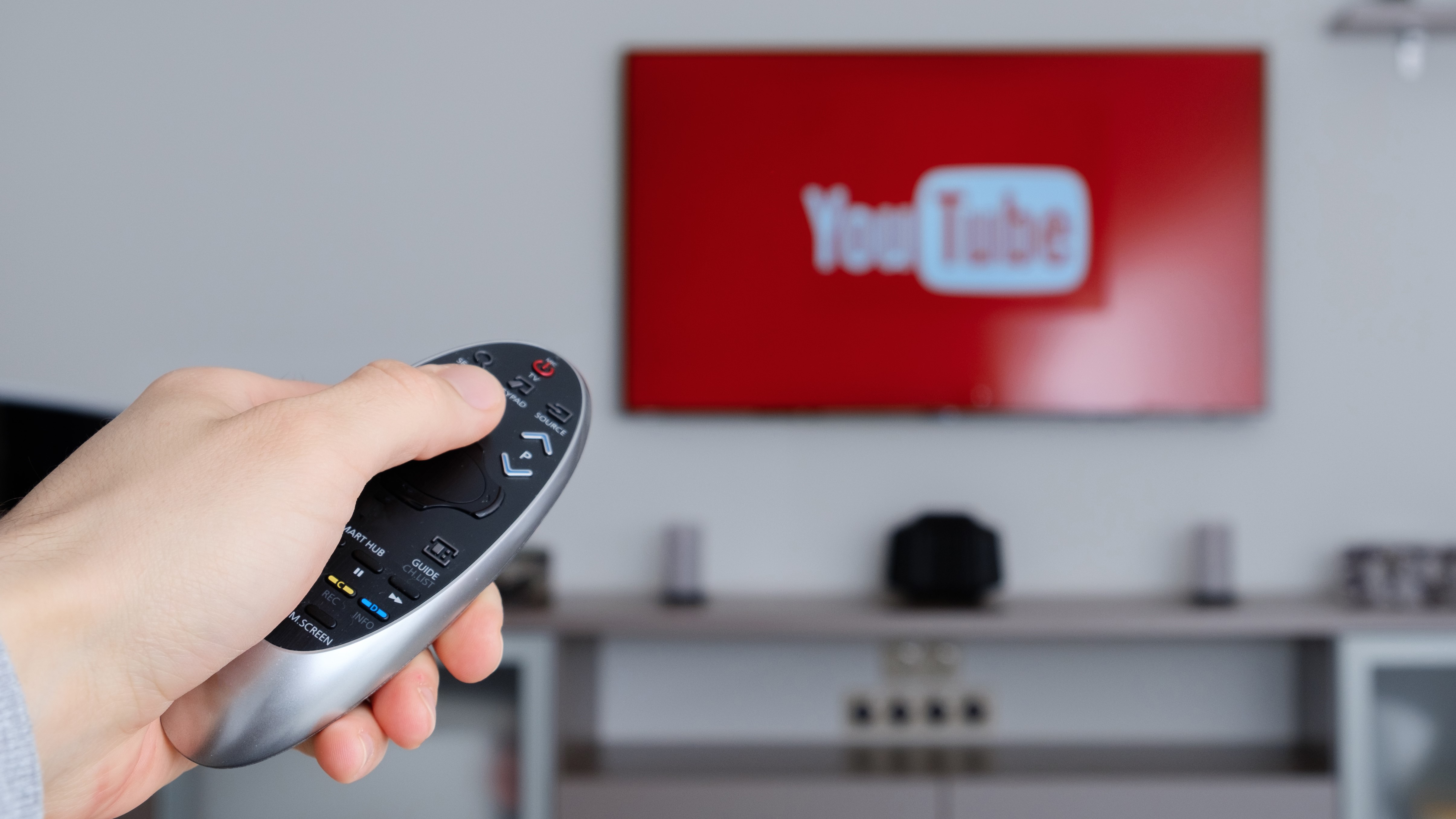
The Ubiquitous Reach: Major Device Categories Supporting YouTube TV
YouTube TV has been meticulously designed for broad compatibility, ensuring that whether you’re relaxing in your living room or on the go, your content is just a tap or click away. This expansive support covers virtually every major consumer electronics category, making it one of the most versatile streaming services available.
Smart TVs: Your Living Room’s Command Center
For many, the primary destination for live television remains the largest screen in the house – the Smart TV. YouTube TV has prioritized native application support across a wide array of popular smart television brands and integrated platforms, offering a direct and intuitive interface without the need for additional hardware.
- Native Apps on Leading Brands: The convenience of launching YouTube TV directly from your Smart TV’s home screen is unparalleled. Major manufacturers like Samsung (Tizen OS), LG (webOS), Sony (often Android TV), Vizio (SmartCast), Hisense, and TCL frequently pre-install the YouTube TV app or make it readily available through their respective app stores. This integration means you’re just a few clicks away from live channels, an on-demand library, and your cloud DVR recordings. The user experience is typically optimized for a TV remote, with clear navigation and consistent performance, leveraging the display’s native resolution capabilities, including 4K where available.
- Integrated Smart TV Platforms: Beyond individual brand operating systems, many Smart TVs incorporate popular streaming platforms directly. Android TV, Roku TV, and Amazon Fire TV Edition Smart TVs are prime examples. These TVs essentially come with a streaming stick built-in, providing access to a vast app store, including YouTube TV. This can simplify your setup by reducing the number of devices and remotes needed, offering a unified user interface that is often familiar to those who use standalone streaming devices.
- Advantages of Smart TV Integration: The main advantage is simplicity. No extra cables, no additional power outlets, and often, only one remote. Smart TV apps are generally well-maintained by YouTube TV, receiving updates that improve performance, add features, and ensure compatibility with the latest TV technologies, from HDR (High Dynamic Range) to advanced audio formats.
Streaming Media Players: Enhancing Any TV
For televisions that aren’t “smart” or whose smart features have become outdated, dedicated streaming media players are the undisputed champions. These devices plug into an HDMI port and instantly transform any modern display into a powerful entertainment hub, complete with YouTube TV access.
- Roku Devices: Roku is a titan in the streaming player market, known for its user-friendly interface and vast app selection. YouTube TV is fully supported across the entire Roku lineup, from the affordable Roku Express to the high-end Roku Ultra and the innovative Roku Streambar. The Roku OS provides a consistent experience, making it easy to find and navigate YouTube TV, often with dedicated remote buttons for quick access.
- Amazon Fire TV Devices: Amazon’s Fire TV ecosystem, powered by Alexa, offers a rich multimedia experience. Whether you have a Fire TV Stick (Lite, 4K, 4K Max), a Fire TV Cube, or a Fire TV Edition television, the YouTube TV app is front and center. Voice control through Alexa allows for hands-free channel surfing and content discovery, adding another layer of convenience.
- Apple TV: For those entrenched in the Apple ecosystem, the Apple TV (HD and 4K models) provides a premium streaming experience. YouTube TV integrates seamlessly, offering a polished interface that feels right at home on Apple’s tvOS. Its powerful hardware ensures smooth streaming, even for high-bandwidth 4K content, and it benefits from Apple’s robust privacy and security features.
- Google Chromecast: Google’s own Chromecast line offers diverse ways to watch YouTube TV. Newer models like the Chromecast with Google TV act as full-fledged streaming devices with a remote and an app interface. Older Chromecast devices, however, operate via “casting,” where you initiate playback from a mobile device or computer and project it onto your TV. This provides a flexible solution for controlling your TV from your personal device.
- NVIDIA Shield TV: Often lauded for its power and versatility, the NVIDIA Shield TV (running Android TV) is a favorite among tech enthusiasts and gamers. It handles YouTube TV with ease, leveraging its powerful processor for buttery-smooth performance, often supporting advanced features like AI upscaling for non-4K content.
- Why Dedicated Streamers are Still Relevant: Dedicated streaming players often offer more processing power than integrated Smart TV apps, leading to faster loading times and smoother navigation. They also provide a consistent interface that isn’t tied to a specific TV manufacturer, and they often receive more frequent software updates, ensuring access to the latest features and security patches.
Mobile Devices: TV in Your Pocket
The freedom to watch TV anywhere, anytime, is a core tenet of modern streaming, and YouTube TV delivers this flawlessly through its mobile applications.
- Smartphones (iOS and Android): The YouTube TV app is fully optimized for both Apple iPhones and a vast array of Android smartphones. This means you can catch up on a game during your commute, watch the news while making dinner, or enjoy your favorite shows from bed. The app offers intuitive touch controls, picture-in-picture capabilities on supported devices, and often integrates with system-level features like dark mode.
- Tablets (iPad, Android tablets, Amazon Fire tablets): Tablets provide an even more immersive mobile viewing experience thanks to their larger screens. Whether you’re using an iPad, a Samsung Galaxy Tab, or an Amazon Fire tablet, the YouTube TV app scales beautifully, offering an excellent portable solution for personal viewing, especially for long trips or casual lounging.
- On-the-Go Viewing Benefits and Considerations: Mobile viewing offers unparalleled flexibility. However, it requires a stable internet connection, which typically means Wi-Fi or a robust cellular data plan. Users should be mindful of data usage, especially when streaming in high definition, and consider downloading content (if available for specific programs/channels, though less common for live TV) or utilizing Wi-Fi whenever possible.
Beyond the Obvious: Gaming Consoles and Web Browsers
While Smart TVs, streaming players, and mobile devices cover the primary viewing scenarios, YouTube TV extends its reach to other common digital platforms, transforming them into versatile entertainment hubs.
Gaming Consoles: Multi-purpose Entertainment Hubs
Modern gaming consoles are no longer just for playing video games. They’ve evolved into powerful media centers, and YouTube TV has capitalized on this trend by making its service available on leading platforms.
- PlayStation (PS4, PS5): Sony’s PlayStation consoles are formidable entertainment machines. Both the PlayStation 4 and the current-generation PlayStation 5 offer a dedicated YouTube TV app, allowing gamers to seamlessly switch from intense gameplay to live sports or TV shows using their existing console setup. The app is generally well-optimized for the PlayStation interface, making navigation with the DualShock or DualSense controller straightforward.
- Xbox (Xbox One, Xbox Series X|S): Microsoft’s Xbox consoles, including the Xbox One and the powerful Xbox Series X|S, also fully support the YouTube TV application. Similar to PlayStation, this integration allows users to consolidate their entertainment needs onto a single device, leveraging the console’s processing power for a smooth streaming experience. The app integrates with the Xbox dashboard, making it easy to access.
- Nintendo Switch (Note: Not Supported Directly): It’s important to highlight that, as of now, the Nintendo Switch does not natively support a YouTube TV application. While the Switch does have apps for services like YouTube (the main platform), Hulu, and Netflix, its ecosystem for live TV streaming is more limited. This distinction is crucial for users who might assume universal console compatibility.
- Leveraging Console Power for Streaming: Gaming consoles often boast powerful CPUs and GPUs designed for high-fidelity graphics and rapid processing. This robust hardware translates well to streaming, ensuring fluid navigation, quick app launches, and high-quality video playback, often exceeding the performance of some entry-level streaming sticks or older Smart TV apps.
Web Browsers: Desktop and Laptop Flexibility
For those who spend a significant portion of their day in front of a computer, YouTube TV’s web interface offers a convenient and flexible viewing option, transforming any laptop or desktop into a live television set.
- Supported Browsers: YouTube TV is accessible through all major modern web browsers. Google Chrome, Mozilla Firefox, Apple Safari, and Microsoft Edge are all fully supported, ensuring broad compatibility across Windows, macOS, and Linux operating systems. The web player is designed to be responsive and feature-rich, mirroring much of the functionality found in the dedicated apps.
- System Requirements and Performance Tips: While most contemporary computers can handle streaming YouTube TV, a few tips can enhance the experience. Ensure your browser is up to date, as newer versions often include performance enhancements and security fixes. A stable internet connection is crucial (as discussed below). For optimal performance, especially when streaming in high definition or 4K, ensure your computer’s resources aren’t overly taxed by other demanding applications. Closing unnecessary tabs or programs can free up CPU and RAM, leading to smoother playback.
- Ideal for Work-from-Home or Secondary Screen Viewing: Watching YouTube TV in a web browser is particularly convenient for multitasking, such as having a news channel playing in the background while working, or catching a game on a secondary monitor. It leverages existing hardware without needing dedicated streaming devices, offering a no-fuss way to access content from a familiar interface.

Optimizing Your YouTube TV Experience Across Devices
Simply having a compatible device is the first step; optimizing your setup ensures you get the best possible YouTube TV experience, irrespective of the platform. Technical infrastructure and maintenance play a significant role.
Internet Connectivity is Key
The bedrock of any streaming service is a reliable and fast internet connection. YouTube TV, being a live streaming service, is particularly sensitive to network performance.
- Recommended Speeds for Various Resolutions: While YouTube TV doesn’t publish exact minimums for all resolutions, general guidelines apply. For standard definition (SD), 3-5 Mbps is usually sufficient. For high definition (HD 720p/1080p), 10-20 Mbps is recommended. If you plan to stream in 4K (where available via the 4K Plus add-on), a consistent speed of at least 25-50 Mbps, or even higher, is advisable to avoid buffering and ensure a pristine picture. These figures are per stream, so if multiple devices are streaming simultaneously, your overall bandwidth needs will increase.
- Wi-Fi vs. Ethernet Considerations: While Wi-Fi offers convenience, a wired Ethernet connection often provides superior stability and speed, especially for stationary devices like Smart TVs, gaming consoles, and streaming players. Ethernet eliminates interference from other wireless devices and walls, offering a more consistent data flow, which is critical for live streaming. If Wi-Fi is your only option, ensure your router is centrally located, up-to-date, and supports modern standards (e.g., Wi-Fi 5 or 6).
Software Updates and App Maintenance
Keeping your devices and applications current is a simple yet crucial step for optimal performance and security.
- Keeping Devices and Apps Current for Performance and Security: Manufacturers and app developers regularly release software updates to improve performance, fix bugs, add new features, and patch security vulnerabilities. Outdated software can lead to sluggish performance, crashes, or even make certain features unavailable. Enable automatic updates for your Smart TV, streaming devices, and mobile apps whenever possible, or make it a habit to check for updates regularly.
- Troubleshooting Common Issues: Many common streaming problems – buffering, app crashes, login issues – can be resolved by simply restarting the app, restarting the device, or ensuring everything is updated. A quick power cycle of your modem and router can also work wonders for network-related issues.
User Interface and Feature Consistency
YouTube TV strives for a consistent user experience across its diverse range of supported devices, adapting its interface while maintaining core functionalities.
- How the UI Adapts to Different Screen Sizes and Input Methods: While the core layout remains similar, the user interface gracefully adapts to the device it’s on. On a smartphone, navigation is optimized for touch, with menus and controls easily accessible. On a Smart TV or streaming player, the UI is designed for remote control navigation, with larger text and clear directional cues. The web interface offers mouse and keyboard navigation, often with additional browser-specific controls.
- Cloud DVR, Live Guide, and On-Demand Features Uniformity: Regardless of the device, key YouTube TV features remain consistent. Your unlimited cloud DVR recordings are accessible from any logged-in device. The live guide offers the same channel lineup and scheduling information. And the on-demand library, including VOD content and “catch-up” options, is uniformly available, ensuring a seamless experience as you move from one screen to another.
The Future of YouTube TV Compatibility and Ecosystems
The world of consumer electronics is constantly evolving, and YouTube TV, as a cloud-based service, is well-positioned to adapt and thrive, continuing to expand its compatibility and leverage emerging technologies.
Evolving Device Landscape
As new hardware innovations emerge, YouTube TV will likely continue its commitment to broad support.
- New Smart TV Technologies: The advent of Mini-LED, OLED, and MicroLED displays, alongside enhanced processing power in Smart TVs, will allow YouTube TV to deliver even more stunning visual fidelity. Expect continued optimization for these advanced displays, including deeper integration with HDR and potentially higher frame rates.
- Next-Gen Streaming Hardware: Streaming devices continue to push boundaries with faster processors, more RAM, and improved connectivity standards (like Wi-Fi 6E). These advancements will translate to quicker app launches, smoother UI navigation, and potentially new features like more sophisticated upscaling or even interactive elements within the YouTube TV app.
- Voice Control Integration: Voice assistants like Google Assistant, Amazon Alexa, and Apple Siri are becoming increasingly sophisticated. Expect even deeper and more intuitive voice control over YouTube TV, allowing for more complex commands, personalized recommendations, and seamless integration with smart home ecosystems.
The Google Ecosystem Advantage
As a Google product, YouTube TV inherently benefits from its position within the broader Google ecosystem, offering unique advantages.
- Seamless Integration with Other Google Services: From casting content directly from the main YouTube app to Google TV devices, to utilizing Google Assistant for voice commands, YouTube TV’s ties to Google’s suite of products offer an unparalleled level of integration. This creates a cohesive user experience for those already invested in Google’s services.
- Potential for Deeper Feature Integration: The future could bring even tighter integration, such as personalized recommendations based on your Google search history (with user consent), cross-device syncing of watch history across various Google platforms, or even more advanced multi-view options leveraging Google’s cloud infrastructure.

Conclusion
YouTube TV’s strength lies not just in its content offering but fundamentally in its robust and expansive device compatibility. From the largest Smart TVs in your living room to the smallest smartphone in your pocket, and everything in between – including dedicated streaming players, gaming consoles, and web browsers – YouTube TV ensures that your access to live television and on-demand content is virtually limitless. By understanding the technological breadth of its support and taking simple steps to optimize your setup, you can unlock a truly seamless, high-quality, and flexible streaming experience that puts you in control of what, when, and where you watch. The platform’s commitment to adapting to an evolving device landscape further solidifies its position as a future-proof choice for modern viewers.
aViewFromTheCave is a participant in the Amazon Services LLC Associates Program, an affiliate advertising program designed to provide a means for sites to earn advertising fees by advertising and linking to Amazon.com. Amazon, the Amazon logo, AmazonSupply, and the AmazonSupply logo are trademarks of Amazon.com, Inc. or its affiliates. As an Amazon Associate we earn affiliate commissions from qualifying purchases.