
The release of iOS 18 marks a significant milestone in the evolution of mobile operating systems, not just for its functional upgrades but for how it redefines digital expression. Central to this evolution is the introduction of new emojis and the groundbreaking “Genmoji” feature. In the modern tech landscape, emojis are more than just whimsical icons; they are a sophisticated form of visual shorthand that bridges gaps in digital tone and intent. With iOS 18, Apple leverages both the standardized Unicode 16.0 updates and cutting-edge generative AI to expand the vocabulary of millions of users worldwide.
The Evolution of Unicode 16.0 and Apple’s Software Integration
Every year, the Unicode Consortium—the non-profit organization responsible for digitizing the world’s languages—approves a new set of characters to ensure cross-platform compatibility. For iOS 18, Apple has integrated the Unicode 16.0 standard, which brings a refined selection of icons designed to fill specific gaps in our digital lexicon.
Understanding the Unicode Approval Process
The journey of an emoji from a proposal to a pixelated icon on an iPhone is a rigorous technical process. Proposals are evaluated based on frequency of use, distinctness, and whether the concept can be represented clearly at small scales. Once approved, Apple’s design team interprets these standards into the distinct “Apple style”—characterized by soft gradients, realistic textures, and a specific depth that distinguishes them from Google’s or Samsung’s interpretations. This ensures that while a “leafless tree” looks consistent across all devices, it feels natively integrated into the iOS aesthetic.
Timeline for Implementation and Compatibility
While iOS 18 was announced at WWDC in June, the rollout of new emojis typically follows a specific cadence. Standard Unicode 16.0 emojis often appear in mid-cycle updates, such as iOS 18.1 or 18.2. This phased release allows developers to ensure that the rendering engines within the Messages app, Mail, and third-party applications can handle the new glyphs without displaying the dreaded “missing character” box (often seen as a question mark inside a square). For tech enthusiasts, tracking these updates is essential for maintaining seamless communication across the Apple ecosystem, including macOS Sequoia and iPadOS 18.
Key Additions to the Emoji Keyboard in iOS 18
The new additions in iOS 18 focus on realism, environmental awareness, and nuanced human emotion. These updates are not merely decorative; they reflect changing global conversations and the need for more specific visual descriptors.
Faces, Gestures, and Human Expressions
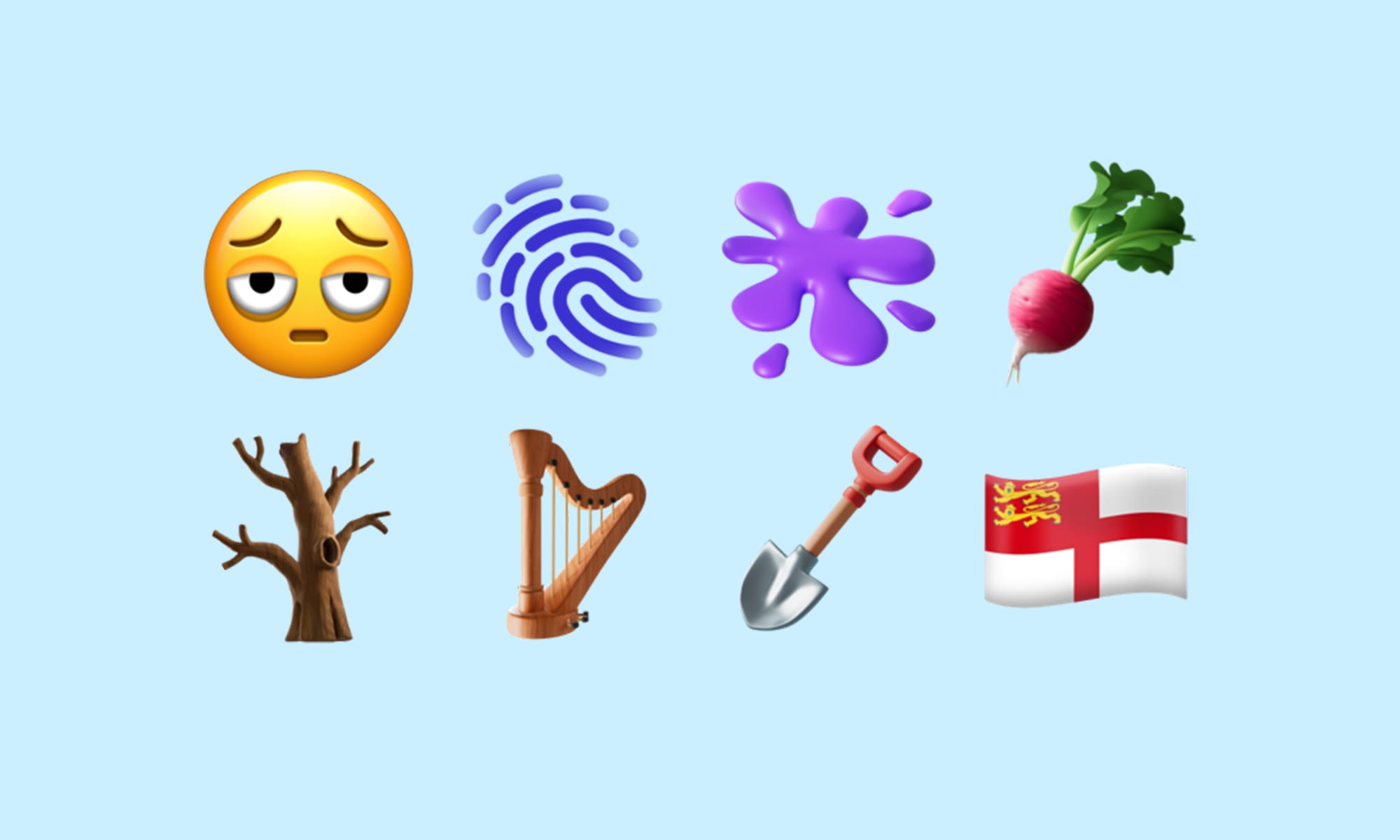
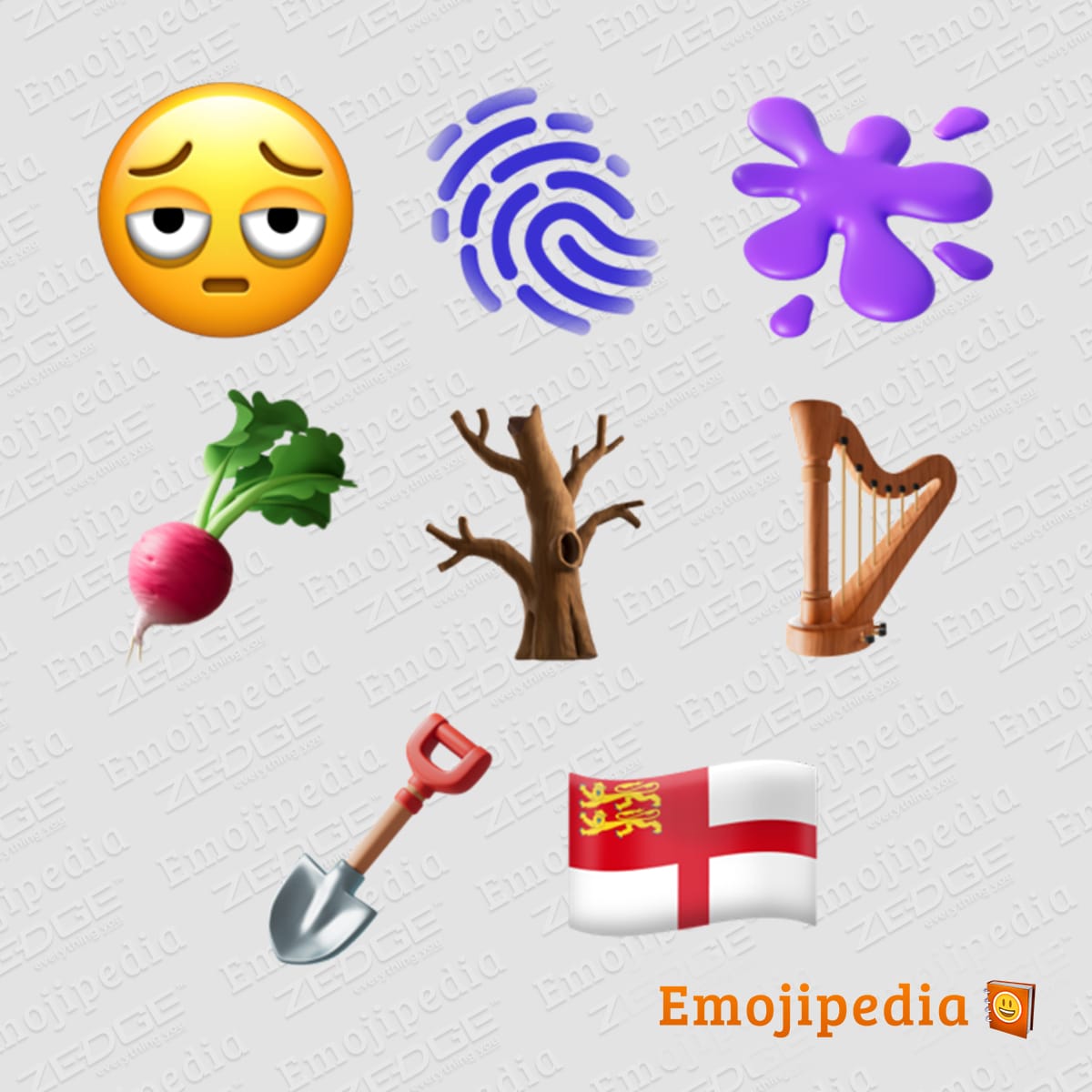
One of the most anticipated additions is the “face with bags under its eyes.” In a world increasingly focused on mental health awareness and the realities of burnout, this emoji provides a relatable way for users to communicate exhaustion. Technically, this emoji required careful design to ensure the “bags” were visible at standard text sizes without making the icon look cluttered. Additionally, the “fingerprint” emoji makes its debut, serving as a tech-centric symbol for security, identity, and biometric authentication—concepts that are central to the modern iPhone experience.
Flora, Fauna, and the Natural World
iOS 18 introduces the “leafless tree,” a symbol that carries weight both in terms of seasonal changes and discussions surrounding environmental issues or drought. From a design perspective, the intricate branching of the tree demonstrates the high-resolution capabilities of Apple’s Retina displays. Other additions like the “root vegetable” (likely a beet or turnip) and the “harp” expand the categories of food and musical instruments, allowing for more precise storytelling in social media captions and personal messages.
Objects and Symbols for Daily Life
Rounding out the collection are symbols like the “shovel,” the “splat,” and the “flag for Sark.” The “splat” emoji is particularly interesting for UI/UX enthusiasts, as it provides a non-specific visual for a mess, a paint spill, or even an abstract impact. These symbols are mapped to specific hex codes within the system’s firmware, allowing them to be indexed by Spotlight Search and Siri, making them as searchable as any word in the English language.
Genmoji: The AI-Powered Future of Custom Expressions

The most disruptive tech feature regarding emojis in iOS 18 is undoubtedly “Genmoji.” Part of the broader Apple Intelligence suite, Genmoji moves beyond the static library of the Unicode Consortium and enters the realm of on-device generative AI.
How Generative AI Creates Custom Emojis
Genmoji utilizes a specialized diffusion model that runs locally on Apple’s silicon (specifically the A17 Pro and M-series chips). When a user types a prompt like “a squirrel wearing a space helmet,” the system does not search a database; it generates a completely new image from scratch. This is a massive leap in mobile computing. Unlike standard emojis, which are essentially font characters, Genmojis are treated as inline images that mimic the metadata of an emoji. This allows them to behave like text, sitting alongside words in a sentence without requiring the user to attach a separate image file.
Integration within Messages and System Apps
The technical implementation of Genmoji is deeply integrated into the iOS 18 keyboard. Using the Apple Intelligence API, the keyboard can predict when a user might want to create a custom icon based on the context of their conversation. This “contextual awareness” is a hallmark of Apple’s approach to AI, prioritizing user experience over raw technical capability. Furthermore, because these are generated on-device, Apple maintains its commitment to digital security and privacy, ensuring that the prompts and generated images are not processed on a centralized server.
Technical Standards and Cross-Platform Challenges
While the introduction of new emojis is exciting, it presents significant technical challenges for developers and network engineers. Emojis are the only “language” that must be interpreted identically by thousands of different device types.
Representing Diversity through Pixels
Apple has long been a leader in using emojis to promote inclusivity. iOS 18 continues this by ensuring that all new human-centric emojis support the full range of skin tones and gender-neutral options. Behind the scenes, this involves “modifiers”—technical codes that are appended to the base emoji code to change its appearance. For example, a “handshake” emoji isn’t just one character; it’s a combination of two hand characters and a modifier that tells the OS which skin tone to display for each hand. Managing these combinations requires a robust rendering engine to prevent lag within the keyboard UI.
The “Broken Emoji” Problem and Backward Compatibility
A perennial issue in tech is backward compatibility. When an iOS 18 user sends a “leafless tree” to someone on iOS 17, the recipient might not see the icon if their software hasn’t been updated to recognize the new Unicode string. Apple mitigates this by pushing “silent” security and resource updates to older versions of iOS, but the discrepancy remains a hurdle for universal communication. For developers, this means ensuring that apps are built with the latest SDKs (Software Development Kits) to support the new glyphs and the larger data packets associated with Genmoji.
How to Access and Use the New Emojis on Your iPhone
To fully utilize the new emoji suite in iOS 18, users must understand the hardware and software requirements necessary for these advanced features.
Software Update Requirements and Beta Testing
The new standard emojis are available to anyone with an iPhone capable of running iOS 18 (iPhone XR and later). Users can access these by navigating to Settings > General > Software Update. For those who want early access, the Apple Beta Software Program allows users to test these icons before the general public. However, tech professionals advise caution, as beta firmware can contain bugs that affect the stability of the keyboard and message indexing.
Predictive Text and Search Enhancements
iOS 18 also improves the “Search Emoji” function. By using machine learning, the keyboard now better understands synonyms. Typing “tired” or “exhausted” will immediately surface the new “face with bags under its eyes.” This is powered by an on-device “lexicon” that maps keywords to emoji IDs. For users with thousands of icons at their fingertips, these search enhancements are critical for maintaining the speed of digital communication. As the library grows, the tech behind finding the right icon becomes just as important as the icon itself.
In conclusion, the new emojis in iOS 18 represent a perfect intersection of linguistic evolution and technical innovation. By combining the standardized approach of Unicode with the futuristic potential of Apple Intelligence, Apple has ensured that our digital conversations remain as rich, nuanced, and personalized as our face-to-face interactions. Whether it is a simple “splat” or a complex AI-generated “Genmoji,” these tools are redefining the interface of modern communication.
aViewFromTheCave is a participant in the Amazon Services LLC Associates Program, an affiliate advertising program designed to provide a means for sites to earn advertising fees by advertising and linking to Amazon.com. Amazon, the Amazon logo, AmazonSupply, and the AmazonSupply logo are trademarks of Amazon.com, Inc. or its affiliates. As an Amazon Associate we earn affiliate commissions from qualifying purchases.