
In the rapidly evolving landscape of digital technology, the concept of modularity has become the backbone of software development. Whether you are browsing the web, editing a professional video, managing a high-traffic website, or leveraging artificial intelligence, you are likely interacting with plugins. At its core, a plugin is a specialized software component that adds a specific feature or functionality to an existing computer program without altering the program’s fundamental source code.
Think of a plugin like a physical accessory for a tool. If a smartphone is the primary device, a high-quality external lens or a specialized charging case acts as a “plugin” that expands what the phone can do. In the digital realm, this modularity allows users to customize their experience, developers to extend their software’s capabilities, and businesses to scale their digital infrastructure with surgical precision.
The Technical Architecture: How Plugins Function
To understand what a plugin is, one must first understand the relationship between the “host application” and the “extension.” A host application is the primary software—such as a web browser (Chrome), a Content Management System (WordPress), or a Digital Audio Workstation (Ableton Live). These applications are designed with “hooks” or “slots” where third-party code can be attached.
The Role of APIs and SDKs
The bridge between the host application and the plugin is the Application Programming Interface (API). Developers of the host software provide a set of rules and protocols—often bundled in a Software Development Kit (SDK)—that define how external code can communicate with the main system. This ensures that the plugin can access the necessary data or UI elements of the host without compromising the core stability of the software. When you install a plugin, you are essentially plugging a new set of instructions into these predefined entry points.
Dynamic Loading vs. Static Integration
Unlike core updates to software, plugins are typically “dynamically loaded.” This means the host application does not need to be rewritten or recompiled to include the new feature. Instead, the software looks for plugin files in a specific directory at startup or on-demand. This architectural choice is vital for performance; it allows users to keep their software “lean” by only activating the specific modules they need for their current workflow.
The Distinction: Plugins, Extensions, and Add-ons
While these terms are often used interchangeably in casual conversation, they carry nuanced differences in a technical context.
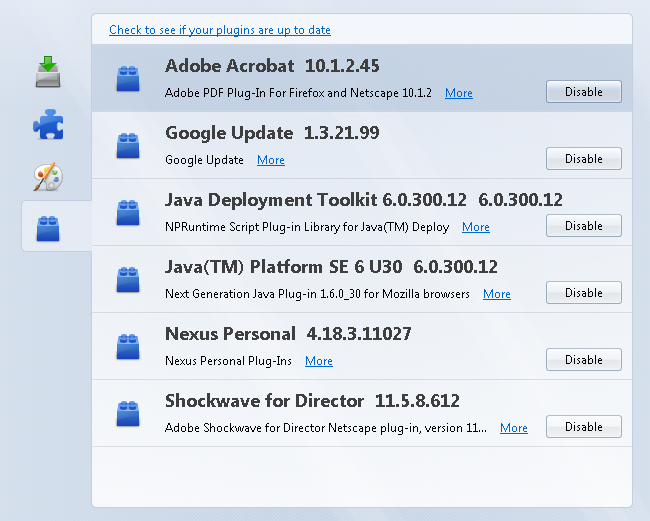
- Plugins usually refer to components that allow the host to handle specific types of content (like a PDF viewer in a browser or a synthesizer in music software).
- Extensions generally modify the existing interface or add broad functionality to the entire application.
- Add-ons is a more generic umbrella term often used by specific ecosystems (like Mozilla Firefox) to describe any supplemental software.
Regardless of the label, the underlying goal remains the same: augmenting the host environment.
The Major Ecosystems: Where Plugins Define the Experience
Plugins are not limited to one corner of the tech world. They have become the standard for several massive industries, creating entire economies of developers dedicated to building “the perfect addition.”
Content Management Systems (CMS) and WordPress
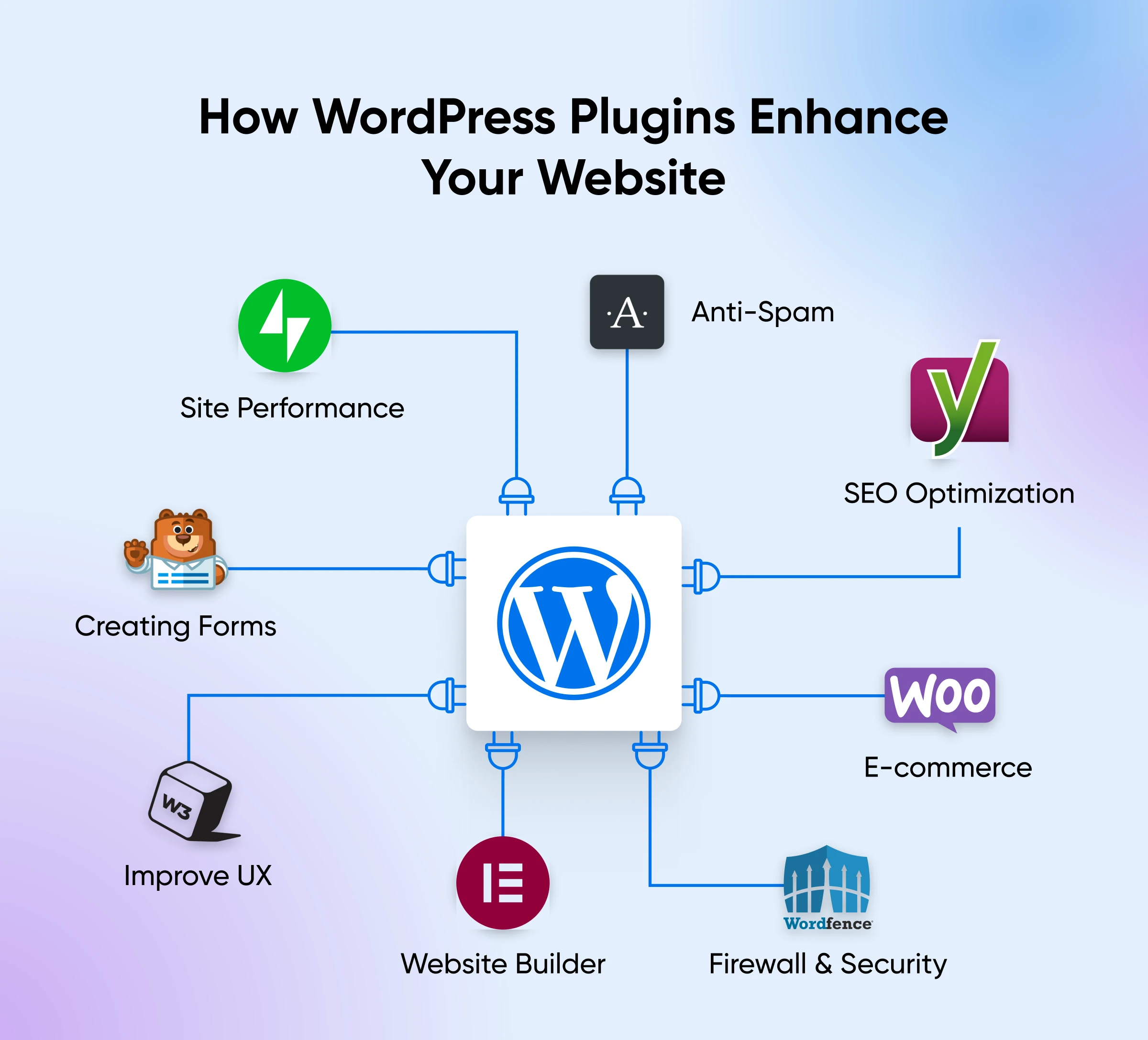
Nowhere is the plugin model more visible than in the world of web development. WordPress, which powers over 40% of the internet, owes its dominance largely to its plugin ecosystem. Out of the box, WordPress is a relatively simple blogging tool. However, through plugins, it can be transformed into a global e-commerce powerhouse (via WooCommerce), a high-security portal, or a search-engine-optimized media site. These plugins allow non-coders to implement complex features—such as contact forms, image galleries, and payment gateways—with a single click.
Creative Suites and Media Production
For creative professionals, plugins are the “secret sauce” that defines their unique style. In graphic design, software like Adobe Photoshop utilizes plugins to automate complex masking tasks or apply advanced lighting effects. In the world of audio engineering, Virtual Studio Technology (VST) plugins are industry standard. A producer can “plug in” a digital recreation of a multi-million dollar 1970s mixing console or a futuristic synthesizer directly into their DAW. This democratization of high-end tools is only possible through the modular plugin format.
Web Browsers and Productivity
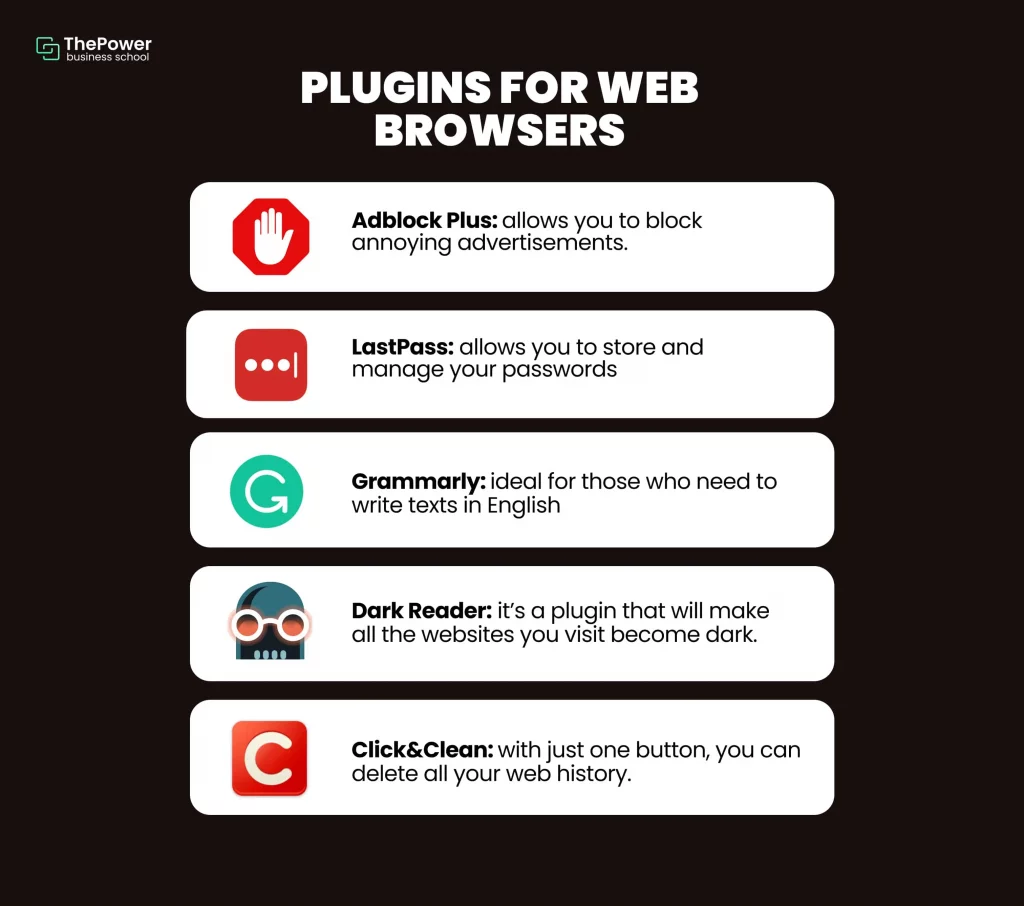
Modern browsers like Google Chrome and Microsoft Edge utilize “extensions” to fundamentally change the user experience. From ad blockers and password managers to grammar checkers like Grammarly, these plugins live within the browser’s framework to provide real-time assistance. This layer of the tech stack is perhaps the most personal, as it allows individuals to curate a workspace that fits their specific browsing habits and security needs.
The New Frontier: AI and LLM Plugins
The most recent evolution of this technology is found in Large Language Models (LLMs). Platforms like ChatGPT have introduced plugin systems that allow the AI to interact with the “real world.” While the core AI is a closed system trained on historical data, plugins allow it to browse the live web, book flights through travel engines, or perform complex mathematical calculations via WolframAlpha. This shift marks the transition of AI from a conversational tool to an actionable personal assistant.
The Strategic Advantages of a Modular Approach
From a technology trend perspective, the move toward plugin-based architectures offers significant advantages for both creators and consumers.
Rapid Innovation and Customization
Software companies cannot possibly build every feature that every user might want. By opening their platform to plugins, they allow a community of third-party developers to fill those niches. This creates a “long tail” of functionality where even the most obscure user needs can be met by a specialized developer. It also fosters a competitive marketplace where the best-performing tools rise to the top.
Resource Management and Performance
If a piece of software included every possible feature by default, it would be “bloatware”—massively heavy, slow to load, and prone to crashes. Plugins allow for a “pay-as-you-go” approach to system resources. A user only loads the code they actually use, which keeps the base application fast and responsive.
Security through Isolation
Modern plugin architectures often utilize “sandboxing.” This means the plugin runs in a restricted environment where it can only access the data it absolutely needs. If a plugin crashes or contains a bug, a well-designed host application can often isolate the failure, preventing the entire program from shutting down.
Best Practices and Security Considerations
While plugins offer immense power, they are not without risks. As a user or a tech professional, managing a plugin library requires a strategic approach to ensure security and stability.
The Risk of Vulnerabilities
Every plugin is a piece of code written by someone else. If that code is poorly written or contains security holes, it can become an entry point for hackers. This is a common issue in the WordPress ecosystem, where outdated or abandoned plugins are the primary cause of site breaches. It is essential to only install plugins from reputable sources and to verify that the developer provides regular updates.
Compatibility and “Plugin Conflict”
Because plugins are often developed by different parties who do not communicate with each other, conflicts can arise. Two plugins might try to modify the same piece of data or use the same system resource, leading to “crashes” or unexpected behavior. Technical literacy involves understanding how to “debug” these situations—often by deactivating plugins one by one to find the culprit.
The Maintenance Burden
Each active plugin adds a layer of complexity to your tech stack. They require regular updates to remain compatible with new versions of the host software. A common mistake in digital management is “plugin bloat,” where a user accumulates dozens of tools they no longer need, which eventually slows down the system and creates a larger surface area for security threats. A “minimalist” approach—using the fewest plugins necessary to achieve the desired result—is generally considered a best practice in professional IT environments.
Conclusion: The Future of Modular Software
As we look toward the future of technology, the role of plugins is only set to expand. We are seeing a move toward “headless” software and API-first development, where the distinction between a “main program” and its “parts” becomes increasingly blurred. In the coming years, we can expect plugins to become more intelligent, leveraging AI to self-configure and optimize their performance based on user behavior.
Understanding plugins is no longer just for developers; it is a foundational skill for anyone navigating the modern digital economy. By mastering these modular tools, users can move beyond the limitations of “off-the-shelf” software and build a bespoke digital environment that is perfectly tailored to their professional and personal needs. Whether you are enhancing a website, securing your browser, or expanding the capabilities of an AI, plugins are the keys to unlocking the true potential of your digital toolkit.
aViewFromTheCave is a participant in the Amazon Services LLC Associates Program, an affiliate advertising program designed to provide a means for sites to earn advertising fees by advertising and linking to Amazon.com. Amazon, the Amazon logo, AmazonSupply, and the AmazonSupply logo are trademarks of Amazon.com, Inc. or its affiliates. As an Amazon Associate we earn affiliate commissions from qualifying purchases.