
The landscape of digital animation has undergone a seismic shift over the last decade. Once the exclusive domain of major studios with million-dollar rendering farms, professional-grade animation tools are now accessible to freelancers, hobbyists, and independent creators alike. Whether you are aiming to produce 2D motion graphics, complex 3D character models, or stop-motion experiments, choosing the right software is the most critical decision in your creative workflow.
Industry-Standard 3D Suites for Professional Workflows
When it comes to 3D animation, the market is defined by tools that offer high-end rendering, complex rigging, and sophisticated physics simulations. These programs are the bedrock of the film, game development, and architectural visualization industries.
Autodesk Maya: The Hollywood Gold Standard
Autodesk Maya remains the undisputed leader in the 3D animation industry. It is the program of choice for major VFX studios and AAA game developers. Maya’s primary strength lies in its comprehensive toolset: it handles character rigging, fluid simulation, and complex particle effects with unparalleled precision.
However, Maya has a steep learning curve. Its node-based architecture, known as the Hypergraph, is incredibly powerful but requires a significant time investment to master. It is an investment for those pursuing a career in professional feature film production or high-end game asset creation.
Blender: The Open-Source Powerhouse
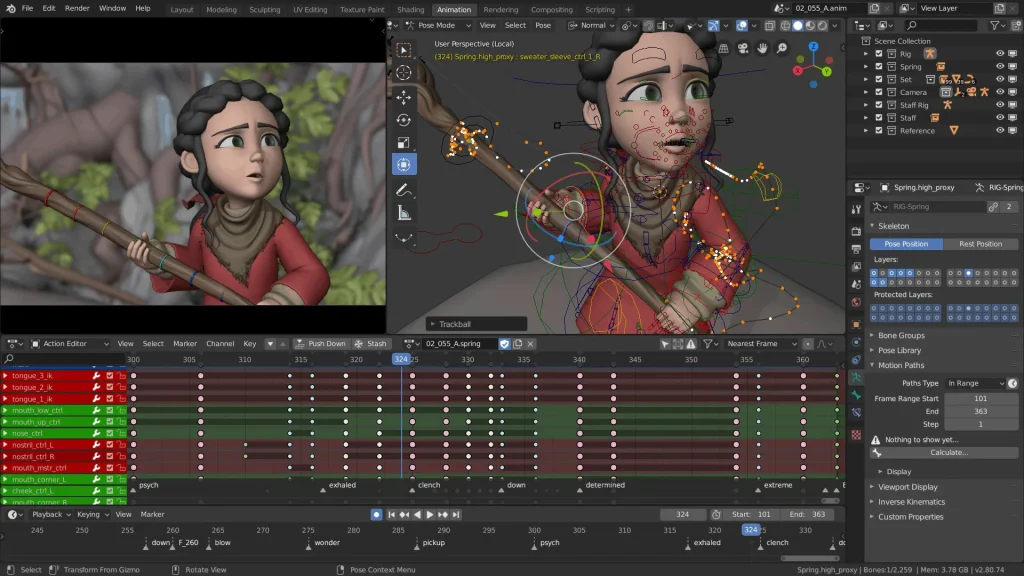
Blender has evolved from a niche open-source project into a formidable competitor to Maya. Because it is free and community-driven, it has garnered an massive following. Blender is a “Swiss Army knife” of 3D; it features sculpting, modeling, animation, rendering, and even video editing capabilities within a single interface.
One of Blender’s standout features is its “Grease Pencil” tool, which allows artists to draw in 3D space. This creates a bridge between 2D and 3D animation that few other programs can replicate. For independent creators and small studios, Blender’s zero-cost entry point combined with its frequent updates makes it arguably the most cost-effective solution on the market.
Cinema 4D: The Motion Designer’s Favorite
If your focus is motion graphics, broadcast design, or commercial work, Maxon’s Cinema 4D (C4D) is often preferred over Maya. C4D is renowned for its intuitive workflow and its seamless integration with Adobe After Effects. Its “MoGraph” toolset is legendary in the industry, allowing artists to create complex procedural animations and clones without needing to write code or build tedious hierarchies. It is the go-to software for designers who need to produce high-quality work on tight deadlines.
Essential Software for 2D Animation and Motion Graphics
2D animation has seen a massive resurgence in the digital age, driven by the demand for web content, explainer videos, and social media advertising. Unlike 3D, which focuses on spatial geometry, 2D animation is about timing, spacing, and graphic aesthetic.
Adobe Animate and After Effects
Adobe remains the dominant force in the 2D space, though its tools serve different purposes. Adobe Animate (the successor to Flash) is excellent for vector-based character animation and creating interactive web content. It utilizes a timeline-based system that is familiar to traditional animators, making it a natural transition for those moving from pencil-and-paper techniques to digital.
Adobe After Effects, meanwhile, is the industry standard for motion graphics and visual effects compositing. While it is not a “frame-by-frame” animation tool in the traditional sense, it excels at keyframe-based movement, text animation, and motion tracking. If you are creating lower thirds, animated logos, or infographic explainers, After Effects is indispensable.
Toon Boom Harmony: The Pro Animator’s Choice
If you are interested in frame-by-frame hand-drawn animation on a professional scale, Toon Boom Harmony is the industry leader. It is the software used to produce major animated television series and feature films like The SpongeBob Movie or Klaus. Harmony offers advanced features like automated lip-syncing, sophisticated bone-based rigging, and high-quality paint engines. While expensive, it offers the most granular control over the animation process for serious production studios.
TVPaint: The Digital Traditionalist
TVPaint stands out because it focuses specifically on the “feel” of traditional animation. It is a raster-based program, meaning it treats your digital canvas like paper. For artists who want to achieve the look of charcoal, oil paint, or watercolor animation, TVPaint provides an authentic experience that vector-based programs often lack. It is highly popular among independent short-film directors who prioritize an artistic, hand-crafted aesthetic over clean, digital crispness.
Considerations for Choosing Your Animation Stack
Selecting the right program is not just about features; it is about matching the tool to your specific project goals and technical infrastructure.
The Learning Curve vs. Capability Trade-off
Every piece of professional animation software demands a commitment to learning. You should ask yourself: are you looking for a quick turnaround or deep, industry-level capability?
If you are a solo content creator, spending six months learning the intricacies of a complex 3D nodal system might be overkill if your goal is to produce simple 2D social media clips. Conversely, trying to force a lightweight tool to perform heavy simulation tasks will lead to frustration and software instability. Always start by identifying your primary output: Is it cinematic VFX, character animation, or motion design? Your answer dictates your software choice.
Hardware Requirements and Rendering Capabilities
Animation is computationally expensive. Before committing to a program, ensure your hardware matches the software’s requirements. High-end 3D software like Maya or Houdini requires substantial RAM (32GB+) and a dedicated, high-performance GPU (such as those in the NVIDIA RTX series) to handle real-time viewport rendering.
Furthermore, consider the “renderer.” Many 3D suites come with built-in render engines, while others require third-party plugins like Octane or Redshift. These engines can significantly affect the look of your final output and the time it takes to “bake” your frames. Research the render speed and quality of a software’s engine before purchasing, as this will ultimately dictate your production schedule.
Pipeline Integration and Industry Demand
If your goal is to work in the industry, you should prioritize software that is part of the standard pipeline. Learning a proprietary or obscure tool might be fun, but it may limit your employability. Familiarizing yourself with “bridge” workflows—such as importing an animated character from Maya into Unreal Engine for real-time rendering, or moving assets between Illustrator and After Effects—is just as important as knowing the software itself. The ability to move data efficiently across platforms is the hallmark of a professional-grade animation workflow.
The Future: Real-Time Engines and AI Tools
We are currently witnessing the convergence of animation software and real-time game engines. Tools like Unreal Engine and Unity are becoming central to the animation process. By utilizing “Virtual Production,” animators can light their scenes and view their compositions in real-time, effectively eliminating the long wait times associated with traditional frame rendering.
Additionally, AI-assisted tools are beginning to emerge in the animation space, helping with mundane tasks like in-betweening, motion capture cleanup, and background generation. While these tools do not replace the artist, they are dramatically lowering the barrier to entry for small teams. As you choose your animation program, keep an eye on how these tools integrate with AI plugins and real-time engines. The future of animation lies not in choosing one single program, but in building a flexible ecosystem that utilizes the best features of multiple tools to bring your creative vision to life.
aViewFromTheCave is a participant in the Amazon Services LLC Associates Program, an affiliate advertising program designed to provide a means for sites to earn advertising fees by advertising and linking to Amazon.com. Amazon, the Amazon logo, AmazonSupply, and the AmazonSupply logo are trademarks of Amazon.com, Inc. or its affiliates. As an Amazon Associate we earn affiliate commissions from qualifying purchases.