
The digital age has transformed the very nature of calculation, moving beyond simple arithmetic to encompass complex data analysis, predictive modeling, and automated computation. Understanding how to leverage modern technological tools for calculation is no longer just a skill for engineers or scientists; it’s a fundamental competency for professionals across all sectors. This guide explores the diverse landscape of digital calculation, from everyday apps to advanced AI-powered platforms, offering insights into their effective use.
The Foundation: Understanding Basic Digital Calculators
At its core, digital calculation begins with the humble calculator, now ubiquitous in smartphone apps, operating system utilities, and web browsers. These tools, while seemingly basic, are powerful for daily tasks and form the conceptual groundwork for more advanced systems.
Mastering Standard and Scientific Modes
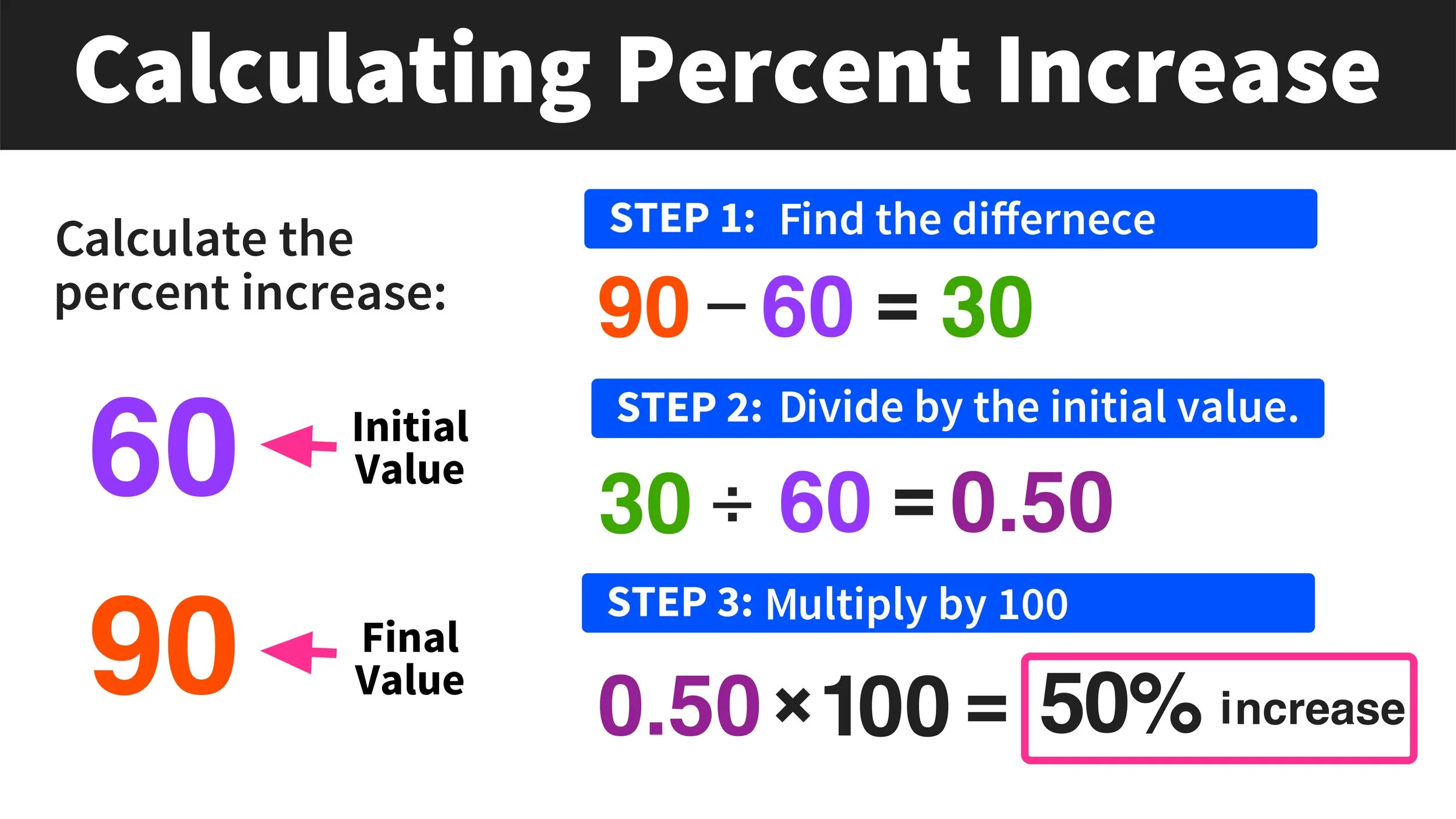
Most digital calculators offer at least two primary modes: standard and scientific. The standard mode provides fundamental arithmetic operations (+, -, ×, ÷), percentage calculations, and often a memory function to store and recall numbers. For more complex problems, the scientific mode unlocks a broader array of functions, including:
- Trigonometric functions: sine (sin), cosine (cos), tangent (tan), and their inverses, crucial for geometry, physics, and engineering.
- Logarithmic functions: natural logarithm (ln) and common logarithm (log), essential for exponential growth, decay, and scaling.
- Powers and roots:
x^y,sqrt(x),cbrt(x), allowing for manipulation of exponents and finding roots. - Constants: frequently
π(pi) ande(Euler’s number) are directly accessible, streamlining complex equations. - Parentheses: The intelligent use of parentheses
()is paramount for enforcing the correct order of operations, preventing common calculation errors.
Understanding the hierarchy of operations (PEMDAS/BODMAS – Parentheses/Brackets, Exponents/Orders, Multiplication and Division, Addition and Subtraction) is critical when inputting expressions into any calculator. Modern digital calculators often follow this automatically, but explicitly grouping terms ensures accuracy.
Utilizing Memory and History Functions
Digital calculators frequently include memory functions (M+, M-, MR, MC) to store intermediate results, allowing for multi-step calculations without having to re-enter long numbers. The “history” feature, common in many calculator apps, records past calculations, enabling users to review, reuse, or debug complex sequences. This functionality is invaluable for verifying work and improving efficiency.
Beyond the Basics: Leveraging Spreadsheet Software
For calculations involving multiple data points, logical conditions, or large datasets, spreadsheet software like Microsoft Excel, Google Sheets, or Apple Numbers becomes indispensable. These tools transcend simple arithmetic, offering robust capabilities for data organization, analysis, and visualization.
Harnessing Formulas and Functions
The power of spreadsheets lies in their ability to perform calculations using formulas entered into cells. These formulas can reference other cells, enabling dynamic updates when underlying data changes. Key aspects include:
- Cell References: Absolute (
$A$1), relative (A1), and mixed ($A1,A$1) references are crucial for copying formulas across rows and columns without errors. - Built-in Functions: Spreadsheets boast a vast library of functions for various purposes:
- Mathematical:
SUM,AVERAGE,COUNT,MAX,MIN,ROUND,SQRT. - Statistical:
STDEV,VAR,MEDIAN,MODE. - Logical:
IF,AND,OR,NOT, allowing for conditional calculations and decision-making. - Financial:
PMT,PV,FV,NPV,IRR, invaluable for financial modeling and analysis. - Text:
CONCATENATE,LEFT,RIGHT,MID,LEN, for manipulating text data that might be part of calculations. - Date & Time:
TODAY,NOW,DATEDIF, for calculations involving time periods.
- Mathematical:
- Array Formulas: For performing multiple calculations on one or more items in an array, delivering multiple results or a single result based on multiple criteria.
Data Manipulation and Analysis
Spreadsheets excel at managing structured data. Features like sorting, filtering, pivot tables, and conditional formatting allow users to manipulate data, identify patterns, and highlight crucial information. For instance, a pivot table can quickly summarize large datasets, calculating sums, averages, or counts across various categories, providing insightful aggregated calculations without manual effort. Furthermore, spreadsheet charting tools convert numerical data into visual representations, making trends and comparisons immediately apparent.
Programming for Precision: Scripting Your Calculations
When calculations become highly repetitive, involve complex algorithms, or require integration with other systems, programming languages offer unparalleled flexibility and automation. Languages like Python, R, or JavaScript provide a powerful environment for precise, customized computational tasks.

Basic Arithmetic and Variable Assignment
At its simplest, programming can mimic a calculator, but with the added benefit of storing values in variables and executing sequences of operations. For example, in Python:
x = 10
y = 5
sum_result = x + y
print(sum_result) # Output: 15
This allows for easy modification of inputs and re-running calculations.
Custom Functions and Libraries
The real power emerges with custom functions and specialized libraries. Users can define their own functions to encapsulate complex calculation logic, making code modular and reusable.
def calculate_compound_interest(principal, rate, time_years, n_compounds):
    amount = principal * (1 + rate / n_compounds)**(n_compounds * time_years)
    return amount

# Usage:
investment_value = calculate_compound_interest(1000, 0.05, 10, 12)
print(f"Final investment value: ${investment_value:.2f}")
For advanced mathematical, statistical, or scientific calculations, libraries such as NumPy and SciPy (for Python) provide optimized functions and data structures. NumPy, for instance, offers high-performance array operations, making vector and matrix calculations incredibly efficient—essential for data science and engineering.
Automation and Integration
Programming enables the automation of calculation workflows. Scripts can read data from various sources (databases, APIs, text files), perform complex calculations, and then output results in desired formats, or even trigger other actions. This is invaluable for tasks requiring daily, weekly, or real-time calculations that would be impractical to perform manually.
AI and Advanced Tools: The Next Frontier of Computation
Artificial Intelligence (AI) and specialized computational tools are redefining the boundaries of what’s calculable, offering capabilities for symbolic mathematics, natural language processing for queries, and solving problems that are intractable for traditional methods.
Symbolic Computation with Wolfram Alpha
Wolfram Alpha stands out as a computational knowledge engine that goes beyond numerical calculation. It can perform symbolic computations, solve equations algebraically, integrate and differentiate functions, and provide detailed step-by-step solutions. Users can input queries in natural language (e.g., “derivative of x^2 + 3x”), and Wolfram Alpha will not only compute the answer but also present related information, plots, and alternative interpretations. This is particularly useful for students, researchers, and professionals who need to understand the why and how behind complex mathematical operations.
AI-Powered Assistants and Generative Models
Generative AI models, such as large language models (LLMs) like ChatGPT, can assist with calculations in various ways:
- Formula Generation: They can generate appropriate formulas for specific problems based on a natural language description.
- Conceptual Explanation: They can explain mathematical concepts, breakdown complex problems into simpler steps, and interpret results.
- Direct Calculation: For simpler calculations, they can often provide direct answers and even show their work.
- Unit Conversion: They excel at converting units and handling dimensional analysis.
While powerful, it’s crucial to verify AI-generated calculations and formulas, as these models can occasionally “hallucinate” or make errors in complex logical reasoning.
Specialized Calculators and Platforms
Beyond general-purpose tools, numerous specialized calculators and online platforms cater to niche needs:
- Financial Calculators: For mortgages, loans, retirement planning, compound interest, and more.
- Engineering Calculators: For structural analysis, circuit design, fluid dynamics.
- Scientific Simulators: For molecular modeling, astrophysical calculations, climate projections.
These platforms often incorporate domain-specific knowledge and algorithms, providing highly accurate and context-aware computational capabilities.
Best Practices for Accurate Digital Calculation
Regardless of the tool employed, ensuring accuracy and reliability in digital calculations is paramount. Adhering to best practices can mitigate errors and build confidence in your results.
Verify Inputs and Understand Order of Operations
The most common source of calculation errors is incorrect data input. Always double-check the numbers, symbols, and operators entered into any calculator or spreadsheet. Furthermore, a firm grasp of the order of operations (PEMDAS/BODMAS) is crucial. Even advanced software follows these rules, and misinterpreting them can lead to drastically different outcomes. Utilize parentheses judiciously to enforce your intended calculation sequence.
Choose the Right Tool for the Job
Selecting an appropriate tool for the complexity and scale of the task is vital. A basic calculator is fine for quick sums, but complex financial modeling demands a spreadsheet, and statistical analysis benefits greatly from programming languages like R or Python. Using an overly simplistic tool for a complex task increases the risk of manual errors, while using an overly complicated tool for a simple task can be inefficient.
Document and Audit Your Work
For any significant calculation, especially those in spreadsheets or code, document your assumptions, formulas, and the logic behind your steps. In spreadsheets, add comments to cells containing complex formulas. In programming, use descriptive variable names and inline comments. This documentation is invaluable for auditing your work, troubleshooting errors, and allowing others to understand and replicate your calculations. Regularly save and back up your work to prevent data loss.
Be Mindful of Precision and Rounding
Digital calculations often involve floating-point numbers, which can sometimes lead to tiny precision errors due to the way computers store decimals. Be aware of these limitations, especially in financial or scientific calculations where high precision is critical. Understand how different tools handle rounding and consider explicitly using rounding functions (ROUND, ROUNDUP, ROUNDDOWN) when a specific level of precision is required for final results, rather than relying solely on display formatting. Consistent rounding practices across an entire calculation chain are essential to avoid cumulative errors.