
In today’s hyper-connected world, our smartphones and mobile devices are extensions of ourselves. We rely on them for everything from urgent work emails to catching up with loved ones, navigating unfamiliar streets, and indulging in our favorite streaming services. But have you ever paused to consider the intricate technology that makes all of this seamless data flow possible? At the heart of this mobile connectivity lies a crucial, yet often overlooked, component: the Access Point Name, or APN.
While the acronym might sound technical, understanding what APNs are and how they function is fundamental to grasping the inner workings of your mobile data experience. Whether you’re a tech enthusiast delving into the nuances of your device, a business owner looking to optimize mobile fleet management, or simply a curious individual wanting to demystify the technology in your pocket, this exploration into APNs will illuminate a vital aspect of your digital life.
The Gatekeepers of Mobile Data: Understanding APNs
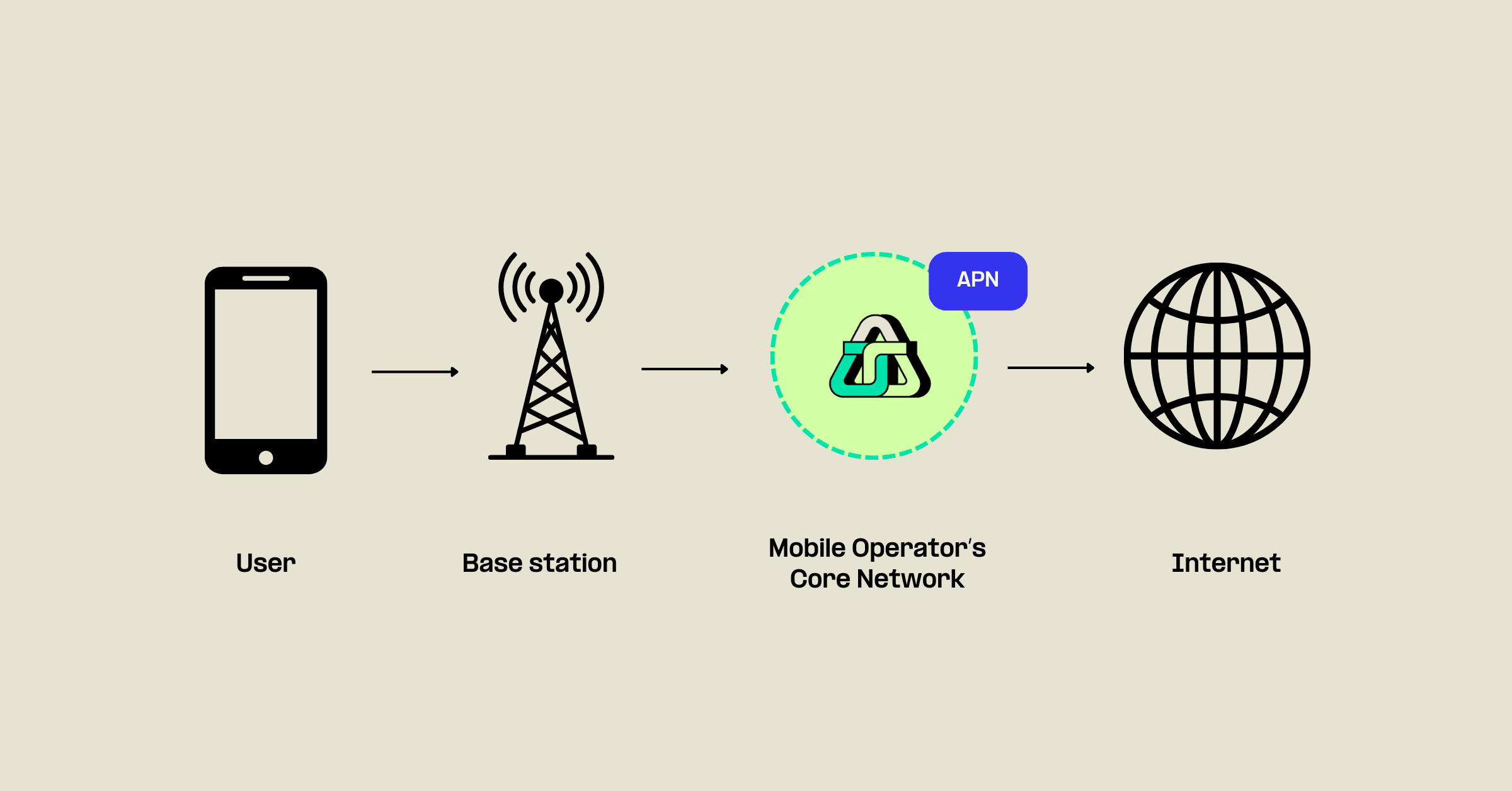
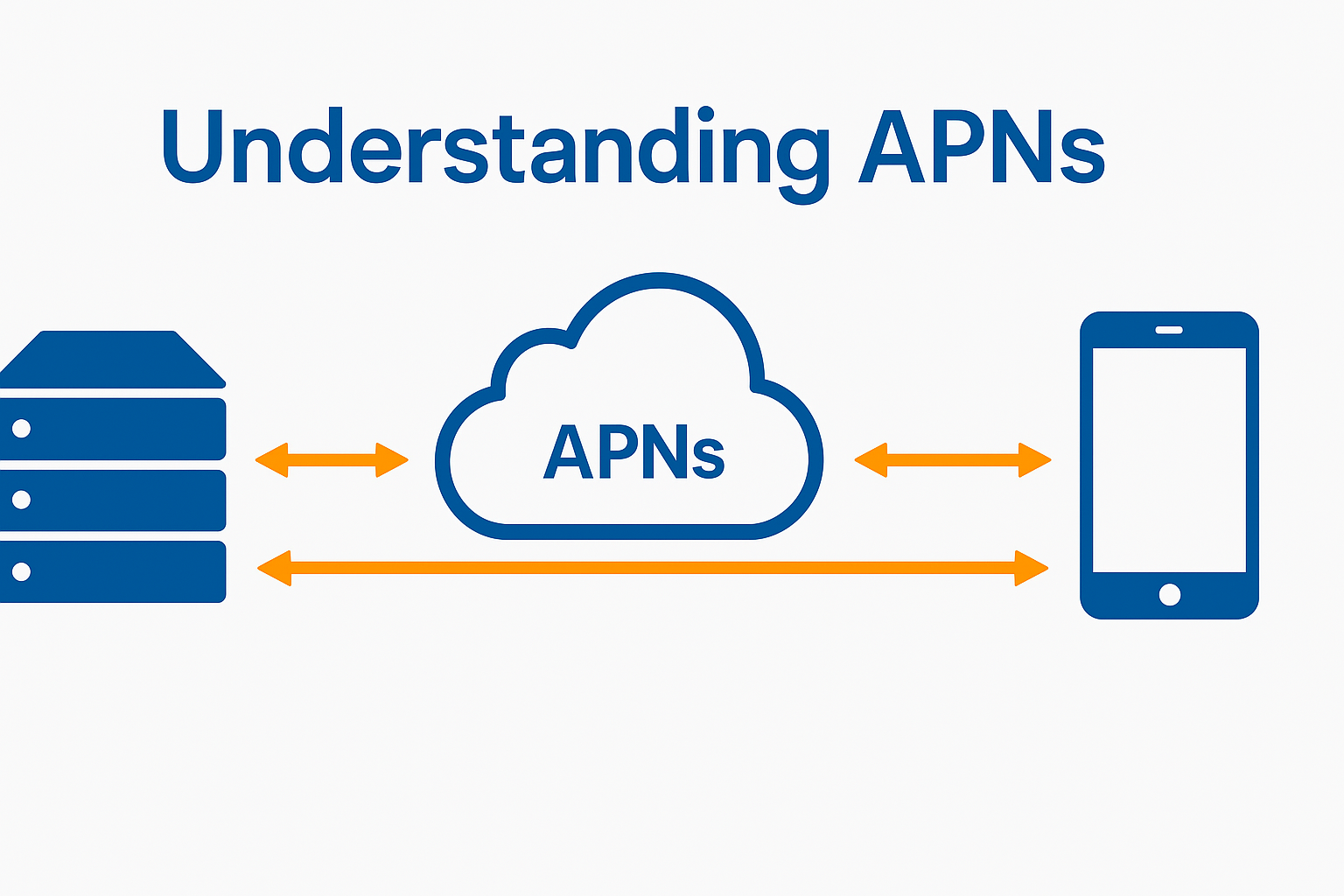
At its core, an APN acts as a gateway between your mobile device and the external network it needs to access, typically the internet. Think of it as a set of instructions that tells your phone how to connect to your mobile carrier’s data network. When you send or receive data – be it an email, a website request, a social media update, or a streaming video – your device doesn’t just magically connect to the internet. Instead, it communicates with your carrier’s network using specific configuration details defined by the APN.
How APNs Facilitate Mobile Data Access
When you insert a SIM card into a new device or switch mobile carriers, your phone typically automatically configures its APN settings. These settings are pre-programmed by the carrier and contain vital information, including:
- APN Name: A user-friendly identifier for the connection.
- Proxy Server: The address of a proxy server if one is used to manage data traffic.
- Port: The specific port number the proxy server uses.
- Username and Password: Credentials required for authentication to access the network.
- Server: The address of the carrier’s gateway server.
- MMSC (Multimedia Messaging Service Center): The server responsible for handling MMS (picture messages and group texts).
- MMS Proxy and Port: Similar to web proxies, but specifically for MMS traffic.
- Authentication Type: The method used to verify your identity (e.g., PAP or CHAP).
- APN Type: This is a crucial setting that dictates what kind of traffic the APN is designed for. Common types include “default” (for general internet access), “supl” (for assisted GPS location services), “mms” (for multimedia messaging), and “dun” (for tethering or mobile hotspot functionality).
When your device initiates a data connection, it consults these APN settings. It then sends this information to the carrier’s network, which uses it to establish the correct pathway for your data to flow to its intended destination – whether that’s a website server, an app’s backend, or another mobile device. Without these precise instructions, your device wouldn’t know how to properly interface with the broader internet infrastructure.
The Importance of APNs in a Technical Context
From a technical standpoint, APNs play a pivotal role in network management and security. They allow mobile carriers to:
- Segment Network Traffic: By assigning different APN types, carriers can separate and manage various types of data traffic, ensuring that critical services like emergency calls or specific business applications receive priority or have dedicated bandwidth.
- Implement Security Measures: APN settings can enforce authentication protocols, preventing unauthorized access to the carrier’s network and protecting user data.
- Offer Differentiated Services: Carriers can create specific APNs for different customer segments or service tiers. For instance, a business might have a dedicated APN with enhanced security features or specialized routing for their corporate devices, while a regular consumer might use a standard APN.
- Enable Network Functionality: Features like tethering (sharing your phone’s internet connection with other devices) or the functioning of MMS rely on specific APN configurations being correctly set up.
In essence, APNs are the silent orchestrators of your mobile data, ensuring that your connection is not only functional but also secure and optimized according to your carrier’s network policies.
Navigating APN Settings: Customization and Troubleshooting
While most users will never need to manually adjust their APN settings, there are situations where understanding and modifying them becomes necessary. This is particularly true for advanced users, those traveling internationally, or individuals experiencing connectivity issues.
When You Might Need to Adjust APN Settings
Several scenarios could prompt a need to delve into your device’s APN settings:
- Switching Mobile Carriers: While many carriers attempt to auto-configure APNs, sometimes manual input is required to ensure full functionality, especially for features like MMS or mobile hotspots.
- Using a Local SIM Card Abroad: When traveling, your device might not automatically pick up the correct APN settings for a local foreign SIM card. Manually entering these can be crucial for accessing local data networks.
- Troubleshooting Data Connectivity Issues: If you find yourself unable to access the internet or send/receive MMS messages, incorrect or corrupted APN settings are often a prime suspect.
- Enabling Specific Features: For advanced uses like tethering or VPN configurations, specific APN types might need to be enabled or adjusted.
- Corporate Device Management: Businesses managing fleets of mobile devices might deploy custom APNs for enhanced security, private network access, or to enforce specific data usage policies.
How to Find and Modify APN Settings on Your Device
The process of accessing and modifying APN settings varies slightly between Android and iOS devices, but the general principle is the same.
On Android Devices:
- Navigate to your device’s Settings app.
- Tap on Network & Internet or Connections (the exact wording can differ based on manufacturer and Android version).
- Look for Mobile network, SIM cards & mobile networks, or Cellular networks.
- Tap on Advanced or Access Point Names (APNs).
- Here you’ll see a list of existing APNs. You can tap on an APN to edit its settings, or tap the ‘+’ or ‘Add APN’ button to create a new one.
On iOS Devices:
- Go to Settings.
- Tap on Cellular (or Mobile Data).
- Tap on Cellular Data Network (or Mobile Data Network).
- Here you’ll find fields to input APN, Username, and Password for Cellular Data, MMS, and Personal Hotspot.
Important Note: Before making any changes, it’s highly recommended to jot down the existing APN settings or take a screenshot. If you encounter problems after modifying them, you can easily revert to the original configuration. If you’re unsure about the correct settings, contact your mobile carrier for the precise details.
APNs in the Context of Brand and Money: Beyond Basic Connectivity
While APNs are fundamentally a technological concept, their implications extend into the realms of branding and financial considerations, particularly for businesses and individuals leveraging mobile technology.
Brand Strategy and Mobile Connectivity
For businesses, the way their mobile devices connect and utilize data can be a subtle yet significant aspect of their brand experience and operational efficiency.
- Seamless Customer Experience: A brand that relies on mobile apps for customer service, sales, or engagement needs its users’ data to flow flawlessly. If APN issues plague customers, it can lead to frustration, a negative brand perception, and lost business. Ensuring that default APN settings on branded devices or recommended for specific apps are robust and widely compatible is crucial.
- Corporate Identity and Private Networks: Some enterprises deploy private APNs that connect their corporate devices directly to their internal networks. This enhances security, allows for controlled access to internal resources, and can be a part of their overarching IT and brand security strategy. The presence of a custom APN can be an indicator of a company that invests in secure, dedicated infrastructure for its operations.
- Marketing and Data Usage: Understanding how users access data, even at the APN level, can inform marketing strategies. For example, if a carrier offers specific APNs for certain services (like video streaming), a brand might tailor its content or promotions accordingly, understanding that the data access is optimized.
Financial Implications of APN Configurations
The financial impact of APNs might not be immediately obvious, but it’s present in several ways:
- Data Usage Costs: While APNs themselves don’t directly cost money, the data they facilitate does. Incorrect APN settings can sometimes lead to unexpected data usage or a failure to utilize data plans efficiently, impacting personal or business budgets. For instance, if an APN meant for a specific service is misconfigured, the device might fall back to a more expensive general data connection.
- Business Device Management Costs: For businesses managing a fleet of mobile devices, ensuring that APN settings are correctly configured across all devices is a matter of efficient IT management. Troubleshooting connectivity issues arising from faulty APN configurations can incur significant IT support costs and downtime.
- Specialized Services and Plans: Carriers may offer specialized data plans or services that are tied to specific APN configurations. Businesses might opt for these for dedicated private networks or for employees requiring specific types of access, which can influence their overall telecommunications expenditure.
- Roaming Charges: When traveling internationally, APN settings are critical for managing roaming data. Ensuring the correct APN is selected can help avoid exorbitant roaming charges by connecting to the most cost-effective partner networks.
Conclusion: The Unsung Hero of Your Mobile World
The Access Point Name, or APN, is a foundational element of your mobile connectivity. It’s the critical set of instructions that bridges your device to the vast digital universe, enabling everything from simple text messages to complex business operations. While often invisible and automatically managed, understanding what APNs are empowers you with a deeper appreciation for the technology that keeps you connected.
For tech enthusiasts, it’s a glimpse into network configuration. For businesses, it’s a tool for optimizing security and management. And for all of us, it’s a reminder that even the most seamless digital experiences are built upon layers of sophisticated, intelligently designed systems. So the next time you effortlessly send a photo or access vital information on the go, remember the quiet, essential work of the APN – the unsung hero of your mobile world.
aViewFromTheCave is a participant in the Amazon Services LLC Associates Program, an affiliate advertising program designed to provide a means for sites to earn advertising fees by advertising and linking to Amazon.com. Amazon, the Amazon logo, AmazonSupply, and the AmazonSupply logo are trademarks of Amazon.com, Inc. or its affiliates. As an Amazon Associate we earn affiliate commissions from qualifying purchases.