
Amazon Prime has transcended its origins as a premium shipping service to become a comprehensive digital ecosystem, offering an array of benefits from music streaming to digital books. At the heart of its entertainment offerings, and arguably one of its most compelling features for many subscribers, is Amazon Prime Video. This vast streaming library brings together a diverse collection of movies, TV shows, and critically acclaimed Amazon Originals, all accessible with your Prime membership. For both new and seasoned subscribers, understanding how to effectively navigate and utilize Prime Video is key to unlocking a world of cinematic and episodic entertainment. This guide delves into the technical aspects of accessing, managing, and maximizing your viewing experience with Amazon Prime Video, ensuring you get the most out of your digital subscription.
Getting Started: Accessing Amazon Prime Video
Embarking on your Amazon Prime Video journey begins with understanding the service’s foundational elements and ensuring compatibility across your preferred devices. It’s designed to be ubiquitous, but a few initial steps will streamline your setup.
Understanding Your Prime Membership
First and foremost, Amazon Prime Video is a core component of the broader Amazon Prime membership. This means that if you’re already subscribed to Prime for its expedited shipping, Prime Music, or other benefits, you automatically have access to Prime Video’s included content. It’s crucial to distinguish this from the option to subscribe to Prime Video as a standalone service, which offers access solely to the video library without the full suite of Prime benefits. For the purpose of this guide, we assume you have a full Amazon Prime membership, granting you the most expansive access. Your membership status dictates the breadth of free content available to you, separate from titles you might rent, buy, or subscribe to via Prime Video Channels.
Device Compatibility and App Installation
Amazon Prime Video prides itself on its widespread availability, making it accessible on virtually any internet-connected device you own. The process typically involves downloading the Amazon Prime Video app or accessing it through a web browser.
-
Smart TVs: Most modern smart televisions from brands like Samsung, LG, Sony, Vizio, and Panasonic come with the Amazon Prime Video app pre-installed. If not, you can easily download it from your TV’s app store.
-
Streaming Devices: Dedicated streaming devices are a popular way to bring Prime Video to any TV. This includes Amazon’s own Fire TV Stick and Fire TV Cube, as well as Roku devices, Apple TV, Google Chromecast, and NVIDIA Shield TV. Simply navigate to the device’s app store and download the Prime Video application.
-
Mobile Devices: For on-the-go viewing, the Prime Video app is available for both iOS (iPhone, iPad) and Android smartphones and tablets. Download it from the Apple App Store or Google Play Store, respectively.
-
Web Browsers: On a computer (PC or Mac), you don’t even need an app. Simply open your preferred web browser (Chrome, Firefox, Edge, Safari) and go to the Prime Video website (primevideo.com) to start streaming.
-
Gaming Consoles: Popular gaming consoles like PlayStation (PS4, PS5) and Xbox (Xbox One, Xbox Series X/S) also host the Prime Video app, allowing you to seamlessly transition from gaming to streaming entertainment.
Signing In and Account Management
Once the app is installed or the website is accessed, the next step is signing in. This usually requires your Amazon account credentials (email address and password). For first-time setups, particularly on smart TVs or streaming devices, you might be prompted to enter a short code on a web browser on another device for easier activation.
It’s vital to use the Amazon account associated with your active Prime membership. Using a different account might lead to a limited selection of content or prompts to subscribe. For households, Prime Video supports multiple user profiles. This feature allows different family members to maintain their own watch history, recommendations, and watchlists, providing a personalized experience for everyone without cluttering a single profile. Setting these up typically involves navigating to the profile icon within the app and selecting “Add New Profile.”
Navigating the Prime Video Interface
With your devices set up and logged in, it’s time to dive into the vast ocean of content. Prime Video’s interface is designed for intuitive discovery, though a few tips can enhance your navigation efficiency.
Exploring the Home Screen and Recommendations
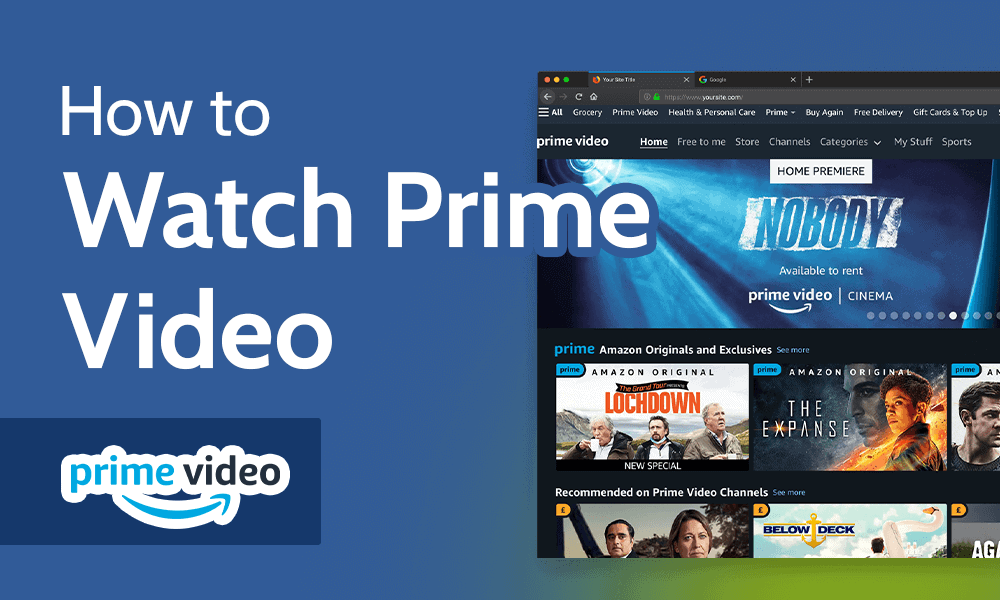
Upon launching the Prime Video app or website, you’ll be greeted by the home screen, a dynamic hub of content. This page is highly personalized, featuring algorithm-driven recommendations based on your viewing history, preferences, and popular trends. You’ll see carousels showcasing:
-
Featured Content: Highlighting new releases, popular titles, and critically acclaimed Amazon Originals.
-
Continue Watching: Allowing you to pick up exactly where you left off in a movie or series.
-
Recommended for You: Tailored suggestions designed to introduce you to new content you might enjoy.
-
Trending Now: Displaying titles that are currently popular among a broader audience.
These sections are constantly updated, ensuring a fresh discovery experience every time you log in.
Searching for Content: Movies, TV Shows, and Originals
While recommendations are great for serendipitous discovery, sometimes you have a specific title in mind. The search bar, usually represented by a magnifying glass icon, is your most direct route. Prime Video’s search functionality is robust, allowing you to look up:
-
Specific Titles: The name of a movie or TV show.
-
Actors/Directors: To see their entire filmography available on the platform.
-
Genres: Such as “comedy,” “drama,” “sci-fi,” or “documentary.”
-
Keywords: Broader terms like “space opera” or “true crime.”
Beyond basic search, Prime Video offers advanced filtering options. You can narrow down results by genre, release year, IMDb rating, and even resolution (e.g., 4K UHD). A significant highlight of the Prime Video library is its extensive collection of Amazon Originals – exclusive series and movies produced or licensed by Amazon, often featuring high production values and star-studded casts. These are frequently promoted on the home screen and can also be found via dedicated sections or search filters.
Understanding Content Categories and Channels
Not all content on Prime Video is “free” with your Prime membership, and understanding the different categories is crucial for managing your expectations and potential costs.
-
Included with Prime: These titles are the core benefit of your Prime Video subscription and are available for unlimited streaming without additional charges. They will typically be clearly labeled with a “Prime” banner.
-
Rent or Buy: Many new release movies and popular TV show seasons are available for individual rental or purchase. Renting usually provides access for a limited time (e.g., 30 days to start watching, 48 hours to finish once started), while purchasing grants indefinite digital ownership.
-
Prime Video Channels: This is a key feature that allows you to subscribe to additional streaming services directly through your Prime Video account. Examples include HBO, Showtime, Starz, Paramount+, BritBox, and many more. Each channel has its own monthly subscription fee, which is billed through Amazon. This consolidates your subscriptions into one place, often simplifying billing and access, but they are separate subscriptions from your base Prime membership. These channels offer their own exclusive content, expanding your entertainment options significantly.
Enhancing Your Viewing Experience
Beyond simply finding content, Prime Video offers a suite of features designed to optimize your viewing and personalize your experience.
Quality Settings and Data Usage
The quality of your stream significantly impacts your viewing enjoyment and, importantly, your internet data consumption. Prime Video intelligently adapts streaming quality based on your internet speed, but you can also manually adjust settings:
-
Streaming Quality: Options typically range from Standard Definition (SD) to High Definition (HD) and Ultra High Definition (4K UHD), with High Dynamic Range (HDR) available on compatible content and devices. Higher quality consumes more data.
-
Data Usage: If you have a capped internet plan or are streaming on a mobile network, monitoring and adjusting your data usage settings within the Prime Video app is essential. You can often select settings like “Good,” “Better,” or “Best” quality, or even a “Data Saver” mode.
-
Downloading for Offline Viewing: For mobile users or those with unreliable internet, Prime Video allows you to download many titles (especially Prime-included content and purchased items) to your device for offline viewing. This is perfect for long flights, commutes, or areas with poor Wi-Fi. Downloads consume data initially but allow for completely data-free playback later.
Parental Controls and Watchlist Management
For families, Prime Video provides robust parental control features to ensure children only access age-appropriate content. You can set up a PIN to restrict purchases and rentals, or to block content above a certain age rating (e.g., G, PG, PG-13, R) on specific profiles or devices. This is a critical technical safeguard to manage family viewing.
The Watchlist feature is your personal queue for content you want to watch later. Adding titles to your Watchlist is easy, typically done by clicking a “plus” icon or “Add to Watchlist” button on the content’s detail page. This helps you keep track of interesting movies or shows without immediately committing to watching them. You can also easily remove titles from your Watchlist once you’ve watched them or are no longer interested.
Accessibility Features
Prime Video is committed to accessibility, offering several features to enhance the experience for all users:
-
Subtitles and Closed Captions: Available for most titles, these can be customized in terms of size, font, and color to suit individual preferences. Many titles also offer captions in multiple languages.
-
Audio Descriptions: For visually impaired viewers, audio descriptions provide narration of key visual elements of a scene, explaining actions, characters, and scene changes.
-
Language Selection: Beyond subtitles, many titles offer multiple audio tracks, allowing you to watch in different languages.
X-Ray Feature
A standout technical innovation unique to Prime Video is its X-Ray feature, powered by IMDb (which Amazon owns). While watching a title, X-Ray provides instant, contextual information without pausing the show. By simply tapping the screen on mobile devices or pressing “up” on a TV remote, you can see:
-
Cast & Crew: Who is currently on screen, their names, and other projects they’ve worked on.
-
Soundtrack: Identify the song currently playing or view the full soundtrack.
-
Trivia: Interesting facts and behind-the-scenes information related to the scene.
-
Scene Selection: Easily jump to different scenes or chapters.
X-Ray significantly enhances the immersive experience, satisfying curious viewers in real-time.
Troubleshooting and Maximizing Your Prime Video Benefits
Even with the most robust streaming services, occasional technical glitches can occur. Knowing how to troubleshoot and how to fully leverage your Prime benefits will keep your entertainment flowing smoothly.
Common Technical Issues and Solutions
-
Buffering or Lagging: This is often due to a slow or unstable internet connection. Try restarting your router, moving closer to your Wi-Fi source, or reducing other internet activity on your network. Checking your internet speed can also diagnose the issue.
-
App Crashes or Freezing: Try closing and reopening the Prime Video app. If that doesn’t work, clear the app’s cache and data (in your device’s settings) or uninstall and reinstall the app.
-
Login Problems: Double-check your Amazon account credentials. If you’ve forgotten your password, use Amazon’s “Forgot Password” feature. Ensure you’re using the account linked to your active Prime membership.
-
“Content Not Available” Errors: This can indicate geographical restrictions (Prime Video’s library varies by region), or that the title has been removed from the Prime-included catalog.
Utilizing Multiple Streams and Device Management
A single Amazon Prime membership generally allows for up to three simultaneous streams of different titles, and up to two simultaneous streams of the same title, across different devices. This is a generous allowance for most households.
You can also manage your registered devices through your Amazon account settings on the Prime Video website. Here, you can de-register old devices or those you no longer use, which is a good security practice and helps keep track of where your account is logged in.
Discovering Additional Prime Video Perks
While the core streaming library is the main draw, a Prime Video subscription can offer more:
-
Live Events: Prime Video occasionally streams live events, such as concerts, sporting events (like NFL’s Thursday Night Football in some regions), and other special broadcasts, often included with your Prime membership.
-
Ad-Supported vs. Ad-Free: As of early 2024, Prime Video’s standard subscription includes limited advertisements. Subscribers have the option to pay an additional monthly fee to upgrade to an ad-free experience, a notable technical change impacting the viewing flow.
-
Early Access/Bonus Content: Sometimes Prime members get early access to rental windows for new movies or exclusive bonus features for certain titles.
Beyond the Screen: Future Trends and Prime Video
The digital entertainment landscape is constantly evolving, and Prime Video is at the forefront of these technological shifts, continuously adapting and innovating to meet future demands.
The Evolution of Streaming Technology
The future of Prime Video will undoubtedly incorporate advancements in streaming technology. We can expect:
-
AI-Driven Recommendations: Increasingly sophisticated artificial intelligence will likely refine content suggestions, perhaps even predicting preferences based on mood or time of day.
-
Immersive Audio: Wider adoption of spatial audio technologies like Dolby Atmos for a more enveloping sound experience will become standard.
-
Higher Resolution and Frame Rates: While 4K UHD is widespread, advancements towards 8K streaming, once the necessary infrastructure and devices mature, will offer unparalleled visual fidelity. Prime Video will be a key player in pushing these boundaries.
Amazon’s Role in Content Production
Amazon’s significant investment in original content, from epic series like “The Lord of the Rings: The Rings of Power” to critically acclaimed films, underscores its ambition to be a major content producer. This strategy not only attracts new subscribers but also elevates Prime Video’s status in the competitive streaming wars. The company’s data-driven approach, leveraging insights from its vast customer base, allows it to make informed decisions about content development, potentially leading to more targeted and successful productions.
The Competitive Landscape
Prime Video operates in a highly competitive market, vying for viewer attention with giants like Netflix, Disney+, Max, and Hulu. Its unique selling proposition lies not just in its content library, but in the comprehensive value of the entire Amazon Prime bundle. The integration of entertainment with shipping, music, and other services creates a sticky ecosystem that differentiates it from standalone streaming services. As the industry matures, Prime Video’s technical prowess in delivery, its deep content investments, and its integrated business model position it strongly for continued growth and innovation.

Conclusion
Amazon Prime Video offers a powerful and versatile platform for digital entertainment, seamlessly integrated into the broader Amazon Prime ecosystem. From its intuitive interface and extensive content library to advanced features like X-Ray and robust parental controls, it provides a rich viewing experience across a multitude of devices. By understanding the nuances of your Prime membership, leveraging the platform’s diverse functionalities, and staying abreast of its evolving technological landscape, you can unlock the full potential of your entertainment universe. Whether you’re catching up on a critically acclaimed Amazon Original, discovering a classic film, or enjoying the convenience of an ad-free experience, Prime Video ensures your next viewing adventure is just a click or tap away.
aViewFromTheCave is a participant in the Amazon Services LLC Associates Program, an affiliate advertising program designed to provide a means for sites to earn advertising fees by advertising and linking to Amazon.com. Amazon, the Amazon logo, AmazonSupply, and the AmazonSupply logo are trademarks of Amazon.com, Inc. or its affiliates. As an Amazon Associate we earn affiliate commissions from qualifying purchases.