
The landscape of television consumption has undergone a radical transformation, shifting from the traditional cable model to a dynamic, internet-driven ecosystem. For many, the hefty monthly bill and rigid channel packages of cable providers no longer align with modern viewing habits or technological capabilities. Cutting the cord isn’t just a cost-saving measure; it’s an embrace of flexibility, customization, and cutting-edge digital media delivery. This guide delves into the technological backbone of cable-free television, exploring the hardware, software, and network considerations that empower viewers to build a personalized entertainment hub. From leveraging free over-the-air broadcasts to navigating the vast world of streaming platforms, understanding these technologies is key to unlocking a superior, more economical viewing experience.

Embracing Over-the-Air Broadcasts: The Antenna Advantage
Before the advent of widespread cable and satellite, over-the-air (OTA) broadcasts delivered television signals directly to homes via antennas. This foundational technology remains not only relevant but often superior for accessing local channels in crystal-clear high definition, entirely free of charge. Digital television (DTV) broadcasts, specifically ATSC 1.0 (and increasingly ATSC 3.0 or “NextGen TV”), offer a robust signal that can often surpass the quality of compressed cable feeds.
Understanding Digital Antennas
The choice of antenna is critical and depends largely on geographical location relative to broadcast towers, as well as the presence of physical obstructions like buildings or terrain.
- Indoor Antennas: These are typically compact, often flat “leaf” designs or small rabbit-ear types. They are best suited for urban or suburban areas with strong signals and line-of-sight to broadcast towers. Their primary advantage is ease of installation; simply connect to the TV’s antenna input and scan for channels. Signal amplification can be a valuable feature for indoor models, boosting weaker signals without introducing excessive noise.
- Outdoor Antennas: For rural areas, homes far from broadcast towers, or locations with significant signal interference, an outdoor antenna is often necessary. These larger, more powerful directional antennas are designed for maximum signal gain and can be mounted on roofs, attics, or masts. They require more involved installation but offer superior reception and access to a wider array of channels. Modern outdoor antennas are engineered to be relatively weather-resistant and durable.
The digital nature of current OTA broadcasts means that picture quality is either perfect or non-existent; there’s no “snowy” picture like analog TV. This necessitates careful antenna placement and orientation to capture a consistent signal.
Installation and Channel Scanning
Setting up an OTA antenna is a straightforward technical process.
- Placement Optimization: For indoor antennas, experiment with locations near windows or high up on walls for optimal signal reception. Online tools (e.g., AntennaWeb.org, TV Fool) can help identify nearby broadcast towers and predict signal strength, guiding antenna orientation. For outdoor antennas, professional installation might be warranted to ensure proper mounting, grounding, and aiming.
- Connection: Connect the antenna’s coaxial cable to the “Antenna In” or “RF In” port on your television.
- Channel Scan: Access your TV’s menu and navigate to the “Channel Setup” or “Input” settings. Select “Antenna” or “Air” as the input source, then initiate an “Auto Scan” or “Channel Search.” The TV’s tuner will detect and store all available digital channels. It’s good practice to periodically rescan for channels, as broadcasters may change frequencies or new channels may become available.
- Amplifiers and Filters: In situations where signals are weak, a low-noise amplifier can boost the signal before it reaches the TV, improving reception. Conversely, filters can mitigate interference from cellular signals (e.g., LTE filters) that might disrupt DTV reception.
DVR Solutions for OTA
To replicate the time-shifting capabilities of cable DVRs, several technological solutions exist for OTA broadcasts:
- Dedicated OTA DVRs: Devices like Tablo or Channel Master DVR+ connect to your antenna and home network, recording live TV to an internal or external hard drive. These often feature intuitive program guides, commercial skipping, and even the ability to stream recorded content to mobile devices or other TVs in your home.
- PC-Based Solutions: With a TV tuner card installed in a computer, software like Plex DVR or Windows Media Center (for older Windows versions) can turn a PC into a powerful OTA DVR, offering extensive storage and advanced media management features.
- Smart TVs with USB Recording: Some smart TVs offer basic DVR functionality by connecting a USB hard drive, allowing users to pause and record live TV directly through the television’s interface. However, these are often limited in scheduling and remote access capabilities.
Navigating the Streaming Ecosystem: Services and Platforms
The internet has birthed a vast ecosystem of streaming services, becoming the primary alternative to cable television. These services leverage various digital content delivery methods, from on-demand libraries to live linear channels, all accessible over your internet connection.
Subscription Video On Demand (SVOD): The Major Players
SVOD services are characterized by a monthly fee for unlimited access to a library of content. The technological infrastructure behind these platforms is immense, involving global content delivery networks (CDNs), adaptive bitrate streaming protocols, and sophisticated user interfaces.
- Netflix, Hulu, Disney+, Amazon Prime Video, HBO Max (now Max): These giants offer expansive catalogs of movies, TV shows, and original programming. Their platforms are designed for seamless playback across a multitude of devices, employing advanced algorithms for content recommendations and personalized user experiences. They typically support various resolutions, including HD and 4K UHD, with HDR (High Dynamic Range) for compatible displays, requiring robust internet bandwidth.
- Content Rights Management: The technical challenge of licensing and regional content availability is managed through geo-blocking technologies and digital rights management (DRM) systems, ensuring content is delivered only where permitted.
Ad-Supported Video On Demand (AVOD) & Free Streaming
Beyond paid subscriptions, a growing number of services offer free content, often supported by advertising. This model leverages programmatic advertising technology to insert targeted ads, making content accessible to a broader audience without a direct cost.
- Pluto TV, Tubi, Freevee (formerly IMDb TV), The Roku Channel: These platforms curate vast libraries of older films, TV series, and even some live-streaming channels with a traditional TV-like interface. The technology behind them focuses on efficient ad insertion, content ingestion from various partners, and broad device compatibility to maximize reach.
- Hybrid Models: Some SVOD services, like Hulu, offer cheaper ad-supported tiers, combining aspects of both models. This allows for a more accessible price point while still providing access to premium content.
Live TV Streaming Services: A Cable Alternative
For viewers unwilling to entirely abandon the live, linear channel experience, live TV streaming services directly compete with cable by offering bundles of popular channels over the internet.
- Sling TV, YouTube TV, Hulu + Live TV, FuboTV, DirecTV Stream: These services mimic the channel lineups of cable providers, including local broadcast affiliates, sports networks, and general entertainment channels. They rely on high-capacity streaming infrastructure to deliver multiple live feeds simultaneously to millions of subscribers, often with cloud DVR capabilities allowing users to record live programs without local storage.
- Technical Challenges: Delivering live content over IP presents challenges such as latency, synchronization across devices, and ensuring stable streams during peak demand, especially for major live events. Adaptive bitrate streaming is crucial here, dynamically adjusting video quality based on the user’s internet connection to minimize buffering.
On-Demand Rentals and Purchases
Digital storefronts offer transactional video on demand (TVOD) for renting or purchasing individual movies and TV show episodes.
- Apple TV, Amazon Prime Video (for purchases), Google Play Movies & TV, Vudu: These services provide access to new releases often before they hit subscription services. The technology focuses on secure digital transactions, robust DRM, and multi-device content library access, ensuring purchased content is available across a user’s ecosystem of devices.
The Essential Hardware: Smart TVs and Streaming Devices
To access the burgeoning world of streaming, specific hardware is required to decode and display the digital content. This comes primarily in two forms: integrated smart TVs or dedicated streaming media players.

The Power of Smart TVs
Modern televisions are increasingly “smart,” meaning they have integrated internet connectivity and operating systems that support various streaming applications directly.
- Integrated Operating Systems: Platforms like LG’s webOS, Samsung’s Tizen OS, Roku TV, Android TV (Google TV), and Fire TV are purpose-built for media consumption. They feature app stores to download streaming services, often include voice control integration, and support advanced display technologies like 4K, HDR, and sometimes even higher refresh rates.
- Connectivity: Smart TVs typically include Wi-Fi (often supporting Wi-Fi 5 or Wi-Fi 6 for faster, more stable connections) and multiple Ethernet ports, along with HDMI inputs for external devices. Many also support Bluetooth for wireless audio peripherals.
- Limitations: While convenient, smart TV processors might be less powerful than dedicated streaming devices, potentially leading to slower app performance or fewer updates over time. Their operating systems are also tied to the TV’s lifespan, whereas external devices can be upgraded independently.
Dedicated Streaming Devices
For those with older “dumb” TVs or seeking a more robust, feature-rich, or universal streaming experience, dedicated streaming devices are invaluable.
- Roku, Apple TV, Amazon Fire TV, Google Chromecast with Google TV: These small set-top boxes or HDMI dongles connect to your TV and provide a user-friendly interface to access a vast array of streaming apps. They are often more powerful and receive more frequent software updates than integrated smart TV platforms.
- Features and Capabilities: High-end streamers boast advanced processors for smooth 4K HDR playback, support for immersive audio formats like Dolby Atmos, and often come with sophisticated voice-controlled remotes. Chromecast devices excel at “casting” content directly from mobile devices or web browsers. Apple TV integrates deeply with the Apple ecosystem, while Fire TV devices offer tight integration with Amazon’s Alexa and Prime Video services.
- Performance and Longevity: Dedicated devices typically offer snappier performance, faster app loading times, and a longer lifespan for software support compared to many integrated smart TV platforms, making them a worthwhile investment for serious streamers.
Gaming Consoles and Other Media Centers
Beyond dedicated streaming devices, modern gaming consoles (PlayStation, Xbox) double as powerful media hubs, supporting most major streaming applications and offering 4K Blu-ray playback. Similarly, HTPCs (Home Theater PCs) provide the ultimate flexibility for media management, local content playback, and streaming, though they require more technical expertise to set up and maintain.
Optimizing Your Setup: Internet & Network Considerations
The foundation of any successful cable-free television experience is a robust and reliable internet connection. Streaming media, especially high-definition and 4K content, is bandwidth-intensive and sensitive to network latency and stability.
Broadband Speed Requirements
Understanding your internet speed needs is paramount. The recommended minimum speeds for streaming are:
- Standard Definition (SD): 3-5 Mbps
- High Definition (HD): 5-8 Mbps (for 1080p, often closer to 10-15 Mbps for optimal experience)
- 4K Ultra HD (UHD) with HDR: 25 Mbps or higher
These figures are per stream. If multiple devices in your household will be streaming simultaneously, or if you also engage in online gaming or large downloads, your total bandwidth requirements will increase significantly. A common recommendation for a multi-user household with several concurrent streams is 100-200 Mbps or more to ensure a buffer-free experience. Internet Service Providers (ISPs) often advertise “download speeds,” but “upload speeds” are less critical for pure streaming consumption.
Wi-Fi vs. Wired Connections
While Wi-Fi offers convenience, a wired Ethernet connection provides superior stability and speed for stationary streaming devices.
- Ethernet Benefits: Wired connections eliminate interference, reduce latency, and ensure a consistent data flow, which is crucial for high-bitrate 4K streams and live content. For devices that support it, especially primary streaming hubs, an Ethernet connection is always recommended.
- Wi-Fi Standards: If Wi-Fi is your only option, ensure your router and streaming devices support modern Wi-Fi standards like Wi-Fi 5 (802.11ac) or ideally Wi-Fi 6 (802.11ax). Wi-Fi 6 offers faster speeds, lower latency, and better performance in congested network environments due to technologies like OFDMA and MU-MIMO, which improve efficiency when multiple devices are connected. Using the 5GHz band over the 2.4GHz band (if available and within range) typically provides faster speeds with less interference, albeit with shorter range.
Routers, Modems, and Home Network Stability
The quality of your networking hardware directly impacts your streaming experience.
- Modern Router: Invest in a modern router with sufficient processing power and Wi-Fi capabilities to handle multiple devices and high-bandwidth traffic. Features like Quality of Service (QoS) allow you to prioritize streaming traffic over less time-sensitive data, reducing buffering.
- Mesh Wi-Fi Systems: For larger homes or those with Wi-Fi dead zones, a mesh Wi-Fi system can provide consistent, strong Wi-Fi coverage throughout the entire property, ensuring all your streaming devices receive adequate signal strength.
- Modem: Ensure your modem is compatible with your ISP’s service and capable of handling your subscribed internet speeds. An outdated modem can be a bottleneck, regardless of your router’s capabilities.
- Network Diagnostics: Tools exist within most routers and operating systems to diagnose network issues, monitor traffic, and test speeds, helping to identify and resolve connectivity problems.
A Step-by-Step Guide to Cutting the Cord
Transitioning from cable to a purely internet-based TV setup involves a thoughtful process of evaluation, selection, and configuration of technology.
Assessing Your Viewing Habits and Needs
Before making any purchases or subscriptions, analyze your current viewing patterns:
- Must-Have Channels: Identify the essential local channels (news, sports) and specific cable channels (e.g., ESPN, HBO, Disney Channel) that are non-negotiable for your household. This will dictate your antenna needs and streaming service choices.
- Content Preferences: Do you mostly watch on-demand movies and TV shows, or is live sports and news a priority? This influences the balance between SVOD, AVOD, and live TV streaming services.
- Number of Viewers/Devices: Consider how many people will be streaming simultaneously and on how many different devices. This directly impacts your internet speed and home network requirements.
- Budget: Determine your monthly budget for entertainment. Factor in internet costs, streaming subscriptions, and potential one-time hardware purchases (antenna, streaming devices).
Selecting Your Technology Stack
Based on your assessment, piece together your ideal cable-free setup:
- Internet Provider: Ensure you have a reliable internet service provider offering speeds that meet or exceed your household’s requirements.
- OTA Antenna: If local channels are important, research the best antenna type for your location and consider professional installation for outdoor models.
- Streaming Devices: Choose one or more streaming devices (Smart TV, Roku, Apple TV, Fire TV, etc.) that align with your budget, preferred ecosystem, and desired features (e.g., 4K, HDR, voice control).
- Streaming Services: Curate a mix of SVOD (Netflix, Max), AVOD (Pluto TV, Tubi), and potentially a live TV streaming service (YouTube TV, Sling TV) that covers your must-have content and fits your budget. Remember that many services offer free trials, allowing you to test them before committing.
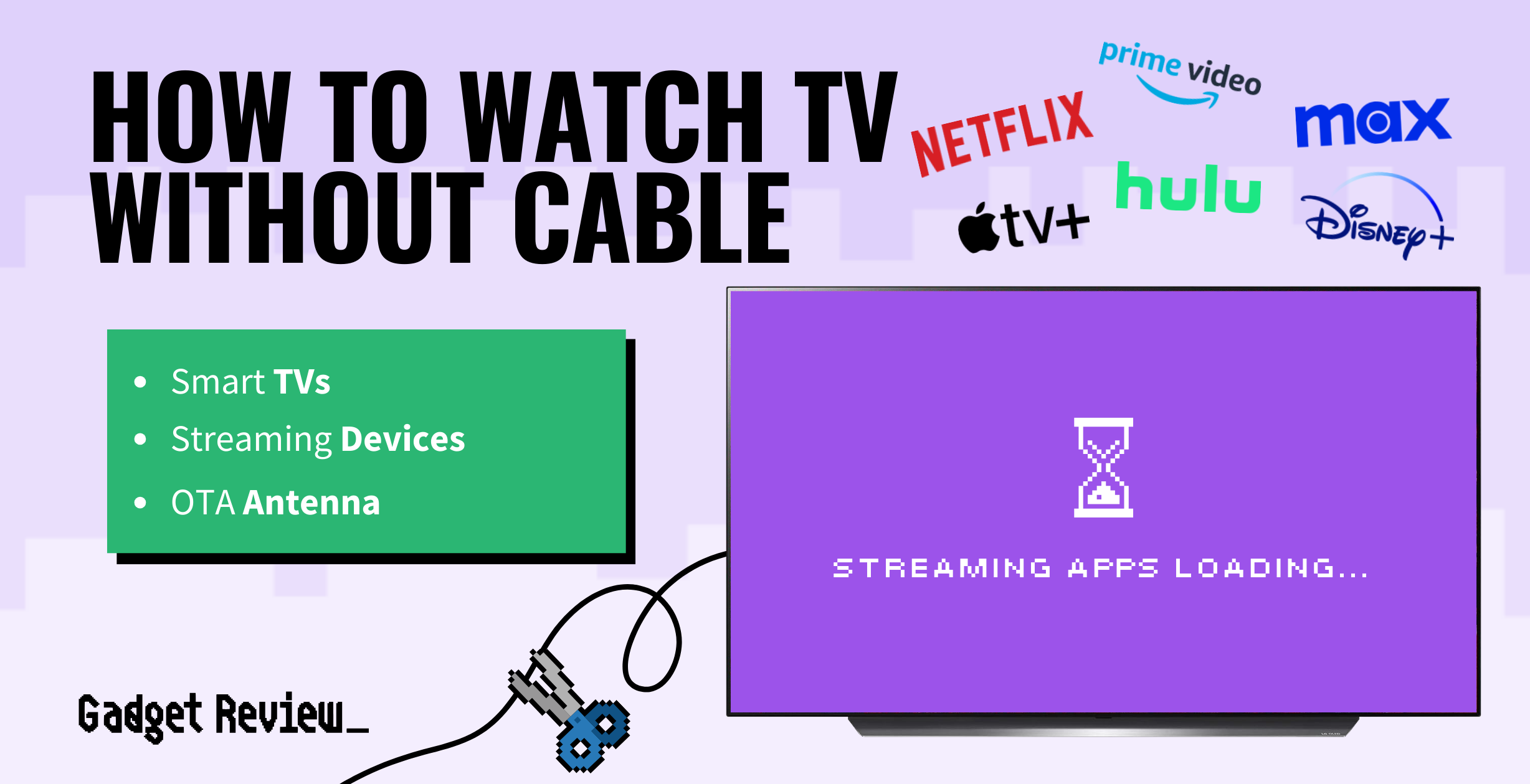
The Transition and Troubleshooting
Once your tech stack is selected, the transition involves setup and potential troubleshooting.
- Installation: Connect your antenna, streaming devices, and ensure all networking hardware is correctly configured.
- App Setup: Download and log into your chosen streaming applications on all your devices.
- Test and Optimize: Run speed tests, check stream quality on various services, and adjust antenna placement or Wi-Fi settings as needed. Utilize your router’s QoS settings to prioritize streaming traffic if experiencing buffering.
- Troubleshooting: Common issues include buffering (often due to insufficient bandwidth or Wi-Fi interference), missing channels (re-scan OTA channels or check service outages), or app crashes (reinstall the app, update firmware). Online support forums and official service websites are valuable resources for technical assistance.
By understanding and leveraging these technological components, cutting the cord becomes not just a practical choice, but an empowering step towards a more personalized, flexible, and cost-effective television viewing future. The evolving digital landscape continually introduces new tools and services, making it an exciting time to embrace the freedom of modern media consumption.
aViewFromTheCave is a participant in the Amazon Services LLC Associates Program, an affiliate advertising program designed to provide a means for sites to earn advertising fees by advertising and linking to Amazon.com. Amazon, the Amazon logo, AmazonSupply, and the AmazonSupply logo are trademarks of Amazon.com, Inc. or its affiliates. As an Amazon Associate we earn affiliate commissions from qualifying purchases.