
In an era dominated by on-demand streaming, the allure of live television remains as strong as ever, particularly for sports enthusiasts, news junkies, and those who cherish shared viewing experiences. From breaking news to unmissable sports events and cultural spectacles, live content offers an immediacy that pre-recorded alternatives simply cannot replicate. However, the landscape of “how to watch live on TV” has evolved dramatically. Gone are the days when a simple antenna or a singular cable subscription were the only options. Today, consumers navigate a sophisticated ecosystem of traditional broadcasts, digital streaming platforms, and innovative hardware, all vying to bring real-time programming to their screens. Understanding this diverse array of choices is key to tailoring a viewing experience that perfectly aligns with your preferences, budget, and technological comfort level. This guide delves into the modern methods and essential tech considerations for accessing live television, ensuring you stay connected to the pulse of real-time events.

The Evolution of Live TV Consumption: A Technological Shift
The journey of live television has been a remarkable one, marked by continuous technological innovation that has reshaped how content is delivered and consumed. What began as a simple over-the-air broadcast signal has transformed into a complex digital tapestry, offering viewers unprecedented choice and flexibility.
From Analog Broadcasts to Digital Streams
For decades, the standard for watching live TV involved either an analog antenna receiving local terrestrial broadcasts or a subscription to a cable or satellite provider. These methods, while reliable for their time, often came with limitations: fixed programming schedules, geographical restrictions for antenna users, and the often-prohibitive cost of extensive cable packages. The advent of digital television (DTV) significantly improved picture and sound quality, paving the way for more efficient transmission.
However, the true revolution arrived with high-speed internet and the rise of streaming technology. This paradigm shift allowed television signals to be delivered over the internet, bypassing traditional infrastructure. Suddenly, viewers weren’t tied to physical cables or satellite dishes; live content could be accessed anywhere with an internet connection, on a multitude of devices. This transition not only democratized access but also fostered a competitive market that continues to innovate with features like cloud DVRs, personalized recommendations, and multi-device compatibility.
The Enduring Appeal of Live Content in a VOD World
Despite the overwhelming popularity of Video-On-Demand (VOD) services like Netflix and Disney+, which offer vast libraries of content to watch anytime, anywhere, live television retains a unique and powerful appeal. This isn’t just nostalgia; it’s deeply rooted in human psychology and the nature of certain content types.
Major live events—be it the Super Bowl, the Olympics, breaking news alerts, or award shows—create a shared cultural moment. The excitement of watching a game unfold in real-time, the suspense of a live news report, or the communal experience of discussing a show as it airs on social media are powerful draws. Live content fosters a sense of collective participation and immediacy that VOD, by its very nature, cannot replicate. For many, the unscripted nature of live broadcasts, the thrill of the unexpected, and the opportunity to share a collective experience with millions of others remain irreplaceable aspects of entertainment and information consumption.
Traditional Pathways to Live Television: Reliability and Reach
While streaming has gained immense traction, traditional methods of accessing live TV remain viable, often offering reliability, specific channel access, and sometimes even cost advantages, depending on your needs.
Over-the-Air (OTA) Antennas: Free Local Broadcasts
The most fundamental and, in many cases, the most cost-effective method for watching live TV is through an Over-the-Air (OTA) antenna. This method harnesses free digital signals broadcast by local television stations, providing access to major network affiliates (ABC, CBS, NBC, Fox, PBS, The CW, MyNetworkTV, Telemundo, Univision, and others) without any monthly subscription fees.
How it Works: A digital TV antenna receives signals directly from local broadcasters. These signals are then processed by your television’s built-in digital tuner (or an external DTV converter box for older TVs), allowing you to watch channels in high definition, often with superior picture quality compared to some compressed streaming options.
Setup and Considerations:
- Antenna Type: Antennas vary widely, from small indoor models to larger outdoor directional antennas. Your choice depends on your proximity to broadcast towers and obstructions. Online tools can help determine which channels are available in your area and the recommended antenna type.
- Channel Scan: After connecting the antenna, you’ll need to run a channel scan on your TV to detect available stations.
- Advantages: Completely free after the initial antenna purchase, excellent picture quality (often uncompressed 1080i or 720p), and reliable during internet outages.
- Disadvantages: Limited to local channels, reception can be affected by weather, topography, and building materials, and requires careful antenna placement.
Cable and Satellite TV: Comprehensive Channel Packages
For decades, cable and satellite television services were the primary means of accessing a vast array of live channels, including national networks, premium movie channels, and specialized interest programming. These subscription-based models offer extensive channel lineups and often bundle services with internet and phone.
How it Works:
- Cable TV: A physical coaxial cable connects your home to a local cable provider’s network. A set-top box decodes the signals, allowing you to access various channels.
- Satellite TV: A satellite dish installed on your property receives signals from orbiting satellites. These signals are then transmitted to a receiver box connected to your TV.
Features and Considerations:
- Channel Bundles: Providers offer tiered packages, from basic local channels to extensive lineups including sports, movies, and international programming.
- DVR Services: Most services include or offer Digital Video Recorders (DVRs), allowing you to record live shows and watch them later, pause live TV, and skip commercials.
- On-Demand Libraries: Many cable/satellite subscriptions also include access to on-demand content libraries, offering past episodes of shows and movies.
- Advantages: Broadest channel selection, typically stable signal quality, comprehensive packages often bundled with other utilities.
- Disadvantages: High monthly costs, often requiring long-term contracts, potential for hidden fees, and can involve significant equipment rental costs.
Navigating the World of Live TV Streaming Services: The Modern Frontier
The internet has revolutionized live TV, giving rise to a new category of services that deliver traditional linear channels directly to your connected devices. These Live TV Streaming Services, often called “cord-cutting” solutions, offer flexibility, competitive pricing, and modern features.
Understanding Live TV Streaming Platforms
These services aim to replicate the cable TV experience but delivered over the internet, typically without contracts and with a focus on user-friendly interfaces. They provide access to dozens, sometimes hundreds, of live channels, including local network affiliates, national cable channels, and sometimes premium add-ons.
Key Players and Features:
- YouTube TV: Offers a robust channel lineup, unlimited cloud DVR, and an intuitive interface familiar to YouTube users. Strong for news and sports.
- Hulu + Live TV: Combines live TV channels with Hulu’s extensive on-demand library, providing a hybrid experience. Includes 50 hours of cloud DVR.
- Sling TV: One of the original live TV streaming services, known for its à la carte channel packages (“Orange” for sports/ESPN, “Blue” for news/Fox/NBC) allowing for more customization and lower price points. Limited cloud DVR.
- FuboTV: Heavily geared towards sports fans, offering an extensive collection of sports networks, alongside news and entertainment channels. Includes cloud DVR.
- DirecTV Stream: Offers traditional cable-like packages with varying channel counts, often including regional sports networks, and a cloud DVR. Tends to be pricier.
Subscription Models and Considerations:
- Pricing: Monthly subscriptions vary widely based on channel count and features, typically ranging from $40-$80+.
- Channel Availability: Check which local channels are available in your zip code and if specific essential cable channels are included.
- Cloud DVR: Most services offer cloud DVR functionality, allowing you to record shows and store them digitally, accessible from any device. Capacity varies.
- Simultaneous Streams: Services dictate how many devices can stream content concurrently from a single account.
- Device Compatibility: Ensure the service supports your preferred streaming devices (Smart TV apps, Roku, Fire TV, Apple TV, etc.).
Leveraging Individual Network Apps for Live Content
Beyond comprehensive live TV streaming bundles, many individual broadcast and cable networks offer their own dedicated apps or websites where you can stream live content. This often requires an existing cable, satellite, or live TV streaming subscription to “authenticate” access.
How it Works:
- Authentication: Download the network’s app (e.g., ESPN, NBC Sports, Fox Sports, CNN Go, TNT, FX Now). When attempting to watch live content, the app will prompt you to log in with your credentials from a participating TV provider.
- Content Types: These apps typically offer the live broadcast feed of the network, along with extensive on-demand libraries of past shows and exclusive digital content.
- Advantages: A great way to access specific channels if they’re part of your existing TV package, often with superior user interfaces tailored to that network’s content. Can be a workaround if a specific channel is missing from your primary live TV streaming service but available via an add-on or different package you already possess.
- Disadvantages: Still requires a primary TV subscription; doesn’t replace a full live TV solution on its own.

Free Ad-Supported Streaming Television (FAST) Channels
A rapidly growing segment of the live TV landscape is Free Ad-Supported Streaming Television (FAST). These services offer a wide variety of linear, scheduled channels across various genres (movies, TV shows, news, sports, niche content) for free, supported by advertising.
Key Players and How They Work:
- Pluto TV: One of the pioneers, offering hundreds of channels mimicking a traditional TV guide, across categories like movies, classic TV, news, and even curated single-show channels.
- Tubi: Primarily known for its on-demand movie and TV show library, Tubi also offers live news channels and curated “Tubi Originals” channels.
- The Roku Channel Live TV: Integrates a robust selection of FAST channels directly into the Roku interface, alongside its on-demand library.
- Amazon Freevee (formerly IMDb TV), Xumo Play, Plex (with live TV): These services also offer significant collections of free, ad-supported live channels.
Considerations:
- Content: While not typically offering premium first-run content or major live sports, FAST channels excel in providing access to library content, classic shows, niche documentaries, and diverse news sources.
- User Experience: They often have a familiar TV guide interface, making it easy to browse and discover channels.
- Limitations: Ad breaks are frequent, and the content is generally not “live” in the sense of breaking news or current major sports events, but rather curated linear programming.
- Advantages: Completely free, no subscription required, a great way to augment other services or provide background viewing.
Essential Gear for Your Live TV Setup: Optimizing Your Hardware
Accessing live TV effectively hinges not just on the services you choose, but also on the hardware you employ to bring that content to your screen. From integrated smart functionalities to dedicated streaming devices, selecting the right equipment can significantly enhance your viewing experience.
Smart TVs: Integrated Streaming Convenience
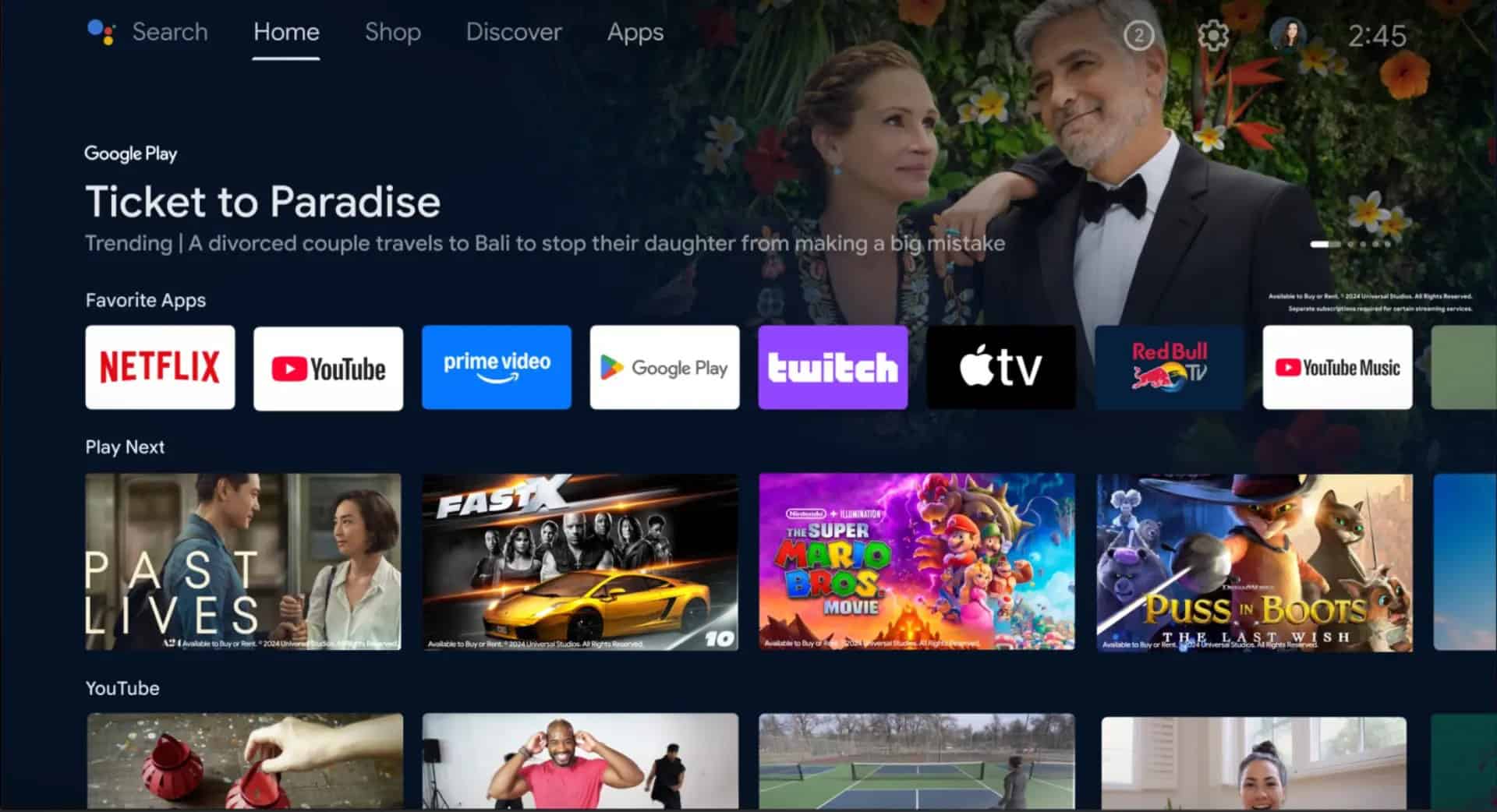
Modern Smart TVs come equipped with built-in operating systems (like webOS, Tizen, Android TV, Roku TV, or Fire TV Edition) that allow direct access to a plethora of apps, including most live TV streaming services and individual network apps.
Advantages:
- All-in-One Solution: No extra boxes or remotes needed; everything is integrated into a single device.
- Seamless Experience: Apps launch directly from the TV’s home screen, providing a streamlined user interface.
- OTA Tuners: Most Smart TVs include a built-in digital tuner for receiving over-the-air antenna signals.
Considerations:
- Operating System Updates: Ensure your TV’s OS is regularly updated for optimal performance and security.
- App Availability: While most popular apps are available, some niche services might not have a native Smart TV app for every brand.
- Performance: Older or lower-end Smart TVs might have slower processors, leading to sluggish app performance or navigation.
Streaming Devices: Sticks, Boxes, and Consoles
For those without a Smart TV, or for users seeking a more powerful or standardized streaming experience, dedicated streaming devices are an excellent solution. These devices plug into your TV via an HDMI port and provide access to a vast ecosystem of apps.
Key Players:
- Roku: Known for its user-friendly interface, broad app support, and diverse range of devices (sticks, boxes, soundbars).
- Amazon Fire TV: Deeply integrated with Amazon’s ecosystem, offering access to Prime Video, Alexa voice control, and a wide array of apps. Available as sticks, cubes, and even soundbars.
- Apple TV: A premium streaming box offering a polished user interface, strong integration with Apple services (Apple Arcade, Apple Fitness+), and excellent performance, especially for those in the Apple ecosystem.
- Google Chromecast (with Google TV): Combines the casting functionality of traditional Chromecasts with a full remote and Google TV interface, offering app access and Google Assistant integration.
- Gaming Consoles (Xbox, PlayStation): Modern gaming consoles also serve as capable media centers, with apps for most major live TV streaming services.
Choosing the Right Device:
- Ecosystem Preference: Do you prefer Google Assistant, Alexa, or Siri? Are you invested in Apple’s ecosystem?
- Budget: Devices range from affordable streaming sticks ($30-$50) to premium boxes ($100-$200+).
- Features: Consider 4K HDR support, Dolby Vision/Atmos, ethernet ports, and voice control capabilities.
- User Interface: Try out different platforms if possible to see which UI you find most intuitive.
Enhancing Your Experience: Antennas, DVRs, and Internet Considerations
Beyond the primary viewing device, several other pieces of tech contribute to a seamless live TV experience.
- Antenna Types & Boosters: If using OTA, consider amplified antennas for weaker signals, or outdoor antennas for maximum range. Directional antennas require pointing, while omnidirectional antennas pick up signals from all directions.
- DVR Solutions (Cloud vs. Hardware):
- Cloud DVRs: Offered by live TV streaming services, these record shows to the cloud, accessible from any device. Capacity and retention vary by service.
- Hardware DVRs (e.g., Tablo, TiVo): For OTA antenna users, these devices connect to your antenna and home network, recording broadcasts to local storage. They offer more control and no monthly fees beyond the initial purchase (though some TiVo models have subscription options for advanced features).
- Internet Connection: A robust internet connection is paramount for streaming live TV.
- Speed: Aim for at least 25 Mbps for a single 1080p stream, and 50-100 Mbps or higher for multiple simultaneous streams, especially in 4K.
- Reliability: A stable connection with minimal latency is more important than raw speed for preventing buffering and dropped streams.
- Wi-Fi vs. Ethernet: Wherever possible, use a wired Ethernet connection for streaming devices to ensure the most stable and fastest connection, reducing potential Wi-Fi interference.
Optimizing Your Live TV Viewing Experience: Practical Tips and Troubleshooting
Having the right services and gear is just the beginning. To truly master the art of watching live on TV, it’s crucial to optimize your setup and be prepared for common challenges.
Internet Speed and Data Usage: The Backbone of Streaming
Your internet connection is the lifeline for modern live TV streaming. Ensuring it’s up to the task is non-negotiable.
- Bandwidth Requirements: Most services recommend a minimum of 5-8 Mbps for standard definition and 15-25 Mbps for high definition (1080p). If multiple devices are streaming simultaneously or engaging in other high-bandwidth activities (like gaming), you’ll need significantly more. A household with 2-3 simultaneous HD streams should aim for at least 50-100 Mbps.
- Latency: Beyond raw speed, low latency (ping) is vital for live streaming, as it affects how quickly data packets travel. High latency can lead to buffering, even with high speeds.
- Monitoring Data Usage: If you have an internet data cap, be mindful that live streaming can consume significant data, especially at higher resolutions. A typical HD stream can use 2-3 GB per hour, while 4K streams can use 7-10 GB per hour. Check your ISP’s usage monitoring tools. Consider an unlimited data plan if live streaming is a primary activity.
- Router Placement and Quality: Ensure your Wi-Fi router is centrally located and not obstructed. Upgrading to a modern router that supports Wi-Fi 6 or 6E can significantly improve performance, especially in congested environments.
Customizing Your Channel Lineup and Subscriptions
One of the greatest advantages of modern live TV options is the ability to tailor your viewing experience, but this also requires active management.
- Auditing Your Needs: Regularly assess which channels you genuinely watch. Are you paying for dozens of channels you never tune into?
- Service Stacking vs. Cord Cutting: While cord-cutting initially aimed to reduce costs, “service stacking” (subscribing to multiple streaming platforms) can quickly add up. Be strategic.
- Trial Periods: Take advantage of free trials offered by live TV streaming services to test their channel lineup, user interface, and performance before committing.
- Add-Ons and Bundles: Evaluate whether specific add-on packages for sports or premium channels are worth the extra cost. Some services offer minor discounts for bundling.
- Seasonal Subscriptions: For sports fans, consider subscribing to services like NBA League Pass or NFL Sunday Ticket only during their respective seasons, or opting for live TV streaming services known for their sports coverage only when major events are active.
Troubleshooting Common Live TV Issues
Even with an optimized setup, you might occasionally encounter technical glitches. Knowing how to troubleshoot can save you frustration.
- Buffering and Lag:
- Check Internet Speed: Use an online speed test (e.g., Speedtest.net) to verify your current bandwidth.
- Restart Devices: Reboot your modem, router, and streaming device/Smart TV. This often clears temporary network issues.
- Close Other Apps: Ensure no other devices or applications are hogging bandwidth.
- Wired Connection: If on Wi-Fi, try connecting your streaming device via Ethernet cable.
- Reduce Stream Quality: Most streaming apps allow you to manually lower the video quality, which can reduce buffering.
- App Crashes or Freezing:
- Restart the App: Force close and reopen the streaming app.
- Clear Cache: In your device’s settings, find the problematic app and clear its cache. This often resolves minor corruption issues.
- Update App/Device OS: Ensure both the streaming app and your device’s operating system are running the latest versions.
- Reinstall App: As a last resort, uninstall and reinstall the app.
- Missing Channels (OTA):
- Re-scan Channels: Re-run the channel scan on your TV or converter box.
- Adjust Antenna: Slightly reposition your antenna. Even small adjustments can make a difference.
- Check Connections: Ensure all cables are securely fastened.
- Consider an Amplifier: If you’re far from broadcast towers, an antenna amplifier might boost weak signals.
- Login or Authentication Errors:
- Verify Credentials: Double-check your username and password.
- Check Subscription Status: Confirm your TV provider subscription is active and that the channel or content is included in your package.
- Clear Browser/App Data: Sometimes cached data can cause login issues.
Watching live on TV today is a dynamic and personalized experience, shaped by rapid technological advancements. Whether you choose the simplicity of an OTA antenna, the vastness of a cable or satellite package, or the flexibility of streaming services, understanding the underlying technology and knowing how to optimize your setup will ensure you never miss a moment of the action. By carefully considering your needs, budget, and tech comfort, you can craft a live TV solution that perfectly fits your digital lifestyle.
aViewFromTheCave is a participant in the Amazon Services LLC Associates Program, an affiliate advertising program designed to provide a means for sites to earn advertising fees by advertising and linking to Amazon.com. Amazon, the Amazon logo, AmazonSupply, and the AmazonSupply logo are trademarks of Amazon.com, Inc. or its affiliates. As an Amazon Associate we earn affiliate commissions from qualifying purchases.