
The landscape of television viewing has undergone a profound transformation over the past decade. Gone are the days when a singular cable or satellite subscription was the only gateway to live broadcasts. Today, an array of innovative technologies and streaming platforms empowers consumers with unprecedented choice, flexibility, and control over how they access real-time content. From breaking news and must-watch sporting events to the latest episodes of beloved series, viewing live TV is no longer confined to traditional setups but has seamlessly integrated into our interconnected digital lives. This guide will navigate the diverse methods and technologies available, helping you decode the options and tailor a viewing experience that perfectly suits your needs and preferences.

Understanding the Landscape of Live TV Viewing
Before diving into the “how-to,” it’s crucial to grasp the fundamental shifts that have reshaped live television consumption. This evolution is primarily driven by technological advancements and changing consumer habits, moving away from rigid, bundled services towards more agile and personalized alternatives.
Traditional Broadcast vs. Streaming Revolution
Historically, live television was synonymous with over-the-air (OTA) broadcasts received via an antenna or, more commonly, through a subscription to a cable or satellite provider. These methods relied on dedicated infrastructure to deliver signals directly to your television set. While OTA broadcasts still offer free access to local channels (such as ABC, CBS, NBC, FOX, and PBS), they are limited by geographic location and the availability of broadcast towers. Cable and satellite, while offering a vast array of channels, often come with hefty monthly fees and restrictive contracts.
The advent of high-speed internet fundamentally altered this paradigm. The “streaming revolution” introduced a new model where live television signals are delivered over the internet (IPTV – Internet Protocol Television). This shift decoupled TV viewing from proprietary physical infrastructure, making it accessible on a multitude of internet-connected devices, anywhere with a stable internet connection.
The Rise of Cord-Cutting
“Cord-cutting” has become a ubiquitous term describing the growing trend of consumers canceling traditional cable or satellite TV subscriptions in favor of internet-based alternatives. The motivations behind this movement are multifaceted:
- Cost Savings: Traditional TV packages are often expensive, with many channels users don’t watch. Cord-cutting allows for more selective subscriptions, potentially reducing monthly expenses significantly.
- Flexibility and Customization: Streaming services offer greater control over channel lineups, often allowing users to pick and choose specific genres or premium channels rather than being forced into large, pre-defined bundles.
- Accessibility: Live TV streaming is available on a wide range of devices, from smartphones and tablets to smart TVs and streaming sticks, offering viewing flexibility beyond the living room.
- On-Demand Integration: Many live TV streaming services seamlessly integrate vast on-demand libraries, offering the best of both worlds – live programming and access to a plethora of movies and past show seasons.
- No Contracts: Most streaming services operate on a month-to-month subscription model, allowing users to cancel or switch services without penalties.
This transition highlights a consumer demand for more personalized, cost-effective, and technologically advanced ways to consume media, positioning streaming as the dominant force in modern live TV viewing.
Essential Equipment and Internet Connectivity
To fully embrace the modern live TV viewing experience, certain technological prerequisites and equipment are necessary. The foundation of any robust streaming setup is a reliable internet connection, complemented by suitable devices to access your chosen content.
Streaming Devices: Your Gateway to Content
While modern smart TVs come with built-in apps for many streaming services, dedicated streaming devices often offer superior performance, a wider array of apps, and a more streamlined user experience. Key categories include:
- Streaming Sticks/Dongles (e.g., Roku Streaming Stick, Amazon Fire TV Stick, Google Chromecast): These compact, affordable devices plug directly into an HDMI port on your TV, turning any television into a smart TV. They are excellent for portability and offer access to virtually all major streaming services.
- Streaming Boxes (e.g., Apple TV, Roku Ultra, Amazon Fire TV Cube, Nvidia Shield TV): These are more powerful than sticks, often featuring faster processors, more storage, and advanced capabilities like Ethernet ports for wired internet, 4K/HDR support, and better gaming integration. They are ideal for enthusiasts seeking the best performance and user experience.
- Smart TVs: Many new televisions from brands like Samsung, LG, Sony, and Vizio come with integrated smart platforms (e.g., Tizen, webOS, Android TV, Roku TV). These eliminate the need for an external device but their built-in software can sometimes be slower or less frequently updated than dedicated streamers.
- Gaming Consoles (e.g., PlayStation, Xbox): Modern gaming consoles double as media hubs, supporting a wide range of streaming apps, including those for live TV. They are a convenient option if you already own one.
- Computers, Laptops, Tablets, and Smartphones: Almost all live TV streaming services offer browser-based viewing or dedicated mobile apps, allowing you to watch live TV on the go or cast it to a larger screen.
When choosing a device, consider factors like 4K/HDR support, user interface responsiveness, app availability, and whether it integrates well with your existing smart home ecosystem.
The Critical Role of Internet Bandwidth
A stable and sufficiently fast internet connection is the bedrock of a smooth live TV streaming experience. Without adequate bandwidth, you’ll encounter frustrating buffering, pixelated images, and dropped connections.
-
Recommended Speeds:
- Standard Definition (SD): 3-5 Mbps
- High Definition (HD) 720p/1080p: 5-10 Mbps per stream
- Ultra High Definition (UHD/4K): 20-25 Mbps per stream
- Multiple Streams/Users: If multiple people in your household will be streaming simultaneously or engaging in other bandwidth-intensive activities (like online gaming or video conferencing), you’ll need significantly higher speeds (e.g., 100+ Mbps).
-
Wi-Fi vs. Ethernet: While Wi-Fi offers convenience, a wired Ethernet connection to your primary streaming device (if available) provides the most stable and fastest connection, minimizing latency and interference. For Wi-Fi, using a modern router (Wi-Fi 5 or Wi-Fi 6) and ensuring good signal strength are crucial. Mesh Wi-Fi systems can be beneficial for larger homes.
Always test your internet speed and consider upgrading your plan if you consistently experience buffering or quality degradation, especially during peak usage times.
Antennas for Free Over-the-Air (OTA) Channels
While streaming services dominate the discussion, it’s important not to overlook the humble antenna. For those primarily interested in local news, network shows, and major sporting events, an over-the-air antenna remains an incredibly cost-effective solution.
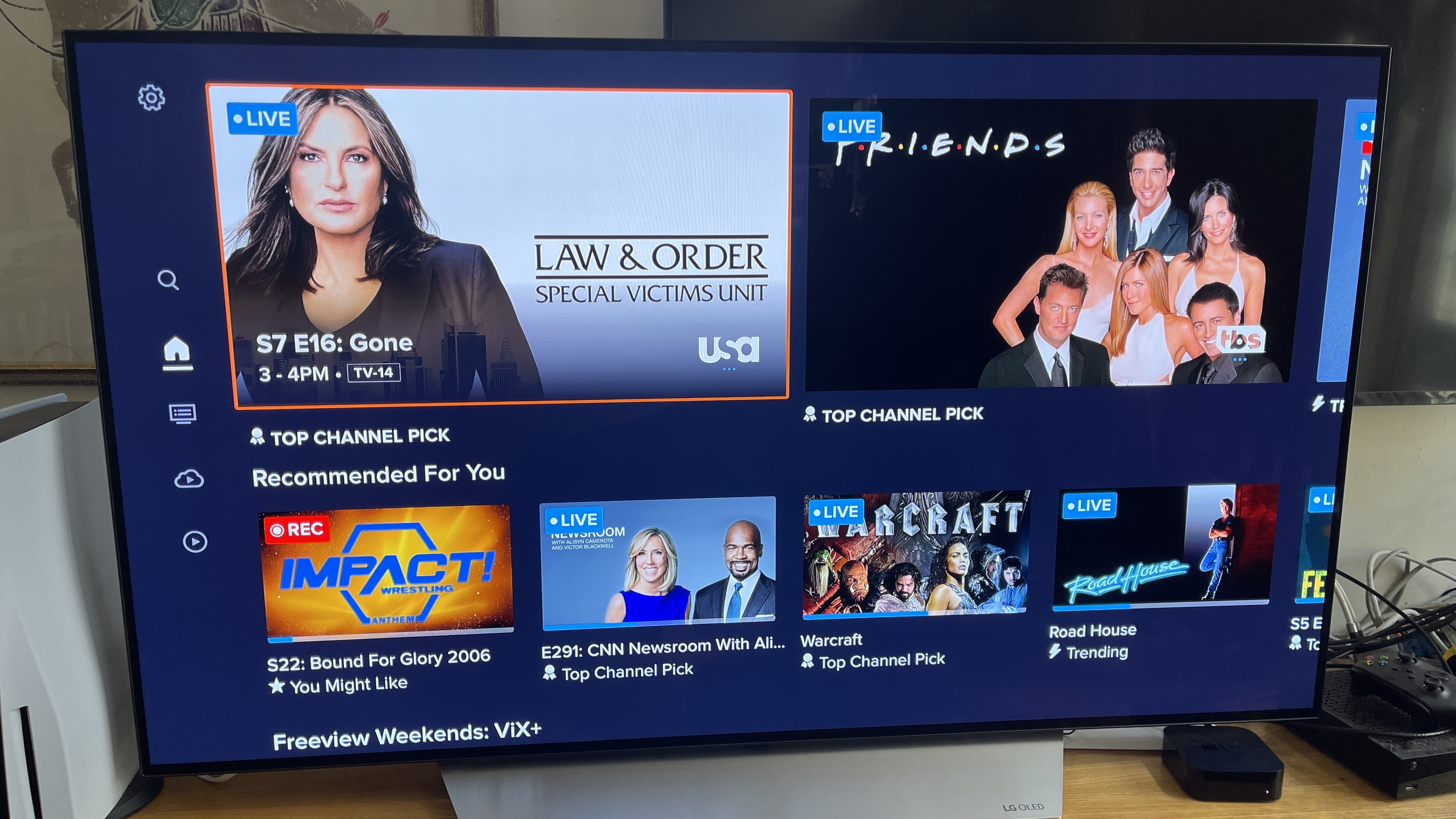
- How it Works: An antenna captures broadcast signals transmitted by local TV stations. These signals are entirely free once you purchase the antenna.
- Benefits:
- Free Content: No monthly subscriptions, ever.
- High Quality: OTA broadcasts are often uncompressed, delivering superior picture quality (up to 1080i or 720p) that can sometimes surpass compressed streaming feeds.
- Reliability: Not dependent on internet connection, making it immune to streaming issues or outages.
- Considerations:
- Location Matters: Signal strength and available channels depend heavily on your geographic location, proximity to broadcast towers, and surrounding obstructions (buildings, terrain). Websites like AntennaWeb.org can help determine available channels.
- Antenna Type: Indoor antennas (flat, amplified) are convenient but less powerful. Outdoor antennas (directional, multi-directional) offer the best reception but require installation.
- DVR Integration: Some modern OTA antennas can be paired with an OTA DVR (e.g., Tablo, Recast) to record live broadcasts, pause live TV, and even stream them to other devices in your home or remotely.
Combining an OTA antenna with a select streaming service for niche content can be a highly efficient and economical approach to live TV.
Navigating Live TV Streaming Services
The heart of modern live TV viewing lies in the subscription-based streaming services that deliver broadcast and cable channels over the internet. The market is competitive, offering a diverse range of options, each with its unique strengths and weaknesses.
Key Players in the Live TV Streaming Arena
Choosing the right service depends heavily on your desired channel lineup, budget, and specific features. Here are some of the leading contenders:
- Sling TV: Often considered the pioneer of live TV streaming, Sling TV stands out for its affordability and customizable packages. It offers two base packages, “Sling Orange” (focused on ESPN, Disney channels) and “Sling Blue” (focused on Fox, NBC, NFL Network), which can be combined.
- Pros: Budget-friendly, highly customizable with add-on channel bundles, good for sports fans (Orange), local channels in select markets (Blue).
- Cons: Limited local channel availability, fewer total channels than competitors, DVR included but can be limited, basic interface.
- Hulu + Live TV: A popular choice that bundles a comprehensive live TV service with Hulu’s extensive on-demand library. It offers a strong mix of entertainment, news, and sports channels, including local affiliates in most areas.
- Pros: Large channel lineup (including many sports and entertainment), robust on-demand library (with or without ads, depending on plan), good user interface, unlimited DVR.
- Cons: Higher price point, ads even on some premium on-demand content (unless you upgrade to ad-free Hulu), specific channel gaps compared to cable.
- YouTube TV: Known for its user-friendly interface and impressive feature set, YouTube TV offers a single, comprehensive package with a wide array of channels, including most local affiliates.
- Pros: Excellent unlimited cloud DVR (record and keep for nine months), up to three simultaneous streams, intuitive interface, strong local channel coverage, good sports coverage.
- Cons: Higher price point, occasional regional sports network blackouts, fewer à la carte add-ons compared to Sling.
- FuboTV: This service is a mecca for sports fans, offering an unparalleled selection of sports channels, including many international options, often with 4K streaming capabilities for select events.
- Pros: Extensive sports coverage (especially international soccer), includes many entertainment and news channels, 4K streaming available for certain events, generous cloud DVR and simultaneous streams.
- Cons: Higher price, weaker in non-sports entertainment channels compared to Hulu/YouTube TV (e.g., no TNT, TBS in some packages), regional sports networks can be an issue.
- DirecTV Stream (formerly AT&T TV Now): Positioned as a more traditional cable replacement, DirecTV Stream offers multiple tiers of packages, often mirroring the large channel counts found in satellite TV, including extensive regional sports networks.
- Pros: Strongest regional sports network coverage, comprehensive channel lineups, premium channels often bundled, good DVR features.
- Cons: Most expensive option, complex pricing tiers, user interface can be less intuitive than competitors.
Criteria for Selecting the Best Service
With such a variety, choosing the “best” live TV streaming service is highly subjective. Consider these factors:
- Channel Lineup: This is paramount. Make a list of your absolute must-have channels (local affiliates, specific sports networks, news channels, entertainment channels) and check which services carry them. Don’t pay for channels you won’t watch.
- Pricing & Bundles: Compare monthly subscription costs, introductory offers, and the value of any included on-demand libraries. Factor in any required add-ons for premium channels or extra features.
- DVR Capabilities: How much cloud storage is offered? How long can you keep recordings? Can you fast-forward through commercials on recorded content? Unlimited DVRs (like YouTube TV) are a significant advantage.
- Device Compatibility: Ensure the service’s app is available and performs well on all your preferred streaming devices (Smart TV, Roku, Fire TV, mobile).
- Simultaneous Streams: How many devices can watch live content at the same time? This is crucial for households with multiple viewers.
- User Interface & Experience: While subjective, a well-designed, intuitive interface can make a huge difference in daily usability. Take advantage of free trials to test this.
- Free Trials: Almost all services offer a 5-7 day free trial. Utilize these to thoroughly test the channel lineup, interface, performance, and features before committing.
Optimizing Your Live TV Streaming Experience
Once you’ve chosen your devices and services, a few optimization techniques can significantly enhance your viewing quality and minimize potential frustrations.
Enhancing Picture and Sound Quality
Achieving the best possible picture and sound involves more than just a fast internet connection.
- Network Optimization:
- Ethernet Connection: As mentioned, a wired connection is superior for primary streaming devices.
- Router Placement: Position your Wi-Fi router centrally and away from obstructions.
- Mesh Wi-Fi Systems: For large homes, a mesh system can eliminate dead zones and ensure consistent speeds throughout.
- Reduce Network Congestion: Limit other bandwidth-heavy activities (large downloads, multiple 4K streams) when trying to watch live TV, especially during peak hours.
- Device Performance:
- Keep Software Updated: Ensure your streaming device’s operating system and all streaming apps are running the latest versions. Updates often include performance enhancements and bug fixes.
- Clear Cache: Over time, app caches can accumulate and slow down performance. Periodically clear the cache for your streaming apps.
- Restart Devices: A simple restart of your streaming device or smart TV can often resolve minor glitches and improve responsiveness.
- Streaming Quality Settings: Most streaming apps allow you to manually adjust video quality (e.g., Auto, High, Medium, Low). While “Auto” usually works well, manually setting it to “High” or “Best” can ensure you’re getting the maximum possible resolution, provided your internet can handle it.
Troubleshooting Common Streaming Issues
Even with a perfect setup, occasional hiccups can occur. Knowing how to troubleshoot common problems can save you a lot of frustration.
- Buffering or Lag:
- Check your internet speed (use an online speed test).
- Restart your router and modem.
- Restart your streaming device/app.
- Try a wired Ethernet connection if on Wi-Fi.
- Reduce other internet usage in your household.
- Lower the video quality setting within the app temporarily.
- App Crashes or Freezing:
- Force close and restart the app.
- Restart your streaming device.
- Check for app updates.
- Clear the app’s cache.
- Picture Quality Degradation (Pixelation, Blurriness):
- This is often a sign of insufficient bandwidth. Follow buffering troubleshooting steps.
- Ensure your TV and device are set to output the correct resolution (e.g., 4K if supported).
- Check HDMI cables – ensure they are high-speed if you’re streaming 4K content.
- No Sound/Audio Issues:
- Check your TV’s volume and mute settings.
- Check audio settings within the streaming app.
- Restart your streaming device.
- Ensure any external soundbars or receivers are properly connected and powered on.
Advanced Tips and Future Trends
The world of live TV streaming is constantly evolving.
- VPN Usage: While often used for privacy, some users employ VPNs (Virtual Private Networks) to bypass geo-restrictions and access content not available in their region. However, this can violate the terms of service of streaming providers and may not always work reliably. Use with caution.
- Content Aggregation Platforms: Services like Google TV and Roku’s universal search aim to simplify content discovery by aggregating shows and movies from all your subscribed services into one interface, making it easier to find where to watch what.
- The Continuous Evolution of IPTV: As internet infrastructure improves (e.g., 5G, fiber optics), the quality and reliability of IPTV will only get better. Expect more personalized content recommendations, interactive features, and potentially more flexible micro-subscription models for individual channels or events.
- Virtual Channels and FAST Services: Free Ad-Supported Streaming Television (FAST) services like Pluto TV, Tubi, and Peacock Free offer “live” channels that mimic traditional broadcast schedules but are entirely internet-based and free, supported by commercials. These can be excellent supplements to paid subscriptions.
The future promises even greater integration and personalization, moving towards a truly on-demand and customized live viewing experience tailored to each individual’s preferences.

Conclusion
The journey of viewing live TV has traversed from simple aerial broadcasts to sophisticated, internet-driven ecosystems. The modern consumer is no longer a passive recipient of scheduled programming but an active participant, curating their own entertainment landscape. By understanding the available technologies—from streaming devices and robust internet connections to diverse streaming services and even the enduring utility of an antenna—you can craft a personalized, cost-effective, and highly engaging live TV experience. The digital age has truly put the power of television back into the hands of the viewer, offering unparalleled flexibility and choice in how, when, and where you access your favorite live content. Embrace the evolution, explore the options, and enjoy a television experience perfectly tuned to your lifestyle.
aViewFromTheCave is a participant in the Amazon Services LLC Associates Program, an affiliate advertising program designed to provide a means for sites to earn advertising fees by advertising and linking to Amazon.com. Amazon, the Amazon logo, AmazonSupply, and the AmazonSupply logo are trademarks of Amazon.com, Inc. or its affiliates. As an Amazon Associate we earn affiliate commissions from qualifying purchases.