
In the sprawling landscape of digital entertainment, Amazon Prime Video stands as a colossal hub, offering an expansive library of movies, TV shows, and exclusive original content. Part of the broader Amazon Prime subscription, this streaming service has become a staple for millions globally, promising not just diverse content but also a seamless viewing experience across an array of devices. For newcomers and seasoned users alike, understanding the full scope of how to access and optimize your viewing of Amazon Prime can transform a simple subscription into an unparalleled entertainment journey. This comprehensive guide dives deep into the technological facets of Amazon Prime Video, from initial setup to advanced viewing features and troubleshooting, ensuring you harness its full potential.
Understanding Amazon Prime Video: Your Gateway to Entertainment
Amazon Prime Video isn’t just another streaming platform; it’s a sophisticated digital service meticulously designed to deliver high-quality entertainment directly to your screens. Integrated seamlessly within the Amazon ecosystem, it provides a robust and ever-evolving catalog that caters to a wide spectrum of tastes and preferences.
What is Amazon Prime Video?
At its core, Amazon Prime Video is the streaming component of the Amazon Prime membership. While the Prime subscription itself encompasses a suite of benefits like expedited shipping, ad-free music, and exclusive deals, Prime Video is arguably one of its most compelling features. It grants subscribers on-demand access to thousands of titles, ranging from blockbuster films and popular TV series to a critically acclaimed collection of Amazon Originals. Unlike some standalone streaming services, Prime Video often includes titles that might require separate rental or purchase elsewhere, adding significant value to the overall Prime package. It’s a dynamic library that’s constantly updated, ensuring there’s always something new to discover.
The Ecosystem of Prime Video
The content landscape within Prime Video is incredibly diverse, making it a powerful contender in the streaming wars. It’s not just a repository of licensed content; Amazon has heavily invested in creating its own unique universe of programming.
-
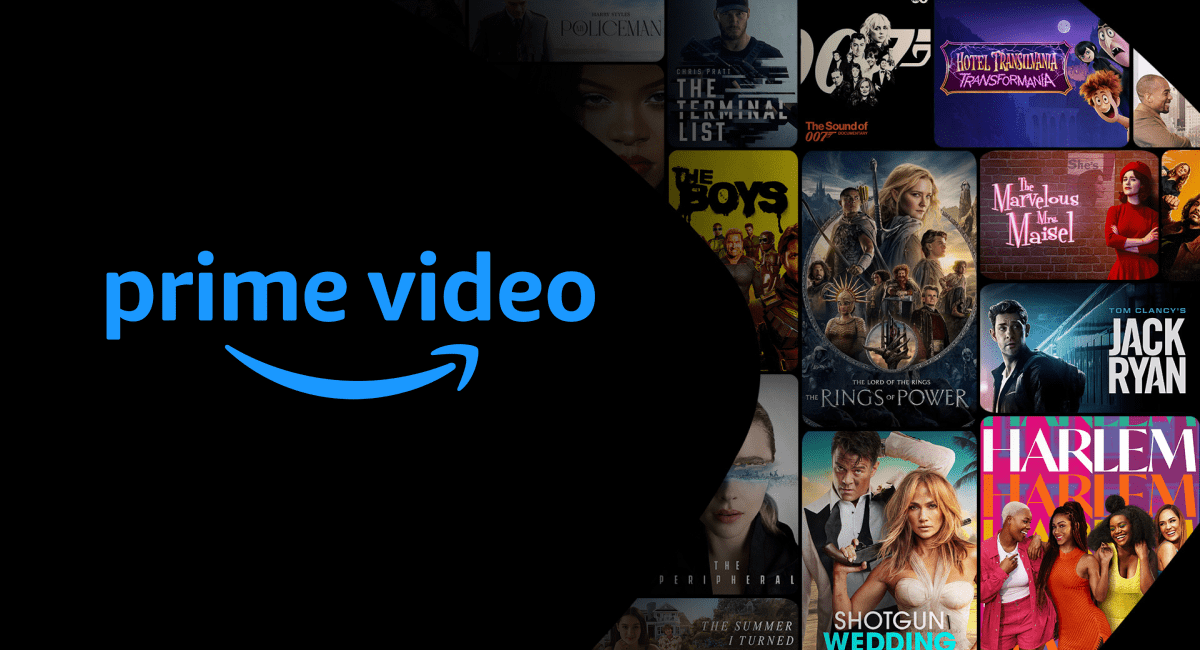
Originals: These are the flagship productions, from epic fantasy series like “The Lord of the Rings: The Rings of Power” to satirical dramas such as “The Marvelous Mrs. Maisel” and action-packed hits like “The Boys.” Amazon Originals are often exclusive to the platform, driving subscriber engagement and critical acclaim.
-
Movies & TV Shows: Beyond originals, Prime Video boasts a vast selection of classic films, recent blockbusters, and an extensive catalog of television series from various studios and networks. This includes content across all genres – drama, comedy, horror, sci-fi, documentary, and more.
-
Live Events & Channels: Expanding its reach, Prime Video occasionally offers live sports (like NFL’s Thursday Night Football in some regions) and other special events. Furthermore, subscribers have the option to add “Prime Video Channels,” which are premium subscriptions (e.g., HBO Max, Showtime, Starz, Paramount+) available directly through the Prime Video app, simplifying billing and access to a wider array of content. This consolidates multiple streaming services under one convenient interface.
Why Choose Prime Video?
Beyond its content library, Prime Video offers several technological advantages that enhance the viewing experience, making it a compelling choice for many users.
-
High-Quality Streaming: The platform supports 4K Ultra HD and High Dynamic Range (HDR) for compatible content and devices, delivering stunning visual clarity and vibrant colors. Many titles also feature Dolby Atmos audio for an immersive sound experience.
-
Offline Viewing: A standout feature for travelers or those with inconsistent internet access, Prime Video allows users to download select movies and TV shows to mobile devices for offline viewing. This means you can enjoy your favorite content without an internet connection.
-
X-Ray Integration: Leveraging its ownership of IMDb, Amazon has integrated “X-Ray,” a feature that provides instant access to information about actors, music, trivia, and more, all without leaving the viewing screen. This adds an interactive and informative layer to content consumption.
-
User Profiles: To personalize the experience for different household members, Prime Video supports multiple user profiles, each with its own watch history, recommendations, and parental controls.
Getting Started: Accessing Prime Video
Embarking on your Amazon Prime Video journey is a straightforward process, primarily revolving around your Amazon account and understanding the platform’s user interface.
The Prime Membership Prerequisite
The fundamental step to accessing Prime Video is possessing an active Amazon Prime membership. If you’re not already a member, you’ll need to sign up for either a monthly or annual subscription. New users can often benefit from a free trial period, allowing them to explore the full suite of Prime benefits, including Prime Video, before committing financially. Once your Prime membership is active, Prime Video access is automatically included.
Signing In: Your Amazon Account
With your Prime membership active, logging in is simple. You’ll use your standard Amazon account credentials (email address/mobile number and password) to access Prime Video on any compatible device.
-
On a Web Browser: Navigate to primevideo.com, click “Sign In,” and enter your Amazon credentials.
-
On Smart TVs/Streaming Devices: Open the Prime Video app. It will typically present you with a sign-in screen. You might be asked to enter your Amazon credentials directly, or provided with an activation code to enter at amazon.com/mytv on a separate web browser, which simplifies the process for devices without easy text entry.
-
On Mobile Devices: Download the Amazon Prime Video app from your device’s app store (Google Play Store for Android, Apple App Store for iOS). Open the app and sign in with your Amazon account.
Ensure you are signing in with the account that holds the active Prime membership to guarantee access to the full content library.
Navigating the User Interface
Once logged in, you’ll be presented with Prime Video’s user-friendly interface, designed for intuitive content discovery.
-
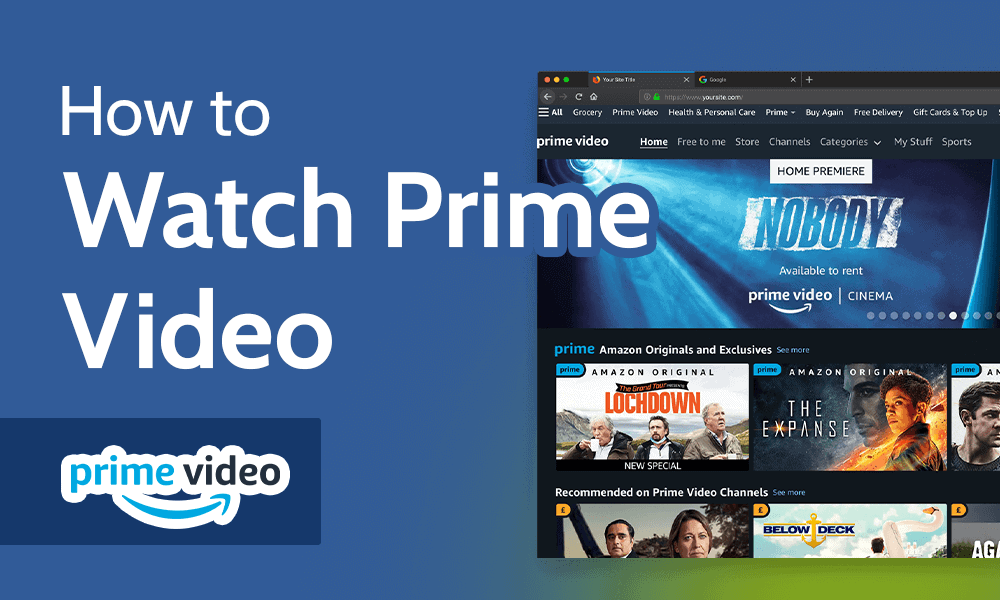
Homepage: This serves as your primary hub, showcasing featured titles, personalized recommendations, recently added content, and trending shows. It’s organized into various rows and carousels, often categorized by genre or theme.
-
Categories & Genres: A dedicated menu or section allows you to browse content by specific categories like “Movies,” “TV Shows,” “Amazon Originals,” “Kids,” or more granular genres such as “Action & Adventure,” “Comedy,” “Drama,” “Sci-Fi,” and “Documentary.”
-
Search Function: For specific titles, actors, or directors, the search bar is your quickest route. It’s usually prominently displayed and provides real-time suggestions as you type.
-
Watchlist: This personal queue allows you to save titles you wish to watch later. It’s a convenient way to keep track of interesting content without having to search for it again.
-
My Stuff/Library: Here, you’ll find content you’ve rented or purchased separately, as well as your watch history and downloaded titles (on mobile devices).
The interface is generally consistent across different platforms, though subtle variations may exist to optimize for touchscreens versus remote controls.
Device Compatibility: Viewing Prime Video Everywhere
One of Amazon Prime Video’s strengths lies in its extensive device compatibility, ensuring you can enjoy your content whether you’re at home or on the go.
Smart TVs and Streaming Devices
For the ultimate home theater experience, Prime Video is widely available on most modern smart televisions and dedicated streaming hardware.
-
Smart TVs: Most smart TVs from manufacturers like Samsung, LG, Sony, Vizio, and Panasonic come with a pre-installed Prime Video app or allow you to download it from their respective app stores.
-
Amazon Fire TV Devices: Unsurprisingly, Amazon’s own Fire TV Sticks, Fire TV Cubes, and Fire TV Edition televisions offer the most integrated Prime Video experience, often featuring dedicated Prime Video buttons on remotes and deep content integration.
-
Roku Devices: Roku streaming players and Roku TVs fully support Prime Video, accessible through the Roku Channel Store.
-
Apple TV: Owners of Apple TV devices can download the Prime Video app from the App Store and integrate it into their content ecosystem.
-
Google Chromecast: While not a standalone app, Chromecast allows you to “cast” Prime Video content from your mobile device or Chrome browser to your TV screen.
-
Other Devices: This category also includes NVIDIA Shield TV, various set-top boxes, and Bluray players with smart features.
Mobile Devices
For viewing on the go, Prime Video has robust applications for both major mobile operating systems.
-
iOS Devices: iPhone, iPad, and iPod Touch users can download the “Amazon Prime Video” app from the Apple App Store. The app is optimized for touch controls and offers features like downloading content for offline viewing.
-
Android Devices: Android smartphones and tablets can access the “Amazon Prime Video” app from the Google Play Store. Similar to iOS, it provides a full-featured viewing experience with offline capabilities.
Computers and Web Browsers
Your computer remains a reliable platform for watching Prime Video, offering flexibility and larger screen real estate than mobile devices.
-
Web Browsers: Simply visit primevideo.com using any modern web browser such such as Chrome, Firefox, Edge, or Safari. The web player is optimized for streaming and offers full access to the Prime Video library and account settings. Ensure your browser is up-to-date for the best performance and security.
-
Desktop Apps: While the web browser is the primary method for most, some operating systems (like Windows 10/11) offer a dedicated Amazon Prime Video desktop application available from their respective app stores, which can sometimes provide a smoother experience or easier access to downloads.
Gaming Consoles
For gamers, Prime Video is also integrated into popular gaming consoles, turning them into versatile entertainment hubs.
-
PlayStation: Owners of PlayStation 4 and PlayStation 5 consoles can download the Prime Video app from the PlayStation Store.
-
Xbox: Xbox One, Xbox Series X, and Xbox Series S users can find the Prime Video app in the Microsoft Store.
This extensive compatibility ensures that no matter your preferred device, Amazon Prime Video is likely within reach, offering flexibility in how and where you consume your entertainment.
Optimizing Your Viewing Experience
Beyond simply accessing Prime Video, several settings and features allow you to fine-tune your experience for maximum enjoyment, catering to individual preferences and technical capabilities.
Picture and Sound Quality
Achieving the best visual and audio fidelity depends on your device, internet speed, and the content itself.
-
4K Ultra HD and HDR: To enjoy content in 4K or HDR (like Dolby Vision or HDR10+), you need a compatible 4K/HDR TV or monitor, a device capable of outputting 4K/HDR (e.g., Fire TV Stick 4K, Apple TV 4K, compatible gaming console), and a high-speed internet connection (Amazon recommends at least 15-25 Mbps for 4K streaming). The Prime Video app will automatically attempt to stream at the highest quality available, but you can sometimes adjust quality settings in the app’s preferences if you’re experiencing buffering.
-
Dolby Atmos: For immersive object-based audio, you’ll need a compatible sound system (e.g., soundbar or AV receiver with Atmos support) and a device capable of passing through Dolby Atmos audio.
-
Bandwidth Considerations: If your internet connection is slower, Prime Video will automatically reduce the streaming quality to prevent buffering. For consistent viewing, a stable broadband connection is essential. You can often check your current streaming quality within the player settings during playback.
Subtitles and Audio Tracks
Prime Video offers robust accessibility and language options to cater to a global audience.
-
Subtitles/Closed Captions: During playback, look for a speech bubble or settings icon. Here, you can select from available subtitle languages, enable closed captions (CC), and often customize their appearance (font size, color, background) to suit your preference.
-
Audio Tracks: Many titles offer multiple audio tracks, allowing you to switch between original language versions, dubbed versions, or descriptive audio (AD) for visually impaired viewers. This option is typically found alongside subtitle settings.
Parental Controls and Profiles
Managing what different family members can watch is crucial, and Prime Video provides comprehensive tools for this.
-
User Profiles: Create distinct profiles for each family member. This not only personalizes recommendations but also allows for individual watchlist management.
-
Parental Controls: Within your account settings (often accessed via a web browser), you can set up parental controls. This includes restricting content based on age ratings (e.g., G, PG, R, TV-G, TV-MA) and requiring a PIN for purchases or viewing of restricted content. These controls can be applied to specific profiles or devices, ensuring children only access age-appropriate material.
Offline Viewing
As mentioned, downloading content for offline consumption is a significant convenience.
- Downloading on Mobile: On the Prime Video app for iOS or Android, look for a “Download” button on the detail page of eligible titles. Once downloaded, you can find them in your “Downloads” or “My Stuff” section and watch them without an internet connection. Be mindful of storage space on your device. Downloads usually have an expiry period once you start watching them.
Utilizing X-Ray
The X-Ray feature, powered by IMDb, is a unique addition that enhances content engagement.
- During Playback: While watching, you can typically tap or click on the screen (or activate via your remote on some devices) to bring up the X-Ray overlay. This displays information about the actors currently on screen, the music playing, trivia related to the scene, and even background details about the production. It’s a fantastic tool for cinephiles and curious viewers.
By leveraging these optimization tools, you can tailor your Amazon Prime Video experience to perfectly match your preferences and technical environment, transforming passive viewing into an engaging and personalized entertainment journey.
Troubleshooting Common Issues
Even with the most advanced technology, occasional hiccups can occur. Understanding how to diagnose and resolve common Prime Video issues can save you time and frustration, getting you back to your entertainment swiftly.
Connection Problems
The vast majority of streaming issues stem from network connectivity.
-
Check Your Internet Connection: Ensure your Wi-Fi or Ethernet connection is active and stable. Try opening a web page or another streaming service to confirm your internet is working generally.
-
Restart Your Router/Modem: A classic solution, power cycling your network equipment can often resolve transient connectivity issues. Unplug it for 30 seconds, then plug it back in.
-
Internet Speed: Prime Video requires a certain minimum speed for smooth streaming (e.g., 1.5 Mbps for SD, 3.5 Mbps for HD, 15-25 Mbps for 4K). If your speed is insufficient or fluctuates, quality drops and buffering will occur. Consider running a speed test.
-
Wi-Fi Interference: If using Wi-Fi, try moving closer to your router or reducing interference from other devices. Consider using an Ethernet cable for critical streaming devices.
App/Browser Glitches
Software can sometimes act up, leading to playback errors or interface problems.
-
Restart the App/Browser: Close the Prime Video app completely (force quit on mobile) or close your browser tab and reopen it.
-
Clear Cache and Data: Over time, app or browser caches can become corrupted.
-
Mobile App: Go to your device’s app settings, find Prime Video, and clear its cache/data.
-
Web Browser: Clear your browser’s cache and cookies.
-
-
Update the App/Browser: Ensure your Prime Video app is updated to the latest version via your device’s app store. Similarly, keep your web browser updated to its most recent version for optimal performance and compatibility.
-
Try a Different Browser/Device: If you’re having trouble on one browser, try another. If a specific device is problematic, see if Prime Video works correctly on a different one, which can help pinpoint if the issue is device-specific.
Device Compatibility Alerts
Older devices or outdated software can prevent proper Prime Video functionality.
-
Software Updates: Ensure your smart TV, streaming stick, gaming console, or mobile device’s operating system is running the latest available software. Manufacturers regularly release updates that include bug fixes and improved app compatibility.
-
Device End-of-Life: Very old devices may eventually lose support for newer app versions or streaming technologies. If your device is significantly aged, it might be time to consider an upgrade.
Account and Billing Queries
While this guide focuses on viewing, account-related issues can impact access.
-
Confirm Prime Membership Status: Double-check that your Amazon Prime membership is active and hasn’t expired or had a payment issue. You can do this on the Amazon website under your account settings.
-
Login Credentials: Ensure you are using the correct Amazon account credentials that are associated with your active Prime membership.
For persistent issues that aren’t resolved by these steps, Amazon’s customer support resources, including their help pages and direct contact options, are the next best course of action. They can offer more tailored assistance for specific technical problems.

Conclusion: Your Entertainment Journey Awaits
Amazon Prime Video offers a comprehensive, high-quality streaming experience, rich with diverse content and robust technical features. From the ease of accessing it across a multitude of devices to the advanced options for optimizing picture, sound, and user experience, Prime Video has been engineered to deliver entertainment seamlessly. By understanding its capabilities, utilizing its features like X-Ray and offline downloads, and knowing how to troubleshoot common issues, you can transform your viewing habits. Whether you’re settling in for a cinematic masterpiece in 4K or catching up on a favorite series on the go, “how to view Amazon Prime” boils down to leveraging intelligent technology to bring a world of stories directly to your fingertips, ensuring your entertainment journey is as engaging and uninterrupted as possible.
aViewFromTheCave is a participant in the Amazon Services LLC Associates Program, an affiliate advertising program designed to provide a means for sites to earn advertising fees by advertising and linking to Amazon.com. Amazon, the Amazon logo, AmazonSupply, and the AmazonSupply logo are trademarks of Amazon.com, Inc. or its affiliates. As an Amazon Associate we earn affiliate commissions from qualifying purchases.