
In an increasingly digital world, managing your finances has moved largely from physical branches to the palm of your hand. Mobile banking applications have become indispensable tools, offering unparalleled convenience and control over your accounts. For members of Navy Federal Credit Union, the Navy Federal app serves as a robust portal for everything from checking balances to making transfers. However, before fully leveraging all the features tied to your Navy Federal cards, a crucial initial step often required is card verification. This process, while seemingly straightforward, is a cornerstone of digital security and ensures the integrity of your financial data within the app.
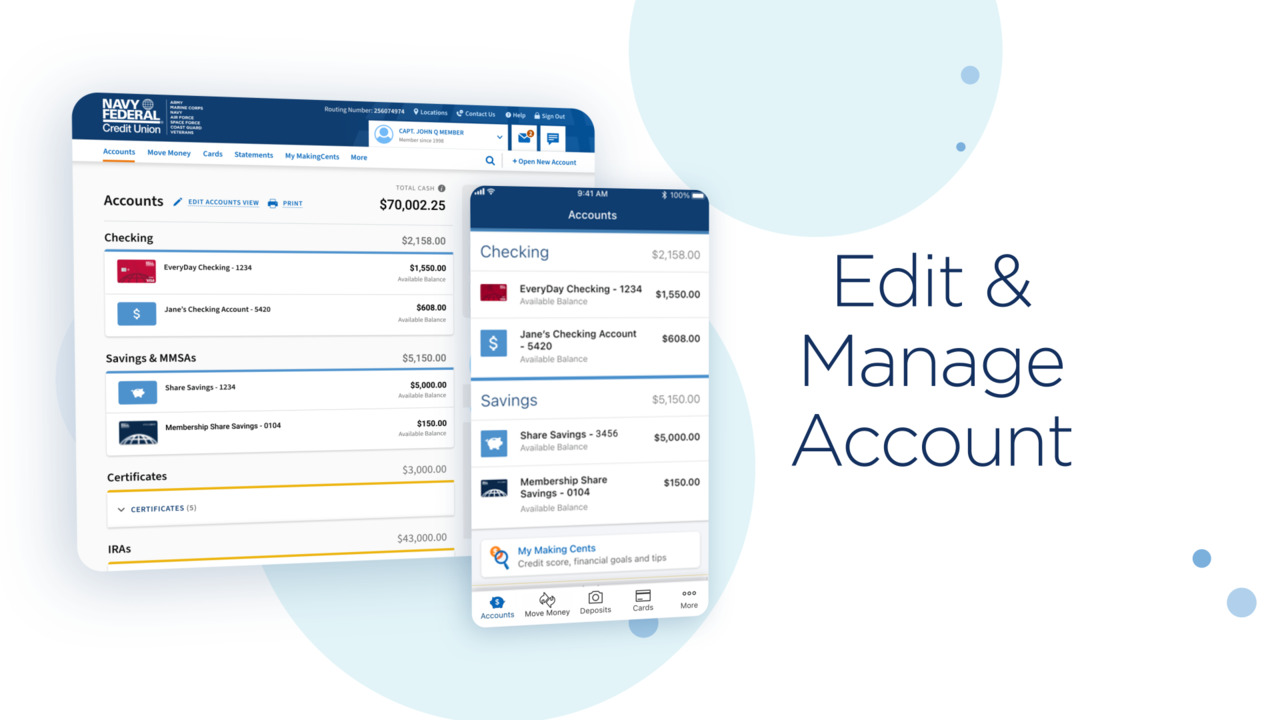
This guide will delve into the technical nuances of verifying your card on the Navy Federal app. We’ll explore why this step is vital, how to prepare for a smooth process, a detailed step-by-step walkthrough, common troubleshooting tips, and best practices for maintaining ongoing digital security. Our focus will remain exclusively on the technology behind this essential banking function, providing insights into the app’s design and your interaction with its digital security protocols.
Understanding the Importance of Card Verification in Digital Banking
Card verification within a banking app is far more than a mere formality; it’s a critical security measure designed to protect both the user and the financial institution. In the realm of digital security, layers of authentication are paramount, and card verification is a key component of this architecture.
Enhancing Digital Security and Fraud Prevention
At its core, card verification is a powerful fraud prevention tool. When you receive a new card—be it a debit, credit, or ATM card—or link an existing one to your mobile app, the financial institution needs to confirm that you, the legitimate account holder, are initiating this action. This process typically involves inputting specific data points from the card itself, which are not easily accessible to unauthorized individuals. By confirming possession of the physical card or specific knowledge related to its history (like recent transactions or a PIN), the app significantly reduces the risk of unauthorized access or activation by fraudsters who might have stolen your digital credentials but lack the physical card or specific knowledge. It’s a fundamental step in preventing identity theft and financial fraud within the digital ecosystem.
Unlocking Full App Functionality and Member Benefits
Beyond security, verifying your card often unlocks the full spectrum of features and benefits associated with your Navy Federal account within the app. Unverified cards might have limited functionality, restricting actions like making purchases, setting up recurring payments, or accessing specific card management tools. For example, features such as setting travel notifications, locking/unlocking your card, managing alerts, or accessing digital wallet integrations might be contingent on the card being fully verified. This ensures that only active, legitimate cards can be managed and utilized through the app, providing a seamless and secure experience for the member. It’s a gateway to leveraging the app’s full potential for card management.
The Role of KYC (Know Your Customer) in Financial Apps
Card verification is an extension of the broader “Know Your Customer” (KYC) regulatory requirements that govern financial institutions worldwide. KYC protocols are designed to combat financial crime, money laundering, and terrorist financing by ensuring that institutions have a thorough understanding of their customers’ identities and financial activities. While initial account opening involves extensive KYC, ongoing verification processes, such as card activation and linking, serve as continuous touchpoints for identity confirmation. For app-based banking, this means the software is engineered to collect and process this verification data securely, ensuring compliance and maintaining the trust framework between the member and Navy Federal. The technology embedded in the app facilitates this regulatory obligation without compromising user convenience.
Preparing for a Seamless Verification Process
A smooth card verification process begins with proper preparation. Ensuring your device and information are ready can save time and prevent frustrating technical hiccups. Think of it as preparing your digital workspace for an important task.
Ensuring App Updates and Device Compatibility
The first step in any app-related process is to ensure your Navy Federal app is up-to-date. Developers constantly release updates that include bug fixes, security enhancements, and new features. An outdated app might suffer from compatibility issues with your device’s operating system (iOS or Android), leading to crashes or non-responsive features. Before starting, visit your device’s app store (Apple App Store or Google Play Store), search for the Navy Federal app, and check for any available updates. Similarly, ensure your mobile device itself meets the minimum operating system requirements specified by Navy Federal, as older OS versions can sometimes struggle with modern app functionalities and security protocols. A well-maintained app on a compatible device forms the foundation for a reliable experience.
Gathering Necessary Information and Documentation
To verify your card, you’ll likely need specific pieces of information. While the exact requirements can vary, common data points include:
- The physical card itself: Having the card readily available is crucial, as you might need to input its full 16-digit number, expiration date, and the CVV/CVC security code (the 3 or 4-digit code usually on the back).
- Account details: Your Navy Federal login credentials (username and password) will be required to access the app.
- Personal identification details: Sometimes, for enhanced security, the app might ask for details like the last four digits of your Social Security Number, your date of birth, or even to confirm recent transactions to verify your identity.
- PIN (Personal Identification Number): For debit cards, you might be asked to enter your PIN to verify activation.
Having these details at your fingertips before you begin will prevent delays and ensure accuracy, which is critical for successful digital verification.
Optimizing Your Network Connection for Stability
A stable and secure internet connection is vital for any online banking activity. During the verification process, your device will communicate sensitive data with Navy Federal’s servers. A weak or intermittent Wi-Fi signal, or a fluctuating mobile data connection, can interrupt this communication, leading to errors, timeouts, or incomplete verification. It’s advisable to perform the verification when connected to a reliable, private Wi-Fi network rather than public Wi-Fi (which can pose security risks). If using mobile data, ensure you have a strong signal. A stable connection minimizes the chances of data corruption or transmission failures during a crucial security process.
Step-by-Step Guide to Card Verification on the Navy Federal App
Navigating the Navy Federal app for card verification is designed to be intuitive, but a clear roadmap can make the process even smoother. Follow these general steps, keeping in mind that minor variations might occur based on app updates or your specific card type.
Navigating to the Card Management Section
- Log In: Open the Navy Federal app on your mobile device and log in using your established username and password. If you have biometric login enabled (fingerprint or facial recognition), use that for quick access.
- Locate Card Services: Once logged in, you’ll typically land on your account summary page. Look for a menu option related to “Cards,” “Card Services,” “Account Services,” or “Manage Cards.” This is often found in the main navigation menu (sometimes represented by three horizontal lines, a “hamburger menu,” in the top corner) or directly on the dashboard.
- Select the Card: Within the card management section, you should see a list of your Navy Federal cards. Identify the specific card you wish to verify and tap on it. If it’s a brand-new card that hasn’t been added, there might be an option like “Add/Activate New Card.”
Initiating the Verification Prompt
Upon selecting your card, the app will likely present its current status. If the card requires verification or activation, you should see a clear prompt or button, such as “Activate Card,” “Verify Card,” or “Complete Verification.” Tapping this prompt will initiate the guided verification workflow. The app’s user interface is designed to make this step obvious when it’s required.
Inputting Required Verification Details
This is the core of the verification process, where you’ll provide the information Navy Federal needs to confirm your identity and card ownership.
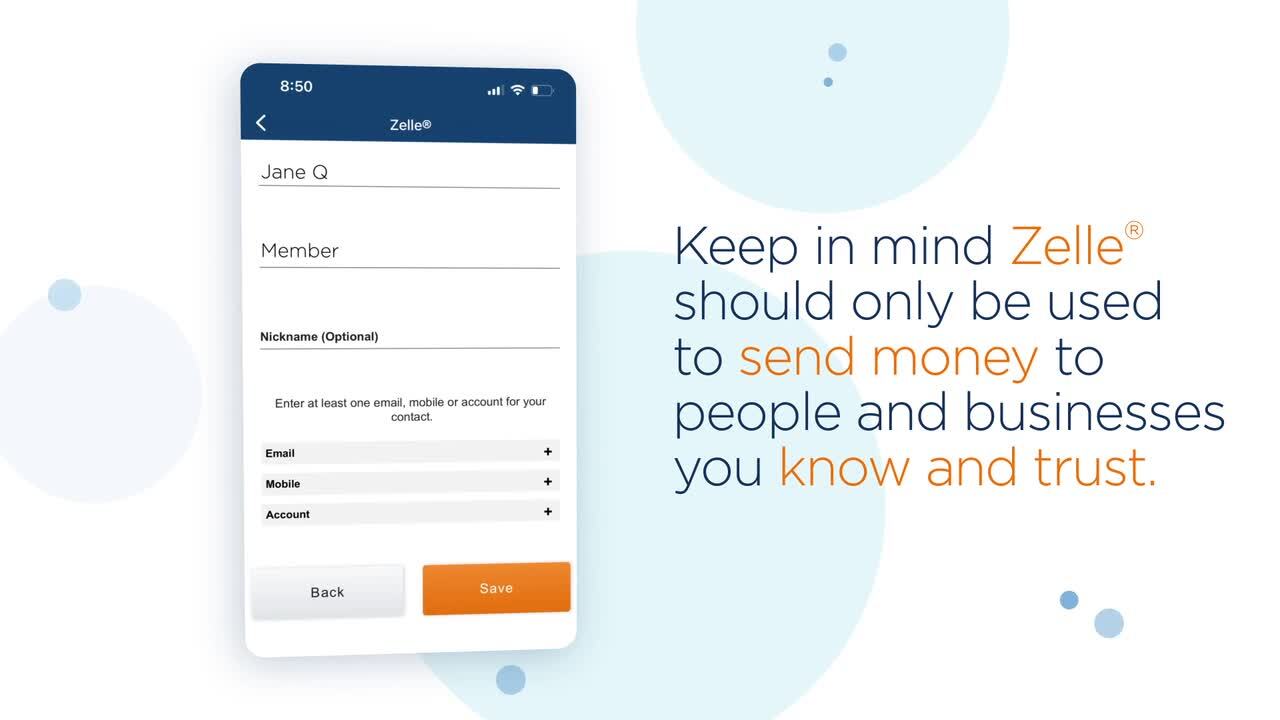
- Card Information: You will typically be prompted to enter the full 16-digit card number, the expiration date (month/year), and the CVV/CVC security code from the back of the card.
- Personal Identifiers: Depending on the security protocols, you might be asked to input additional personal details such as the last four digits of your Social Security Number, your date of birth, or your ZIP code associated with the card.
- PIN or Recent Transaction Confirmation: For debit cards, you might need to enter your ATM PIN. Alternatively, for any card type, the app might display a list of recent small transactions and ask you to confirm one or more amounts as a security measure, verifying that you have access to your transaction history.
- Agreement to Terms: You may be required to review and accept any updated terms and conditions related to card usage or digital services.
Carefully enter all requested information. Double-check for typos, as incorrect entries can lead to verification failures. The app’s input fields are often designed with masked data entry for sensitive information, enhancing security.
Confirming and Completing the Process
Once all required information has been entered, review it one last time. Then, tap the “Submit,” “Verify,” or “Activate” button to send the data for processing. The app will communicate with Navy Federal’s servers to validate the information. If successful, you’ll receive a confirmation message indicating that your card has been verified and is now fully active or linked. The app will usually update the card’s status within the card management section, allowing you to access all associated features. This digital handshake confirms that the system recognizes you as the rightful owner, integrating your card fully into your mobile banking experience.
Troubleshooting Common Verification Challenges
Despite the robust design of modern banking apps, users can occasionally encounter issues during the verification process. Understanding common problems and their solutions from a technical perspective can help you quickly resolve them.
Addressing App Glitches and Connectivity Issues
- App Freezing/Crashing: If the app freezes or crashes during verification, try closing it completely (force quit) and reopening it. A device restart can also resolve temporary software conflicts.
- Connection Errors: Messages like “Network Error” or “Unable to Connect” usually point to an internet connectivity problem. Double-check your Wi-Fi or mobile data signal strength. If on Wi-Fi, try cycling your router or switching to mobile data (if reliable). Ensure you’re not using a VPN or proxy that might interfere with secure banking connections; sometimes, financial apps detect and block access from such connections for security reasons.
- Cached Data Problems: Occasionally, accumulated cache data within the app can cause issues. On Android, you can go to your device’s App Settings, find the Navy Federal app, and clear its cache. On iOS, uninstalling and reinstalling the app is often the equivalent solution. (Note: Only do this if you remember your login credentials!)
Resolving Data Entry Errors and Mismatches
- Incorrect Information: The most common cause of verification failure is incorrect data entry. Carefully re-enter the card number, expiration date, CVV, and any personal identifiers. Pay close attention to distinguishing between similar-looking characters (e.g., ‘O’ and ‘0’, ‘l’ and ‘1’).
- Card Not Recognized: If the app states the card cannot be found or recognized, ensure you are trying to verify the correct card that was recently issued or linked to your account. There might be a slight delay between receiving a new physical card and it being fully registered in the app’s system.
- Outdated Information: If you’ve recently updated personal information (like an address) with Navy Federal, ensure it’s reflected in their main system before attempting card verification, as discrepancies can trigger security flags.
When to Contact Navy Federal Support: Escalation Pathways
If you’ve exhausted the basic troubleshooting steps and are still unable to verify your card, it’s time to escalate to Navy Federal’s member support.
- In-App Support: Many apps offer direct links to support within the application itself, sometimes via chat or secure messaging.
- Phone Support: The most reliable method is often to call Navy Federal’s customer service number directly. Be prepared to provide your account details and explain the issue clearly. They can verify your identity through alternative means and potentially activate the card for you or provide specific guidance based on their internal systems.
- Online Help Center: Navy Federal’s website usually has a comprehensive help center or FAQ section that might address specific card activation issues not covered here.
When contacting support, be ready to describe the exact error messages you received, the steps you took, and any troubleshooting you’ve already attempted. This technical detail will significantly aid the support representative in diagnosing and resolving your issue efficiently.
Best Practices for Ongoing Digital Card Security
Verifying your card is a critical initial step, but maintaining robust digital security is an ongoing commitment. Adopting best practices ensures your financial data remains protected within the Navy Federal app and beyond.
Regularly Monitoring Your Card Activity
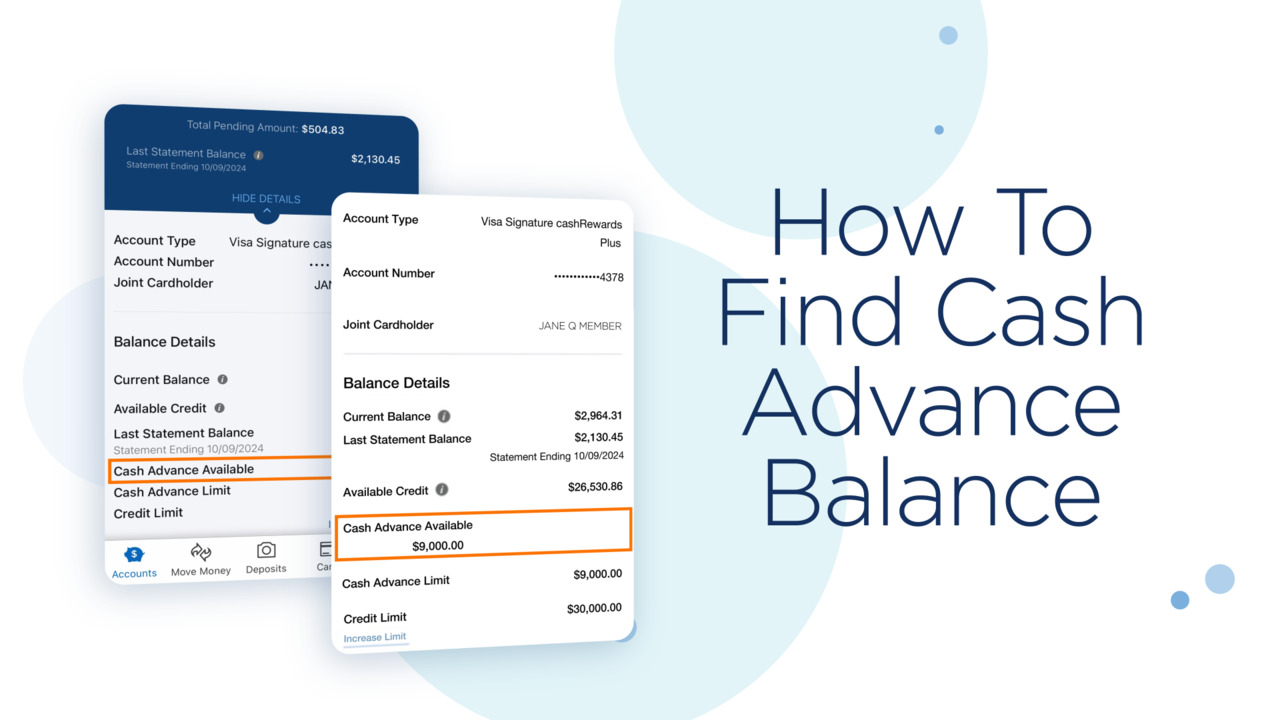
Once your card is verified, make it a habit to regularly review your transaction history within the Navy Federal app. Check for any unfamiliar charges or discrepancies. The app typically allows you to view recent transactions, statements, and even categorize your spending. Promptly reporting any suspicious activity to Navy Federal is crucial. Many apps also offer customizable transaction alerts (e.g., for purchases over a certain amount, international transactions, or ATM withdrawals), which act as an early warning system for potential fraud. Leveraging these tech features provides real-time oversight of your financial movements.
Utilizing App Security Features (Biometrics, Strong Passwords)
The Navy Federal app is equipped with various security features designed to protect your account.
- Biometric Login: Enable fingerprint or facial recognition (Face ID) if your device supports it. This offers a highly secure and convenient way to access your app, reducing reliance on easily phishable passwords.
- Strong, Unique Passwords: If you don’t use biometrics, ensure your password for the Navy Federal app is strong, unique (not reused from other sites), and complex (a mix of uppercase, lowercase, numbers, and symbols). Consider using a password manager to securely store and generate such passwords.
- Two-Factor Authentication (2FA): If Navy Federal offers 2FA beyond your password (e.g., a code sent to your phone or email), enable it. This adds an extra layer of security, making it significantly harder for unauthorized users to access your account even if they somehow obtain your password.
Staying Informed About Phishing Scams and Digital Threats
The digital landscape is constantly evolving, and so are the methods used by cybercriminals. Stay informed about common phishing scams, smishing (SMS phishing), and vishing (voice phishing) attempts. Navy Federal will never ask for your full card number, PIN, or full Social Security Number via unsolicited emails, texts, or phone calls. Be wary of suspicious links or attachments. Always access the Navy Federal app directly or type their official website URL into your browser, rather than clicking links from external sources. Keeping your device’s operating system and antivirus software up-to-date also provides essential protection against malware and other digital threats that could compromise your app security.
In conclusion, verifying your card on the Navy Federal app is a vital step in securing and managing your finances in the digital age. By understanding the underlying security mechanisms, preparing diligently, following the precise steps, troubleshooting effectively, and adopting ongoing security best practices, you can ensure a secure and seamless mobile banking experience. The technology embedded in the Navy Federal app is designed to empower you, and by engaging with it thoughtfully, you reinforce the security of your financial life.
aViewFromTheCave is a participant in the Amazon Services LLC Associates Program, an affiliate advertising program designed to provide a means for sites to earn advertising fees by advertising and linking to Amazon.com. Amazon, the Amazon logo, AmazonSupply, and the AmazonSupply logo are trademarks of Amazon.com, Inc. or its affiliates. As an Amazon Associate we earn affiliate commissions from qualifying purchases.