
In the sprawling digital landscape, Google Play stands as a central hub for Android users, offering an unparalleled array of apps, games, movies, books, and more. At the heart of this ecosystem lies Google Play credit – a versatile digital currency that unlocks a world of content and entertainment. Far more than just a balance on your account, Google Play credit represents a direct pass to enriching your digital experience, whether you’re looking for the latest productivity app, a gripping e-book, an immersive game, or a blockbuster film. Understanding how to effectively acquire, manage, and spend this credit is essential for any Android user looking to maximize their device’s potential and streamline their digital purchases.
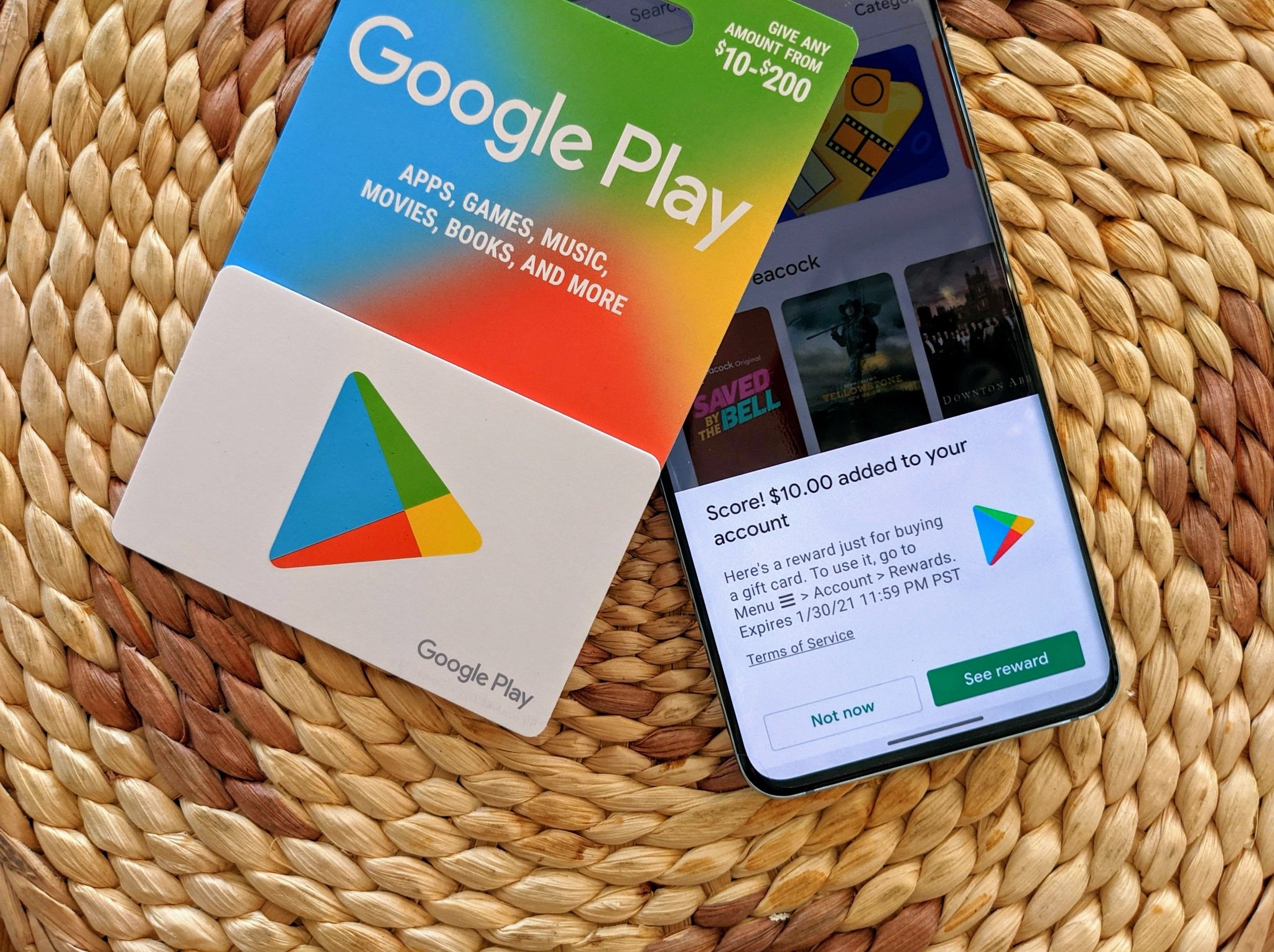
This comprehensive guide will demystify Google Play credit, transforming it from a simple number into a powerful tool for navigating the vast Google Play Store. We’ll delve into the nuances of what it is, how to get it, the incredible range of items you can purchase, and smart strategies to ensure you’re always getting the best value. By the end, you’ll be equipped with the knowledge to confidently leverage your Google Play credit, enhancing your digital life with ease and precision.
Understanding Google Play Credit: Your Digital Wallet’s Potential
Google Play credit is essentially a digital currency stored within your Google account, specifically earmarked for purchases on the Google Play Store. It acts as a prepaid balance that can be used across various categories of digital content, providing a convenient and secure payment method without needing to link a bank card directly for every transaction. Its flexibility makes it a preferred option for many users, offering a clear budget for digital entertainment and tools.
What is Google Play Credit?
At its core, Google Play credit is a non-transferable, virtual fund accessible through your Google account. It can be acquired through several channels, most commonly via Google Play gift cards. These physical or digital cards come in various denominations and are perfect for personal use or as gifts. Beyond gift cards, users can also earn credit through programs like Google Opinion Rewards, where answering short surveys translates into small amounts of Play credit, accumulating over time. Promotions and giveaways from Google or third-party partners can also occasionally provide credit, making it a dynamic resource that can grow through various means. This credit is stored directly within your Google account, eliminating the need to re-enter payment details for each purchase, thus streamlining the checkout process significantly.
Where Does Your Credit Live?
Your Google Play credit balance is seamlessly integrated into your Google account and is always just a few taps away. To check your balance, simply open the Google Play Store app on your Android device, tap on your profile icon (usually in the top right corner), then navigate to “Payments & subscriptions” and finally “Payment methods.” Here, you’ll see your current Google Play balance prominently displayed. This centralized location ensures you always have an immediate overview of your available funds before making a purchase. On a desktop browser, you can access similar information by visiting play.google.com, signing into your Google account, and navigating to the “Account” section or directly to “Payment methods” within the settings. This accessibility across devices means you’re always aware of your spending power within the Play ecosystem.
The Versatility of Google Play Credit
One of the most appealing aspects of Google Play credit is its expansive utility. It’s not limited to just apps; it unlocks nearly every digital product available on the Google Play Store. From premium mobile games that offer hours of entertainment to essential productivity apps that streamline your daily tasks, your credit can cover it. Beyond apps, it can be used for purchasing or renting the latest movies and TV shows, building a digital library of e-books and audiobooks, and even subscribing to premium services like Google Play Pass or YouTube Premium (though some subscriptions may have regional limitations or require recurring payment methods in addition to credit). This broad scope transforms your Google Play credit into a true all-in-one digital wallet for entertainment and utility.
Redeeming Your Google Play Credit: Getting Started
Before you can embark on your digital shopping spree, the first step is to add credit to your account. The process is straightforward, whether you’re using a physical gift card or redeeming a digital code. Understanding the various methods and knowing how to troubleshoot potential issues will ensure a smooth and frustration-free experience, quickly boosting your balance and unlocking immediate access to content.
Redeeming Gift Cards & Promo Codes
The most common way to add credit is by redeeming a Google Play gift card or a promotional code. The process is identical for both.
- Open the Google Play Store app: Launch the app on your Android device.
- Access Account Menu: Tap on your profile icon in the top right corner.
- Navigate to Payment Methods: Select “Payments & subscriptions,” then “Redeem gift code.”
- Enter Code: Carefully scratch off the silver strip on a physical card to reveal the 16-digit alphanumeric code, or copy the code from your digital email/receipt. Enter this code into the provided field.
- Confirm Redemption: Tap “Redeem.” You’ll see a confirmation message indicating the amount added to your Google Play balance.
Alternatively, you can redeem codes directly from a web browser by visiting play.google.com/redeem and following the same steps. This simple process instantly updates your balance, making the funds available for use right away.
Leveraging Google Opinion Rewards
For users who prefer to earn credit rather than purchase it, Google Opinion Rewards is an excellent, albeit slower, method. This app, developed by Google, sends you short surveys periodically (ranging from once a week to several times a day, depending on your demographics and location). Surveys typically take less than a minute to complete and can reward you with anywhere from $0.10 to $1.00 or more in Google Play credit per survey.
- Download the App: Install “Google Opinion Rewards” from the Google Play Store.
- Set Up Profile: Answer a few introductory questions about yourself to help the app tailor relevant surveys.
- Receive Notifications: The app will send you notifications when new surveys are available.
- Complete Surveys: Answer honestly and quickly. Your earned credit is automatically added to your Google Play balance and expires one year from the date it was credited. This passive earning method is a fantastic way to gradually accumulate funds for those smaller, impulse purchases or to subsidize larger ones.
Troubleshooting Redemption Issues
While generally smooth, sometimes you might encounter issues when redeeming codes. Here are common problems and their solutions:
- Incorrect Code: Double-check the 16-digit code for typos. Ensure you haven’t mixed up ‘0’ with ‘O’ or ‘1’ with ‘I’.
- Already Redeemed: If you receive an “already redeemed” error, confirm that you haven’t previously added the code to your account or that someone else hasn’t used a shared code.
- Expired Code: While less common for gift cards, promotional codes often have expiration dates. Check the terms and conditions of the code.
- Regional Restrictions: Google Play gift cards are region-specific. A card purchased in one country might not be redeemable in an account registered to a different country. Ensure your account country matches the card’s origin.
- Technical Glitch: If all else fails, try clearing the Google Play Store app cache and data (Settings > Apps > Google Play Store > Storage), or try redeeming the code via a web browser. If the issue persists, contact Google Play support with your code and any relevant purchase information.
Maximizing Your Credit: What You Can Buy

The true power of Google Play credit lies in the sheer breadth of content it unlocks. It’s a unified payment method for almost everything digital on the platform, offering unparalleled convenience and choice. Understanding the categories available ensures you can make the most informed decisions about how to spend your accumulated funds, catering to your specific interests and needs.
Apps and Games
This is perhaps the most obvious and frequently utilized category for Google Play credit. The Play Store hosts millions of applications and games, ranging from free-to-play titles with optional in-app purchases to premium, one-time purchase apps. Your credit can be used for:
- Paid Apps: Purchase full versions of productivity tools, unique utilities, or ad-free experiences.
- Premium Games: Unlock exclusive titles or special editions of popular mobile games.
- In-App Purchases (IAPs): Acquire virtual currency, extra lives, special items, ad removal, or cosmetic upgrades within free-to-play games and freemium apps. This is a significant area where Google Play credit shines, allowing you to enhance your gaming or app experience without direct card transactions.
- Subscriptions within Apps: Many apps offer monthly or annual subscriptions for premium features. While Google Play credit can typically cover the initial or recurring payments for these, some subscriptions might require a fallback payment method linked to your account.
Movies & TV Shows
For cinephiles and binge-watchers, Google Play offers a robust library of movies and TV series. With your credit, you can:
- Purchase Movies: Buy digital copies of new releases or classic films to own indefinitely, allowing you to watch them anytime, anywhere, across your Google-linked devices.
- Rent Movies: For a more temporary viewing, you can rent movies, typically for a 48-hour viewing window once started.
- Buy TV Show Seasons or Episodes: Catch up on your favorite series by purchasing individual episodes or entire seasons. This is particularly useful for shows that aren’t available on your existing streaming subscriptions or for building a permanent collection. Google often offers discounts on season passes, providing better value than purchasing episodes individually.
Books & Audiobooks
Google Play Books provides a vast digital bookstore, perfect for readers of all genres. Your Google Play credit can be used to:
- Purchase E-books: From bestsellers to academic texts, fiction to non-fiction, you can buy and download e-books to read on your Android device, e-reader, or web browser. This is an excellent way to expand your digital library without physical clutter.
- Buy Audiobooks: For those who prefer listening, Google Play offers a wide selection of audiobooks. Your credit can be used to purchase these, allowing you to enjoy narratives on the go, during commutes, or while multitasking.
- Comic Books and Magazines: Beyond traditional books, the Play Store also features a substantial collection of digital comic books and graphic novels, as well as subscriptions to popular magazines. Your credit is valid for these purchases too, broadening your reading options.
Subscriptions and Digital Content
While individual app and media purchases are common, Google Play credit also facilitates access to broader subscription services and niche digital content:
- Google Play Pass: If available in your region, this subscription service provides access to hundreds of apps and games without ads or in-app purchases. Your credit can be used to pay for the monthly or annual subscription fee, offering tremendous value for avid mobile gamers and app explorers.
- YouTube Premium: Although primarily managed through YouTube directly, in some cases, Google Play credit can be used to cover YouTube Premium subscription costs, offering ad-free viewing, background play, and downloads across YouTube and YouTube Music.
- Newsstand Subscriptions: Many popular news organizations and magazines offer digital subscriptions through Google Play Newsstand (now integrated into Google News). Your credit can be applied to these recurring payments, keeping you informed and entertained with premium journalistic content.
- Cloud Storage Upgrades: While not always directly covered by Play credit (as it’s often a system-level upgrade), for some Google One plans or similar cloud services directly billed through Google Play, your credit might be applicable.
Smart Usage Strategies & Best Practices
Leveraging Google Play credit effectively goes beyond simply making purchases; it involves strategic planning, mindful spending, and ensuring the security of your account. By adopting a few best practices, you can maximize the value of your credit, manage your digital finances responsibly, and enjoy a seamless experience within the Google Play ecosystem.
Managing Your Credit Balance
Effective management of your Google Play balance is key to avoiding overspending and ensuring funds are available when you need them.
- Monitor Your Balance Regularly: Make it a habit to check your Google Play balance (via the Play Store app or web browser) before making significant purchases. This helps in planning and budgeting.
- Set a Budget: If you frequently add credit, consider setting a personal budget for how much you want to spend on digital content each month. This can prevent impulse buys from draining your funds too quickly.
- Prioritize Purchases: Decide which digital items are most important to you. Is it that new game, a productivity app, or a movie rental? Allocate your credit accordingly.
- Utilize Wishlists: The Google Play Store allows you to add apps, games, movies, and books to a wishlist. Use this feature to save items you’re interested in, then buy them when you have sufficient credit or when they go on sale.
Gifting and Sharing
While Google Play credit itself is non-transferable once redeemed to an account, there are ways to use it to benefit others or share the joy of digital content.
- Google Play Gift Cards as Gifts: The most direct way to share credit is by purchasing physical or digital Google Play gift cards for friends and family. This allows them to redeem the credit to their own account and choose their desired content.
- Purchasing Content for Others: You can purchase an app, game, or e-book and gift it directly to another Google user. This is done during the purchase process where you’ll see an option to “Gift” the item instead of buying it for yourself. The recipient receives a code to redeem the specific content. This is a great way to share specific items you think someone would enjoy, using your own credit.
- Family Library: Google Play Family Library allows up to six family members to share purchased apps, games, movies, TV shows, and books. While this doesn’t share the credit directly, it allows shared access to content bought with credit, maximizing its value across a household.
Staying Secure
Protecting your Google account is paramount, as it directly impacts the security of your Google Play credit and all associated payment methods.
- Strong, Unique Passwords: Always use a strong, unique password for your Google account.
- Two-Factor Authentication (2FA): Enable 2FA for an added layer of security. This requires a second verification step (like a code from your phone) in addition to your password, making it much harder for unauthorized users to access your account.
- Beware of Phishing Scams: Be cautious of emails or messages asking for your Google Play codes or account details. Google will never ask for this information via unprompted email. Always verify the sender and link authenticity before clicking.
- Review Account Activity: Periodically check your Google account activity and purchase history to ensure there are no unauthorized transactions.

Exploring Regional Differences
It’s important to note that the availability of content and even the functionality of Google Play credit can vary by region.
- Content Availability: Movies, TV shows, apps, and even certain games might be restricted to specific countries due to licensing agreements.
- Gift Card Region: As mentioned earlier, Google Play gift cards are country-specific. Ensure any card you purchase or receive matches the country your Google Play account is registered in. Attempting to redeem a card from a different region will result in an error.
- Currency Conversion: Google Play credit is tied to the currency of your account’s region. It cannot be directly converted or used in a region with a different currency.
By understanding these nuances and implementing these best practices, you can navigate the Google Play ecosystem with confidence, making the most of your credit while keeping your account secure.
Harnessing Google Play credit effectively is about more than just making purchases; it’s about smart digital resource management. From redeeming gift cards and accumulating rewards to exploring the vast array of apps, games, movies, and books, your Google Play credit is a powerful key to unlocking a richer, more personalized digital experience. By adopting sound strategies for managing your balance, understanding what you can buy, and prioritizing account security, you transform a simple digital fund into a strategic tool for entertainment, productivity, and learning. So go ahead, dive into the Google Play Store with confidence, knowing you have the insights to make every credit count.
aViewFromTheCave is a participant in the Amazon Services LLC Associates Program, an affiliate advertising program designed to provide a means for sites to earn advertising fees by advertising and linking to Amazon.com. Amazon, the Amazon logo, AmazonSupply, and the AmazonSupply logo are trademarks of Amazon.com, Inc. or its affiliates. As an Amazon Associate we earn affiliate commissions from qualifying purchases.