
American Express gift cards offer a convenient and secure way to manage spending and provide a thoughtful present. When it comes to using these cards for online purchases, understanding the nuances of how they function, particularly within the American Express network, is crucial for a smooth transaction. This guide delves into the specifics of leveraging your American Express gift card for online shopping, ensuring you maximize its value and navigate the digital checkout process with confidence.
Understanding Your American Express Gift Card
Before embarking on an online shopping spree, it’s essential to grasp the fundamental characteristics of your American Express gift card. Unlike a traditional credit card, a gift card operates on a prepaid basis, meaning its spending limit is fixed to the amount loaded onto it at the time of purchase.
Key Features and Limitations
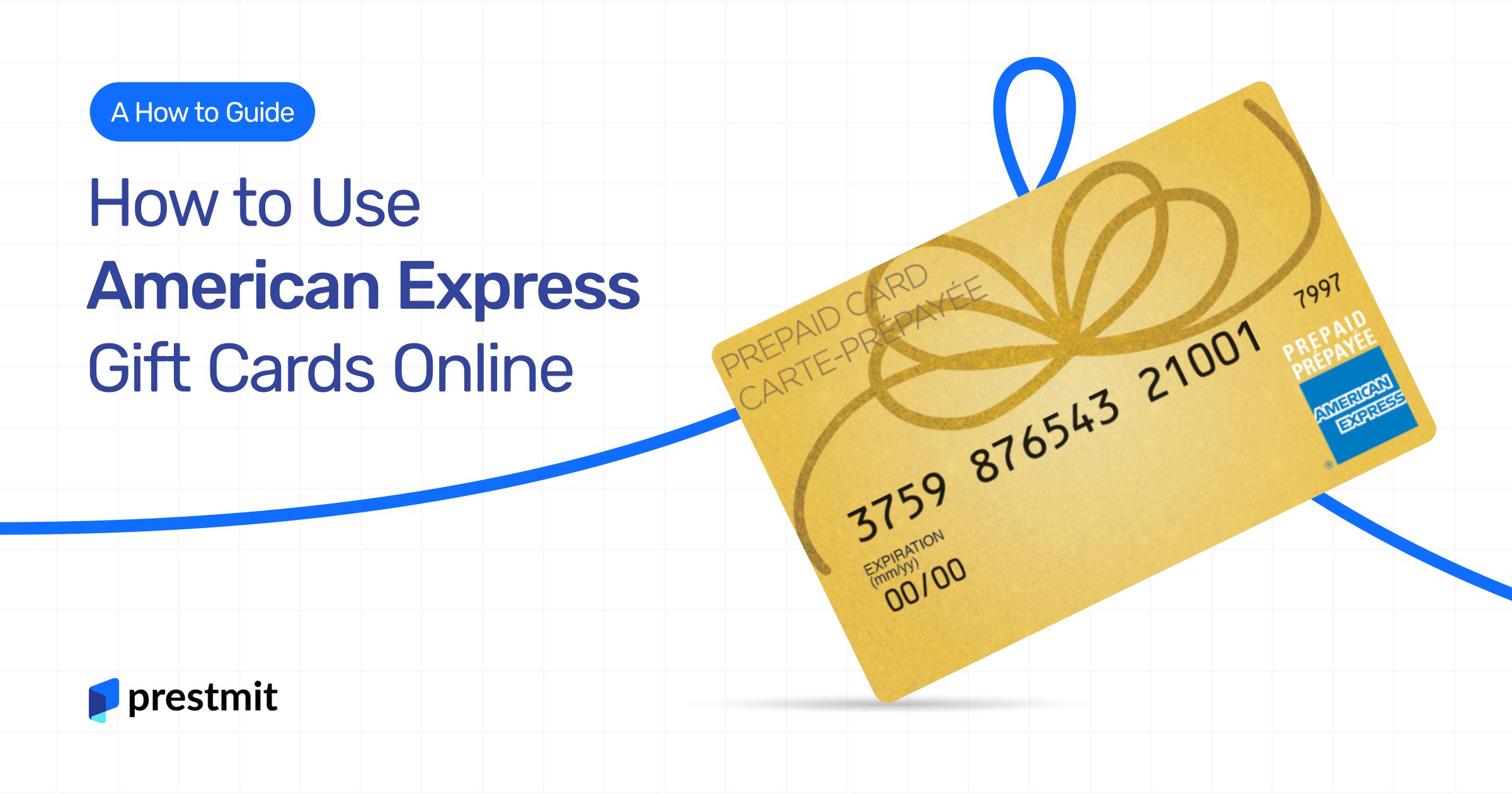
American Express gift cards are generally accepted wherever American Express is honored, which includes a vast array of online merchants. They function much like a debit card on the Amex network, drawing directly from a pre-loaded balance. However, there are some specific attributes to be aware of:
- Prepaid Nature: The card’s value is finite. Once the balance is depleted, the card typically cannot be reloaded (though some specific types might vary).
- No Credit Line: Unlike a credit card, there’s no credit limit to borrow against. Spending is limited strictly to the available balance.
- No Personal Information Tied (Initially): Often, gift cards are not tied to a specific individual’s personal information until they are registered, which can be a key point during online checkout for billing address verification.
- Expiration Dates and Fees: While American Express gift cards typically do not expire for the underlying funds, the plastic card itself might have an expiration date. It’s also important to review any potential inactivity fees or other charges outlined in the cardholder agreement, though consumer gift cards usually have favorable terms regarding fees.
- Not for Recurring Subscriptions: Due to their prepaid and sometimes non-rechargeable nature, gift cards are generally not suitable for recurring payments or subscriptions, as the balance can deplete, causing service interruptions.
Activation and Registration (If Applicable)
Most American Express gift cards come pre-activated, meaning they are ready for use immediately upon purchase. However, it’s always a good practice to review the instructions provided with your specific card. Some cards may require a quick online activation step or phone call to ensure full functionality, especially if they are corporate or bulk-purchased.
A more important consideration for online use is registration. While not always mandatory, registering your gift card online can significantly ease the checkout process. During registration, you might be asked to associate a billing address (often your own) with the card. This step is crucial because many online merchants require a billing address for payment verification, even for gift cards. If you don’t register an address, some systems might decline the transaction because they can’t match the billing address provided during checkout.
To register your card:
- Visit the American Express gift card website (usually printed on the back of the card or included in the packaging).
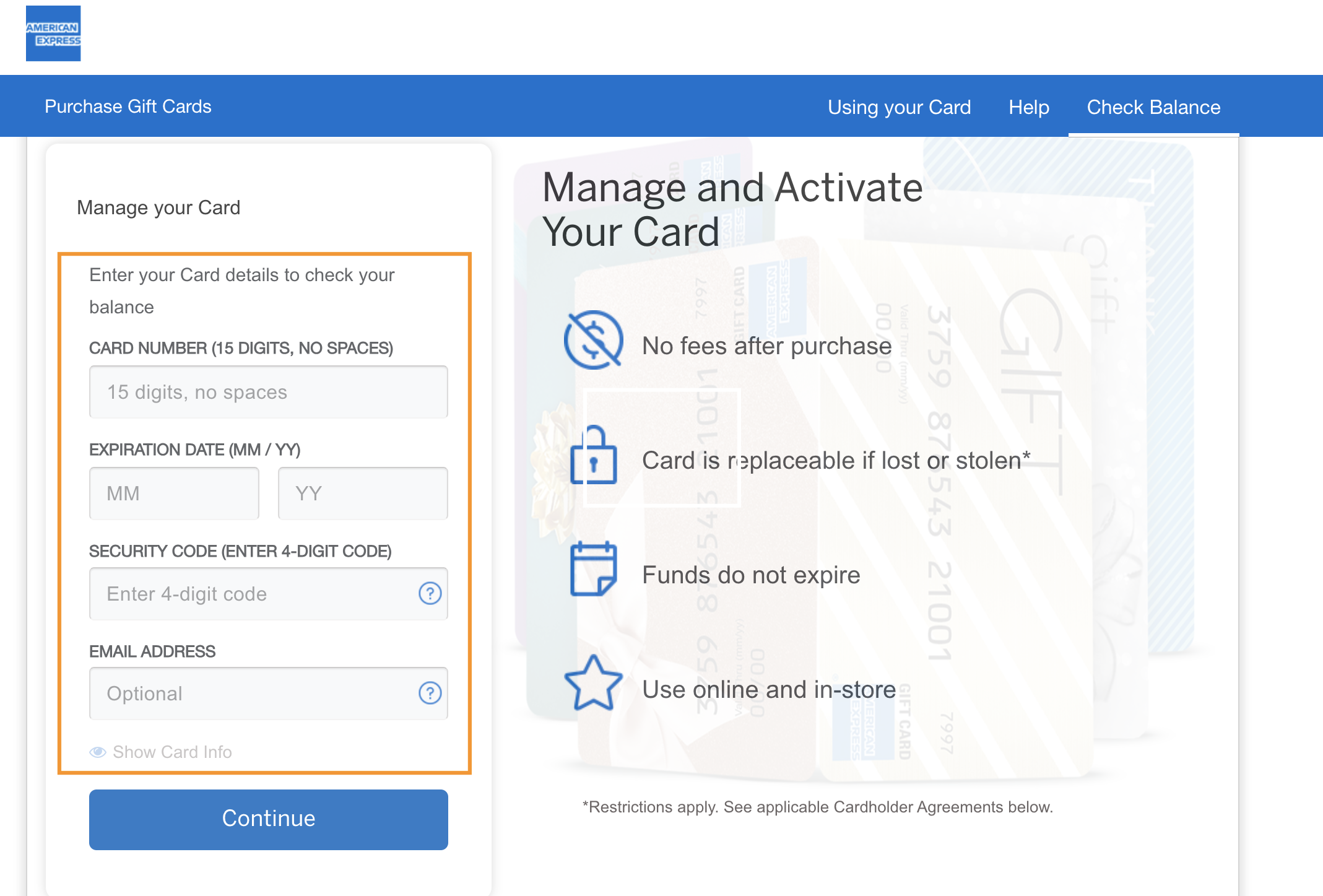
- Locate the section for “Register Your Card” or “Check Balance.”
- Enter your card number, expiration date, and security code (CVV).
- Follow the prompts to associate a billing address with the card. Use your current residential address for simplicity.
This registration step can prevent potential headaches later by providing a valid billing address for online transactions.
Preparing for Your Online Purchase
A smooth online transaction with an American Express gift card hinges on proper preparation. Ensuring you have the correct information and sufficient funds ready will prevent delays and declined payments.
Checking Your Balance
Knowing your exact balance is paramount. Attempting a purchase that exceeds your gift card’s balance is a common reason for declined transactions.
There are typically a few ways to check your American Express gift card balance:
- Online: Visit the American Express gift card website (the URL is usually printed on the back of the card or packaging). Look for a “Check Balance” or “Manage Your Card” section. You’ll typically need to enter the card number and security code.
- Phone: A toll-free customer service number is usually provided on the back of the card. You can call this number to inquire about your balance.
- Through Purchase Attempts (Not Recommended): While attempting a small purchase can reveal your balance if it’s approved, this isn’t an efficient or reliable method and can sometimes lead to temporary holds or other issues if the transaction is declined multiple times.
Always confirm your balance immediately before making a significant online purchase.
Ensuring Card Readiness
Beyond the balance, ensure your card details are accessible and accurate. Have the following information at hand:
- 15-digit card number: The main number on the front of the card.
- 4-digit security code (CID): Located on the front of the card, above the card number, usually on the right side. This is unique to American Express cards.
- Expiration date: Month and year printed on the front of the card.
- Billing Address: If you registered your card, have that specific billing address ready. If you didn’t register, or if the system doesn’t require a direct match, you might use your own residential address. This can sometimes be a point of confusion; if an issue arises, using the address to which the card was shipped or the address used during purchase might resolve it.
Having these details readily available will streamline the checkout process and reduce the chance of input errors.
Step-by-Step Guide to Online Redemption
Using your American Express gift card online follows a similar process to using a standard credit or debit card, with a few crucial distinctions.
Selecting Your Merchandise
Browse your chosen online retailer and add desired items to your shopping cart. As you select items, keep a mental tally of your spending to ensure it aligns with your gift card balance. If your total purchase exceeds your gift card’s value, be prepared to use a secondary payment method, which we will discuss below.
Navigating the Checkout Process
Once you’ve finalized your selections, proceed to the checkout page. Here, you’ll typically encounter several sections:
- Shipping Information: Enter the address where you want your items delivered.
- Billing Information: This is where the specificities of gift card use come into play.
- Payment Method: Select “Credit Card” or “American Express” as your payment type. Do not select “Gift Card” if there’s a specific option for that, as those are usually for merchant-specific gift cards, not network-branded cards like Amex.
Entering Card Details
When prompted for payment details:
- Card Number: Enter the 15-digit American Express gift card number from the front of the card.
- Expiration Date: Input the month and year.
- Security Code (CID): Enter the 4-digit code located on the front of the card, above the main card number.
- Cardholder Name: Since gift cards aren’t always issued to a specific name, you might enter “Gift Card Recipient,” “Gift Card Holder,” or simply your own name. If the field is mandatory and no specific instruction is given, using your name is generally safe.
- Billing Address: This is perhaps the most critical field for gift cards.
- If you registered your card: Use the exact billing address you registered with American Express.
- If you did not register your card: Try using your own residential address. If that doesn’t work, try using the address where the gift card was originally purchased or shipped to (if known). Mismatched billing addresses are a primary cause of online gift card declines.
After entering all details, review them carefully for accuracy before proceeding to the final confirmation step.
Handling Partial Payments or Remaining Balances
One of the most common scenarios with gift cards is when the purchase total exceeds the card’s balance. Many online merchants accommodate split payments, allowing you to use your gift card for part of the transaction and another payment method for the remainder.
To perform a split payment:
- Enter your gift card details first.
- The system should attempt to deduct the available balance. If the balance is less than the total, it will then prompt you for a second payment method (e.g., a personal credit card or debit card) to cover the remaining amount.
- Crucially, ensure your gift card balance is slightly higher than the amount you intend to use for the partial payment. Some systems place a small authorization hold (e.g., $1) that can cause a decline if your balance is exactly the amount of the item. To be safe, if your item is $25 and your card has $25, use the full card balance as the first payment. If the system balks, you might have to choose another strategy.
- If the merchant’s system does not support split payments: You might need to adjust your order to match the exact gift card balance or purchase a digital gift card from the merchant for the exact gift card amount, then use that to pay. Alternatively, purchase smaller items that individually match or are less than the balance until the card is depleted.
After a successful transaction, your gift card’s balance will be reduced by the purchase amount. For future reference, always double-check the remaining balance on the American Express gift card website.
Troubleshooting Common Issues
Even with careful preparation, issues can arise during online gift card transactions. Understanding the common pitfalls can help you quickly resolve them.
Card Declined
A card decline can be frustrating. Common reasons include:
- Insufficient Funds: The most frequent cause. Always check your balance before attempting a purchase.
- Incorrect Card Details: Typos in the card number, expiration date, or security code. Double-check all entries.
- Billing Address Mismatch: This is a major issue for gift cards. Ensure the billing address entered matches the one registered with the American Express gift card (if registered), or the address used during purchase.
- Authorization Holds: Sometimes, even if a transaction is declined, a temporary “authorization hold” for the attempted amount might be placed on your gift card’s balance. This hold usually drops off within a few business days, but it can temporarily make your balance appear lower than it is.
Insufficient Funds
If your card is declined due to insufficient funds, you have a few options:
- Reduce your purchase: Select items that fall within your available balance.
- Split payment: If the merchant allows, use your gift card for its full balance and then pay the remainder with another method.
- Combine with another gift card: While less common for online Amex gift card use (as they are usually treated like a debit/credit card), if you have multiple gift cards for the same merchant, you might be able to combine them at checkout. This is typically not an option for network-branded gift cards like Amex across different merchants.
Website Acceptance Issues
While American Express gift cards are widely accepted, specific online retailers might have their own payment processing rules or limitations.
- “Gift Card” vs. “Credit Card”: Remember to select “Credit Card” or “American Express” as the payment type, not a generic “Gift Card” option, unless it specifically states “American Express Gift Card.”
- Technical Glitches: Occasionally, the merchant’s payment gateway or your browser might experience a temporary glitch. Try clearing your browser’s cache and cookies, or attempting the purchase on a different browser or device.
- Merchant Restrictions: A very small number of online merchants might not accept gift cards, even if they accept standard American Express credit cards, due to their internal fraud prevention policies or processing agreements. If persistent issues occur, contact the merchant’s customer service or opt for a different retailer.
Maximizing Your American Express Gift Card Value
Beyond simply using your gift card, there are strategies to ensure you get the most out of its value and manage it responsibly.
Strategic Spending
Consider using your gift card for smaller, specific purchases that match its balance. This reduces the need for split payments and minimizes the chance of leaving a small, unusable residual balance. For example, if you have $27.35 remaining, look for an item priced exactly at or just below that amount.
Tracking Remaining Balances
Even after a successful transaction, it’s prudent to check your gift card’s balance again. Small residual amounts are common and can be easily forgotten. These leftover balances, though small, still represent spendable money. You could use them for micro-purchases, combine them with another payment method for a small online order, or even use them at a physical store if the card has a magnetic stripe. Don’t let a few dollars go to waste.

Protecting Your Gift Card
Treat your American Express gift card like cash. If it’s lost or stolen, the funds may be unrecoverable unless you registered it and have the original purchase receipt.
- Keep it Secure: Store the physical card in a safe place until its value is depleted.
- Record Details: Jot down the card number, expiration date, and security code in a secure, separate location. This information can be invaluable if you need to report a lost card or track its balance.
- Retain Purchase Receipt: The receipt often contains important information like the activation date and is crucial for any dispute or recovery process.
By understanding these dynamics and preparing accordingly, using your American Express gift card for online purchases can be a seamless and rewarding experience, allowing you to enjoy your gift without financial friction.
aViewFromTheCave is a participant in the Amazon Services LLC Associates Program, an affiliate advertising program designed to provide a means for sites to earn advertising fees by advertising and linking to Amazon.com. Amazon, the Amazon logo, AmazonSupply, and the AmazonSupply logo are trademarks of Amazon.com, Inc. or its affiliates. As an Amazon Associate we earn affiliate commissions from qualifying purchases.