
In today’s digital economy, managing personal finances often involves navigating a landscape of specialized financial tools. PayPal and Venmo stand out as two of the most popular peer-to-peer (P2P) payment applications, facilitating seamless money transfers for millions worldwide. While both are indispensable for many, a common query arises: “How do I transfer money directly from PayPal to Venmo?” The answer, surprisingly, isn’t a direct one. Despite being owned by the same parent company, PayPal and Venmo operate as distinct platforms, meaning direct transfers between them are not supported. This necessitates an understanding of their operational nuances and a strategic approach involving an intermediate bank account.

This guide will demystify the process, offering a professional, insightful, and engaging breakdown of how to effectively move your funds between these two vital financial ecosystems. We will delve into the step-by-step procedures, shed light on associated fees and timelines, and provide strategic financial advice to optimize your digital money management. Understanding these mechanisms is crucial not just for executing the transfer, but for developing a robust personal finance strategy in an increasingly interconnected digital world.
Understanding the Interplay Between PayPal and Venmo
Before diving into the mechanics of the transfer, it’s essential to grasp the fundamental relationship between PayPal and Venmo and why a direct transfer isn’t an option. This foundational understanding underpins the entire process and helps users make informed financial decisions.
The Relationship Between the Platforms (and their Parent Company)
PayPal acquired Braintree, the company behind Venmo, in 2013. This acquisition brought Venmo under the vast umbrella of PayPal Holdings, Inc. However, despite sharing a parent company, PayPal and Venmo have largely maintained separate brand identities, user interfaces, and distinct operational models. PayPal, the venerable pioneer in online payments, boasts a broad global reach, extensive merchant services, and robust international transfer capabilities. Venmo, on the other hand, emerged as a mobile-first social payment app, particularly popular among younger demographics in the United States for splitting bills, sharing expenses, and small-scale P2P transactions often accompanied by emojis and brief social messages. This strategic differentiation allows each platform to cater to specific market segments and use cases.
Why Direct Transfers Are Not Supported
The primary reason for the absence of a direct PayPal-to-Venmo transfer feature lies in their independent operational structures and business models. Each platform functions as a distinct financial “wallet,” designed to manage funds within its own ecosystem or facilitate transfers to external bank accounts and linked cards. Enabling direct, instantaneous transfers between them would require significant integration at a core infrastructural level, which could potentially complicate their existing financial routing systems, regulatory compliance requirements, and individual revenue models. For instance, both platforms generate revenue through various fees (e.g., instant transfers, merchant services). A direct integration might cannibalize these revenue streams or introduce new complexities in transaction tracking and anti-money laundering (AML) protocols. From a user experience perspective, maintaining separate identities also allows each platform to focus on its core strengths without diluting its brand purpose.
The Necessity of an Intermediate Bank Account
Given the lack of direct interoperability, the established method for moving money from PayPal to Venmo involves an intermediate step: your linked bank account. This financial institution acts as a crucial bridge, allowing you to first withdraw funds from your PayPal balance into your bank account, and then subsequently deposit those funds from your bank account into your Venmo balance. This two-stage process leverages the existing financial infrastructure of traditional banking, ensuring security, regulatory compliance, and universal compatibility. It underscores the continued importance of a primary financial hub—your bank—even in an era dominated by digital payment apps. Therefore, ensuring your bank account is correctly linked and verified on both PayPal and Venmo is the cornerstone of a successful transfer strategy.
The Step-by-Step Process for a Successful Transfer
Executing the transfer from PayPal to Venmo, while indirect, is a straightforward process once you understand the necessary steps. This section provides a detailed walkthrough, ensuring you can manage your funds efficiently and without unnecessary complications.
Step 1: Cashing Out from PayPal to Your Bank Account
The initial phase involves moving the desired funds from your PayPal balance to your primary bank account. This effectively “cashes out” your PayPal balance, making the money available for subsequent transfer.
- Log in to Your PayPal Account: Access your PayPal account via the website or mobile app.
- Navigate to Your Wallet/Balance: On the summary page, locate your PayPal balance. You’ll typically see options to ‘Transfer Money’ or ‘Withdraw Funds’.
- Initiate a Transfer: Click on the ‘Transfer Money’ or ‘Withdraw’ option.
- Select Your Linked Bank Account: PayPal will present you with options to transfer to a linked bank account or debit card. Choose the bank account you intend to use as the intermediary. If you haven’t linked a bank account yet, you will need to do so, which usually involves verifying small deposits PayPal sends to your account.
- Enter the Amount: Specify the exact amount you wish to transfer from your PayPal balance.
- Choose Transfer Speed and Review: PayPal offers two main transfer speeds:
- Standard Transfer (ACH): This option is typically free but takes 1-3 business days for the funds to arrive in your bank account. This is the most common and cost-effective method for non-urgent transfers.
- Instant Transfer: For a small fee (usually 1.75% of the transferred amount, with a maximum cap, e.g., $25), the funds can be transferred to your linked bank account or eligible debit card within minutes. This is ideal if you need the money quickly.
Review the details carefully, including the amount and any applicable fees, before confirming.
- Confirm the Transfer: Once satisfied, confirm the transaction. You will receive a confirmation email from PayPal.
Step 2: Depositing Funds from Your Bank Account to Venmo
Once the funds have successfully arrived in your linked bank account from PayPal, the next step is to initiate a deposit into your Venmo balance from that same bank account.
- Log in to Your Venmo Account: Open the Venmo app on your mobile device.
- Navigate to Your Balance/Add Money: Tap on the “Me” tab (your profile picture) or the “Manage Balance” section. You’ll typically see an option like “Add Money” or “Add Cash”.
- Initiate a Deposit: Select the option to “Add Money” from your linked bank account.
- Select Your Linked Bank Account: Choose the bank account where the funds from PayPal were deposited. Ensure this bank account is correctly linked to your Venmo profile. If it’s not, you’ll need to link and verify it, similar to PayPal’s process.
- Enter the Amount: Input the exact amount you wish to transfer into your Venmo balance. Ensure you have sufficient funds available in your bank account to cover this deposit.
- Review and Confirm: Double-check the amount and the selected bank account. Venmo typically does not charge fees for standard deposits from a bank account.
- Confirm the Deposit: Finalize the transaction. The funds will typically arrive in your Venmo balance within 1-3 business days.
Ensuring Your Bank Account is Correctly Linked on Both Platforms
The seamless execution of this two-part transfer hinges entirely on the accurate and verified linkage of your bank account to both your PayPal and Venmo profiles. Incorrect or unverified bank details are the most common cause of failed or delayed transfers.
- Verification Process: Both platforms require verification of your bank account, often involving small deposits (micro-deposits) that you then confirm in their respective apps. This process ensures that you are the legitimate owner of the linked account and adds a layer of security to your financial transactions.
- Matching Information: Ensure that the name on your PayPal account, Venmo account, and the linked bank account all match. Discrepancies can trigger security flags and lead to holds or rejections.
- Active Account: Always use an active checking or savings account. Prepaid cards or certain types of niche accounts may not be compatible with these transfer methods. Regularly review your linked financial instruments on both platforms to ensure their accuracy and validity.
Navigating Fees, Transfer Times, and Potential Roadblocks
Understanding the financial implications of these transfers—specifically fees and timelines—is crucial for effective personal finance management. Furthermore, being aware of common issues can help mitigate potential frustrations.
Demystifying PayPal Withdrawal Fees and Timelines
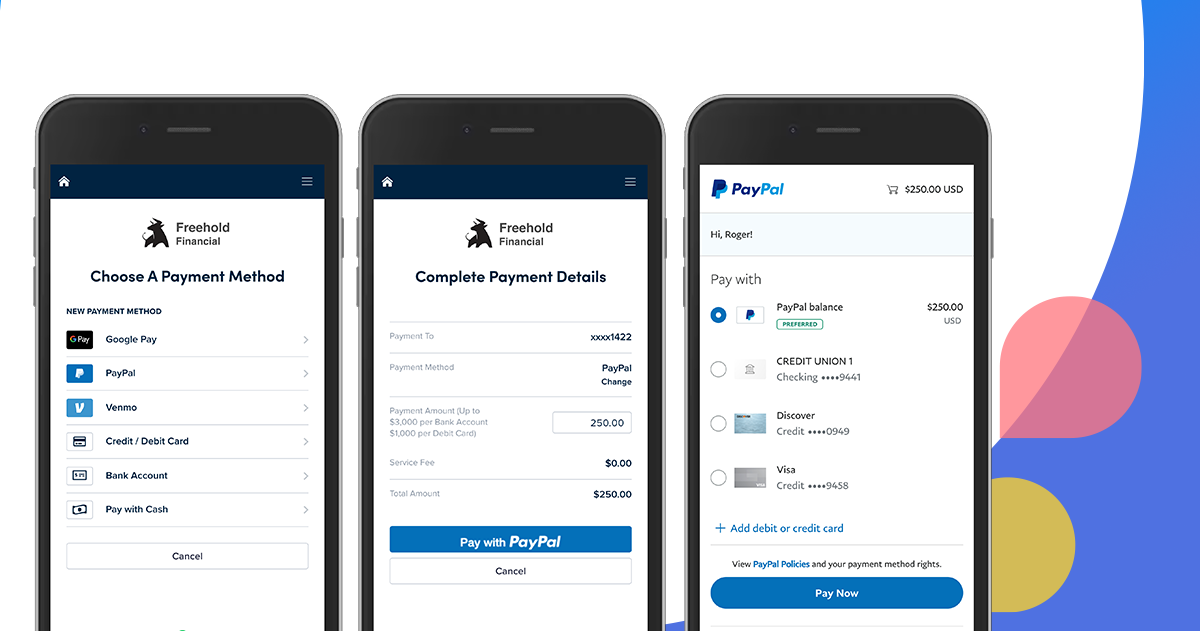
When transferring money out of PayPal, users have distinct choices that impact both cost and speed:
- Standard Transfer (ACH): This is the most common method for withdrawing funds to a linked bank account.
- Fee: Typically free of charge. This makes it the most economical option for regular financial management.
- Timeline: Funds usually take 1 to 3 business days to appear in your bank account. Weekends and public holidays are not considered business days and will extend the processing time.
- Instant Transfer: For urgent situations, PayPal offers an instant transfer option to eligible linked bank accounts or debit cards.
- Fee: A fee of 1.75% of the transferred amount is applied, with a minimum fee (e.g., $0.25) and a maximum cap (e.g., $25). This fee is deducted from the transfer amount.
- Timeline: Funds are typically available in your bank account or on your debit card within minutes. This convenience comes at a premium, which individuals must weigh against their immediate financial needs.
For budgeting purposes, it’s vital to account for these fees and timelines. If you frequently move money and require instant access, the cumulative instant transfer fees can add up. Conversely, if urgency isn’t a factor, the standard free transfer is the financially prudent choice.
Venmo Deposit Timelines and Considerations
Once the money is in your bank account, depositing it into Venmo typically follows a similar timeline to PayPal’s standard transfers:
- Deposits from Linked Bank Accounts:
- Fee: Generally free for standard deposits from your bank account to your Venmo balance.
- Timeline: Funds usually take 1 to 3 business days to settle in your Venmo balance. As with PayPal, weekends and holidays will extend this period.
- Instant Deposit (from Venmo balance to bank/debit card): While this article focuses on adding money to Venmo, it’s worth noting that Venmo also offers an instant cash-out option from your Venmo balance to a linked debit card or bank account for a 1.75% fee, similar to PayPal. This clarifies that instant transfers generally incur a cost across these platforms for their speed. However, adding money to Venmo from a bank account is typically a standard, free process.
It is crucial to monitor both your PayPal and bank account transaction histories, and then your bank and Venmo transaction histories, to confirm the successful movement of funds at each stage.
Common Issues and Troubleshooting Financial Transfers
Despite the straightforward nature of the process, users may encounter issues. Awareness of these common pitfalls can aid in quick resolution:
- Incorrect Bank Details: The most frequent error is providing incorrect bank account numbers or routing numbers. Always double-check this information during the linking process and before confirming any transfer. A minor typo can lead to funds being misdirected or returned.
- Account Limits: Both PayPal and Venmo impose daily, weekly, or monthly transfer limits, particularly for new accounts or unverified accounts. Attempting to transfer an amount exceeding these limits will result in a rejected transaction. Verify your account status and limits within each app.
- Security Holds/Verification: For security reasons (e.g., detecting unusual activity, compliance with AML/KYC regulations), either platform might place a temporary hold on a transfer or request additional verification. This is a protective measure. Respond promptly to any requests for information to expedite the release of funds.
- Bank Holidays and Non-Business Days: Remember that the 1-3 business day timeframe excludes weekends and public holidays. A transfer initiated on a Friday evening may not process until the following Tuesday or Wednesday.
- Insufficient Funds (Venmo Deposit): While unlikely if funds were just transferred from PayPal, ensure your bank account has sufficient cleared funds before initiating a Venmo deposit. Attempting to deposit funds that haven’t fully settled from PayPal to your bank could cause a delay or rejection.
- Contacting Support: If a transfer is delayed beyond the stated timeframe or fails, the first step is to check your transaction history on both platforms. If the issue persists, contact the customer support of the respective platform (PayPal for issues with money leaving PayPal, Venmo for issues with money arriving at Venmo, or your bank for issues related to the intermediate transfer).
Strategic Financial Management and Alternatives
Understanding the mechanics of transferring money between PayPal and Venmo is just one aspect of effective personal finance. Strategic consideration of when and why to use each platform, alongside exploring alternatives, can significantly enhance your digital wallet strategy.
When to Use PayPal vs. Venmo: A Financial Decision
The choice between PayPal and Venmo should often be a deliberate financial decision based on the specific transaction and context:
- PayPal’s Strengths:
- Global Reach: Ideal for international transfers and online purchases from international merchants.
- Buyer/Seller Protection: Offers robust buyer and seller protection programs, making it safer for larger transactions with unknown parties or e-commerce.
- Business Transactions: More suited for formal business transactions, invoicing, and accepting payments from customers.
- Larger Amounts: Generally handles larger transaction volumes and higher limits more comfortably.
- Venmo’s Strengths:
- Social Payments: Perfect for casual, domestic peer-to-peer payments, splitting dinner bills, rent, or other shared expenses with friends and family within the U.S.
- User-Friendly Interface: Its mobile-first design and social feed make it incredibly intuitive for quick, informal transfers.
- No Fees for Standard P2P: Most personal, funded-from-bank-account transfers are free, promoting its use for everyday splitting.
By understanding these distinctions, you can strategically decide which platform is best for a given financial interaction, potentially avoiding unnecessary fees or leveraging specific protections. If the goal is to pay a friend for dinner, Venmo is often the more appropriate and seamless choice. If you’re paying an online merchant in another country, PayPal is likely indispensable.
Direct Alternatives to Consider
While the PayPal-to-bank-to-Venmo method is effective, other direct alternatives for specific needs might streamline your financial activities:
- Zelle: Many U.S. banks offer Zelle directly within their mobile banking apps, allowing for free, near-instant bank-to-bank transfers. If both the sender and receiver have Zelle enabled through their banks, it can be a quicker and more direct way to send money, bypassing third-party apps entirely.
- Cash App: Similar to Venmo, Cash App is another popular P2P payment service that also offers a linked debit card (Cash Card) and allows for investing in stocks and Bitcoin. If your recipient is on Cash App, it might be a direct alternative to Venmo.
- Bank-to-Bank Transfers: For larger sums or transfers between your own accounts at different banks, traditional bank wire transfers (though often fee-based) or ACH transfers (usually free) remain reliable options.
- PayPal’s “Pay with Venmo” Feature: For certain online merchants that accept PayPal, there is an option to “Pay with Venmo” at checkout. This isn’t a direct money transfer between accounts but rather an integration for point-of-sale payments, which might negate the need to move funds if the ultimate goal is to pay a specific merchant.

Optimizing Your Digital Wallet Strategy
Effective management of digital payment platforms is a cornerstone of modern personal finance. To optimize your strategy:
- Consolidate Funds Wisely: Avoid letting large sums sit in multiple payment apps unnecessarily. Periodically transfer excess balances to your primary bank account, which is typically FDIC-insured (unlike balances held solely in payment apps).
- Understand Terms and Conditions: Fees, limits, and security protocols can change. Regularly review the terms of service for all your financial tools.
- Leverage Security Features: Enable two-factor authentication, use strong, unique passwords, and be wary of phishing scams that target digital payment users.
- Review Activity Regularly: Keep a close eye on your transaction history on all platforms to quickly identify and report any unauthorized activity.
- Link Smartly: Only link necessary bank accounts and debit/credit cards. Ensure all linked methods are up-to-date and secure.
By adopting a holistic approach to your digital payment ecosystem, you can ensure your money moves efficiently, securely, and cost-effectively, empowering you to better manage your personal finances.
In conclusion, while a direct transfer from PayPal to Venmo remains elusive due to their distinct operational models, the indirect method via a linked bank account provides a reliable and manageable solution. By understanding the step-by-step process, being mindful of fees and timelines, and troubleshooting common issues, users can navigate this financial workaround with confidence. Furthermore, integrating these practical steps into a broader strategy of informed financial decision-making—considering each platform’s strengths and exploring alternatives—is key to mastering your digital wallet and achieving greater financial agility in today’s digital landscape.
aViewFromTheCave is a participant in the Amazon Services LLC Associates Program, an affiliate advertising program designed to provide a means for sites to earn advertising fees by advertising and linking to Amazon.com. Amazon, the Amazon logo, AmazonSupply, and the AmazonSupply logo are trademarks of Amazon.com, Inc. or its affiliates. As an Amazon Associate we earn affiliate commissions from qualifying purchases.