
In the evolving landscape of personal finance, digital platforms like Chime and Cash App have become indispensable tools for managing money, sending funds, and even investing. Chime offers a mobile-first banking experience, often lauded for its early direct deposit and fee-free services, while Cash App provides a versatile peer-to-peer payment system alongside options for investing in stocks and Bitcoin. For many users, integrating these two platforms seamlessly is key to optimizing their financial flow.
Understanding how to efficiently transfer money between Chime and Cash App is more than just a technical step; it’s a critical component of modern personal finance strategy. Whether you’re consolidating funds, paying a friend, or leveraging specific features of each app, knowing the direct and indirect methods, along with their associated costs and timelines, empowers you to manage your money with greater agility and confidence. This guide will walk you through the process, offering insights into each platform’s financial ecosystem, outlining step-by-step transfer methods, and providing crucial tips for secure and efficient money management within your digital wallet network.
Navigating Your Financial Ecosystem: Chime and Cash App Explained
Before diving into the mechanics of transferring funds, it’s essential to understand the core financial identity and offerings of both Chime and Cash App. While both are fintech innovators, they serve distinct, yet often complementary, roles in a user’s financial life. Recognizing these differences helps in strategizing when and why to move money between them.
Chime: A Modern Banking Solution
Chime has positioned itself as a leading challenger bank, offering a compelling alternative to traditional financial institutions. Its primary appeal lies in its mobile-first approach, fee-free banking experience, and user-friendly features designed for the modern consumer. For many, Chime serves as their primary banking account, receiving direct deposits from employers and facilitating everyday spending. Key financial offerings include:
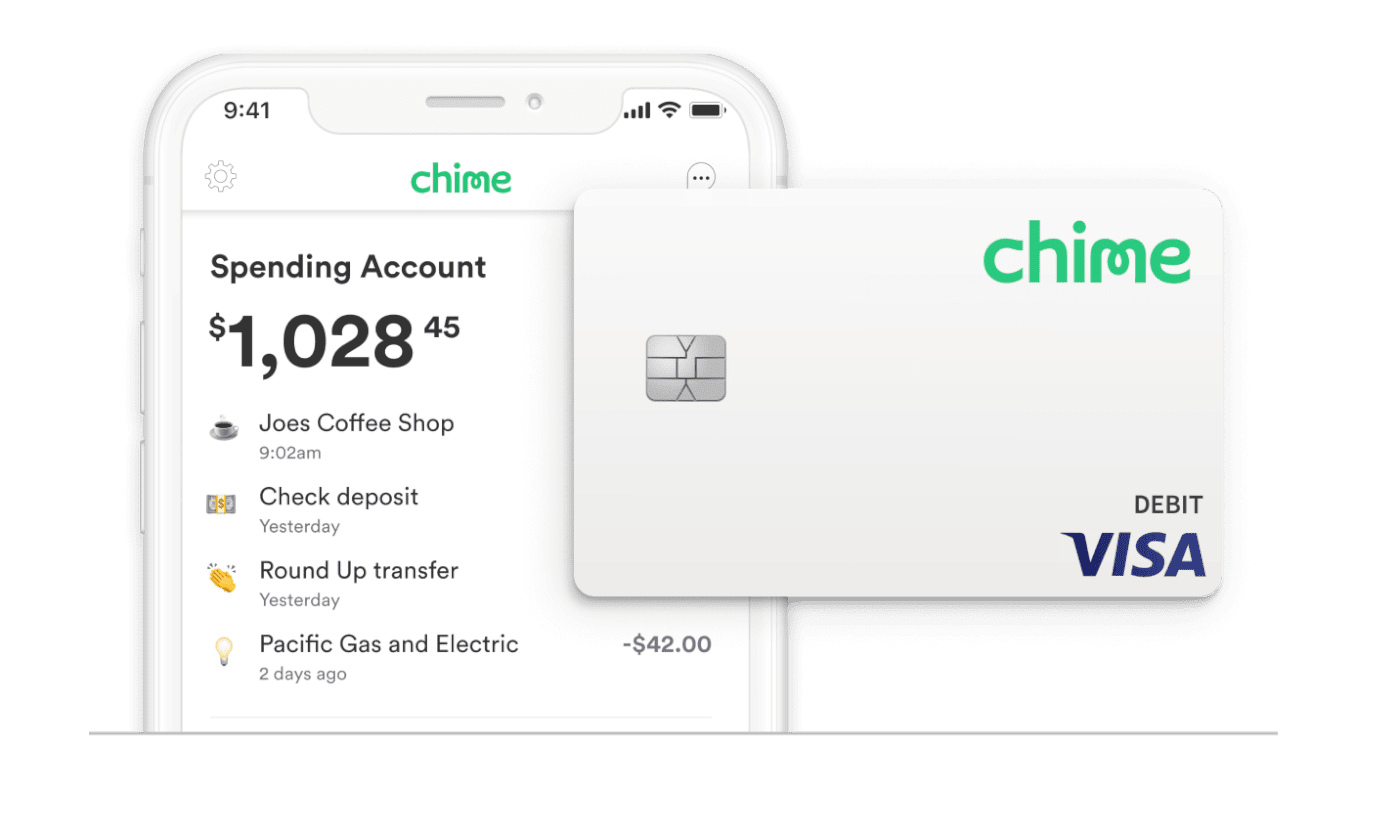
- Spending Account: A demand deposit account with no monthly fees, no minimum balance requirements, and access to a vast ATM network.
- Savings Account: An optional, high-yield savings account that encourages saving through features like “Round Up” (rounding up transactions to the nearest dollar and transferring the difference to savings).
- Early Payday: A highly popular feature that allows users to access their direct deposit up to two days early, offering significant financial flexibility.
- Secured Chime Credit Builder Visa® Card: Designed to help users build credit without interest or a security deposit, promoting financial health.
Chime’s focus is on providing a comprehensive, accessible banking experience, often appealing to individuals seeking to avoid the hidden fees and complexities associated with traditional banks.
Cash App: Your Versatile Digital Wallet
Cash App, developed by Block, Inc., functions more as a versatile digital wallet and peer-to-peer (P2P) payment service. While it doesn’t offer the full suite of traditional banking features, its strength lies in its speed, simplicity, and array of complementary financial tools. It’s often used for:
- Peer-to-Peer Payments: Instantly sending and receiving money with friends and family using a unique $Cashtag.
- Cash Card: A customizable Visa debit card linked to your Cash App balance, allowing you to spend funds directly from your account.
- Investing: Facilitating commission-free trading of stocks and easy access to buying and selling Bitcoin.
- Direct Deposit: While not a full-service bank, Cash App provides account and routing numbers, allowing users to receive direct deposits (though often with limitations compared to a dedicated bank).
Cash App thrives on convenience and immediacy, making it an excellent tool for quick transactions, informal investing, and managing a separate pool of spending money.
The Interplay: Why Transferring Funds Matters
The need to transfer money between Chime and Cash App arises from their distinct functionalities and the varying financial needs of users. Common scenarios include:
- Consolidating Funds: Moving money from a Chime spending account to Cash App to make a stock investment or purchase Bitcoin.
- Paying Friends: Transferring funds from your primary Chime account to Cash App to easily send money to someone who only uses Cash App.
- Leveraging Cash App Features: If you keep your primary funds in Chime but want to utilize the Cash Card’s “Boosts” (instant discounts at certain merchants) or pay for a service that specifically accepts Cash App.
- Budgeting: Separating funds for different purposes, perhaps keeping bill money in Chime and discretionary spending in Cash App.
Understanding these use cases highlights why seamless integration between the two platforms is not just a convenience, but a strategic element of modern personal finance management.
Direct Fund Transfers: Linking Chime to Cash App
The most straightforward and commonly used method for moving money between Chime and Cash App involves directly linking your Chime account within the Cash App interface. This method transforms your Chime account into a funding source for your Cash App balance, allowing for relatively quick and convenient transfers.
Step-by-Step: Connecting Your Chime Account to Cash App
The process of linking your Chime account to Cash App is initiated from within the Cash App itself. Follow these steps:
- Open Cash App: Launch the Cash App on your mobile device.
- Navigate to the Banking Tab: Tap the banking icon (looks like a house or a bank building) on the bottom left of the screen.
- Add Bank: Under the “Banks” section, you’ll see an option to “Link Bank” or “Add Bank.” Tap this option.
- Find Chime: Cash App uses Plaid, a secure third-party service, to connect to thousands of financial institutions. You’ll be prompted to search for your bank. Type “Chime” into the search bar.
- Log In to Chime: Once Chime is selected, you’ll be securely redirected to Chime’s login page (within the Plaid interface). Enter your Chime username and password. This grants Plaid permission to securely connect Cash App to your Chime account.
- Authorize Connection: After successfully logging in, you’ll be asked to authorize the connection. Confirm that you want to link your Chime account to Cash App.
Upon successful authorization, your Chime account will appear under the “Linked Banks” section in Cash App, ready to be used as a funding source.
Verifying Your Account: Ensuring Secure Connections
In some cases, or if instant verification isn’t possible, Cash App might employ a micro-deposit verification process to ensure the security and legitimacy of the linked account. This involves:
- Micro-Deposits: Cash App will send two small, random deposits (usually a few cents) to your Chime account. This process can take 1-3 business days.
- Confirmation: Once these deposits appear in your Chime transaction history, you’ll return to Cash App and enter the exact amounts to confirm ownership of the account.
While instant verification through Plaid is common, understanding the micro-deposit alternative is important if you encounter it. This step is a crucial security measure to protect your funds and prevent unauthorized access.
Initiating the Transfer: Adding Cash from Chime to Cash App
Once your Chime account is successfully linked, you can proceed with adding funds to your Cash App balance:
- Return to the Banking Tab: From the Cash App home screen, tap the banking icon.
- Tap “Add Cash”: This option will be prominently displayed.
- Enter Amount: Input the desired amount you wish to transfer from Chime to your Cash App balance.
- Select Chime as Source: Cash App will default to your linked bank account. Ensure Chime is selected as the source of funds.
- Confirm Transfer: Review the details and tap “Add” or “Confirm” to initiate the transfer.
The funds will then be moved from your Chime Spending Account to your Cash App balance.
Understanding Transfer Speeds and Limitations
When initiating transfers from Chime to Cash App, it’s vital to be aware of the associated timelines and any limitations:
- Standard Transfers: Funds added from a linked bank account (like Chime) to Cash App typically arrive within 1-3 business days. These transfers are generally free.
- Instant Transfers: While not directly applicable for “adding cash” from Chime to Cash App in the same way you might instantly withdraw from Cash App, using your Chime Debit Card (linked as a payment method) can facilitate quicker transfers into Cash App, often for a fee (typically 0.5% to 1.75% of the transaction amount).
- Transfer Limits: Both Chime and Cash App have daily, weekly, and monthly transfer limits. These limits can vary based on your verification status and account history. For instance, Cash App has limits on how much you can send and receive, and Chime has limits on debit card spending and ATM withdrawals that might indirectly affect transfers if you use the card method. Always check the current limits within each app’s settings or support documentation.
Being mindful of these factors ensures you plan your transfers effectively and avoid any unexpected delays or charges.
Exploring Alternative Transfer Methods and Considerations
While directly linking Chime to Cash App is the most common approach, there are situations where alternative methods or strategic considerations become necessary. Understanding these options provides greater flexibility in managing your funds.
The Indirect Route: Using a Traditional Bank Account as an Intermediary
In some instances, you might encounter issues linking Chime directly, or you might simply prefer a layered approach for security or tracking purposes. In such cases, using a traditional bank account as an intermediary can be a viable strategy. This method involves:
- Chime to Traditional Bank: Initiate an external transfer from your Chime Spending Account to a traditional bank account (e.g., Chase, Bank of America, Wells Fargo) that you own and have linked to both Chime and Cash App. This is typically done via an ACH transfer initiated from your Chime app, requiring your traditional bank’s routing and account numbers.
- Traditional Bank to Cash App: Once the funds have settled in your traditional bank account (usually 1-3 business days), you can then initiate an “Add Cash” transfer from your Cash App, selecting your traditional bank as the funding source.
This method, while adding an extra step and extending the transfer time, offers a reliable fallback. It can also be useful for larger amounts if direct limits are an issue, or if you prefer to route all external transfers through a single, well-established bank for simplified record-keeping. It also provides a buffer, allowing you to review transactions in a familiar bank environment before they reach Cash App.
Leveraging Debit Cards for Expedited Transfers
A faster, though potentially fee-laden, alternative involves using your Chime Visa Debit Card directly within Cash App. While this isn’t technically a “bank transfer,” it’s a common method for quickly adding funds.
- Link Chime Debit Card to Cash App: In Cash App, go to the “Linked Banks” section and select “Link Debit Card.” Enter your Chime Debit Card number, expiration date, CVV, and zip code.
- Add Cash Using Debit Card: Once linked, when you tap “Add Cash” in Cash App, you’ll have the option to select your Chime Debit Card as the funding source.
- Instant Transfer, Potential Fee: Funds transferred this way typically appear in your Cash App balance instantly. However, Cash App usually charges a fee (typically 0.5% to 1.75% of the transaction amount) for instant transfers made from a linked debit card that isn’t their own Cash Card. This fee is clearly displayed before you confirm the transfer.
This method is ideal when urgency is paramount, such as needing to instantly pay someone via Cash App or make an immediate investment. However, the associated fees should be weighed against the convenience.
When to Choose Which Method: A Financial Strategy
The choice between direct bank linking, an intermediary bank, or using a debit card should be a strategic decision based on your priorities:
- Direct Bank Link (Chime to Cash App): Best for regular, non-urgent transfers where cost-effectiveness is key. It’s generally free and reliable, though subject to standard ACH processing times (1-3 business days). This is the default and often preferred method for most users.
- Intermediary Traditional Bank: Ideal if you encounter persistent linking issues, if you manage very large sums that exceed direct transfer limits, or if you prefer an additional layer of financial oversight and tracking through a central bank account. It’s slower but robust.
- Chime Debit Card Link: Perfect for urgent, smaller transfers where you prioritize speed over minimizing fees. Understand the fee structure before committing to this option. It’s your “express lane” but comes with a toll.
By understanding these options, you can tailor your approach to specific financial situations, ensuring your money moves efficiently and cost-effectively between Chime and Cash App.
Optimizing Your Transfers: Financial Best Practices and Security
Effectively transferring money between Chime and Cash App goes beyond knowing the technical steps; it involves adopting financial best practices and maintaining vigilance over security. Integrating these principles into your routine ensures smooth operations and safeguards your assets.
Monitoring Fees and Limits: Cost-Effective Transfers
One of the cornerstones of smart personal finance is understanding and managing costs. When transferring funds between Chime and Cash App, pay close attention to:
- Cash App Instant Transfer Fees: As mentioned, using a linked debit card for instant transfers into Cash App typically incurs a fee (0.5% to 1.75%). If time permits, opting for the standard, free transfer from your linked Chime bank account is more cost-effective. Plan ahead to avoid unnecessary charges.
- Daily/Weekly Limits: Both Chime and Cash App have internal limits on how much money can be transferred, sent, or received within specific timeframes. These limits are in place for security and regulatory compliance. Regularly check the current limits within each app’s support section or your account settings. Exceeding these limits can result in failed transactions or holds on funds. If you anticipate large transfers, verify your account status and limits beforehand, or consider breaking down larger sums into smaller, compliant transactions over time.
Strategic awareness of these financial parameters can significantly impact the efficiency and cost of your digital money movements.
Safeguarding Your Financial Information
The digital nature of Chime and Cash App means that robust security practices are paramount. Protecting your accounts prevents unauthorized access and potential financial loss:
- Strong, Unique Passwords: Use complex passwords for both apps, combining letters, numbers, and symbols. Avoid using the same password for multiple financial accounts.
- Two-Factor Authentication (2FA): Always enable 2FA on both Chime and Cash App. This adds an extra layer of security, requiring a code from your phone or email in addition to your password for login or sensitive transactions.
- Be Wary of Phishing and Scams: Never share your login credentials, PINs, or one-time passcodes with anyone, even if they claim to be from Chime or Cash App support. Both companies communicate through official channels and will never ask for your password. Be suspicious of unsolicited messages or emails asking for personal financial information.
- Secure Your Device: Ensure your smartphone or tablet is protected with a strong passcode, fingerprint, or facial recognition. Be cautious when using public Wi-Fi networks for financial transactions.
- Regularly Review Transactions: Periodically check your transaction history on both Chime and Cash App for any suspicious or unauthorized activity. Report discrepancies immediately to the respective support teams.
Proactive security measures are your best defense in the digital financial world.
Troubleshooting Common Transfer Issues
Despite careful planning, transfers can sometimes encounter hiccups. Knowing how to troubleshoot common problems can save time and reduce frustration:
- Linking Failures: If Chime fails to link to Cash App, double-check your Chime login credentials. Ensure your Chime account is active and in good standing. Sometimes, temporary glitches with Plaid (the third-party connector) can occur; waiting a few hours and trying again might resolve it.
- Delayed Transfers: Standard transfers (ACH) can take 1-3 business days. If it’s outside this window, first check your transaction history on both apps to see if the transfer is pending or has failed. If it’s delayed beyond the expected timeframe, contact Cash App support, as they initiate the “Add Cash” process.
- Incorrect Amounts: Always verify the amount before confirming a transfer. If an incorrect amount was sent, contact Cash App support immediately. Reversing transfers, especially once completed, can be challenging.
- Account Not Found/Blocked: Ensure you’re using the correct account and routing numbers if opting for an indirect bank transfer. If an account appears blocked or restricted, contact Chime or Cash App support to understand the reason and resolve it.
Patience and prompt communication with customer support are key to resolving most transfer-related issues.
Integrating Chime and Cash App into Your Personal Finance Strategy
Beyond individual transfers, consider how Chime and Cash App fit into your broader personal finance strategy:
- Budgeting and Expense Tracking: Use Chime for primary income and fixed expenses, leveraging its budgeting tools. Use Cash App for discretionary spending, P2P payments, and micro-investments. This separation can aid in clearer budgeting.
- Emergency Funds: Keep your main emergency fund in a dedicated high-yield savings account (like Chime’s) rather than a P2P app balance, for stability and interest accrual.
- Maximizing Benefits: Take advantage of Chime’s early payday and fee-free structure. Explore Cash App’s “Boosts” on your Cash Card for instant savings at merchants you frequent.
- Financial Growth: Use Cash App’s investing features responsibly as part of a diversified investment strategy, while Chime helps manage your foundational banking needs.
By strategically integrating these platforms, you can create a robust and dynamic financial ecosystem that supports your personal financial goals, making money management more efficient, secure, and tailored to your lifestyle.
aViewFromTheCave is a participant in the Amazon Services LLC Associates Program, an affiliate advertising program designed to provide a means for sites to earn advertising fees by advertising and linking to Amazon.com. Amazon, the Amazon logo, AmazonSupply, and the AmazonSupply logo are trademarks of Amazon.com, Inc. or its affiliates. As an Amazon Associate we earn affiliate commissions from qualifying purchases.