
In an increasingly digital world, the way we manage and spend our money is constantly evolving. Contactless payments, often referred to as “tap-to-pay,” have become a cornerstone of modern financial transactions, offering unparalleled convenience, speed, and security. Among the various financial tools available, Cash App has emerged as a powerhouse, moving beyond its initial peer-to-peer payment roots to offer a full suite of banking-like services, including the ability to perform tap-to-pay transactions. This guide will delve into how Cash App users can leverage this feature, exploring its financial benefits, setup process, and best practices for integrating it seamlessly into their personal finance strategies.
Understanding Tap-to-Pay and Cash App’s Financial Ecosystem
The shift towards digital payments has been driven by a demand for efficiency and security. Tap-to-pay technology stands at the forefront of this evolution, fundamentally changing how consumers interact with merchants. For users focused on savvy personal finance, understanding how Cash App fits into this landscape is crucial for optimizing spending and financial management.
The Evolution of Contactless Payments in Personal Finance
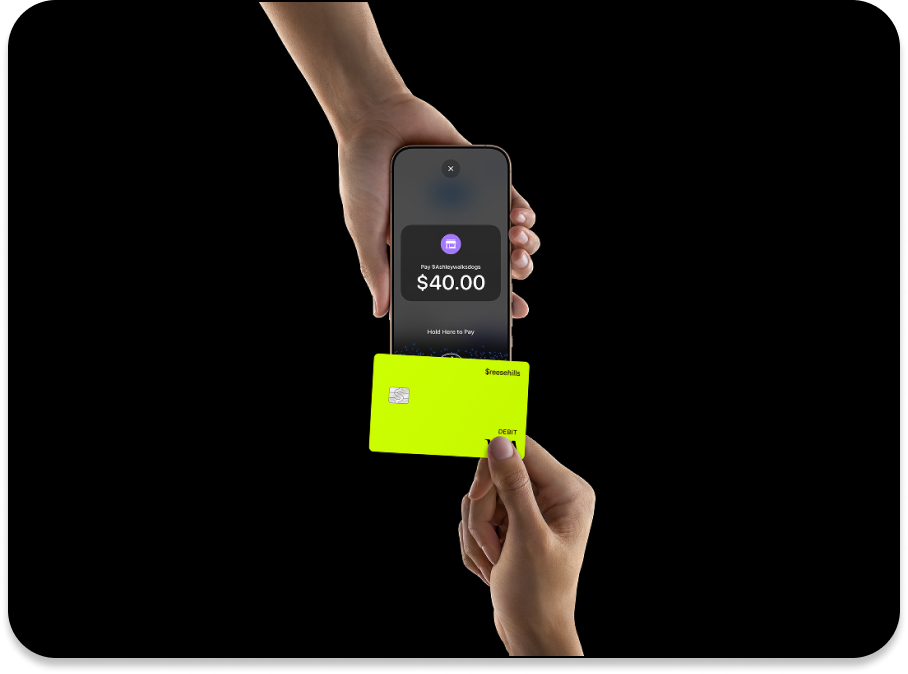
Contactless payment technology, utilizing Near Field Communication (NFC), allows individuals to make payments by simply tapping their payment device – be it a smartphone, smartwatch, or a specially enabled debit card – on a compatible point-of-sale (POS) terminal. This method bypasses the need for swiping, inserting, or even signing for smaller transactions, significantly expediting the checkout process. From a personal finance perspective, this speed translates into saved time, and the reduced physical interaction has added benefits in terms of hygiene, a significant consideration in today’s world. Moreover, the underlying tokenization technology that powers contactless payments offers a layer of security often superior to traditional card methods, where actual card numbers are exposed. Each transaction generates a unique, encrypted token, making it significantly harder for fraudsters to intercept and reuse sensitive financial data. This enhanced security contributes directly to protecting one’s financial assets from potential breaches.
Navigating Cash App as a Personal Financial Tool
Initially popularized for its simplicity in sending and receiving money between friends and family, Cash App has blossomed into a multifaceted financial platform. Beyond its core peer-to-peer functionality, it now offers features such as direct deposit capabilities, allowing users to receive paychecks directly into their Cash App account; investing in stocks and Bitcoin, democratizing access to financial markets; and, most pertinently for this discussion, the Cash Card. The Cash Card is a free, customizable Visa debit card linked directly to your Cash App balance. It extends the utility of your digital balance into the physical world, enabling you to make purchases anywhere Visa is accepted, including online and, crucially, via tap-to-pay terminals. For individuals looking to centralize their everyday spending and potentially consolidate financial tools, the Cash Card acts as a robust enabler for managing day-to-day liquidity and transactions. It allows users to track all spending within a single application, offering a holistic view of their expenditures, which is invaluable for budgeting and financial planning.
Bridging the Gap: Cash Card and Mobile Wallet Integration
The ability to tap-to-pay with Cash App isn’t directly embedded within the Cash App itself in the same way Apple Pay or Google Pay work intrinsically. Instead, it relies on the Cash Card’s integration with these established mobile wallet services. The physical Cash Card is NFC-enabled, meaning you can tap it directly at a terminal. However, for those who prefer to use their smartphone or smartwatch for payments, the Cash Card can be added to Apple Pay (for iOS devices) or Google Pay (for Android devices). This integration is the key link that transforms your Cash App balance into a fully functional contactless payment method accessible directly from your mobile device. By adding your Cash Card to your preferred mobile wallet, you extend its reach and convenience, allowing you to leave your physical wallet behind while still having access to your funds for contactless purchases. This seamless connection underscores Cash App’s role as an adaptable financial tool, capable of integrating with broader digital payment infrastructures to meet diverse user needs.
Setting Up Your Cash App for Seamless Contactless Payments
To fully leverage the convenience of tap-to-pay with Cash App, a few initial setup steps are required. These steps ensure your Cash Card is active, linked to your mobile wallet, and adequately funded, laying the groundwork for effortless transactions.
Ordering and Activating Your Cash Card
The Cash Card is the physical embodiment of your Cash App balance and is fundamental to enabling tap-to-pay functionality. If you haven’t already, the first step is to order your free Cash Card directly through the Cash App.
- Navigate to the “Cash Card” tab (looks like a debit card icon) on your Cash App home screen.
- Tap “Get Free Cash Card” or “Order Card.”
- Customize your card (color, design, signature) and confirm your shipping address.
- Wait for your card to arrive (typically within 5-10 business days).
Once your physical Cash Card arrives, it needs to be activated before it can be used for any purchases, including tap-to-pay.
- Return to the “Cash Card” tab in the Cash App.
- Tap “Activate Cash Card.”
- Scan the QR code located on the packaging your card arrived in. If you can’t scan, tap “Missing QR Code” and manually enter the CVV (Card Verification Value) and expiration date.
Activating your card links it securely to your Cash App balance, making it ready for use.
Integrating Your Cash Card with Apple Pay or Google Pay
While the physical Cash Card itself can be tapped, the ultimate convenience of tap-to-pay often comes from using your smartphone or smartwatch. This requires adding your Cash Card to your device’s native mobile wallet.
For Apple Pay (iOS Devices):
- Open the Cash App.
- Go to the “Cash Card” tab.
- Tap the image of your Cash Card.
- Select “Add to Apple Pay.”
- Follow the on-screen prompts in Apple Wallet to confirm your details and add the card. You may need to verify with a code sent to your phone number or email.
For Google Pay (Android Devices):
- Open the Cash App.
- Go to the “Cash Card” tab.
- Tap the image of your Cash Card.
- Select “Add to Google Pay.”
- Follow the on-screen prompts in Google Pay to confirm your details and add the card. Verification might be required.
Once successfully added, your Cash Card will appear in your mobile wallet, ready for use as a primary or secondary payment method. This integration enhances security through tokenization and device-specific authentication (Face ID, Touch ID, or PIN), adding another layer of protection for your funds.
Funding Your Cash App Balance for Purchases
The Cash Card draws directly from your Cash App balance. Therefore, to ensure seamless tap-to-pay transactions, you must have sufficient funds in your account.
- Link a bank account: The most common way to add funds is by linking your existing bank account to Cash App. Go to the “Banking” tab (looks like a house icon), tap “Link Bank,” and follow the prompts.
- Add Cash: Once linked, you can add money to your Cash App balance. On the “Banking” tab, tap “Add Cash,” enter the desired amount, and confirm the transfer from your linked bank account.
- Direct Deposit: For regular funding, consider setting up direct deposit for your paycheck or government benefits directly to your Cash App account. This turns Cash App into a primary financial hub, simplifying cash flow management.
Regularly checking your Cash App balance before making significant purchases is a sound financial practice. The app provides real-time balance updates, allowing you to manage your spending effectively and avoid declined transactions.
Executing Tap-to-Pay Transactions with Cash App
With your Cash Card activated and integrated into your mobile wallet, you’re ready to make contactless payments. The process is designed to be quick and intuitive, streamlining your purchasing experience.
Making Payments at Point-of-Sale Terminals
Whether you’re using your physical Cash Card or your smartphone/smartwatch via Apple Pay or Google Pay, the tap-to-pay process at a merchant terminal is remarkably similar:
- Look for the contactless symbol: At the checkout, identify terminals displaying the contactless payment symbol (four curved lines resembling a Wi-Fi icon).
- Initiate payment:
- Using your phone/smartwatch: Wake your device and hold it near the contactless reader. For Apple Pay, you might need to double-click the side button and authenticate with Face ID/Touch ID. For Google Pay, simply holding the device usually suffices, though some transactions may require unlocking.
- Using your physical Cash Card: Simply tap the card lightly on the contactless reader.
- Confirm the transaction: The terminal will beep, flash, or display a confirmation message indicating a successful payment. You may be prompted for a PIN for larger transactions, even with contactless payments, as an added security measure.
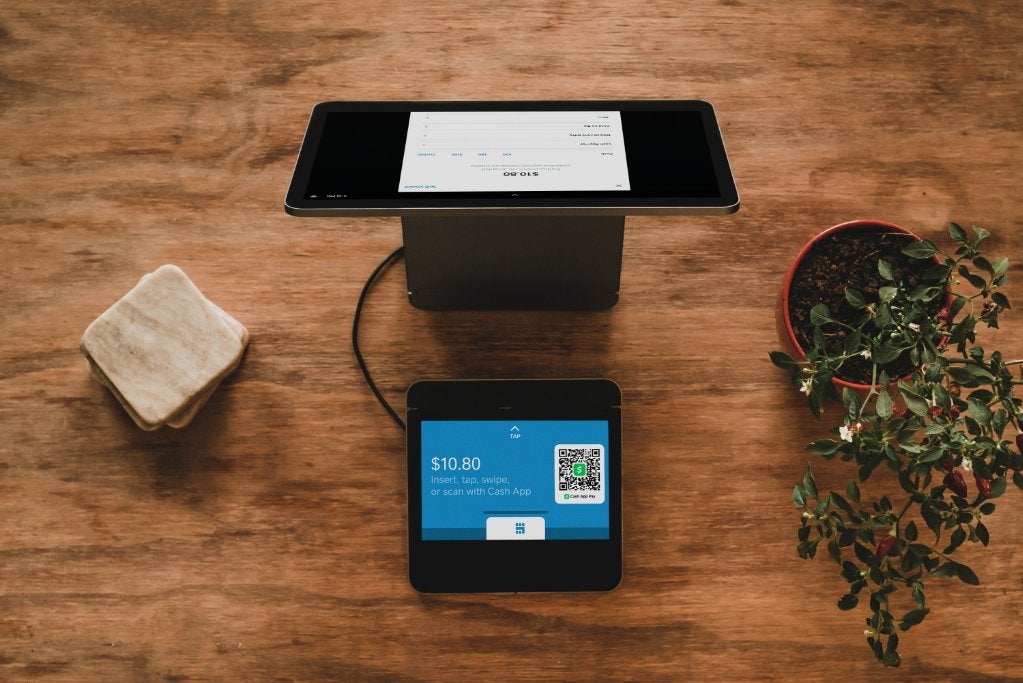
This method not only speeds up checkout lines but also reduces physical contact, a significant benefit for both customers and merchants. From a financial perspective, the speed minimizes decision fatigue and helps maintain transaction flow.
Real-Time Transaction Tracking and Budgeting
One of the significant advantages of using Cash App for tap-to-pay is the immediate visibility into your spending. Every transaction made with your Cash Card, whether physical tap or via mobile wallet, is instantly recorded and displayed within your Cash App activity feed.
- Instant Notifications: You receive real-time notifications for every purchase, helping you monitor your spending as it happens.
- Detailed Activity Feed: The “Activity” tab in Cash App provides a chronological record of all your transactions, including dates, merchants, and amounts.
- Simplified Budgeting: Having all your everyday purchases centralized in one app makes it easier to track where your money is going. This information is invaluable for creating and sticking to a budget, identifying spending patterns, and making informed financial decisions. Instead of sifting through multiple bank statements, all your Cash Card spending is right there.
This level of transparency empowers users to maintain tighter control over their personal finances, making Cash App a powerful tool for mindful spending and budgeting.
Troubleshooting Common Payment Issues
While tap-to-pay is generally reliable, occasional issues can arise. Understanding how to troubleshoot these can save time and prevent frustration.
- Insufficient Funds: The most common reason for a declined transaction is an insufficient Cash App balance. Always check your balance before making a purchase. If low, quickly add cash from your linked bank account.
- Incorrect Card Selected (Mobile Wallet): Ensure your Cash Card is selected as the default or active card in your Apple Pay or Google Pay wallet, especially if you have multiple cards configured.
- Terminal Issues: Sometimes, the issue isn’t with your card or phone but with the merchant’s POS terminal. Try again, or if possible, ask the cashier to restart their terminal.
- NFC Interference: Ensure there’s no interference (e.g., a thick phone case or other cards in your wallet if using the physical card) preventing the NFC connection.
- Daily/Weekly Limits: Cash App has spending limits for the Cash Card. If you hit these limits, your transaction may be declined. Check Cash App’s terms for current limits.
- Network Connectivity: While tap-to-pay generally works offline for the immediate transaction, sometimes communication with Cash App’s servers for authorization can be delayed if your device or the terminal has poor network connectivity.
- Card Not Activated: Ensure your physical Cash Card has been properly activated within the app.
- Security Holds: Occasionally, Cash App might flag a transaction as suspicious for security reasons, placing a temporary hold. If this happens, check your in-app notifications or contact Cash App support.
For persistent issues, reviewing your Cash App activity log for specific error messages or contacting Cash App support directly is recommended. Understanding these common pitfalls helps users navigate their digital finances more smoothly.
The Financial Advantages and Considerations of Cash App Tap-to-Pay
Integrating Cash App’s tap-to-pay functionality into your daily financial routine brings a host of benefits, from enhanced security to streamlined budgeting. However, like any financial tool, it comes with specific considerations that users should be aware of.
Enhanced Security for Your Funds
Contactless payment methods, particularly when used via mobile wallets, offer a robust security framework.
- Tokenization: When you add your Cash Card to Apple Pay or Google Pay, your actual card number is not stored on your device or shared with the merchant during a transaction. Instead, a unique, encrypted “token” or device account number is used. This means even if a data breach were to occur at a merchant, your actual card details remain protected, significantly reducing the risk of fraud.
- Biometric/PIN Authentication: Payments made via Apple Pay or Google Pay require authentication (Face ID, Touch ID, or a passcode/PIN) before a transaction can be completed. This adds a crucial layer of security, meaning that even if your phone is lost or stolen, an unauthorized person cannot easily make purchases with your linked Cash Card without your biometric data or PIN.
- Less Exposure: Unlike traditional card swipes or chip insertions where your card number is visible, tap-to-pay minimizes physical exposure of your card, reducing the risk of skimming or visual theft of your card details.
These security features collectively contribute to greater peace of mind when managing your funds and making purchases.
Streamlined Budgeting and Expense Tracking
For individuals committed to effective personal finance management, Cash App’s tap-to-pay feature is a valuable asset.
- Centralized Spending Data: All transactions made with your Cash Card (including tap-to-pay) are logged in one place within the Cash App. This central repository of spending data simplifies the task of tracking expenses, eliminating the need to reconcile multiple bank statements or credit card bills.
- Real-Time Insights: The instant updates and detailed transaction history enable users to get a clear, real-time picture of their spending habits. This immediate feedback loop is crucial for adherence to a budget and for identifying areas where spending might need to be adjusted.
- Easy Categorization (Manual): While Cash App doesn’t offer automated categorization, the clear transaction descriptions make it easy for users to manually categorize expenses if they export their activity or use a separate budgeting spreadsheet, feeding accurate data into their financial planning. This level of transparency fosters financial discipline.
Convenience and Speed in Daily Financial Management
The most immediately apparent benefit of tap-to-pay is its sheer convenience and speed.
- Faster Checkouts: Contactless payments are significantly quicker than fumbling for cash, swiping cards, or entering PINs manually. This speed is especially beneficial in busy environments or when you’re in a hurry.
- Wallet-Free Experience: By integrating your Cash Card into your mobile wallet, you can often leave your physical wallet at home, relying solely on your smartphone or smartwatch for payments. This reduces clutter and the risk of losing multiple cards.
- Global Acceptance: As Visa-powered cards, Cash Cards (and their mobile wallet versions) are accepted almost anywhere Visa is, providing a universally recognized payment method. This global reach, combined with tap-to-pay functionality, offers unparalleled ease of use for everyday transactions.
Understanding Fees and Limits
While Cash App generally offers many services for free, it’s essential for financially savvy users to be aware of any potential fees or limits associated with their Cash Card and tap-to-pay functionality.
- Transaction Fees: Most standard Cash Card purchases, including tap-to-pay, do not incur fees. However, some specific transactions, like ATM withdrawals or instant cash-outs from Cash App to a linked bank account, may have associated fees. Always check the latest fee schedule within the app or on Cash App’s official website.
- Spending Limits: Cash App imposes daily and weekly spending limits on the Cash Card. These limits are in place for security reasons and to comply with financial regulations. While usually high enough for most daily spending, it’s wise to be aware of them, especially if planning large purchases or multiple transactions in a short period. You can typically view your current limits within the Cash App settings. If you frequently hit these limits, you may be able to increase them by verifying your identity further within the app.
Understanding these financial parameters ensures that users can manage their expectations and plan their spending accordingly, preventing unexpected hurdles during transactions.
Maximizing Your Cash App Experience for Personal Finance
Beyond just making payments, Cash App offers several features that, when combined with tap-to-pay, can significantly enhance your overall personal finance strategy.
Utilizing Boosts and Discounts for Savings
One of the unique financial advantages of using the Cash Card is access to “Boosts.” These are instant discounts applied to purchases made with your Cash Card at specific merchants.
- Activating Boosts: Within the Cash Card tab in Cash App, you can browse available Boosts. Before making a purchase, you select and activate a Boost. For example, you might find a Boost for 10% off at a coffee shop or $5 off a grocery store purchase.
- Instant Savings: When you use your Cash Card (physical or via mobile wallet) at the qualifying merchant, the discount is applied immediately, reducing the amount deducted from your Cash App balance.
From a personal finance perspective, consistently utilizing relevant Boosts can lead to tangible savings over time, effectively reducing your expenditure on everyday necessities or frequent purchases. This feature transforms the Cash Card from merely a payment tool into a savings instrument, aligning perfectly with smart money management.
Direct Deposit Integration for Financial Flow
Making Cash App your primary destination for direct deposits, such as paychecks or government benefits, fundamentally transforms its role in your personal finance.
- Centralized Funds: By directing your income to Cash App, all your primary funds reside in one place, which then fuels your Cash Card for tap-to-pay transactions and other in-app functionalities like investing.
- Faster Access to Funds: In some cases, Cash App offers early access to direct deposits, potentially receiving your paycheck up to two days earlier than traditional banks. This can be a significant benefit for managing cash flow and avoiding overdrafts.
- Simplified Budgeting: With income and spending consolidated, it becomes much easier to create and stick to a budget. You have a clearer picture of your financial inflows and outflows, enabling more effective financial planning and decision-making. Setting up direct deposit turns Cash App into a central hub for your financial life, simplifying oversight.
Responsible Use and Security Best Practices
While Cash App and tap-to-pay offer enhanced security, responsible user behavior remains paramount to protecting your funds.
- Strong PIN and Biometrics: Always protect your Cash App account with a strong, unique PIN. Enable biometric authentication (Face ID/Touch ID) for your phone and mobile wallet where possible.
- Monitor Activity Regularly: Frequently review your Cash App activity feed for any unauthorized transactions. Report suspicious activity immediately.
- Beware of Scams: Be vigilant against phishing attempts, unsolicited requests for money, or promises of “free money” – Cash App will never ask for your PIN or full social security number outside of secure, in-app verification processes.
- Secure Your Device: Keep your smartphone’s operating system updated and use a screen lock. If your device is lost or stolen, remotely wipe it if possible, and immediately disable your Cash Card through the Cash App or contact support.
- Public Wi-Fi Caution: Avoid making financial transactions or accessing sensitive financial information over unsecured public Wi-Fi networks.
By adhering to these security best practices, users can confidently leverage Cash App’s tap-to-pay features while safeguarding their personal finances against potential threats.

Conclusion
The ability to tap pay with Cash App, whether through its physical Cash Card or via mobile wallet integration, represents a significant step forward in simplifying and securing everyday financial transactions. From the instantaneous convenience at checkout to the robust security provided by tokenization and biometric authentication, Cash App empowers users to manage their personal finances with greater efficiency and peace of mind. By understanding the setup process, actively tracking transactions, leveraging boosts for savings, and adopting sound security practices, individuals can fully integrate Cash App into a comprehensive strategy for modern money management. As digital payments continue to evolve, Cash App stands ready to keep pace, offering a powerful and versatile tool for navigating the financial landscape of tomorrow.
aViewFromTheCave is a participant in the Amazon Services LLC Associates Program, an affiliate advertising program designed to provide a means for sites to earn advertising fees by advertising and linking to Amazon.com. Amazon, the Amazon logo, AmazonSupply, and the AmazonSupply logo are trademarks of Amazon.com, Inc. or its affiliates. As an Amazon Associate we earn affiliate commissions from qualifying purchases.