
In an increasingly digital world, streaming services have become indispensable to our daily entertainment diet. Among the myriad options, Amazon Prime Video stands out not just as a content library but as a cornerstone of Amazon’s broader technological ecosystem. Offering an expansive collection of award-winning original series, blockbuster movies, live sports, and a vast array of licensed content, Prime Video delivers high-quality entertainment directly to your preferred device. For many, the gateway to this world of digital content is simple: signing up. This comprehensive guide will walk you through the process, demystifying each step and providing insights into optimizing your Prime Video experience within the tech landscape.

Understanding Amazon Prime Video’s Ecosystem
Before diving into the mechanics of signing up, it’s crucial to appreciate Prime Video’s position within the larger tech sphere. It’s more than just a streaming app; it’s a sophisticated digital content delivery platform integrated deeply with one of the world’s largest e-commerce and technology companies.
What is Prime Video?
At its core, Prime Video is Amazon’s premier video-on-demand streaming service, competing directly with industry giants like Netflix, Disney+, and HBO Max. What sets it apart is its diverse content library, which spans virtually every genre imaginable. From critically acclaimed Amazon Originals like “The Marvelous Mrs. Maisel,” “The Boys,” and “Lord of the Rings: The Rings of Power” to a rotating selection of Hollywood blockbusters, classic films, and popular TV series, there’s content to satisfy nearly every taste. Beyond its on-demand library, Prime Video has also made significant inroads into live event streaming, particularly in sports, securing rights to major sporting leagues and events in various regions. This blend of on-demand and live content, delivered via Amazon’s robust cloud infrastructure, positions Prime Video as a formidable player in the entertainment technology sector. Its commitment to 4K UHD and HDR content further showcases its dedication to providing a premium visual experience, leveraging advancements in display and compression technologies.
The Amazon Prime Membership Advantage
A critical aspect of Prime Video’s appeal, and often its entry point for users, is its integration with Amazon Prime. While Prime Video can be subscribed to as a standalone service in some regions, it is most commonly bundled as a core benefit of an Amazon Prime membership. This membership is a comprehensive package of Amazon’s digital and physical services, designed to enhance the overall customer experience and foster loyalty within its digital ecosystem.
An Amazon Prime membership typically includes:
- Fast, Free Shipping: A cornerstone benefit, offering expedited delivery on millions of eligible items, often same-day, one-day, or two-day. This logistical marvel is powered by Amazon’s advanced supply chain technology.
- Prime Video: Unlimited streaming of thousands of movies and TV shows.
- Amazon Music Prime: Access to millions of songs ad-free, along with podcasts. This is a testament to Amazon’s foray into diverse digital media consumption.
- Prime Reading: A rotating selection of free eBooks, magazines, and comics.
- Prime Gaming (formerly Twitch Prime): Free games, in-game content, and a free monthly channel subscription on Twitch, Amazon’s live streaming platform for gamers.
- Exclusive Deals and Early Access: Members often get special discounts and early access to Amazon Lightning Deals.
For the technologically savvy consumer, an Amazon Prime membership represents a cohesive digital lifestyle package. It leverages integrated platforms to deliver entertainment, shopping, and even digital reading and music, all under one subscription, demonstrating Amazon’s mastery of user ecosystem design.
Device Compatibility and Accessibility
A key strength of any modern streaming service lies in its accessibility across a wide array of devices, and Prime Video excels here. Amazon has engineered Prime Video to be ubiquitous, ensuring that users can access their content regardless of their preferred viewing hardware. This multi-platform compatibility is a testament to sophisticated software development and API integration.
You can access Prime Video on:
- Smart TVs: Directly through built-in apps on most major smart TV brands (Samsung, LG, Sony, Vizio, etc.).
- Streaming Media Players: Devices like Amazon Fire TV Stick, Roku, Apple TV, Chromecast, and Nvidia Shield.
- Game Consoles: PlayStation (PS4, PS5) and Xbox (Xbox One, Series X/S).
- Mobile Devices: Dedicated apps for iOS (iPhone, iPad) and Android smartphones and tablets.
- Web Browsers: Via the Prime Video website on any computer (PC, Mac, Linux).
- Blu-ray Players and Set-top Boxes: Select models from various manufacturers.
This broad compatibility ensures that whether you’re at home, commuting, or traveling, your entertainment is always within reach. The user experience is generally consistent across platforms, with Amazon investing heavily in UI/UX design to provide intuitive navigation, personalized recommendations, and seamless playback, irrespective of the underlying hardware or operating system.
Step-by-Step Guide to Signing Up for Prime Video
The process of joining Prime Video is designed to be straightforward, leveraging Amazon’s established account management infrastructure.
Creating an Amazon Account (If You Don’t Have One)
For individuals entirely new to Amazon’s services, the first step is to establish a basic Amazon account. This digital identity serves as your passport to all Amazon offerings, from e-commerce to streaming.
- Visit the Amazon Website: Open your web browser and go to Amazon.com (or your regional Amazon domain, e.g., Amazon.co.uk, Amazon.de).
- Navigate to Account Creation: Hover over “Accounts & Lists” in the top right corner and click on “Start here” next to “New customer?” or directly click on “Sign in” and then “Create your Amazon account.”
- Enter Your Details: You’ll be prompted to enter your name, email address, and create a strong password. Ensure your password is unique and robust for digital security best practices.
- Verify Your Email: Amazon will send a verification code to the email address you provided. Enter this code on the Amazon website to confirm your identity. This two-factor verification step is a standard digital security measure.
- Account Created: Once verified, your basic Amazon account is ready.
Initiating Your Amazon Prime Membership
With an Amazon account established, you can now proceed to activate your Prime Video access, typically by signing up for an Amazon Prime membership.
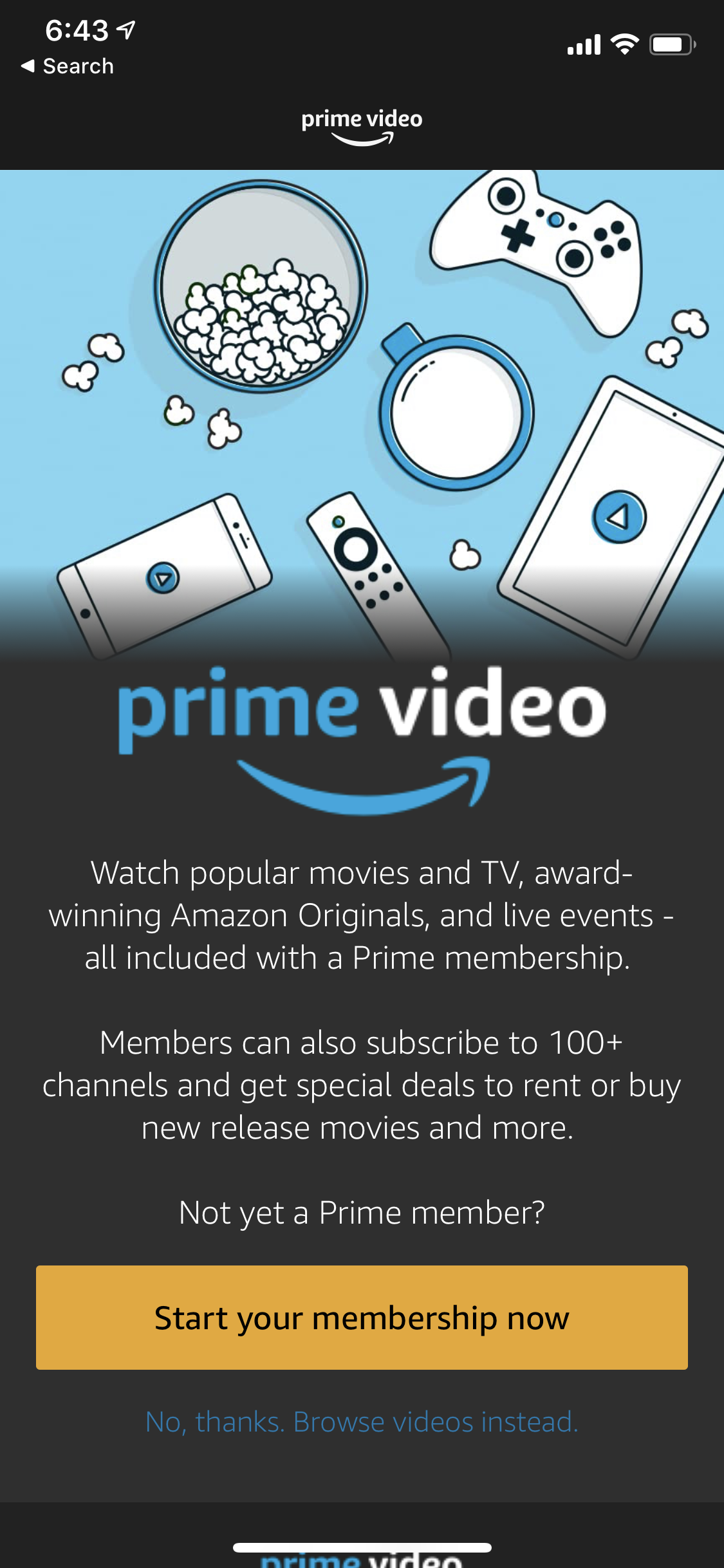
- Go to the Prime Page: From the Amazon homepage, look for a “Try Prime” button or hover over “Accounts & Lists” and select “Prime Membership.” Alternatively, you can directly visit Amazon.com/prime.
- Choose Your Membership Option:
- Free Trial: Most new users are eligible for a 30-day free trial of Amazon Prime. This is an excellent opportunity to explore all the benefits, including Prime Video, without immediate commitment. Click “Start your 30-day free trial.”
- Paid Membership: If you’re not eligible for a trial, or prefer to subscribe directly, you’ll see options for monthly or annual Prime membership plans. Annual plans usually offer a significant discount over monthly plans, appealing to long-term users.
- Enter Payment Information: Amazon will require a valid payment method (credit card, debit card) to initiate the trial or paid subscription. Even for a free trial, this is necessary for automatic conversion to a paid membership if you don’t cancel. This is a standard procedure for subscription-based digital services.
- Confirm and Subscribe: Review your details and confirm your subscription. Once completed, your Amazon Prime membership, including Prime Video access, will be activated instantly. You will receive a confirmation email.
Accessing Prime Video Content
Once your Prime membership is active, the world of Prime Video content is at your fingertips.
- Through the Website: Visit PrimeVideo.com in your web browser. You’ll be prompted to sign in with your Amazon account credentials.
- Through the App: Download the Amazon Prime Video app from your device’s respective app store (Google Play Store for Android, Apple App Store for iOS, Smart TV app store, console store). Open the app and sign in with your Amazon account.
- Start Watching: Once signed in, you’ll be greeted with the Prime Video interface, featuring trending titles, personalized recommendations, and various categories. Use the search function to find specific movies or shows, or browse by genre. The UI is designed for intuitive navigation, leveraging data analytics to personalize your viewing experience.
Optimizing Your Prime Video Experience
Signing up is just the beginning. To truly leverage the power of Prime Video, understanding its features and managing your settings is key to a superior streaming experience.
Personalizing Your Profile
Prime Video, like many modern streaming services, allows for multiple user profiles within a single account. This feature is crucial for households with diverse viewing tastes and for managing content access.
- Create Profiles: From the Prime Video app or website, navigate to the “Profiles” section (often accessible from the main menu or by clicking your user icon). You can create up to six user profiles, including one default primary profile and up to five additional profiles (either adult or kids’ profiles).
- Parental Controls: For kids’ profiles, you can set age restrictions, PIN protection, and content filtering, ensuring children only access age-appropriate material. This demonstrates responsible content delivery and digital guardianship features.
- Personalized Recommendations: Each profile maintains its own viewing history, watchlist, and personalized recommendations, ensuring a tailored experience for every user in the household. This uses sophisticated recommendation algorithms, a hallmark of modern tech platforms.
Exploring Additional Channels and Rentals
While your Prime membership unlocks a vast library, Prime Video also acts as a hub for expanding your entertainment options even further.
- Prime Video Channels: These are optional, à la carte subscriptions to third-party streaming services directly through Prime Video. Examples include HBO Max, Starz, Paramount+, Shudder, and many more (availability varies by region). This consolidates your streaming subscriptions into one bill and interface, simplifying digital content management.
- Movie Rentals and Purchases: Beyond the subscription content, Prime Video offers a vast catalog of new release movies and TV shows for digital rental or purchase, often available much sooner than on other platforms. This transactional video-on-demand (TVOD) model complements the subscription model, providing flexibility and breadth of choice.
Downloading Content for Offline Viewing
For those with limited internet access or during travel, Prime Video’s offline viewing feature is a lifesaver.
- Download Eligibility: Most (but not all) Prime Video titles and purchased content can be downloaded to compatible mobile devices (smartphones, tablets) or Fire tablets.
- How to Download: Within the Prime Video app, select the movie or TV episode you wish to download. Look for the “Download” icon (usually an arrow pointing downwards). Tap it, select your desired video quality, and the content will begin downloading to your device’s local storage.
- Access Offline: Once downloaded, you can access these titles from the “Downloads” section of the app, even without an internet connection. This feature demonstrates advanced content caching and digital rights management (DRM) technologies.
Troubleshooting Common Sign-Up Issues
While Amazon’s process is streamlined, occasional tech hiccups can occur during sign-up.
- Payment Method Issues: Ensure your credit/debit card details are correct, the card is not expired, and you have sufficient funds. Some banks might flag initial transactions from new services. Contact your bank or try a different payment method.
- Account Verification Problems: If you didn’t receive the verification email or code, check your spam/junk folder. Ensure the email address entered is correct. If issues persist, Amazon’s customer service can assist.
- Device Compatibility Errors: If the Prime Video app isn’t working on a specific device, ensure the device’s operating system and the app itself are updated to the latest versions. Old software can lead to compatibility issues.
- Internet Connectivity: A stable internet connection is essential for both signing up and streaming. Test your connection if you experience slow loading times or errors.
The Future of Prime Video in the Streaming Landscape
Prime Video is not just resting on its laurels; it’s continuously evolving, reflecting Amazon’s broader commitment to technological innovation and market leadership.
Competitive Edge and Innovation
Amazon’s strategic investments in diverse original content, from high-budget dramas to live sports broadcasting rights, highlight its aggressive stance in the streaming wars. Features like X-Ray (powered by IMDb, an Amazon company) provide real-time information about actors, music, and trivia while you watch, enhancing the viewing experience through interactive technology. This commitment to unique content and user-centric features, backed by Amazon’s vast resources and technological prowess, ensures Prime Video remains a formidable competitor and a driving force in the future of digital entertainment. The ongoing development in recommendation algorithms, adaptive bitrate streaming, and interactive elements continually push the boundaries of what a streaming service can offer.

Data Security and Privacy Considerations
As with any major online platform, Amazon places a strong emphasis on data security and user privacy. When you sign up for Prime Video, your personal and payment information is encrypted and protected using industry-standard security protocols. Amazon’s privacy policy outlines how your data is collected, used, and protected, allowing users to make informed decisions about their digital footprint. Account security features like two-factor authentication are highly recommended to prevent unauthorized access, reinforcing the importance of digital safety in the modern tech era.
In conclusion, signing up for Prime Video is a straightforward process that unlocks a world of entertainment, seamlessly integrated into Amazon’s extensive digital ecosystem. By understanding its features, optimizing your settings, and leveraging the full breadth of its content, you can transform your viewing habits and immerse yourself in a premier streaming experience, all powered by sophisticated technology designed for the modern consumer. Whether you’re a casual viewer or a dedicated cinephile, Prime Video offers a robust and evolving platform to fulfill your entertainment needs.
aViewFromTheCave is a participant in the Amazon Services LLC Associates Program, an affiliate advertising program designed to provide a means for sites to earn advertising fees by advertising and linking to Amazon.com. Amazon, the Amazon logo, AmazonSupply, and the AmazonSupply logo are trademarks of Amazon.com, Inc. or its affiliates. As an Amazon Associate we earn affiliate commissions from qualifying purchases.