
Workday has become an indispensable platform for numerous organizations worldwide, serving as a unified system for Human Capital Management (HCM), Financial Management, and various other enterprise planning functionalities. For employees, managers, and HR professionals alike, accessing Workday is a routine yet critical task. This article delves beyond a simple step-by-step guide, exploring the technological underpinnings, security considerations, and user experience best practices surrounding the Workday login process. Understanding these facets not only streamlines access but also enhances overall digital security and operational efficiency within the modern enterprise.
The Technological Gateway: Understanding Workday Access
At its core, signing into Workday is a process of authenticating a user against an organization’s digital identity management system, which then grants access to cloud-hosted resources. This seemingly simple act relies on a sophisticated interplay of web protocols, security measures, and network infrastructure.
What is Workday? Its Role in the Modern Enterprise
Workday is a cloud-based software vendor specializing in enterprise management solutions for finance and human resources. Unlike traditional on-premise systems, Workday operates entirely in the cloud, meaning users access it via a web browser or a dedicated mobile application over the internet. This cloud architecture provides scalability, accessibility, and continuous updates without manual intervention, but it also places a premium on secure and reliable access mechanisms.
For employees, Workday often serves as a central hub for everything from viewing pay stubs and requesting time off to managing benefits and completing performance reviews. Managers use it for team oversight, approvals, and reporting. HR and finance departments leverage its deep analytics and automation capabilities. Given its centrality, ensuring seamless and secure access is paramount for business continuity and employee productivity. The technical challenge lies in balancing ease of use with robust security, a hallmark of well-designed enterprise software.
Understanding Different Access Methods
The way a user signs into Workday can vary based on their organization’s specific IT infrastructure and security policies. While the end goal is always to reach the Workday dashboard, the pathways often differ.
Direct Login via Company Portal
Many organizations embed a direct link to their Workday instance within an internal employee portal or intranet. This method typically involves clicking a specific Workday icon or link, which then redirects the user to their organization’s customized Workday login page. This page might feature the company’s branding and is often the first touchpoint for new employees learning how to access their digital workplace tools. The technical behind-the-scenes involves DNS resolution to Workday’s servers and a unique tenant identifier to direct the user to their specific organizational environment.
Single Sign-On (SSO) Integration
Single Sign-On (SSO) is arguably the most prevalent and technologically advanced method for accessing Workday in large enterprises. SSO allows users to log in once with a single set of credentials (often their company network username and password) and gain access to multiple independent software systems, including Workday, without re-entering their credentials.
Technologies like Security Assertion Markup Language (SSAML) or OpenID Connect are typically leveraged for SSO. When a user attempts to access Workday via an SSO-enabled link, their browser is redirected to the organization’s Identity Provider (IdP) – such as Okta, Azure Active Directory, or Ping Identity. The IdP authenticates the user and then sends a digitally signed assertion back to Workday (the Service Provider, SP). This assertion, containing the user’s identity and authentication status, is trusted by Workday, which then grants access without requiring a separate Workday-specific password. SSO significantly improves user experience by reducing “password fatigue” and enhances security by centralizing authentication management and reducing the attack surface associated with multiple passwords.
Mobile Access for On-the-Go Users
Workday offers dedicated mobile applications for both iOS and Android platforms, providing a streamlined and optimized experience for users accessing Workday from smartphones and tablets. The mobile app connects to the same cloud infrastructure as the web version but often features a redesigned interface for touch interaction and smaller screens.
Mobile login typically mirrors the web login process, supporting both direct credentials and SSO. However, mobile apps often integrate additional security features like biometric authentication (fingerprint or facial recognition) for quicker and more secure access once the initial login is complete. The app also handles session management and data caching differently to optimize performance and data usage on mobile networks. For IT departments, managing mobile access involves considerations for device security, app deployment, and ensuring consistent security policies across all access vectors.
Bolstering Security: Best Practices in Workday Access Management
The sensitive nature of data managed within Workday—encompassing personal employee information, payroll details, and financial records—demands a robust approach to security. Effective login practices are the first line of defense against unauthorized access and data breaches.
Multi-Factor Authentication (MFA) Essentials
Multi-Factor Authentication (MFA) is no longer a luxury but a fundamental security requirement for any enterprise system, especially Workday. MFA adds a critical layer of security by requiring users to provide two or more verification factors to gain access. These factors typically fall into three categories:
- Something you know: (e.g., password, PIN)
- Something you have: (e.g., a physical token, a smartphone with an authenticator app, or SMS code)
- Something you are: (e.g., biometric data like a fingerprint or facial scan)
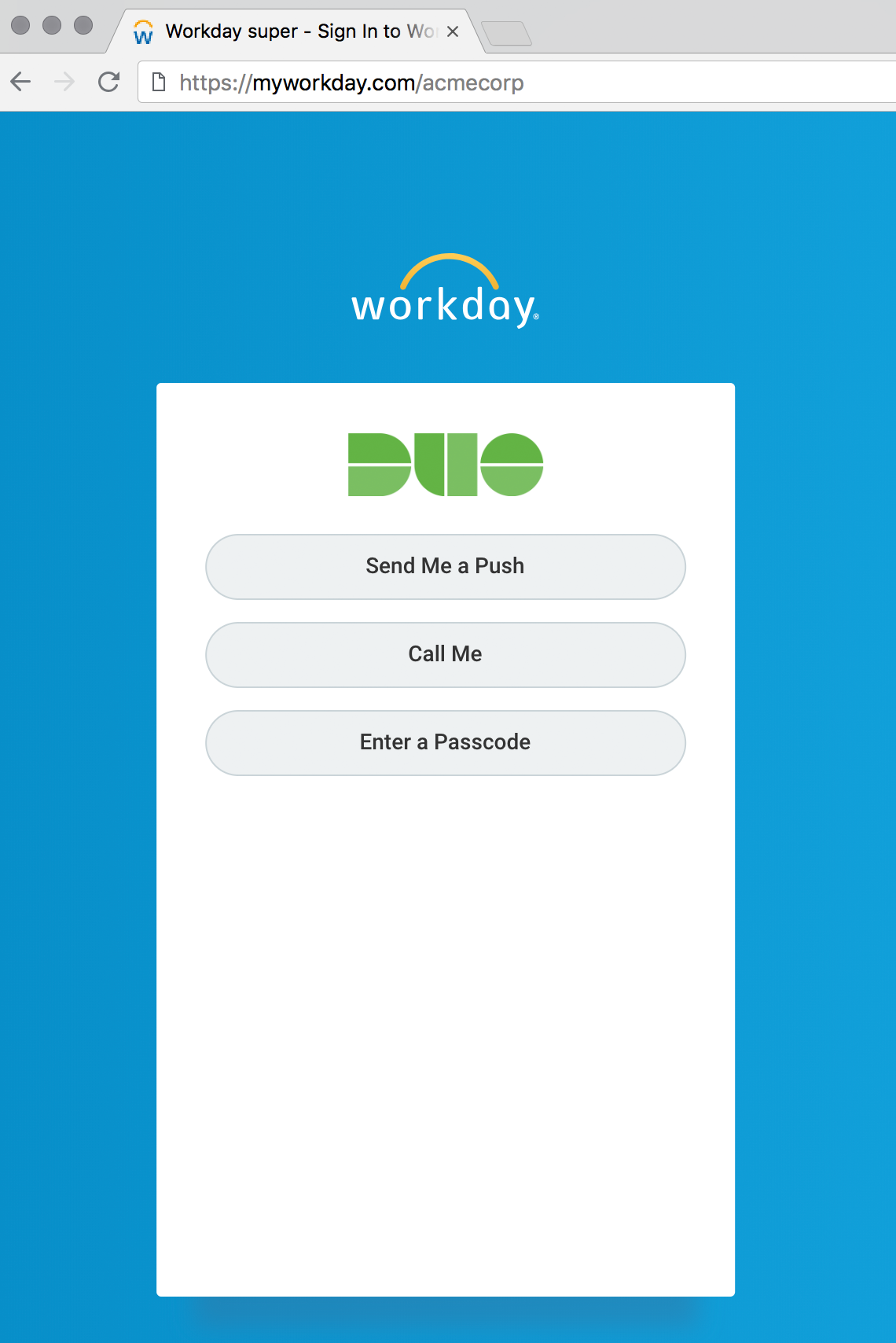
When an organization implements MFA for Workday, after entering their primary credentials (e.g., username and password), users are prompted for a second factor—such as entering a code from an authenticator app (like Google Authenticator or Duo Mobile), responding to a push notification on their phone, or verifying their identity via a hardware key. From a technical standpoint, Workday integrates with various MFA providers, allowing organizations to leverage their existing security infrastructure. This integration ensures that even if a password is compromised, an attacker cannot gain access without the second factor. Implementing MFA significantly reduces the risk of phishing and credential stuffing attacks.
Password Best Practices and Management
While MFA adds a critical second layer, strong password practices remain foundational. Users should adhere to established guidelines for creating and managing their Workday passwords (if not using SSO exclusively).
- Complexity: Passwords should be long (ideally 12+ characters) and include a mix of uppercase and lowercase letters, numbers, and special characters.
- Uniqueness: Passwords for Workday should be unique and not reused across other accounts. Reusing passwords creates a ripple effect where a breach on one site can compromise access to many others.
- Regular Changes: While the efficacy of mandatory frequent password changes is debated, a sensible policy combined with MFA is often recommended.
- Password Managers: Encouraging or providing enterprise-grade password managers (e.g., LastPass Enterprise, 1Password Business) can help users generate and store strong, unique passwords securely. These tools often integrate with SSO solutions and provide robust encryption for stored credentials.
For IT departments, enforcing these policies through technical controls like minimum length requirements, complexity rules, and integration with enterprise password vaults is crucial.
Browser and Device Optimization for Secure Access
The user’s client-side environment—their web browser and device—plays a significant role in secure Workday access.
- Browser Choice and Updates: Modern browsers (Chrome, Firefox, Edge, Safari) offer robust security features, including sandboxing, secure connection indicators (HTTPS), and built-in protection against phishing. Users should always keep their browsers updated to the latest version to patch known vulnerabilities. Workday itself generally supports the latest versions of major browsers, and outdated browsers may lead to compatibility issues or security risks.
- HTTPS and Certificate Verification: Always ensure the Workday URL begins with
https://and that the padlock icon is present in the browser’s address bar. This indicates a secure, encrypted connection, protecting data in transit. Users should be trained to recognize and avoid untrusted certificates or warnings. - Device Security: The device used to access Workday should be secure. This includes having up-to-date operating system patches, antivirus software, and a firewall enabled. Public or unsecured Wi-Fi networks should be avoided for accessing sensitive platforms like Workday, or a Virtual Private Network (VPN) should be used. For company-issued devices, Mobile Device Management (MDM) solutions help enforce these security postures, ensuring that only compliant devices can access corporate resources.
Troubleshooting Common Workday Login Challenges
Even with robust systems in place, users may occasionally encounter issues preventing them from signing into Workday. A structured approach to troubleshooting, informed by common technical pitfalls, can quickly resolve these problems.
Forgotten Passwords and Account Lockouts
The most frequent login issue is a forgotten password. Most Workday instances provide a “Forgot Password” link on the login page. This feature typically initiates a password reset process, which might involve:
- Email Verification: Sending a reset link to the user’s registered email address.
- Security Questions: Prompting the user to answer pre-configured security questions.
- MFA-Based Reset: Using a second factor (e.g., authenticator app code) to verify identity before allowing a password change.
Account lockouts occur after several failed login attempts, a security measure to prevent brute-force attacks. Users are typically locked out for a specific period (e.g., 15-30 minutes) or until an administrator manually unlocks the account. IT support often has tools to view lockout status and initiate unlocks, guided by internal security protocols.
Browser Cache, Cookies, and Pop-up Blockers
Browser-related issues are a common culprit for login problems.
- Cache and Cookies: Over time, cached data and stored cookies can become corrupted or outdated, interfering with the Workday login process. Clearing the browser’s cache and cookies is often the first troubleshooting step. This action forces the browser to fetch fresh data from the Workday server.
- Pop-up Blockers: Some Workday functionalities, especially those involving external integrations or reporting, might utilize pop-up windows. If a browser’s pop-up blocker is aggressively enabled, it might prevent these necessary windows from appearing, leading to perceived login issues or incomplete functionality. Users may need to configure their browser to allow pop-ups from the Workday domain.
- Third-Party Cookies: SSO integrations often rely on third-party cookies for seamless authentication across domains. If a browser’s privacy settings are configured to block all third-party cookies, it can break the SSO flow, leading to infinite redirects or authentication errors. Adjusting these settings to allow third-party cookies from trusted identity providers is crucial.
Network Connectivity and Firewall Restrictions
A stable internet connection is fundamental for accessing cloud applications like Workday.
- Basic Connectivity Check: Users should first ensure they have an active internet connection. This can be verified by attempting to access other websites.
- Network Speed and Stability: A slow or intermittent connection can lead to timeouts during the login process or slow loading times within Workday.
- Firewall and Proxy Settings: Corporate networks often employ firewalls, proxy servers, and content filters to regulate internet traffic. These security devices might inadvertently block or interfere with the connection to Workday’s servers or specific Workday domains. IT administrators may need to configure firewall rules to allow traffic to Workday’s IP ranges and URLs. Employees working remotely might encounter similar issues with personal firewalls or VPN configurations that impede Workday access.
The Future of Enterprise System Access: Beyond Passwords
The evolution of technology continues to reshape how we interact with enterprise systems. Workday, as a leading cloud solution, is at the forefront of adopting and integrating cutting-edge access technologies.
The Rise of Passwordless Authentication
Passwordless authentication represents a significant paradigm shift in digital security, aiming to eliminate the vulnerabilities and user friction associated with traditional passwords. Technologies like FIDO2 (Fast IDentity Online) and WebAuthn are gaining traction, enabling users to authenticate using:
- Biometrics: Fingerprint scans, facial recognition, or iris scans on compatible devices.
- Security Keys: Physical hardware tokens that provide cryptographic proof of identity.
- Magic Links/Codes: One-time links or codes sent to a trusted device or email, which are valid for a short period.
Workday is actively exploring and integrating these passwordless options, often through its SSO capabilities or direct platform enhancements. The benefits are substantial: improved security (no passwords to phish or guess), enhanced user experience (faster, more convenient logins), and reduced IT support costs (fewer password reset requests).
Leveraging AI and Machine Learning for Enhanced Security
Artificial Intelligence (AI) and Machine Learning (ML) are increasingly being deployed in identity and access management (IAM) systems to detect and prevent unauthorized access.
- Behavioral Analytics: AI/ML algorithms can analyze user behavior patterns (e.g., typical login times, locations, device types, interaction speed) to establish a baseline. Deviations from this baseline can trigger alerts or require additional authentication factors, preventing account takeover attempts.
- Risk-Based Authentication: Instead of always requiring MFA, AI can assess the risk of a login attempt in real-time. If a login comes from a familiar device and location, it might be allowed with just a password. If it’s from an unusual IP address or a new device, MFA might be dynamically enforced. Workday, through its integrations with leading IAM solutions, benefits from these intelligent security layers.
- Threat Detection: AI can quickly analyze vast amounts of login data to identify sophisticated attack patterns, such as distributed brute-force attacks or coordinated phishing campaigns, providing proactive defense against emerging threats.
Seamless Integration with Digital Identity Ecosystems
The future of Workday access lies in its deeper integration into broader digital identity ecosystems. As organizations adopt more cloud services, the need for a unified identity fabric becomes critical. Workday will continue to leverage standards like OAuth 2.0 and OpenID Connect to seamlessly connect with corporate identity providers, ensuring a consistent and secure user experience across all enterprise applications. This means that an employee’s digital identity, managed centrally, can grant them appropriate access to Workday, Salesforce, Microsoft 365, and other platforms without individual configuration or separate credentials for each. This centralized approach simplifies administration, strengthens security policies, and provides a truly integrated digital workspace.
In conclusion, “how to sign into Workday” is more than a simple query; it’s an entry point into understanding the complex world of enterprise cloud software access, digital security, and user experience. By appreciating the technology behind the login, adhering to best practices, and embracing future innovations, organizations can ensure that their Workday environment remains secure, accessible, and productive for all users.
aViewFromTheCave is a participant in the Amazon Services LLC Associates Program, an affiliate advertising program designed to provide a means for sites to earn advertising fees by advertising and linking to Amazon.com. Amazon, the Amazon logo, AmazonSupply, and the AmazonSupply logo are trademarks of Amazon.com, Inc. or its affiliates. As an Amazon Associate we earn affiliate commissions from qualifying purchases.