
In the rapidly evolving landscape of digital finance, mobile payment applications have become indispensable tools for managing money with unprecedented ease and speed. Among these, Cash App stands out as a prominent player, offering a versatile platform for peer-to-peer money transfers, investing in stocks and Bitcoin, and even basic banking functionalities. Its intuitive interface and robust feature set have made it a go-to solution for millions seeking a streamlined approach to personal finance.
However, leveraging the power of such an application begins with its proper setup. This comprehensive guide will walk you through the technical process of establishing your Cash App account, ensuring you navigate each step with confidence, insight, and an understanding of the underlying technological considerations that make your digital transactions secure and efficient. From initial download to activating advanced features and safeguarding your digital assets, we’ll demystify the journey to becoming a proficient Cash App user.
Understanding Cash App: A Technological Overview
Before diving into the setup process, it’s beneficial to grasp what Cash App is at its core and why it has garnered such widespread adoption. Understanding its technological underpinnings will not only make the setup more logical but also enhance your overall user experience and security awareness.
What is Cash App?
Cash App is a mobile payment service developed by Block, Inc. (formerly Square, Inc.), designed to facilitate fast, easy, and secure financial transactions primarily through smartphones. At its heart, it functions as a digital wallet that allows users to send and receive money, deposit funds, and even invest. The application leverages a sophisticated technological infrastructure to handle millions of transactions daily, relying on encrypted data transmission, secure servers, and real-time processing capabilities to ensure funds are transferred accurately and instantly between users. Its architecture is built to be mobile-first, ensuring a seamless experience across both iOS and Android platforms, adapting to various screen sizes and operating system functionalities.
Why Choose Cash App?
The appeal of Cash App stems from several key technological advantages. Firstly, its user-friendly interface is a masterclass in minimalist design, reducing complex financial operations to a few taps. This simplicity masks a powerful backend that processes transactions efficiently. Secondly, the speed of transactions is a significant draw; peer-to-peer transfers are often instantaneous, making it ideal for splitting bills, paying friends, or receiving payments quickly.
Furthermore, Cash App’s integration of diverse financial features within a single application is a technological feat. Users aren’t just getting a payment app; they’re gaining access to a platform that allows for micro-investing in stocks, buying and selling Bitcoin, and even direct deposit services for paychecks. This multi-functionality is powered by carefully integrated APIs and secure data pathways that connect the app to various financial markets and banking systems, all while maintaining a cohesive user experience. Its cross-platform compatibility and robust security protocols further cement its position as a preferred financial tool.
System Requirements and Compatibility
To ensure a smooth setup and optimal performance, your device must meet certain technical specifications. Cash App is primarily a smartphone application, available on both Apple’s iOS and Google’s Android operating systems. Users typically need a smartphone running a relatively recent version of either OS (e.g., iOS 13.0 or later for Apple devices, Android 7.0 or later for Android devices) to ensure full compatibility and access to all features, especially those requiring updated security patches. A stable internet connection (Wi-Fi or cellular data) is also fundamental for downloading the app, creating an account, and executing any transaction, as the app is constantly communicating with its servers to process financial data securely.
The Step-by-Step Technical Setup Process
Setting up your Cash App account is a straightforward process, but each step is crucial for establishing a secure and functional digital wallet. Follow these instructions carefully to get started.
Downloading and Installing the Application
The first step is to acquire the official Cash App application.
- Locate the Official Store: For Apple devices, open the “App Store.” For Android devices, open the “Google Play Store.”
- Search: In the search bar, type “Cash App.”
- Identify and Download: Look for the application with the distinctive green logo featuring a dollar sign. It’s critical to ensure you’re downloading the official app from Block, Inc. to avoid fraudulent replicas that could compromise your financial data. Tap “Get” or “Install.”
- Permissions: During installation, the app may request certain permissions (e.g., access to contacts for easier money sending, notifications). Granting these permissions can enhance functionality, but always review them carefully.
Initiating Account Creation
Once the app is installed, open it to begin the account creation process.
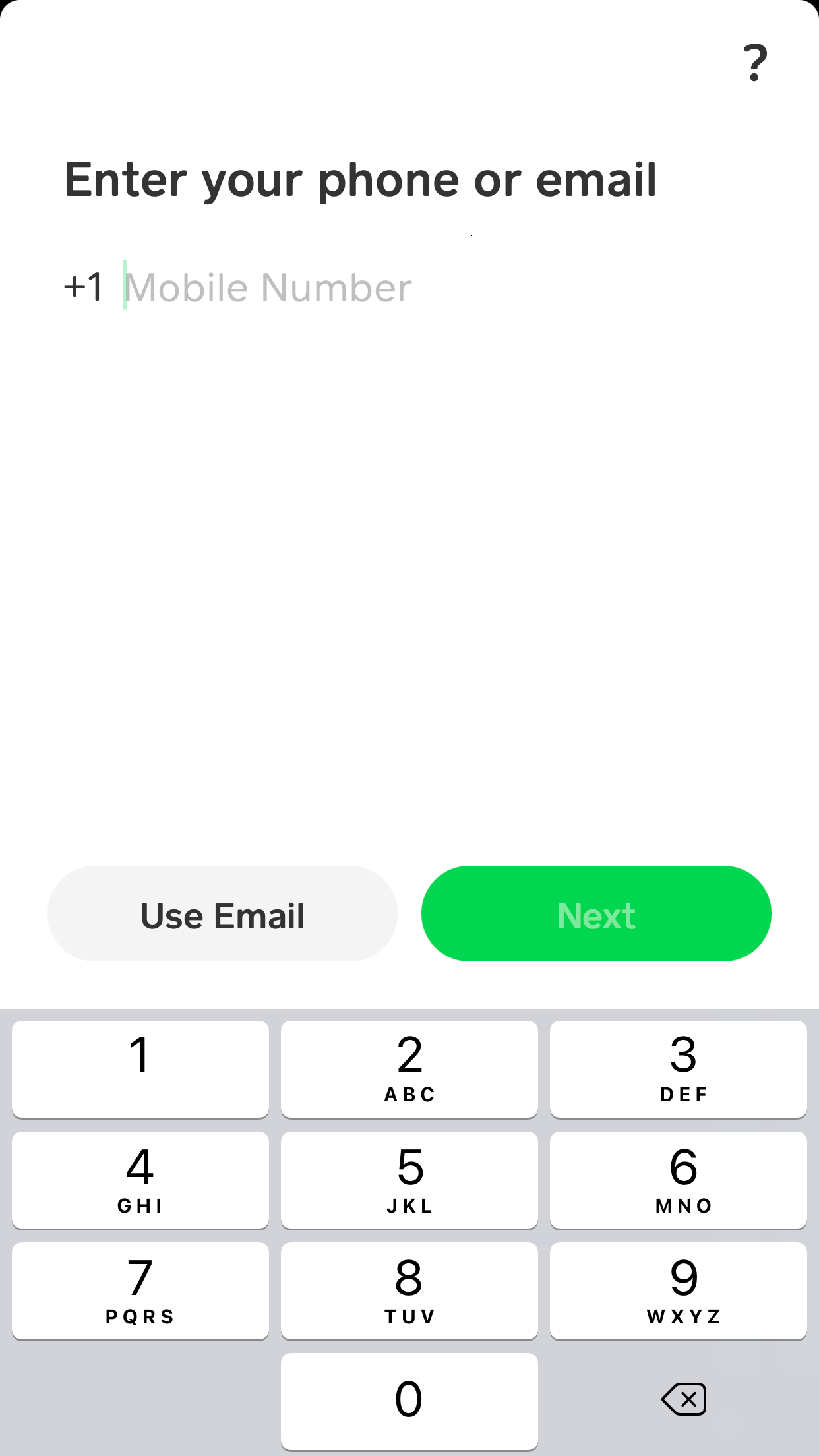
- Welcome Screen: Upon first launch, you’ll be greeted by a welcome screen prompting you to enter a phone number or email address. This serves as your primary identifier and communication channel for your account. Choose the method you prefer for receiving verification codes.
- Verification Code (OTP): After entering your chosen contact method, Cash App will send a unique, time-sensitive verification code (One-Time Password or OTP) to your phone or email. This is a critical security step, acting as a form of two-factor authentication to confirm your identity and ensure that only you are initiating the setup. Enter this code into the app when prompted.
- Security Challenge: You might also be asked to complete a reCAPTCHA or similar challenge to verify you’re not a bot.
Linking a Bank Account or Debit Card
To send money or add funds, you’ll need to link a funding source to your Cash App account.
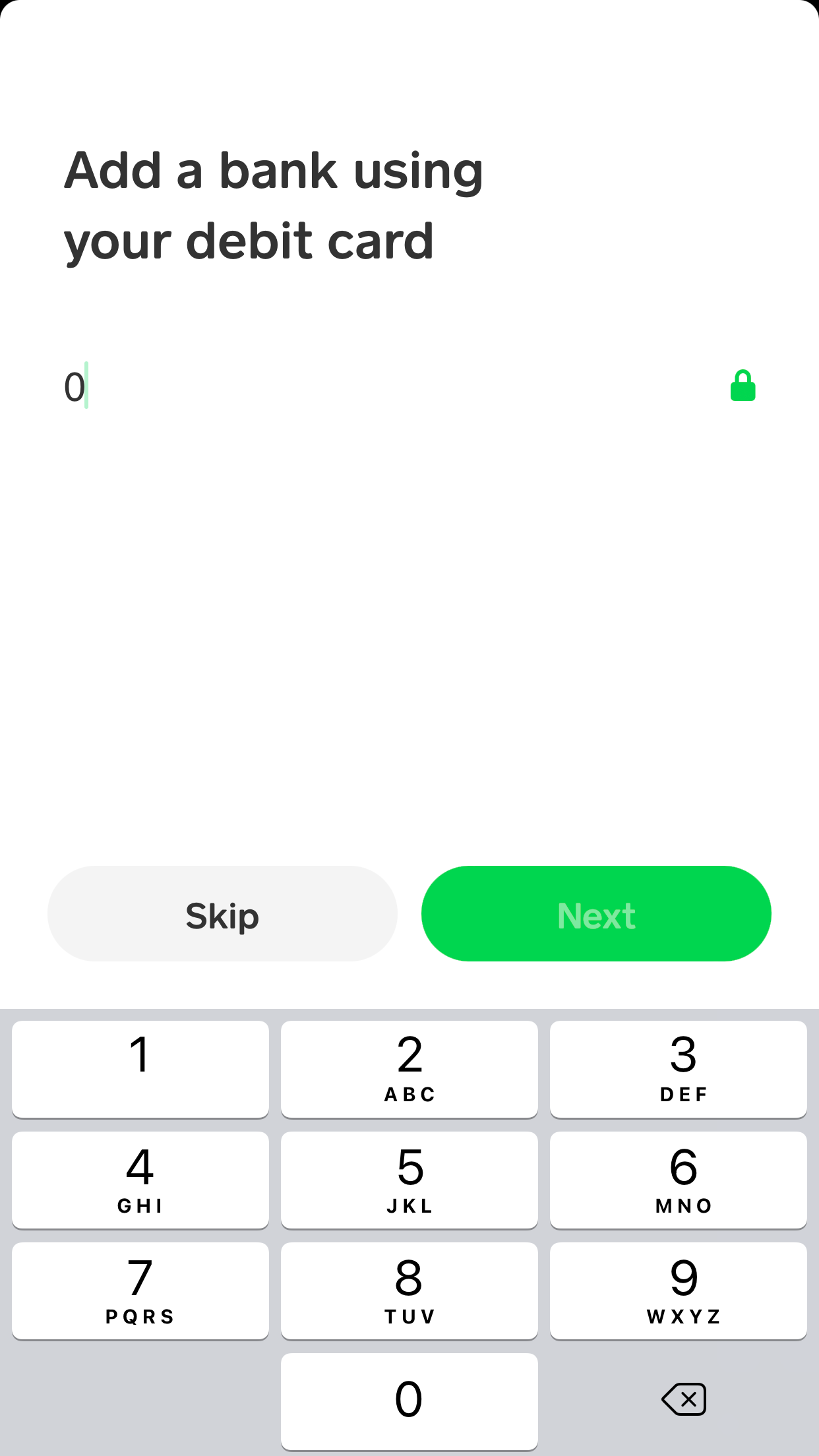
- Debit Card First: The app typically prompts you to link a debit card first. This is the simplest and most common method for instant transfers. Enter your debit card number, expiration date, CVV (the 3 or 4-digit security code on the back), and postal code. Cash App uses secure encryption protocols to transmit and store this sensitive financial data.
- Linking a Bank Account (Optional/Later): While a debit card allows for immediate use, linking a bank account directly (via your bank’s login credentials or account and routing numbers) can offer more flexibility, especially for larger transfers or direct deposits. Cash App often integrates with third-party services like Plaid for secure bank connectivity, which uses encrypted connections to securely link your bank account without sharing your bank login details directly with Cash App.
- Verification: Some banks may require additional verification steps, such as micro-deposits (small amounts deposited into your bank account that you’ll need to verify within the app) or a one-time code sent to your bank-registered phone number.
Choosing a $Cashtag and Username
Your $Cashtag is your unique identifier on Cash App, akin to a username on social media platforms, but for financial transactions.
- Create Your $Cashtag: You’ll be prompted to choose a unique username, which becomes your $Cashtag (e.g.,
$YourName). This is how other Cash App users will find and send money to you. - Tips for Selection: Choose something memorable but also professional, as it’s tied to your financial identity. Avoid overly complex or easily confusable spellings. Your $Cashtag can be changed later, but it’s best to pick one you’re comfortable with from the start.
Setting Up Security Features
Immediately setting up additional security features is paramount for protecting your account from unauthorized access.
- PIN or Biometric Login: Cash App will prompt you to set up a PIN (Personal Identification Number) or enable biometric authentication (Face ID or Touch ID on compatible devices). Activating these features means that every time you open the app or initiate a transaction, you’ll need to authenticate yourself, adding a critical layer of digital security. Biometric options are generally considered more secure and convenient than PINs.
- Notifications: Ensure notifications are enabled for Cash App. This allows you to receive instant alerts for all transactions, deposits, and withdrawals, enabling immediate detection of any unauthorized activity.
Enhancing Your Cash App Experience: Beyond Basic Setup
With your basic account established, Cash App offers a suite of advanced features that can significantly enhance your digital finance capabilities. Unlocking these often requires additional verification steps, designed to comply with financial regulations and bolster security.
Verifying Your Identity for Expanded Features
To comply with “Know Your Customer” (KYC) regulations and to expand your transaction limits, access investing features, or order a Cash Card, Cash App will require you to verify your identity. This is a crucial technical and regulatory step.
- Information Submission: You’ll be asked to provide personal information such as your full legal name, date of birth, and the last four digits of your Social Security Number (SSN). In some cases, you may also need to submit a photo of a government-issued ID. This data is securely encrypted and processed to verify your identity against official databases.
- Benefits of Verification: Once verified, you gain access to higher weekly sending and receiving limits, the ability to purchase Bitcoin and stocks, and the option to receive direct deposits into your Cash App account. This verification process enhances the security of your account and the overall Cash App ecosystem by preventing fraudulent activities and ensuring compliance with financial laws.
Adding Funds and Making Your First Transaction
Once verified, you’re ready to truly utilize your Cash App account.
- Adding Cash: Tap the “Banking” tab (the house icon), then “Add Cash.” Select a predetermined amount or enter a custom one, then confirm the transfer from your linked debit card or bank account. The funds typically appear instantly.
- Sending Money: To send money, tap the “$” icon on the main screen. Enter the amount, then tap “Pay.” You can then search for a recipient by their $Cashtag, phone number, or email address. Review the details and tap “Pay” again to complete the instant transfer.
- Requesting Money: If you need to request money from someone, follow a similar process: tap the “$” icon, enter the amount, then tap “Request.” Select the person you’re requesting from, and they’ll receive a notification.
Exploring Advanced Features (Briefly within Tech Context)
Cash App’s robust platform extends beyond simple payments.
- Cash Card: Order a customizable, physical Visa debit card that’s directly linked to your Cash App balance. This allows you to make purchases using your Cash App funds wherever Visa is accepted, online or in physical stores. The card management (freezing, unfreezing, viewing transactions) is entirely integrated into the app, showcasing its comprehensive digital control.
- Investing (Stocks/Bitcoin): Cash App provides a remarkably simplified interface for buying fractions of stocks or Bitcoin. With just a few taps, users can make micro-investments, breaking down traditional barriers to market entry. The app handles the complex backend integrations with brokerage services and cryptocurrency exchanges, presenting a user-friendly frontend for investment management.
- Direct Deposit: You can set up direct deposit to have your paycheck deposited directly into your Cash App account. The app provides you with an account and routing number, effectively turning your Cash App into a basic bank account capable of receiving funds from employers or government benefits, leveraging standard ACH transfer protocols.
Digital Security and Best Practices for Cash App Users
While Cash App employs advanced security measures, user vigilance is the first line of defense against digital threats. Adhering to best practices is crucial for maintaining the integrity of your account and protecting your financial information.
Protecting Your Account: Technical Safeguards
Cash App implements robust security features, but users must actively utilize and maintain them.
- Strong, Unique PINs/Passwords: Always use a complex, non-obvious PIN or password for your Cash App account and device. Avoid using information easily guessed, like birthdays or simple sequences.
- Biometric Authentication: Enable Face ID or Touch ID (or equivalent on Android) whenever possible. Biometrics offer a highly secure and convenient way to authenticate, significantly reducing the risk of unauthorized access.
- Enable Notifications: Keep notifications turned on for all Cash App activity. Immediate alerts for transactions, login attempts, or account changes allow you to detect and respond to suspicious activity in real time.
- Two-Factor Authentication (2FA): While Cash App uses OTPs for initial login and some sensitive actions, always opt for additional 2FA if available, especially when linking or unlinking bank accounts, or for major transactions. This usually involves a code sent to your phone or email in addition to your PIN/password.
Recognizing and Avoiding Scams
The digital payment landscape is unfortunately fertile ground for scammers. Being aware of common tactics is vital.
- Phishing Attempts: Be wary of emails, texts, or calls claiming to be from Cash App that ask for your PIN, login credentials, or other sensitive information. Cash App will never ask for your PIN outside of the app. Always verify the sender’s identity and look for official domain names.
- “Payment Pending” Scams: Scammers might send fake notifications claiming a payment is pending and ask you to send money back to “verify.” Never send money to an unknown recipient.
- “Invest in This” Scams: Be skeptical of unsolicited offers promising guaranteed high returns for sending money via Cash App. Legitimate investments have risks and are not typically solicited through casual peer-to-peer apps in this manner.
- Verification Scams: Never “send money to yourself to confirm your account.” This is a common ploy to trick you into sending money to a scammer.

Keeping Your App and Device Secure
The security of your Cash App account is intrinsically linked to the security of your device and network.
- Regular Software Updates: Always keep your Cash App application and your device’s operating system (iOS/Android) updated to the latest versions. These updates often include critical security patches that protect against newly discovered vulnerabilities.
- Secure Wi-Fi Connections: Avoid accessing Cash App or conducting financial transactions on unsecured public Wi-Fi networks. These networks are often vulnerable to eavesdropping. Use a trusted private network or cellular data.
- Device Security: Implement device-level security features such as screen lock passwords, PINs, or biometrics. In case your phone is lost or stolen, these features prevent immediate unauthorized access to your Cash App and other sensitive applications.
In conclusion, setting up a Cash App account is a gateway to a highly convenient and technologically advanced method of managing your personal finances. By meticulously following the setup procedures, activating essential security features, and remaining vigilant against digital threats, you can harness the full power of this innovative application. Cash App represents a significant leap in financial technology, empowering users with seamless transactions and investment opportunities, all within the secure confines of a mobile application. Embrace its capabilities responsibly, and enjoy the future of digital money management.
aViewFromTheCave is a participant in the Amazon Services LLC Associates Program, an affiliate advertising program designed to provide a means for sites to earn advertising fees by advertising and linking to Amazon.com. Amazon, the Amazon logo, AmazonSupply, and the AmazonSupply logo are trademarks of Amazon.com, Inc. or its affiliates. As an Amazon Associate we earn affiliate commissions from qualifying purchases.