
In the dynamic world of cryptocurrency, Tether (USDT) stands out as a fundamental stablecoin, a digital asset designed to maintain a stable value, typically pegged to the US dollar. For many crypto enthusiasts and traders, receiving USDT on a reputable exchange like Coinbase is a common necessity, facilitating everything from trading strategies to managing digital portfolios. However, the process isn’t always as straightforward as it might seem, primarily due to the multi-chain nature of USDT and the varying network support across different platforms.
This comprehensive guide will demystify the process of receiving USDT on Coinbase, offering a deep dive into the technical nuances, essential prerequisites, and step-by-step instructions. We will navigate the complexities of blockchain networks, security protocols, and common pitfalls, equipping you with the knowledge to ensure your USDT transactions are secure and successful. Our focus remains firmly within the realm of technology – understanding platform functionalities, managing digital assets, and implementing robust security practices for seamless digital currency operations.
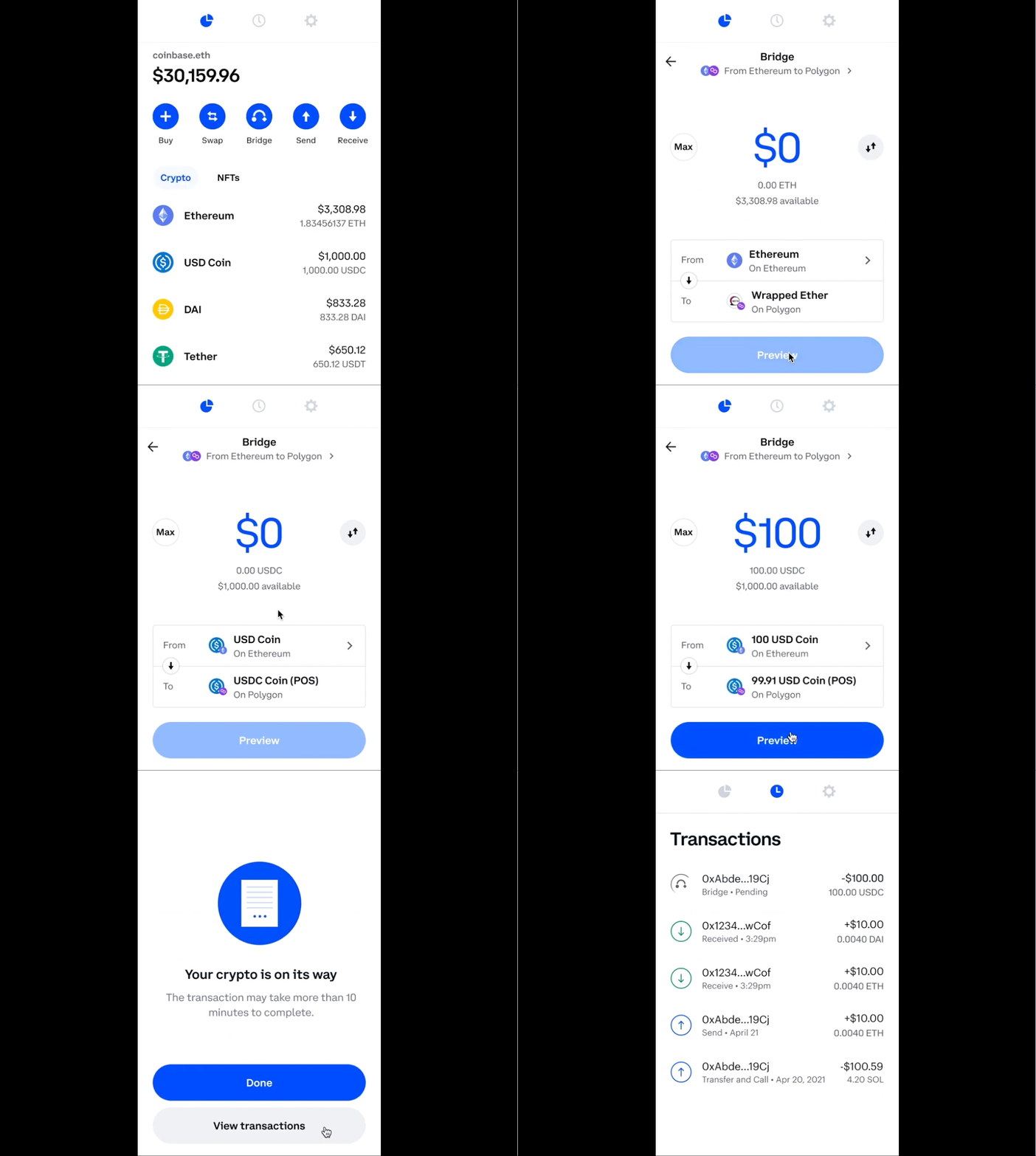
Understanding USDT and Coinbase in the Crypto Ecosystem
Before diving into the mechanics of receiving USDT, it’s crucial to grasp the foundational technologies and roles of both Tether and Coinbase within the broader crypto landscape. This understanding forms the bedrock for secure and efficient digital asset management.
What is USDT (Tether)?
USDT, or Tether, is the largest stablecoin by market capitalization, designed to mirror the value of the U.S. dollar. This pegging makes it a crucial tool in the volatile crypto market, offering a haven for traders looking to exit positions without converting back to fiat currency, or for those seeking stability during market fluctuations. Unlike volatile cryptocurrencies like Bitcoin or Ethereum, USDT aims to maintain a 1:1 ratio with the USD, providing a predictable digital asset for transactions, remittances, and liquidity provision.
A critical technological aspect of USDT is its existence across multiple blockchain networks. Initially launched on the Omni Layer protocol, USDT has since expanded to numerous other blockchains, including Ethereum (as an ERC-20 token), Tron (TRC-20), Solana, Avalanche, Polygon, and more. Each version of USDT operates on its respective blockchain’s standard, meaning an ERC-20 USDT token cannot be sent directly to a TRC-20 address, and vice-versa. This multi-chain nature is a significant point of complexity and a frequent source of error for new and even experienced users. Understanding the specific network an USDT token resides on is paramount for successful transfers.
Coinbase: A Leading Crypto Exchange Platform
Coinbase is one of the world’s most prominent cryptocurrency exchanges, renowned for its user-friendly interface, robust security measures, and compliance with regulatory standards. It serves millions of users globally, enabling them to buy, sell, store, and manage a wide array of digital assets. From its humble beginnings as a Bitcoin exchange, Coinbase has evolved into a comprehensive platform offering advanced trading features, staking services, and a secure wallet infrastructure.
For users, Coinbase represents a gateway into the crypto economy, simplifying the often-complex processes of cryptocurrency transactions. Its commitment to security, including cold storage for the majority of user funds and multi-factor authentication, positions it as a trusted platform. However, like any sophisticated technology platform, understanding its specific functionalities, especially regarding asset support and network compatibility, is essential for optimal use.
The Interoperability Challenge: Why Receiving USDT on Coinbase Can Be Complex
The primary challenge when receiving USDT on Coinbase stems from the interoperability limitations between different blockchain networks. While Coinbase supports USDT, it historically has not supported all versions of USDT across all available blockchains. For instance, for a significant period, Coinbase primarily supported ERC-20 USDT (Tether on the Ethereum blockchain). If a user attempted to send TRC-20 USDT (Tether on the Tron blockchain) to an ERC-20 USDT address on Coinbase, those funds would likely be lost or extremely difficult to recover, as the receiving address on the Ethereum network would not recognize tokens from the Tron network.
This technical disconnect highlights the importance of network compatibility. Successful USDT reception on Coinbase (or any exchange) hinges on ensuring that the sending network matches the receiving network supported by Coinbase for USDT. This requires meticulous attention to detail from both the sender and receiver, ensuring that the technology stacks align perfectly. As Coinbase evolves, it frequently adds support for new networks and assets, making it imperative for users to verify current supported networks directly on the platform before initiating any transfer.
Preparing Your Coinbase Account for USDT Reception
Before you can successfully receive USDT, your Coinbase account needs to be adequately prepared and configured. This involves ensuring your account meets security standards and understanding Coinbase’s specific technical support for USDT.
Account Verification and Security Best Practices
Security is paramount in the digital asset space. Coinbase employs stringent Know Your Customer (KYC) and Anti-Money Laundering (AML) policies, requiring users to complete identity verification before fully utilizing all platform features, including deposits and withdrawals. Ensure your account is fully verified by providing necessary personal information and documentation as requested by Coinbase. This not only complies with regulations but also unlocks higher transaction limits and enhanced security features.
Beyond verification, implement robust security best practices:
-
Two-Factor Authentication (2FA): Always enable 2FA using an authenticator app (like Google Authenticator or Authy) rather than SMS, which is less secure. This adds an essential layer of protection against unauthorized access.
-
Strong, Unique Passwords: Use a complex password unique to your Coinbase account, ideally generated by a password manager.
-
Phishing Awareness: Be vigilant against phishing attempts. Always verify the URL (coinbase.com) and never click on suspicious links or provide credentials in response to unsolicited emails or messages. Coinbase will never ask for your password via email.
-
Regular Software Updates: Keep your operating system, browser, and security software updated to protect against vulnerabilities.
Checking Coinbase’s Current USDT Support
Coinbase’s support for specific cryptocurrencies and their underlying blockchain networks is dynamic and subject to change. While Coinbase generally supports USDT, the networks it supports for USDT deposits can vary. Historically, ERC-20 (Ethereum network) has been the most common, but support for other networks like Solana or Arbitrum might be added over time.
To check Coinbase’s current USDT network support:
-
Log in to your Coinbase account.
-
Navigate to the “Receive” section: This is typically found on the main dashboard or under the “Send/Receive” options.
-
Select USDT: From the list of available cryptocurrencies, choose “Tether (USDT)”.
-
Observe the Network Selection: Coinbase will then display your USDT deposit address and, crucially, will indicate which networks are supported for that address. It might explicitly state “ERC-20” or offer a dropdown to select between multiple supported networks if available.
This step is absolutely critical. Do not proceed until you have confirmed the exact network(s) Coinbase supports for USDT deposits at that specific moment.
Understanding Supported Networks: The Critical Link
As highlighted earlier, the concept of matching networks is the single most important technical detail when receiving USDT. If the sender sends USDT via the Tron network (TRC-20) and your Coinbase USDT address only supports the Ethereum network (ERC-20), your funds will not reach your account. The transaction will effectively be sent to an unspendable address on the Ethereum blockchain from Coinbase’s perspective, or simply disappear into a black hole of incompatible networks.
-
ERC-20 USDT: This is USDT issued on the Ethereum blockchain. It requires ETH for gas fees (transaction fees). This is often the default or most widely supported version on many exchanges.
-
TRC-20 USDT: This is USDT issued on the Tron blockchain. It requires TRX for gas fees.
-
Other Networks: USDT also exists on Solana, Avalanche, Polygon, Arbitrum, Optimism, and more. Each requires its native token for gas fees (e.g., SOL for Solana, AVAX for Avalanche).
Always ensure the sender uses the exact same network that Coinbase indicates for your USDT deposit address. There is no technical mechanism on Coinbase (or most exchanges) to automatically convert or route USDT sent on an unsupported network to a supported one. This is a manual, user-driven compatibility check that is absolutely essential for safe and successful transfers.
Step-by-Step Guide to Receiving USDT on Coinbase
Once your account is prepared and you understand the technical prerequisites, receiving USDT on Coinbase becomes a straightforward process. Follow these steps meticulously to ensure a smooth transaction.

Locating Your USDT Deposit Address on Coinbase
The first step is to generate or locate your specific USDT deposit address within your Coinbase account.
-
Log In and Navigate: Log into your Coinbase account (via desktop browser or mobile app).
-
Access “Receive”: On the main dashboard, look for a “Send/Receive” button or a “Receive” tab. Click on it.
-
Select USDT: A list of cryptocurrencies will appear. Search for and select “Tether (USDT).”
-
Choose Network (If Applicable): If Coinbase supports multiple networks for USDT, you will see an option to select the desired network (e.g., “Ethereum ERC-20”). Crucially, select the network that matches the one the sender intends to use. If only one network is displayed, that is the only supported option.
-
View Address: Your unique USDT deposit address (a long string of alphanumeric characters) and a QR code will be displayed. This is the address where your USDT will be sent.
Communicating Your Address to the Sender
Once you have your USDT deposit address and have confirmed the correct network, you need to securely share it with the person or platform sending you USDT.
-
Copy and Paste: The safest method is to use the “copy” icon next to the address on Coinbase. This minimizes transcription errors.
-
QR Code: If the sender’s wallet or platform supports scanning QR codes, you can share the QR code directly from Coinbase.
-
Emphasize Network: When sharing the address, explicitly state the network it belongs to (e.g., “This is my ERC-20 USDT address on Coinbase”). This reiterates the critical compatibility requirement to the sender.
Never type out the address manually, as a single incorrect character can lead to irretrievable loss of funds.
Verifying the Transaction Details Before Confirmation
This step is performed by the sender, but as the receiver, you should always advise them on its importance. Before the sender finalizes the transaction from their end, they must double-check all details:
-
Recipient Address: Ensure the address displayed on their sending platform exactly matches the address you provided from Coinbase. A common trick by malware is to change clipboard content, so always verify character-by-character if possible.
-
Network Selection: Confirm that the sender has selected the correct network (e.g., ERC-20) that corresponds to your Coinbase deposit address.
-
Amount: Verify the amount of USDT being sent.
-
Gas Fees: The sender should be aware of and comfortable with the associated network transaction fees (gas fees), which are paid in the native currency of the blockchain (e.g., ETH for ERC-20, TRX for TRC-20).
Once these details are verified, the sender can confirm the transaction.
Monitoring the Incoming Transaction
After the sender initiates the transaction, your USDT won’t appear instantly. Blockchain transactions require network confirmations.
-
Coinbase Notifications: Coinbase will typically notify you once the transaction is detected and, again, once it has sufficient network confirmations to be credited to your account.
-
Transaction History: You can check your “Portfolio” or “Recent Activity” section on Coinbase to see pending and completed transactions.
-
Blockchain Explorer (Optional but Insightful): For a more technical view, the sender should provide you with the transaction ID (TxID) or hash. You can paste this TxID into the relevant blockchain explorer (e.g., Etherscan.io for ERC-20 transactions) to see the real-time status, number of confirmations, and other technical details of the transaction on the blockchain. This provides transparency and allows you to independently verify the transaction’s progress. Once the transaction shows as “confirmed” with a sufficient number of blocks on the explorer, it should soon reflect in your Coinbase balance.
Common Pitfalls and Troubleshooting Tips
Despite careful planning, issues can sometimes arise when receiving USDT. Understanding common technical pitfalls and how to troubleshoot them is crucial for effective digital asset management.
Mismatched Network Issues: The Most Frequent Error
This is by far the most common and devastating error. If USDT is sent from one blockchain network (e.g., TRC-20) to a Coinbase deposit address that only supports a different network (e.g., ERC-20), the funds are typically lost.
-
What Happens: The transaction might appear successful on the sending network’s blockchain explorer, but Coinbase’s system, which is configured to look for USDT on the supported network (e.g., Ethereum), will never see or recognize the incoming tokens on the unsupported network (e.g., Tron).
-
Recovery: Recovery in such cases is extremely rare and often impossible. Coinbase explicitly warns against sending unsupported tokens or tokens on unsupported networks. Even if technically possible to recover (e.g., if Coinbase later supports that specific network and token standard), it would involve a complex and costly manual process that exchanges are generally not equipped or obligated to perform.
-
Prevention: The only solution is prevention. ALWAYS double-check and verbally confirm the network compatibility with the sender before any transaction. Start with a small test transaction if you are unsure.
Transaction Delays and Network Congestion
Cryptocurrency transactions are not instantaneous. They require validation by network miners/validators.
-
Blockchain Confirmations: Transactions need a certain number of block confirmations before they are considered final and reflected in your balance. The required number varies by blockchain and exchange (e.g., Ethereum transactions might need 12-30 confirmations, which can take several minutes to an hour or more, depending on network congestion).
-
Network Congestion: High network activity can lead to increased transaction fees and slower confirmation times. If gas fees are set too low by the sender, the transaction might get stuck in a “pending” state for an extended period or even fail.
-
Troubleshooting Delays: If a transaction is delayed:
-
Check Blockchain Explorer: Use the TxID to monitor its status on the relevant blockchain explorer. See if it’s pending or has failed.
-
Contact Sender: Ask the sender if they used appropriate gas fees or if their sending platform is experiencing issues.
-
Wait: Often, patience is key. Most delays resolve themselves if the transaction was correctly initiated.
-
What to Do if USDT Doesn’t Arrive
If your USDT hasn’t arrived after a reasonable amount of time (several hours) and you’ve confirmed the network was correct:
-
Re-verify TxID and Network: Ask the sender for the transaction ID (TxID) and re-confirm the network used. Double-check that the TxID corresponds to a successful transaction on the blockchain explorer and that the recipient address on the blockchain matches your Coinbase address.
-
Contact Sender’s Support: If the TxID shows success on the blockchain but your Coinbase account doesn’t reflect the deposit, the issue might be on the sender’s platform. They might have a delay in processing or a problem with their withdrawal system.
-
Contact Coinbase Support (Last Resort): If all else fails, and you are certain the transaction was sent correctly on a supported network to your correct Coinbase address, contact Coinbase Support. Provide them with the TxID, your Coinbase account details, and a clear explanation of the situation. Be prepared for a potentially lengthy resolution process, as support teams investigate blockchain transactions.
Security Reminders: Phishing and Scams
The technological aspect of receiving USDT also involves protecting yourself from malicious actors.
-
Always Verify Source: Only receive USDT from trusted sources. Be wary of unsolicited offers or promises of quick returns.
-
Beware of Impersonators: Scammers often impersonate legitimate platforms or individuals. Always verify the identity of the sender and ensure you are communicating through official channels.
-
Protect Your Private Information: Never share your Coinbase password, 2FA codes, or recovery phrases with anyone. Coinbase support will never ask for this information.
-
Review Transaction Details Carefully: As noted, always double-check addresses and networks. Scammers might try to trick you into providing an incorrect address that they control.
Maximizing Your USDT Experience on Coinbase
Receiving USDT is often just the first step. Understanding how to leverage this asset within the Coinbase ecosystem and practicing general digital asset management best practices enhances your overall technological interaction with crypto.
Utilizing USDT within the Coinbase Ecosystem
Once your USDT has been successfully deposited into your Coinbase account, a range of functionalities becomes available:
-
Trading and Conversion: You can easily convert USDT into other cryptocurrencies supported on Coinbase, such as Bitcoin (BTC), Ethereum (ETH), or various altcoins. This is a common strategy for participating in market movements or diversifying your portfolio. Coinbase’s intuitive interface allows for quick and seamless conversions.
-
Selling for Fiat: If you wish to cash out, you can sell your USDT for fiat currency (like USD, EUR, GBP) and withdraw it to your linked bank account. This provides a clear off-ramp from the crypto market.
-
Sending to Other Wallets/Exchanges: You can also send your USDT from Coinbase to another external wallet or exchange if you need to access different services or platforms. Remember to follow the same network compatibility rules when sending USDT out of Coinbase.
-
Coinbase Earn/Staking (if applicable): While not typically available for USDT directly, Coinbase may offer similar programs for other assets that you might convert your USDT into, allowing you to earn rewards.
These functionalities are core technological features of the Coinbase platform, designed to provide a comprehensive digital asset management solution for its users.
Staying Updated with Coinbase’s Feature Enhancements
The cryptocurrency landscape and the platforms that facilitate it are constantly evolving. Coinbase frequently updates its platform, adds support for new assets, and expands network compatibility.
-
Monitor Coinbase Announcements: Regularly check Coinbase’s official blog, news section, and social media channels for announcements regarding new asset listings, network upgrades, or changes in deposit/withdrawal policies.
-
Review Asset Pages: Before initiating any transaction, make it a habit to visit the specific asset page for USDT on Coinbase to confirm the currently supported networks and any specific instructions or warnings.
-
Understand Technical Changes: Being aware of these updates helps you adapt your digital asset management strategies and prevents potential issues arising from outdated information regarding network support.
Best Practices for Digital Asset Management
Beyond specific USDT transactions, adopting broader best practices for digital asset management is vital for long-term security and efficiency when interacting with any cryptocurrency platform:
-
Diversification (Security Perspective): Don’t keep all your assets on a single exchange. While Coinbase is secure, a diversified approach, potentially involving hardware wallets for long-term storage of significant holdings, can mitigate risks.
-
Regular Security Audits: Periodically review your Coinbase account’s security settings (2FA, linked devices, API keys) and ensure they are robust.
-
Understanding Blockchain Basics: Continue educating yourself about how blockchains work, gas fees, network congestion, and smart contracts. This foundational technical knowledge empowers you to make informed decisions.
-
Practice with Small Amounts: When trying a new platform, a new token, or a new network, always start with a very small, negligible amount to ensure the process works as expected before committing larger sums. This is a crucial “test run” in the tech world.
In conclusion, successfully receiving USDT on Coinbase is a straightforward process once you master the nuances of blockchain networks and platform-specific requirements. It hinges critically on understanding and confirming network compatibility between the sender’s platform and your Coinbase deposit address. By diligently following security protocols, verifying transaction details, and staying informed about Coinbase’s evolving features, you can ensure your USDT transactions are secure, efficient, and contribute positively to your overall digital asset management strategy within the ever-expanding tech sphere of cryptocurrency.
aViewFromTheCave is a participant in the Amazon Services LLC Associates Program, an affiliate advertising program designed to provide a means for sites to earn advertising fees by advertising and linking to Amazon.com. Amazon, the Amazon logo, AmazonSupply, and the AmazonSupply logo are trademarks of Amazon.com, Inc. or its affiliates. As an Amazon Associate we earn affiliate commissions from qualifying purchases.