
In the sprawling digital landscape, Google Play stands as a colossal hub for entertainment, productivity, and connection. It’s the primary gateway for Android users to access millions of applications, games, movies, TV shows, books, and more. Central to navigating this vibrant ecosystem is Google Play Credit – a versatile digital currency that simplifies transactions and opens up a world of content. Understanding how to acquire and utilize this credit is not just a matter of convenience; it’s about mastering a fundamental aspect of your digital experience, ensuring seamless access to the tools and entertainment that enrich your tech life. This guide will walk you through the various methods of purchasing Google Play Credit, its myriad uses, and best practices for managing it within the broader Google ecosystem.

Understanding Google Play Credit: Your Gateway to Digital Content
Google Play Credit is more than just a payment method; it’s a dedicated currency within Google’s digital storefront, designed to offer flexibility and control over your purchases. From a technical standpoint, it functions as a prepaid balance linked directly to your Google account, allowing you to bypass traditional banking details for individual transactions.
What is Google Play Credit?
At its core, Google Play Credit is a virtual balance stored within your Google account, specifically earmarked for purchases on the Google Play Store. Think of it as a digital wallet pre-loaded with funds that can only be spent within Google’s extensive marketplace. Unlike a typical credit card which draws from a revolving line of credit or a debit card linked to your bank account, Google Play Credit is a finite, prepaid amount. Once loaded, it becomes part of your account balance, ready to be deployed for any eligible item or subscription available through Google Play. This system offers a streamlined payment experience, removing the need to repeatedly input sensitive financial information for every purchase.
Why Use Google Play Credit?
The advantages of utilizing Google Play Credit extend beyond mere convenience. For many users, it’s a strategic choice driven by various technical and practical considerations:
- Enhanced Security: By pre-loading funds, you reduce the direct exposure of your primary bank account or credit card details to individual app or content purchases. This adds a layer of insulation, especially when sharing devices or allowing family members to make purchases.
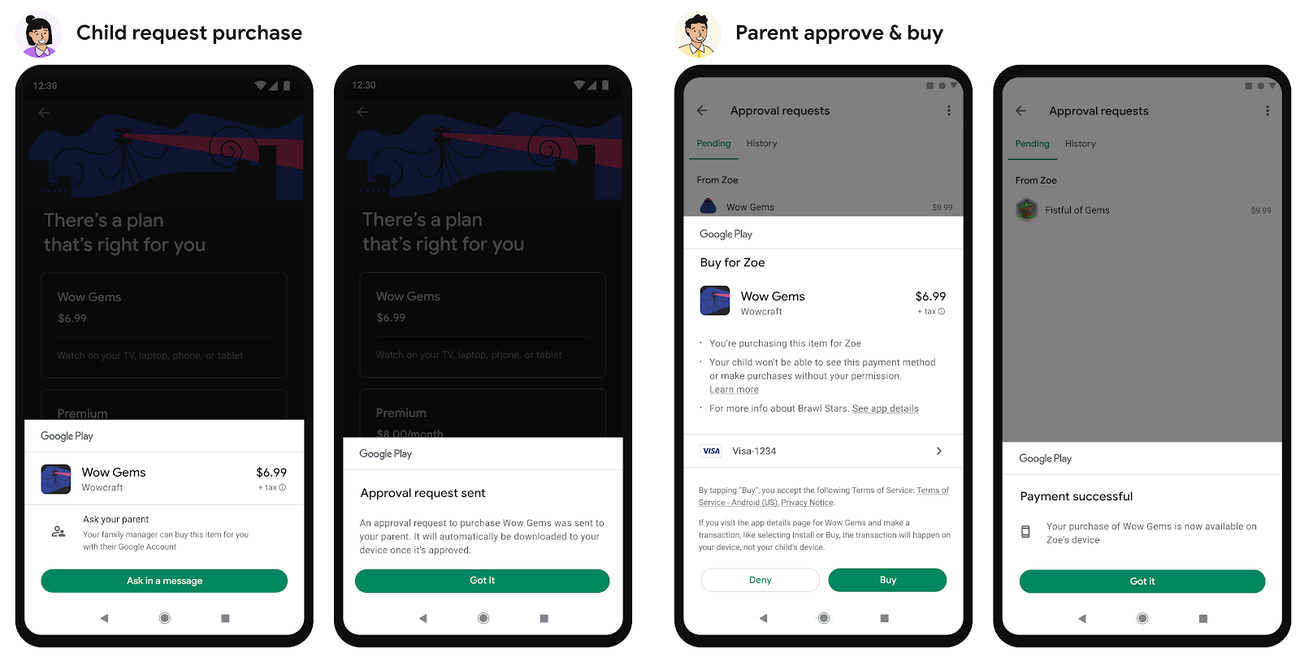
- Budgeting and Spending Control: Google Play Credit is an excellent tool for managing digital entertainment budgets. By purchasing a specific amount of credit, you set a clear spending limit, preventing impulse purchases from impacting your broader financial planning. For parents, it’s an invaluable way to provide children access to digital content without giving them direct access to banking details.
- Gifting Flexibility: Digital gift cards loaded with Play Credit are a popular and convenient way to share the joy of digital content. It allows recipients to choose exactly what they want from millions of options, rather than receiving a specific app or game they might not enjoy.
- Accessibility for Unbanked Users: For individuals who may not have access to traditional credit cards or bank accounts, physical Google Play gift cards provide a crucial avenue to participate in the digital economy and access valuable apps and services.
- Streamlined Subscriptions: Many apps and services on Google Play offer recurring subscriptions. Using Play Credit can simplify the management of these, especially if you prefer to consolidate digital spending.
What Can You Buy with Google Play Credit?
The versatility of Google Play Credit is one of its most compelling features. It unlocks virtually the entire Google Play ecosystem, providing access to:
- Apps and Games: Purchase premium apps, unlock ad-free versions, or buy full game titles.
- In-App Purchases: Enhance your gaming experience with virtual currency, special items, or character upgrades within your favorite apps.
- Movies and TV Shows: Rent or buy the latest blockbusters or classic series.
- Books and Audiobooks: Expand your digital library with a vast selection of fiction, non-fiction, and audio content.
- Subscriptions: Pay for premium subscriptions to various services, including music streaming, news apps, fitness apps, and more, directly through Google Play.
- Google Play Pass: Subscribe to Google Play Pass to access hundreds of apps and games without ads or in-app purchases.
Essentially, if it’s available for purchase on the Google Play Store, it’s likely accessible with Google Play Credit, making it an incredibly potent tool for any Android user.
Diverse Avenues for Acquiring Google Play Credit
Obtaining Google Play Credit is a straightforward process, but the methods are diverse, catering to different preferences and situations. Whether you prefer a physical token, an instant digital code, or direct integration with your existing payment methods, Google offers multiple pathways.
Physical Gift Cards: The Traditional Route
For many, the most familiar method is purchasing a physical Google Play gift card. These cards are readily available in various denominations, typically ranging from $10 to $100, and are a staple at countless retail locations worldwide.
- Where to Find Them: Major electronics stores, supermarkets, convenience stores, and general merchandise retailers (e.g., Walmart, Target, Best Buy, 7-Eleven, Walgreens) often stock Google Play gift cards. The availability might vary by region, but they are generally ubiquitous.
- The Process: You simply purchase the card at the checkout counter, and the cashier activates it. The card will have a unique code, usually hidden beneath a scratch-off strip, which you’ll later redeem in the Google Play Store. This method is ideal for those who prefer tangible purchases, wish to pay with cash, or are giving the credit as a gift.
Digital Gift Codes: Instant and Convenient
For those who value speed and convenience, digital gift codes are an excellent alternative. These codes offer instant delivery and immediate usability, perfect for last-minute purchases or remote gifting.
- Online Retailers: Many reputable online retailers, including Amazon, PayPal Digital Gifts, and even Google’s own store, sell digital Google Play codes.
- Email Delivery: Upon successful purchase, the unique gift code is typically sent directly to your email address within minutes. This means you don’t have to wait for physical shipping or leave your home.
- Ideal for Gifting: Digital codes are particularly popular for gifting to friends or family who live far away, as they can be sent instantly via email, allowing the recipient to redeem them without delay.
Direct Purchase via Google Play Store
The most integrated method for adding credit is directly through the Google Play Store itself. This leverages your existing Google Pay payment methods, allowing for a seamless top-up of your balance.
- Using Linked Payment Methods: Within the Google Play Store app or website, you can navigate to your account settings and choose to “Add payment method” or “Add Google Play balance.” Here, you can use a credit card, debit card, PayPal account, or even carrier billing (where supported) that you’ve already linked to your Google Pay profile.
- Instant Top-Up: The credit is usually added to your Google Play balance almost instantly, making it the quickest way to fund your account when you’re already browsing the store. This method is excellent for those who regularly use digital payments and want to keep their credit topped up.
Earning Credit Through Google Opinion Rewards
For a more unconventional, yet rewarding, approach, Google Opinion Rewards offers a unique way to earn Play Credit passively. This isn’t a direct “purchase” but rather an earning mechanism that results in Play Credit.
- The App: Google Opinion Rewards is a free app available on the Google Play Store. Once installed, it periodically sends you short surveys about various topics, from your shopping habits to your opinions on local businesses.
- Passive Earning: Each completed survey rewards you with a small amount of Google Play Credit, typically ranging from a few cents to a dollar or more. Over time, these small amounts can accumulate into a significant balance, allowing you to purchase apps, games, or content for free. This method is a favorite among tech-savvy users who appreciate earning rewards for their data.
Other Promotional Offers and Bundles
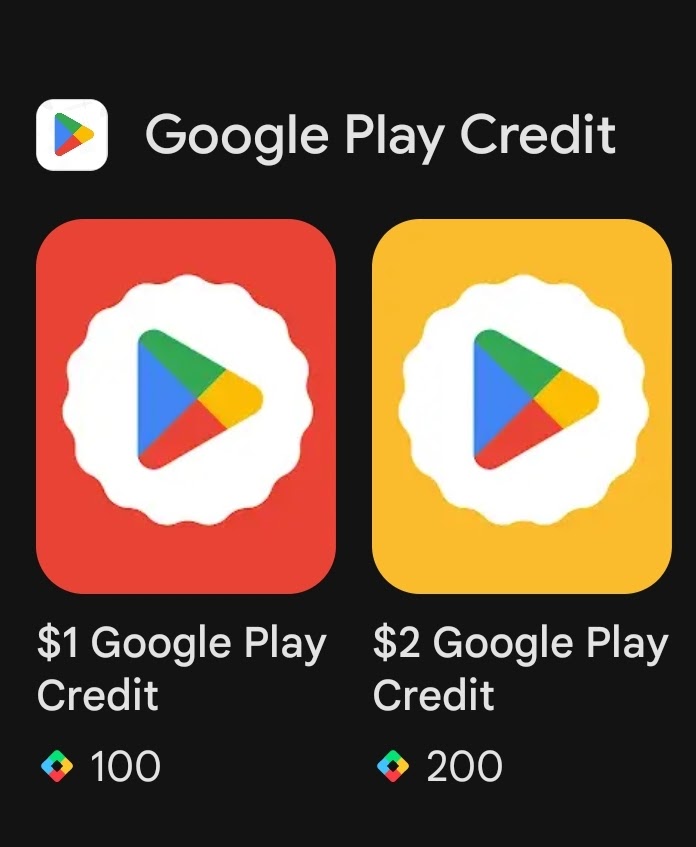
Occasionally, Google, mobile carriers, or device manufacturers offer promotional bundles or special deals that include Google Play Credit.
- Carrier Promotions: Some mobile service providers might offer Play Credit as an incentive for signing up for a new plan or upgrading a device.
- Device Bundles: Purchasing a new Android smartphone or tablet might sometimes come with a bonus Google Play Credit offer.
- Specific App Promotions: Certain app developers or services might run promotions where participating earns you Play Credit.
These offers are less consistent but are worth looking out for, as they provide an excellent value-add for tech enthusiasts.
Step-by-Step Guide to Redeeming and Managing Your Credit
Once you’ve acquired Google Play Credit, the next crucial step is to redeem it and understand how to manage your balance effectively. This ensures your funds are properly applied and ready for use.
Redeeming a Google Play Gift Card or Code
The redemption process is designed to be user-friendly, whether you’re using the mobile app or a web browser.
- Via the Google Play Store App (Android Device):
- Open the Google Play Store app on your Android smartphone or tablet.
- Tap the profile icon (usually your photo or initial) in the top-right corner.
- Select “Payments & subscriptions,” then “Redeem gift code.”
- Carefully enter the 16-digit code found on your physical card (scratch off the silver strip) or from your digital email.
- Tap “Redeem.” Confirm the amount, and the credit will be instantly added to your Google Play balance.
- Via a Web Browser (Desktop or Mobile):
- Go to play.google.com/redeem in your web browser.
- Sign in to your Google account if prompted.
- Enter the 16-digit code into the provided field.
- Click “Redeem.” Confirm the amount, and the credit will be linked to your account.
Checking Your Google Play Balance
It’s good practice to verify your balance after redemption and periodically check it to track your spending.
- Through the Google Play Store App:
- Open the Google Play Store app.
- Tap your profile icon.
- Go to “Payments & subscriptions,” then “Payment methods.”
- Your “Google Play balance” will be displayed prominently at the top of this section.
- Through a Web Browser:
- Visit pay.google.com/payments/home and sign in.
- Your Google Play balance will be listed under “Payment methods” or within your account overview.
Managing Your Payment Methods
While Google Play Credit is a convenient way to pay, managing your other payment methods linked to Google Pay is also essential for a holistic tech finance strategy.
- Adding/Removing Cards: Within the “Payment methods” section of the Google Play Store or Google Pay settings, you can easily add new credit/debit cards, link a PayPal account, or remove outdated payment options. This keeps your financial information current and secure.
- Setting Preferred Methods: You can designate a primary payment method, ensuring that when your Google Play balance is insufficient for a purchase, the system defaults to your preferred alternative without extra steps. This seamless integration enhances the user experience, making tech transactions effortless.
Troubleshooting Common Redemption Issues
While generally smooth, redemption issues can sometimes arise. Knowing how to troubleshoot them is a valuable tech skill.
- Invalid Code: Double-check the code for typos. Ensure you haven’t confused similar-looking characters (e.g., ‘0’ and ‘O’, ‘1’ and ‘I’).
- Region Lock: Google Play gift cards are region-specific. A card purchased in the US, for example, cannot be redeemed on a Google account primarily associated with a different country (e.g., the UK). Ensure your account’s country setting matches the card’s origin. This is a common issue for users who travel or use VPNs.
- Expiration: While most Google Play gift cards do not expire, promotional codes or credit earned from certain offers might have expiration dates. Always check the terms and conditions of such promotions.
- Already Redeemed: If you receive an error stating the code has already been redeemed, check your Google Play balance history to confirm it wasn’t applied previously, or contact Google Play support if you suspect fraudulent activity.
Maximizing Your Google Play Credit Experience
Leveraging Google Play Credit efficiently goes beyond just purchasing apps; it’s about smart budgeting, secure practices, and fully exploring the vast tech content available.
Budgeting and Security Best Practices
Integrating Google Play Credit into your tech routine means adopting smart habits.
- Set Spending Limits: By purchasing credit in fixed denominations, you inherently establish a cap on your digital spending. This is particularly useful for controlling in-app purchases or managing children’s access to paid content.
- Monitor Activity: Regularly check your Google Play purchase history (accessible via the Play Store app or your Google Account) to track how your credit is being used. This helps in identifying unauthorized purchases and keeping tabs on your digital expenditure.
- Gift Card Security: Treat physical gift cards like cash. Keep the redemption code secure and don’t share it until you’re ready to redeem. Only purchase cards from reputable retailers to avoid scams. For digital codes, ensure your email account is secure.
Gifting Google Play Credit
Google Play Credit makes for an excellent tech-oriented gift, offering the recipient complete freedom to choose their preferred digital content.
- Personalized Digital Gifting: Instead of guessing what app or game someone might want, a Google Play gift code empowers them to select exactly what they desire, whether it’s the latest bestseller, a blockbuster movie, or a productivity app.
- Sharing the Digital Experience: Gifting Play Credit isn’t just about money; it’s about enabling access to the rich and ever-evolving world of digital entertainment and utility that Google Play offers, fostering connection through shared digital experiences.
Exploring the Full Spectrum of Google Play Content
Having Google Play Credit unlocks a universe of digital possibilities. Don’t limit yourself to just apps; explore the breadth of content available.
- Beyond Apps: Delve into the extensive libraries of Google Play Books, Google Play Movies & TV, and Google Play Music (for purchasing tracks or albums, though Google’s primary music streaming service is YouTube Music).
- Discover New Experiences: Use your credit to try out premium versions of apps, subscribe to ad-free news services, or rent a documentary you’ve been wanting to watch. Google Play regularly features curated collections and sales, making it a dynamic platform for discovery.
- Educational and Productivity Tools: Many top-tier educational apps, language learning platforms, and productivity suites require a one-time purchase or subscription. Your Play Credit can be an investment in personal development and efficiency.
In conclusion, understanding how to purchase Google Play Credit and effectively manage it is a fundamental skill for any active Android user. It offers a secure, flexible, and convenient way to access the vast array of digital content, apps, and services available through the Google Play Store. By leveraging the diverse acquisition methods and adhering to best practices, you can seamlessly integrate Google Play Credit into your digital lifestyle, enhancing your overall tech experience and ensuring you’re always ready to explore the next great app, game, movie, or book.
aViewFromTheCave is a participant in the Amazon Services LLC Associates Program, an affiliate advertising program designed to provide a means for sites to earn advertising fees by advertising and linking to Amazon.com. Amazon, the Amazon logo, AmazonSupply, and the AmazonSupply logo are trademarks of Amazon.com, Inc. or its affiliates. As an Amazon Associate we earn affiliate commissions from qualifying purchases.