
In the evolving landscape of digital finance, PayPal stands as a ubiquitous pillar, simplifying transactions for millions worldwide. While many users link bank accounts or credit cards to their PayPal profiles, a significant and often underutilized feature is the ability to pay directly with your PayPal balance. This method offers distinct advantages, from enhanced budgeting control to reducing reliance on traditional banking instruments. Understanding how to effectively use your PayPal balance is not just about convenience; it’s about smart financial management in the digital age. This guide delves deep into the mechanics, benefits, and best practices of leveraging your PayPal balance for everyday transactions, positioning it as a key tool in your personal financial arsenal.

Understanding Your PayPal Balance: More Than Just Digital Cash
Before diving into the “how-to,” it’s crucial to grasp what your PayPal balance truly represents and why it holds a unique position in the pantheon of digital payment methods. It’s not merely a placeholder for funds; it’s a dynamic component of your personal financial ecosystem.
What Constitutes Your PayPal Balance?
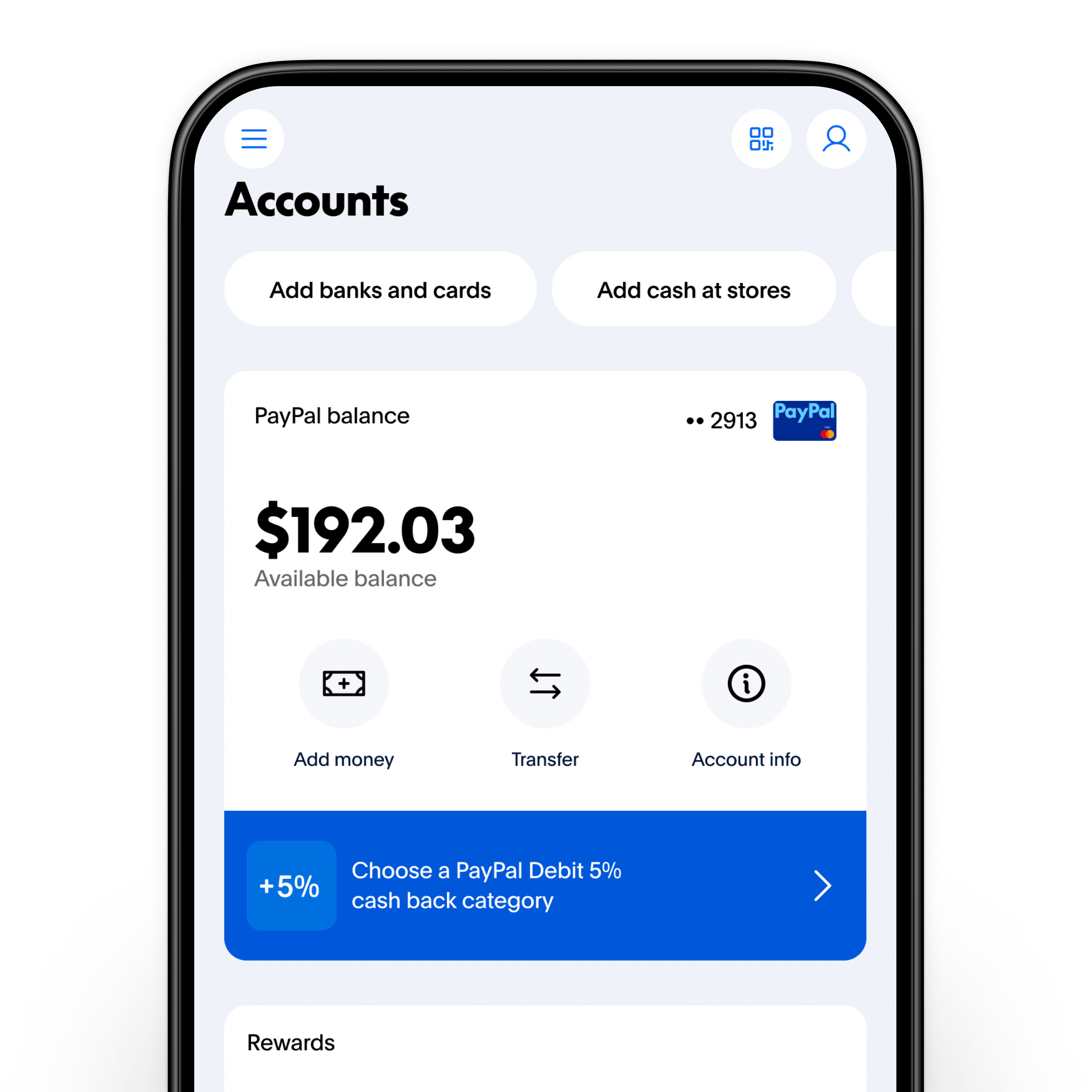
Your PayPal balance is the total sum of money available in your PayPal account. This balance can originate from several sources:
-
Incoming Payments: Funds received from sales on platforms like eBay, Etsy, or your own e-commerce site. Freelancers often receive payments directly into their PayPal accounts.
-
Money Sent by Others: Funds transferred to you by friends, family, or clients through PayPal’s peer-to-peer payment service.
-
Transfers from Bank Accounts: Money you deliberately move from your linked bank account to your PayPal balance.
-
Credit Card Cash Advances (Less Common): While generally not recommended due to fees, some credit cards allow cash advances that can be transferred.
-
Refunds: Money returned to you from cancelled purchases made via PayPal.
Essentially, your PayPal balance acts as a digital ledger, reflecting the funds you have at your immediate disposal within the PayPal platform, separate from your primary bank account or credit card lines of credit.
Why Utilize Your Balance Over Other Payment Methods?
Opting to pay with your PayPal balance often comes with several financial advantages over direct debit from a bank account or charging a credit card:
-
Budgeting Control: By pre-loading funds or relying on incoming payments, you’re spending money you already have, making it an excellent tool for adhering to a budget and avoiding overdrafts or credit card debt.
-
Reduced Bank Fees: Using your balance directly can bypass potential fees associated with bank transfers or certain credit card transactions, especially internationally.
-
Enhanced Privacy: When you pay with PayPal balance, your direct bank account or credit card details are not shared with the merchant, adding an extra layer of financial privacy and security.
-
Speed and Convenience: Transactions using your balance are typically instant, allowing for seamless checkouts and immediate fund transfers.
Accessibility and Global Reach
One of PayPal’s defining features is its global reach. Your PayPal balance is accessible wherever PayPal is accepted, which is virtually worldwide. This makes it an invaluable financial tool for international shoppers, digital nomads, and businesses engaged in cross-border commerce. The ability to hold and spend various currencies within your balance further streamlines international transactions, often offering better exchange rates or transparency compared to traditional banks.
Step-by-Step Guide: Paying with Your PayPal Balance
The process of paying with your PayPal balance is designed to be intuitive, whether you’re shopping online, sending money, or even making in-store purchases. Mastering these steps ensures you leverage your digital funds efficiently.
Making Purchases Online
This is the most common scenario for using your PayPal balance.
-
Select PayPal at Checkout: When purchasing from an online merchant, choose PayPal as your payment method. You’ll typically be redirected to the PayPal login page.
-
Log In to Your PayPal Account: Enter your PayPal credentials to securely access your account.
-
Review Payment Options: On the payment review screen, PayPal will automatically default to using your available balance first, if it covers the full amount of the purchase.
-
Confirm Payment: Verify the transaction details and click “Confirm Payment” or “Pay Now.” If your balance is insufficient, PayPal will prompt you to choose a secondary funding source (linked bank account, debit card, or credit card) to cover the remainder.
Sending Money to Friends and Family
PayPal’s peer-to-peer payment feature is ideal for splitting bills, sending gifts, or contributing to group funds.
-
Navigate to “Send & Request”: Log in to your PayPal account and find the “Send & Request” tab or button.
-
Enter Recipient Details: Input the recipient’s email address or mobile number.
-
Specify Amount and Purpose: Enter the amount you wish to send and select the purpose (e.g., “Sending to a friend” for personal payments, which are usually free from your balance).
-
Choose “PayPal Balance”: On the payment review screen, ensure “PayPal Balance” is selected as the funding source. For personal payments within the same currency, sending from your balance is free.
-
Confirm Transfer: Review all details and confirm the transaction.
In-Store Payments and QR Codes
PayPal has extended its reach beyond online portals, allowing for physical transactions.
-
PayPal App Integration: Download and log in to the PayPal mobile app.
-
Locate “Scan/Pay”: Many merchants now display PayPal QR codes. In your app, look for a “Scan” or “Pay” option, often represented by a QR code icon.
-
Scan the Merchant’s QR Code: Point your phone’s camera at the QR code.
-
Select PayPal Balance: The app will display the payment amount. Confirm that your PayPal balance is selected as the funding source.
-
Authorize Payment: Complete the transaction within the app. Some stores might also accept PayPal through tap-to-pay options if you have a PayPal debit card.
Handling Currency Conversions
When making international purchases or sending money in a different currency, PayPal will automatically convert your balance.
-
Real-time Exchange Rates: PayPal displays the exchange rate applied before you confirm the payment, ensuring transparency.
-
Holding Multiple Currencies: If you frequently deal with various currencies, PayPal allows you to hold balances in different denominations, which can be advantageous for managing international funds and potentially reducing conversion fees by using the correct currency balance directly.
The Financial Advantages of Using PayPal Balance
Beyond the procedural steps, the real power of paying with your PayPal balance lies in its profound implications for personal financial management. It’s a tool that, when wielded correctly, can foster better financial habits and provide robust security.
Budgeting and Expense Tracking
Using your PayPal balance can significantly streamline your budgeting efforts:
-
Pre-funded Spending: By moving a set amount into your PayPal balance each month for online spending, you create a dedicated digital envelope. This prevents overspending by limiting you to the funds available in that specific balance.
-
Clear Transaction History: PayPal provides a detailed record of all transactions, categorized and time-stamped, making it easy to track where your money goes. This data can be exported and integrated into personal finance software for comprehensive expense analysis.
-
Separation of Funds: It allows for a clear separation between your everyday banking funds and your online spending or income from side hustles, preventing commingling and simplifying reconciliation.
Avoiding Credit Card Debt and Interest
This is arguably one of the most compelling financial benefits.
-
Spend What You Have: Unlike credit cards that offer a line of credit, paying with your PayPal balance ensures you are spending your own money, thereby eliminating the risk of accumulating high-interest debt.
-
No Interest Charges: Since it’s not a credit product, there are no interest charges associated with using your PayPal balance, unlike revolving credit card debt which can quickly spiral out of control.
-
Building Financial Discipline: Consciously choosing to fund your PayPal balance or wait for incoming funds before making a purchase instills a strong sense of financial discipline and delayed gratification.
Security and Purchase Protection
PayPal offers a robust suite of security features that protect your financial interests.
-
Buyer Protection: For eligible purchases made using your PayPal balance, PayPal’s Buyer Protection program covers you if an item doesn’t arrive or is significantly not as described. This provides a safety net akin to—and often exceeding—that of credit card companies.
-
Data Encryption: PayPal employs advanced encryption technologies to protect your financial information, ensuring your bank account or credit card details are never directly shared with merchants.
-
Fraud Monitoring: Sophisticated fraud detection systems monitor transactions 24/7, flagging suspicious activity and helping to prevent unauthorized use of your account and balance.
Managing Funds from Sales or Freelance Work
For entrepreneurs, freelancers, and online sellers, PayPal balance is often the default recipient for income.
-
Immediate Access to Earnings: Once funds from sales or services are paid into your PayPal balance, they are immediately available for use, without waiting for bank transfers.
-
Seamless Reinvestment: You can directly use these earned funds to purchase supplies, pay for advertising, or cover business expenses, effectively reinvesting your earnings within the digital ecosystem without routing them through traditional banks.
-
Simplified Income Tracking: All income received through PayPal is consolidated, making it easier to track your earnings for tax purposes or business financial analysis.
Optimizing Your PayPal Balance Management
To fully harness the financial power of your PayPal balance, it’s essential to not just know how to use it, but how to manage it strategically within your broader financial plan.
Funding Your PayPal Balance Effectively
Regularly funding your PayPal balance can turn it into a powerful budgeting tool.
-
Automated Transfers: Set up recurring transfers from your linked bank account to your PayPal balance for a fixed amount each month. This dedicates a portion of your income specifically for online spending or emergency purchases.
-
Strategic Direct Deposits: If you receive income directly to PayPal (e.g., from freelance platforms), consider leaving a portion in your balance for immediate expenses rather than immediately withdrawing everything.
-
Cash Load Options: In some regions, you can load cash onto your PayPal balance at participating retail locations, offering flexibility for those who prefer to manage physical cash alongside digital funds.
Setting PayPal as Your Preferred Payment Method
Configuring your PayPal account to prioritize your balance simplifies the checkout process and reinforces your budgeting strategy.
-
Access Settings: Log in to your PayPal account and navigate to your “Wallet” or “Payment Methods” section.
-
Set Preferred Source: You can typically designate your PayPal balance as the primary or preferred funding source for all transactions, ensuring it’s used before any linked bank accounts or credit cards.
-
Review Fallback Options: While setting your balance as preferred, also review your fallback options (e.g., your linked bank account) in case your balance is insufficient for a particular transaction.
What to Do When Your Balance is Insufficient
It’s common for your PayPal balance to not fully cover a transaction.
-
Partial Payments: PayPal will automatically use your available balance and then prompt you to select another funding source (bank account, debit card, or credit card) to cover the remaining amount. This allows you to still utilize what you have in your balance, even if it’s not the full amount.
-
Instant Top-Up: If you have a linked bank account, you might have the option for an instant transfer to cover the shortfall, though this can sometimes incur a small fee.
-
Wait for Incoming Funds: For non-urgent purchases, you might choose to wait until more funds are deposited into your balance from sales or transfers.
Understanding Fees (and How to Avoid Them)
While many PayPal transactions are free, especially when using your balance, understanding potential fees is crucial for smart financial planning.
-
Personal Payments: Sending money to friends and family within the same country and currency using your PayPal balance or linked bank account is generally free. However, if funded by a credit card or if it involves currency conversion, fees may apply.
-
Business/Goods & Services Payments: When receiving payments for goods or services, the seller typically pays a transaction fee. When paying as a buyer, it’s usually free from your balance.
-
Currency Conversion Fees: PayPal applies a margin to exchange rates when converting currencies. While often competitive, it’s a factor to consider for international transactions.
-
Instant Transfers to Bank: While standard transfers from PayPal balance to a linked bank account are free, instant transfers usually incur a small percentage-based fee.
By being mindful of these scenarios, you can strategically use your balance to minimize costs and maximize your financial efficiency.
Best Practices for Secure and Savvy PayPal Usage
Integrating PayPal into your financial life goes beyond merely making payments; it involves adopting best practices for security and strategic financial planning.
Monitoring Transactions and Account Activity
Vigilance is key to maintaining a healthy financial account.
-
Regular Review: Periodically log in and review your transaction history. Look for any unfamiliar charges or discrepancies.
-
Enable Notifications: Set up email or push notifications for all transactions. This allows you to detect unauthorized activity immediately.
-
Reconcile with Budget: Compare your PayPal spending with your budget or financial plan to ensure you’re staying on track.
Protecting Your Account from Fraud
Security is paramount in the digital finance realm.
-
Strong, Unique Passwords: Use a complex password and never reuse it on other sites.
-
Two-Factor Authentication (2FA): Enable 2FA for your PayPal account. This adds an extra layer of security, requiring a code from your phone in addition to your password for login.
-
Beware of Phishing: Be highly suspicious of emails or messages asking for your PayPal login details or personal information. Always log in directly through the official PayPal website or app.
-
Secure Wi-Fi: Avoid accessing your PayPal account on public, unsecured Wi-Fi networks.

Integrating PayPal into Your Overall Financial Strategy
View your PayPal balance not as an isolated component, but as an integral part of your larger financial ecosystem.
-
Emergency Fund Diversification: For some, maintaining a small, accessible portion of an emergency fund in a PayPal balance can be a strategic move, offering immediate liquidity for online emergencies without touching primary savings.
-
E-commerce Business Integration: If you run an online business, deeply integrate PayPal’s reporting features into your accounting software to track revenue and expenses efficiently.
-
Spending Habits Analysis: Analyze your PayPal spending patterns to gain insights into your online purchasing habits. This can help you identify areas for savings or adjustments in your budgeting strategy.
In conclusion, paying with your PayPal balance is far more than a simple transaction method; it’s a powerful financial tool that can enhance budgeting, improve security, and streamline your digital spending. By understanding its mechanics, leveraging its advantages, and adhering to best practices, you can effectively master your digital wallet and take a significant step towards greater financial control in an increasingly online world.
aViewFromTheCave is a participant in the Amazon Services LLC Associates Program, an affiliate advertising program designed to provide a means for sites to earn advertising fees by advertising and linking to Amazon.com. Amazon, the Amazon logo, AmazonSupply, and the AmazonSupply logo are trademarks of Amazon.com, Inc. or its affiliates. As an Amazon Associate we earn affiliate commissions from qualifying purchases.