
The transition from physical leather wallets to digital interfaces is no longer a futuristic concept; it is a global standard. As smartphones have become the central hub for our digital lives, they have naturally evolved to handle our financial transactions. Learning how to pay on your phone involves understanding a sophisticated intersection of hardware, software, and cybersecurity. This guide explores the technical mechanisms behind mobile payments, the setup processes for leading ecosystems, and the security protocols that keep your data safe.
Understanding the Technology: NFC and Digital Wallets
At the heart of mobile payments lies a combination of specialized hardware and intelligent software. Unlike traditional magnetic stripe cards that require physical contact, mobile payments utilize wireless communication to bridge the gap between your device and a merchant’s terminal.
What is Near Field Communication (NFC)?
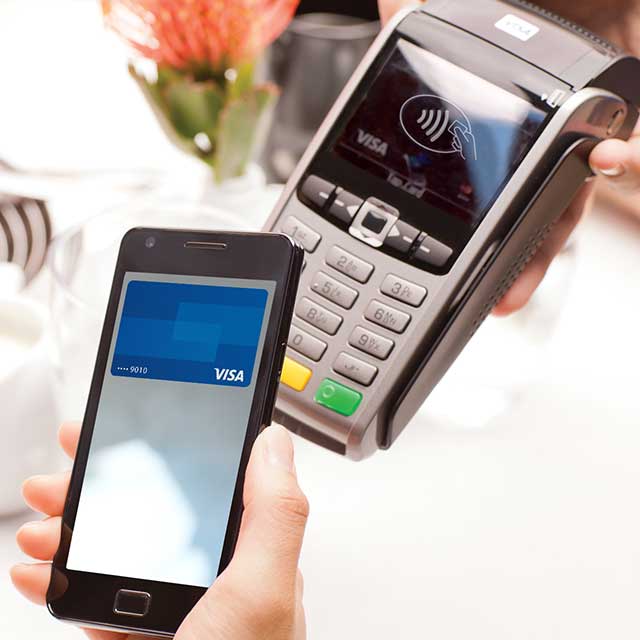
Near Field Communication, or NFC, is the foundational technology that allows two devices to communicate over a very short distance—typically less than four centimeters. Within your smartphone, a small NFC chip acts as one half of a wireless link. When you hold your phone near a contactless-enabled Point of Sale (POS) terminal, the two devices engage in a “handshake.”
Unlike Bluetooth, which requires a manual pairing process, NFC connections are established almost instantaneously. This speed is critical for retail environments where transaction efficiency is paramount. The technology operates on the 13.56 MHz frequency and is designed specifically for secure, low-power data exchange, making it ideal for transmitting encrypted payment tokens.
The Anatomy of a Digital Wallet
A digital wallet is the software layer that manages your payment credentials. It does not actually store your credit card number in a way that is easily accessible; instead, it acts as a secure container for “tokens.” Leading digital wallets like Apple Pay, Google Wallet, and Samsung Pay provide a user interface where you can organize multiple cards, loyalty programs, and even digital keys.
These apps interface directly with the device’s “Secure Element”—a dedicated, tamper-resistant chip isolated from the rest of the phone’s operating system. This isolation ensures that even if the phone’s main software is compromised by malware, the sensitive payment data remains locked away in a hardware-level vault.
Setting Up Your Primary Payment Ecosystem
Depending on your device’s operating system, the process of enabling mobile payments varies slightly. However, the underlying logic remains consistent across the major tech ecosystems.
Apple Pay for iOS Users
For iPhone users, Apple Pay is integrated into the “Wallet” app. To set it up, you navigate to the app and tap the plus (+) icon. The software uses the device’s camera to scan your physical card, identifying the bank and the card type through Optical Character Recognition (OCR). Once scanned, the app communicates with your bank to verify your identity, often requiring a one-time passcode sent via SMS or email.
Once a card is added, it is ready for use across the entire Apple ecosystem, including Apple Watch, iPad, and Mac. The integration is seamless because Apple controls both the hardware (the NFC chip) and the software (iOS), allowing for features like “Express Transit,” which lets you pay for subway or bus fares without even waking the device.
Google Pay and Samsung Pay for Android
Android users have more flexibility, though Google Pay (now often referred to under the Google Wallet umbrella) is the standard for most devices. Setting up Google Pay involves downloading the app from the Play Store and linking a card via your Google Account. Google Pay uses Host Card Emulation (HCE) to manage the NFC communication, providing a consistent experience across a wide range of hardware manufacturers.
Samsung Pay offers a unique technical advantage on older devices: Magnetic Secure Transmission (MST). While most modern terminals are moving toward NFC, MST allows Samsung phones to mimic the magnetic stripe of a physical card, enabling them to work at older terminals that lack NFC sensors. However, in recent years, Samsung has phased this out in newer models to align with the global shift toward pure NFC contactless standards.
Peer-to-Peer (P2P) Apps: Venmo, Cash App, and Zelle
While NFC is used for merchant transactions, peer-to-peer apps handle the transfer of funds between individuals. These apps do not rely on NFC but rather on cloud-based ledgers. To pay someone on your phone using Venmo or Cash App, the software identifies the recipient via a username, QR code, or phone number and triggers a digital transfer from your linked bank account or “app balance” to theirs. These services have increasingly integrated with mobile browsers to allow “Pay with Venmo” options at online checkouts, further blurring the line between social apps and financial tools.
Practical Steps: How to Make Transactions in Real-World Scenarios
Once your wallet is configured, the physical act of paying is remarkably efficient. The method of execution depends on the specific environment and the technology available at the merchant’s location.

In-Store Contactless Payments
When you are at a checkout counter, look for the contactless symbol (which looks like a sideways Wi-Fi icon). To pay, you generally do not need to open the payment app manually. For an iPhone, double-clicking the side button triggers the default card; for Android, simply waking the screen is often enough.
Once the payment interface appears, you hold the top of your phone near the contactless reader. The device will provide haptic feedback (a vibration) or a visual checkmark to indicate the data has been sent. The merchant’s terminal will then process the transaction through the standard banking rails, a process that usually takes less than two seconds.
In-App and Online Mobile Purchases
Paying on your phone isn’t limited to physical stores. Mobile wallets have revolutionized “one-tap” buying in mobile browsers (like Safari or Chrome) and within apps like Uber or Airbnb. When you reach a checkout screen, you can select Apple Pay or Google Pay instead of manually typing in 16-digit card numbers and shipping addresses. The phone’s software automatically provides the necessary encrypted data to the merchant, significantly reducing the friction of mobile commerce and decreasing the likelihood of “cart abandonment.”
Using QR Codes for Payment
In many regions, particularly in Asia and increasingly in the West, QR codes have become a dominant payment method. This technology is popular because it requires no specialized NFC hardware from the merchant—only a printed code. To pay, you open your payment app (such as PayPal or a banking app), select “Scan,” and point your camera at the merchant’s QR code. The app parses the encoded URL or transaction ID and prompts you to confirm the amount. This “push” payment method is highly secure as the merchant never actually sees or touches your payment credentials.
Security Protocols and Best Practices
One of the most common concerns regarding mobile payments is security. Paradoxically, paying with your phone is significantly more secure than using a physical plastic card.
Tokenization: The Secret to Secure Transactions
When you pay with a physical card, the merchant receives your actual card number. If their database is later hacked, your information is exposed. Mobile payments solve this through “Tokenization.” When you add a card to your phone, the bank issues a Digital Account Number (a token) that is unique to that specific device.
During a transaction, the phone transmits this one-time-use token rather than your real card details. Even if a hacker intercepts the wireless signal, the token is useless for any other transaction. The actual card number is never stored on the device and never shared with the merchant.
Biometric Authentication
Mobile payments are protected by layers of biometric security that physical cards lack. To authorize a payment, the user must typically provide a fingerprint (TouchID/Android Fingerprint) or a facial scan (FaceID). This ensures that even if your phone is stolen, the thief cannot make purchases. This is a massive upgrade over the traditional signature or even the 4-digit PIN, both of which are much easier to forge or steal.
What to Do if Your Phone is Lost or Stolen
Because mobile payments are tied to the device’s cloud ecosystem (iCloud or Google Account), you can remotely disable payment capabilities. Using “Find My” on iOS or “Find My Device” on Android, users can put their phone in “Lost Mode.” This immediately suspends all tokens stored in the digital wallet. Since the physical card numbers are not on the device, there is no need to cancel your actual credit cards; you simply remove the digital links and re-enable them when you get a new device.
The Future of Mobile Payments and Emerging Trends
As we look toward the next decade, the tech behind mobile payments continues to evolve, moving beyond the handheld device into more integrated experiences.
Integration with Wearables
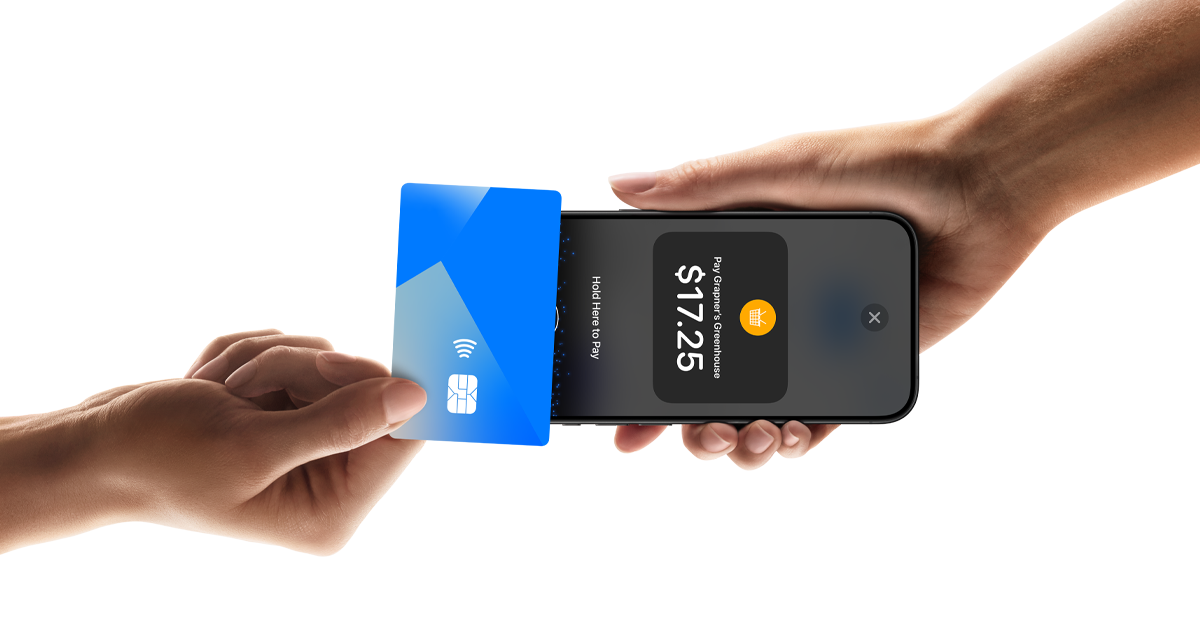
Smartwatches and fitness trackers are increasingly equipped with NFC chips, allowing for “phone-free” payments. This is particularly useful for athletes or commuters who may not want to pull out a large smartphone while on the move. The setup is mirrored from the phone to the watch, maintaining the same tokenization and biometric requirements (often requiring a passcode if the watch detects it has been removed from the wrist).
The Expansion of Digital Currencies and AI
We are seeing the early stages of Central Bank Digital Currencies (CBDCs) and stablecoins being integrated into mobile wallets. Future iterations of mobile payment software will likely use AI to automatically select the best payment method for a transaction—calculating which card offers the most rewards or the lowest conversion fees in real-time.
Furthermore, “Invisible Payments”—technologies used in “Just Walk Out” stores—rely on a mix of mobile app check-ins and computer vision. In these scenarios, the “how to pay” becomes entirely automated; the phone identifies you as you enter the store, and the software handles the transaction as you exit, marking the ultimate shift from manual payment to an ambient, tech-driven financial experience.
aViewFromTheCave is a participant in the Amazon Services LLC Associates Program, an affiliate advertising program designed to provide a means for sites to earn advertising fees by advertising and linking to Amazon.com. Amazon, the Amazon logo, AmazonSupply, and the AmazonSupply logo are trademarks of Amazon.com, Inc. or its affiliates. As an Amazon Associate we earn affiliate commissions from qualifying purchases.