
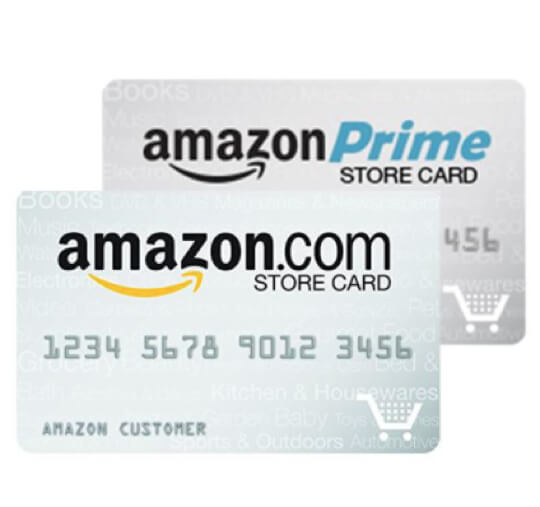
In the modern landscape of e-commerce, the Amazon Store Card has become a staple for frequent shoppers looking to leverage financing options and earn rewards. Issued by Synchrony Bank, this card is a dedicated line of credit specifically for use on Amazon.com and with select physical retailers like Amazon Fresh or Whole Foods. However, possessing a line of credit is only half the battle; managing it effectively through timely payments is the cornerstone of maintaining a healthy financial profile.
Understanding how to pay your Amazon Store Card is more than just a logistical necessity; it is a strategic move in personal finance. Proper management ensures you avoid high-interest charges—particularly the “deferred interest” associated with promotional offers—and helps build a robust credit score. This guide provides a deep dive into the various payment methods, financial strategies, and management tips to ensure your Amazon Store Card remains a tool for growth rather than a source of debt.

1. Navigating the Synchrony Bank Financial Portal
While the card is branded by Amazon, the financial engine behind it is Synchrony Bank. To manage your balance and make payments, you must interact with the Synchrony Bank online portal. This distinction is crucial for new cardholders who often search for payment buttons within their standard Amazon account settings.
Creating and Accessing Your Account
To begin, you must register your card on the Synchrony Bank Amazon portal. You will need your full card number (often found on the physical card or within your Amazon account under “Your Payments”), your zip code, and the last four digits of your Social Security number. Once registered, you gain access to a comprehensive dashboard that displays your current balance, available credit, and upcoming due dates.
Making a One-Time Payment Online
The most common way to pay is via a one-time electronic transfer. Once logged in, you can navigate to the “Payments” section. You will need to link a valid checking account and routing number. The portal allows you to pay the “Minimum Payment Due,” the “Statement Balance,” or a custom “Current Balance.” For those looking to avoid interest entirely, paying the statement balance in full every month is the gold standard of personal finance.
Understanding the Payment Timeline
It is important to note that electronic payments made before 11:59 PM ET are usually credited to the account on the same day. However, it may take 24 to 48 hours for the updated balance to reflect on your Amazon checkout screen. Budgeting your time to ensure payments are processed before the due date is essential to avoid late fees, which can be as high as $40.
2. Optimizing Payments Through Mobile and Alternative Channels
In an era of “finance on the go,” many users prefer managing their credit via mobile devices. Synchrony and Amazon have integrated several features to make this process seamless, ensuring that you never miss a deadline regardless of where you are.
Using the Amazon Shopping App
For many, the most convenient method is through the Amazon Shopping app already installed on their smartphones. By navigating to “Your Account” and selecting “Store Card,” you can often find a direct link that redirects you to the Synchrony mobile-optimized site. This integration allows you to check your balance while shopping, helping you make informed decisions about whether to add more to your “cart” based on your current debt-to-income ratio.
Setting Up Autopay for Financial Consistency
The most effective way to protect your credit score is to enable Autopay. Within the Synchrony portal, you can schedule automatic deductions from your linked bank account. You can choose to pay the minimum amount or the full statement balance. For the disciplined shopper, setting Autopay to the “Statement Balance” ensures you never pay a cent in interest, effectively using the bank’s money for free for 30 days.
Phone and Mail-In Payment Options
Though digital methods are preferred for speed and security, Synchrony provides traditional channels. You can pay by phone by calling the automated system on the back of your card. Note that speaking with a live representative to process a payment may sometimes incur a service fee. Additionally, you can mail a check or money order, though this requires at least 7–10 business days for transit and processing. In the world of high-speed finance, these should be viewed as backup options.
3. Strategic Debt Management: Promotional Financing and Deferred Interest

The Amazon Store Card is famous for its promotional financing offers, such as “0% interest for 6, 12, or 24 months.” While these are excellent for purchasing large items like electronics or furniture, they require a specific payment strategy to avoid financial pitfalls.
The Trap of Deferred Interest
It is vital to understand that the Amazon Store Card often uses “deferred interest” rather than a “0% intro APR.” This means that if you do not pay the balance in full by the end of the promotional period, the interest is backdated to the original purchase date and charged to your account all at once. For example, if you buy a $1,200 laptop on a 12-month plan and still owe $50 at month 13, you will be hit with the interest for the full $1,200 for the entire year.
Calculating Monthly Installments
To successfully navigate promotional financing, do not rely on the “Minimum Payment” listed on your statement. The minimum payment is often calculated to keep you in debt longer. Instead, divide your total promotional purchase price by the number of months in the offer. If you spent $600 on a 6-month plan, ensure you are paying $100 per month. This proactive approach ensures the balance is zeroed out before the deferred interest window closes.
Prioritizing High-Interest Balances
If you use your card for both standard purchases (which accrue immediate interest if not paid) and promotional purchases, your payments are generally applied to the balance with the highest interest rate first. However, during the last two months of a promotional period, any payment above the minimum is applied to the promotional balance to help you clear it. Understanding this “payment hierarchy” is key to managing your cash flow.
4. Leveraging Your Payment History for Credit Building
An Amazon Store Card is more than just a way to buy gadgets; it is a financial instrument that reports to major credit bureaus. How you pay this card significantly impacts your FICO score.
Credit Utilization Ratios
One of the biggest factors in your credit score is your credit utilization ratio—the amount of debt you owe compared to your total limit. Because store cards often have lower limits than traditional Visa or Mastercards, a large Amazon purchase can quickly spike your utilization. By making multiple payments throughout the month (rather than waiting for the due date), you can keep your reported balance low, which helps maintain a high credit score.
The Impact of On-Time Payments
Payment history accounts for roughly 35% of your FICO score. Consistently paying your Amazon Store Card on time demonstrates to lenders that you are a reliable borrower. Even if you cannot pay the full balance, paying at least the minimum by the due date is mandatory to prevent a “30-day late” mark on your credit report, which can stay with you for seven years.
Requesting Credit Limit Increases
As you demonstrate a pattern of responsible payments, you may become eligible for a credit limit increase. This can be requested through the Synchrony portal. A higher limit with the same spending habits lowers your utilization ratio, further boosting your credit health. However, only request an increase if you have the discipline to keep your spending in check.
5. Security Protocols and Financial Troubleshooting
Managing a digital credit line requires a commitment to digital security. Since your Amazon Store Card is linked to your bank account, protecting your login credentials is a paramount financial duty.
Securing Your Financial Portal
Ensure that your Synchrony Bank account uses a unique, complex password and enable Multi-Factor Authentication (MFA). MFA adds a layer of security by requiring a code sent to your phone or email, preventing unauthorized users from changing your payment settings or rerouting funds. Regularly monitor your transaction history for any unauthorized charges, as store cards can be targets for digital “skimming” or account takeovers.
What to Do If a Payment Is Missed
If you realize you have missed a payment, take action immediately. Call Synchrony Bank customer service. If it is your first time missing a date in a long history of on-time payments, they may be willing to waive the late fee as a courtesy. More importantly, make the payment as soon as possible to ensure the account does not reach the 30-day past-due mark, which is when the delinquency is reported to credit bureaus.
Closing the Loop on Your Financial Health
The Amazon Store Card is a powerful tool for the savvy consumer. By mastering the Synchrony portal, utilizing Autopay, understanding the nuances of deferred interest, and viewing every payment as an investment in your credit score, you transform a simple shopping card into a sophisticated pillar of your personal finance strategy. Discipline, awareness, and the strategic use of technology are the keys to ensuring your digital credit works for you, and not the other way around.
aViewFromTheCave is a participant in the Amazon Services LLC Associates Program, an affiliate advertising program designed to provide a means for sites to earn advertising fees by advertising and linking to Amazon.com. Amazon, the Amazon logo, AmazonSupply, and the AmazonSupply logo are trademarks of Amazon.com, Inc. or its affiliates. As an Amazon Associate we earn affiliate commissions from qualifying purchases.